NinjaTrader vs Ironbeam is one of the most direct futures-broker comparisons for active traders in 2026. Unlike comparisons involving general stock brokers, both companies are heavily focused on futures and compete on many of the same factors: low intraday margins, professional trading platforms, Micro futures, advanced order entry, simulation, APIs and access to major derivatives markets.
NinjaTrader combines its own futures brokerage infrastructure with NinjaTrader Desktop, Web and Mobile, SuperDOM, Market Replay, Order Flow+, strategy backtesting and C#-based NinjaScript automation.
Ironbeam is also a Futures Commission Merchant and CME Group clearing member. Its proprietary trading platform is currently available on Windows, Mac, Web, iOS and Android, includes more than 300 built-in indicators, provides advanced ladder trading and supports TradingView connectivity and a native futures API.
This detailed NinjaTrader vs Ironbeam 2026 comparison examines commissions, intraday margins, Micro futures, platform fees, CME market data, TradingView, mobile trading, APIs, automation, simulation and account costs to determine which futures ecosystem better fits different traders.
Quick Answer
Choose NinjaTrader if you want a futures-first ecosystem with clearly published Free, Monthly and Lifetime commission plans, NinjaScript C# automation, SuperDOM, Market Replay, Order Flow+ and integrated strategy backtesting.
Choose Ironbeam if you prioritize a free cross-platform application, Mac support, free CME Level 1 and Level 2 data for qualifying non-professional users on the Ironbeam platform, TradingView integration and REST/WebSocket API infrastructure.
TradeboticsAI Verdict: NinjaTrader remains our preferred choice for traders who want deep native futures automation and a mature specialist platform. Ironbeam is one of the strongest alternatives for traders who value free platform access, free qualifying CME data, Mac compatibility and open API infrastructure.
Explore NinjaTrader and Free Simulated Futures Trading →
Affiliate disclosure: TradeboticsAI may receive compensation when visitors complete qualifying actions through certain links. Futures and options on futures involve substantial risk. Simulated and backtested results are hypothetical. Commissions, exchange, clearing, regulatory, platform and market-data charges may apply.
Table of Contents
- NinjaTrader vs Ironbeam Overview
- Quick Comparison
- Broker and Clearing Structure
- Futures Commissions
- Intraday Futures Margins
- Micro Futures
- Account Minimums
- Trading Platforms
- Market Data Costs
- TradingView Integration
- DOM and Order Execution
- Automated Trading
- NinjaScript vs Ironbeam API
- Simulation and Backtesting
- Options and Spreads
- Mac, Web and Mobile
- Trading Support
- Additional Fees
- Ease of Use
- Pros and Cons
- Which Broker Should You Choose?
- Related Comparisons
- FAQ
- Final Verdict
NinjaTrader vs Ironbeam 2026: Overview
The central difference in NinjaTrader vs Ironbeam is how each company combines brokerage, software and developer infrastructure.
NinjaTrader is structured around an integrated futures ecosystem.
NinjaTrader, LLC develops the software, while NinjaTrader Clearing, LLC operates as the Futures Commission Merchant responsible for customer brokerage accounts and clearing.
The NinjaTrader ecosystem includes:
- NinjaTrader Desktop
- NinjaTrader Web
- NinjaTrader Mobile
- SuperDOM
- Advanced charting
- Order Flow+
- Market Replay
- NinjaScript C# development
- Strategy Analyzer
- Simulation
Ironbeam is also a regulated Futures Commission Merchant and is a CME Group clearing member.
Ironbeam’s proposition combines brokerage and clearing with its own proprietary futures platform, direct order routing, TradingView connectivity and API infrastructure.
Its proprietary platform is available across Windows, macOS, browsers, iPhone, iPad and Android devices.
This makes the NinjaTrader vs Ironbeam battle considerably closer than many general-broker comparisons because both companies are designed specifically around derivatives traders.
NinjaTrader vs Ironbeam: Quick Comparison
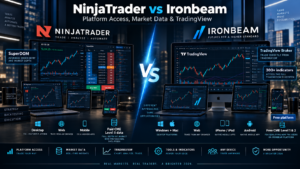
| Category | NinjaTrader | Ironbeam |
|---|---|---|
| Primary Focus | Futures | Futures and futures options |
| Broker Structure | Integrated platform + FCM ecosystem | FCM + CME Group clearing member |
| Micro Commission | From $0.09 per side on Lifetime | Current qualifying promotion advertises $0.39 per contract* |
| Standard Commission | From $0.59 per side on Lifetime | Current qualifying promotion advertises $0.99 per contract* |
| MES Day Margin | $50 | $50 |
| MNQ Day Margin | $100 | $100 |
| ES Day Margin | $500 | $500 |
| NQ Day Margin | $1,000 | $1,000 |
| Platform Cost | Free / $99 Monthly / $1,499 Lifetime plans | Ironbeam proprietary platform currently free |
| Mac Desktop | Desktop is Windows-focused | Native Mac application available |
| Web | Yes | Yes |
| Mobile | iPhone + Android | iPhone/iPad + Android |
| CME Level 2 Data | Paid subscription for non-professionals | Currently free for non-professionals on Ironbeam platform |
| TradingView | NinjaTrader proprietary ecosystem emphasis | Official TradingView Broker Partner |
| Automation | NinjaScript / C# | REST + WebSocket API |
| Best For | Native futures automation | Cross-platform + API flexibility |
*Ironbeam’s publicly advertised promotional commissions have eligibility conditions, including new-customer and funding requirements. Exchange, clearing and NFA fees still apply. Traders should obtain a current written commission quote before opening an account.
NinjaTrader vs Ironbeam Broker and Clearing Structure
Both companies operate much closer to the futures infrastructure than a general-purpose retail stock broker.
NinjaTrader
NinjaTrader Clearing is a registered Futures Commission Merchant.
The broader NinjaTrader organization provides both the trading software and the brokerage ecosystem.
This vertical integration creates a relatively standardized customer experience from platform selection through account management and futures execution.
Ironbeam
Ironbeam is also a Futures Commission Merchant and a CME Group clearing member.
The company provides clearing, brokerage, direct market routing and trading technology within its futures infrastructure.
Ironbeam states that its proprietary platform uses direct market connectivity and its own order-routing infrastructure rather than requiring every order to pass through an unrelated third-party front end.
For most retail traders, both structures provide a legitimate futures-focused brokerage relationship.
The larger practical differences appear in software, market-data pricing and automation architecture.
NinjaTrader vs Ironbeam Futures Commissions
Commission pricing requires careful interpretation in the NinjaTrader vs Ironbeam comparison.
NinjaTrader Commission Plans
| Plan | Plan Cost | Micro / e-Nano | Standard |
|---|---|---|---|
| Free | $0/month | $0.39 per side | $1.29 per side |
| Monthly | $99/month | $0.29 per side | $0.99 per side |
| Lifetime | $1,499 one-time | $0.09 per side | $0.59 per side |
Exchange, NFA and clearing charges apply in addition to NinjaTrader’s published commission figures.
Verify current pricing on the official NinjaTrader pricing page.
Ironbeam Commission Structure
Ironbeam’s standard commission model is more individualized.
The company states that its commission rates can depend on factors such as:
- Trading volume
- Markets traded
- Risk profile
- Leverage
- Account configuration
Ironbeam therefore encourages traders to obtain a specific commission quote.
Its current public new-account promotion separately advertises approximately:
- $0.39 per Micro contract for qualifying CME Micro equity-index contracts
- $0.99 per standard contract under the qualifying promotional structure
The promotion currently requires a qualifying new account and at least $1,000 in funding, and exchange, clearing and NFA fees remain additional.
Because Ironbeam’s public promotional page uses “per contract” terminology while final customer pricing can vary, traders should confirm the exact per-side and round-trip amount in their account-specific written quote.
Which Broker Has Lower Commissions?
NinjaTrader provides the more transparent public pricing ladder.
For active Micro futures traders, its Lifetime plan currently publishes the lowest base commission at $0.09 per contract per side.
However, the Lifetime plan costs $1,499 upfront.
Ironbeam’s current promotion can be competitive with NinjaTrader Free or Monthly depending on contract, trading volume and final account quote.
The correct comparison should therefore include:
- Opening commission
- Closing commission
- Exchange fee
- NFA fee
- Clearing fee
- Order-routing fee
- Platform cost
- Market-data cost
NinjaTrader vs Ironbeam Intraday Futures Margins
Margin is one of the closest parts of the NinjaTrader vs Ironbeam comparison.
| Contract | NinjaTrader Day Margin | Ironbeam Day Margin |
|---|---|---|
| MES | $50 | $50 |
| MNQ | $100 | $100 |
| MYM | $50 | $50 |
| M2K | $50 | $50 |
| ES | $500 | $500 |
| NQ | $1,000 | $1,000 |
For the most popular U.S. equity-index futures, current published day-margin requirements are therefore almost identical.
Ironbeam states that its day margins normally apply during market hours except for the final 15 minutes before the market close, when overnight requirements become relevant.
NinjaTrader similarly transitions from intraday to initial margin shortly before the applicable session close.
Both brokers reserve the right to increase margins in response to volatility or risk conditions.
NinjaTrader also temporarily increases intraday requirements around certain major economic announcements.
Low margin should never be interpreted as low risk.
A $50 day margin on MES allows substantial leverage relative to the cash posted for the position, and losses can rapidly exceed the amount initially used to open a trade.
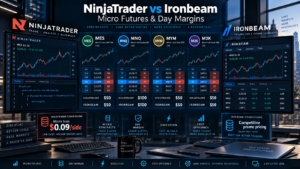
NinjaTrader vs Ironbeam for Micro Futures
Micro futures are a major target market for both companies.
Popular products include:
- MES — Micro E-mini S&P 500
- MNQ — Micro E-mini Nasdaq-100
- MYM — Micro E-mini Dow
- M2K — Micro E-mini Russell 2000
- MGC — Micro Gold
- MCL — Micro Crude Oil
- Micro currency futures
- Micro cryptocurrency derivatives where supported
NinjaTrader’s main Micro advantage is its published commission ladder.
The Free plan currently starts at $0.39 per Micro contract per side, Monthly at $0.29 and Lifetime at $0.09.
Ironbeam’s main Micro advantage is its combination of low day margins, free proprietary platform and potentially free CME Level 2 data for qualifying non-professional users on its own platform.
For active traders, the total monthly cost may therefore depend as much on market-data and platform fees as on the commission itself.
NinjaTrader vs Ironbeam Minimum Deposit
Both companies currently advertise no general minimum deposit requirement to open a standard live futures account.
That does not mean a trader can responsibly trade every contract with a very small balance.
The account must still contain enough capital to satisfy margin and risk requirements.
Important Ironbeam Exceptions
Ironbeam’s current promotional commission offer requires at least $1,000 in funding.
Its native API also currently requires a live funded account with at least $1,000 before API credentials are issued.
These requirements are separate from the general no-minimum account-opening policy.
NinjaTrader vs Ironbeam Trading Platforms
Platform design creates a meaningful distinction in NinjaTrader vs Ironbeam.
NinjaTrader Platform Ecosystem
- NinjaTrader Desktop
- NinjaTrader Web
- NinjaTrader Mobile
NinjaTrader Desktop remains the deepest version for advanced futures work.
It includes:
- NinjaScript
- Strategy Analyzer
- SuperDOM
- Advanced charting
- Market Replay
- Order Flow+
- Custom indicators
- Third-party add-ons
Ironbeam Platform
Ironbeam’s proprietary futures platform is currently free.
It supports:
- Windows
- macOS
- Web browsers
- iPhone
- iPad
- Android
Ironbeam currently advertises more than 300 built-in indicators.
Additional functionality includes:
- Advanced charting
- Chart trading
- Advanced ladder
- Options trading
- Spread trading
- Server-side bracket strategies
- Trailing stops
- OCO orders
- Real-time SPAN margin information
- Account management inside the platform
Native strategy customization: NinjaTrader.
Cross-platform operating-system support: Ironbeam.
NinjaTrader vs Ironbeam Market Data Costs
This is one of Ironbeam’s strongest competitive advantages.
NinjaTrader CME Data
NinjaTrader currently publishes the following CME Group data rates for non-professional users:
- Level I bundle: $12/month for CME, CBOT, NYMEX and COMEX
- Level I single exchange: $4/month
- Level II bundle: $48/month
- Level II single exchange: $16/month
Professional-user pricing is significantly higher.
Ironbeam CME Data
For qualifying non-professional traders using the proprietary Ironbeam platform, Ironbeam currently lists:
- CME Level I: Free
- CME/GLOBEX Level II bundle: Free
- CME Level II: Free
- CBOT Level II: Free
- COMEX Level II: Free
- NYMEX Level II: Free
The free-data benefit is specifically associated with Ironbeam’s proprietary platform and non-professional status.
Third-party setups can cost more.
For example, Ironbeam currently lists separate CQG and Rithmic market-data pricing, and Rithmic also carries connectivity and routing charges.
This means Ironbeam can have a significant total-cost advantage for a non-professional trader who is satisfied using the native Ironbeam platform.
NinjaTrader vs Ironbeam for TradingView
Ironbeam is an official TradingView Broker Partner.
Eligible Ironbeam customers can connect their futures account through TradingView’s Trading Panel and place trades from TradingView charts and interfaces.
Ironbeam currently supports TradingView access to exchanges including:
- CME / GLOBEX
- Coinbase Derivatives
- ICE US
- ICE Europe
- Eurex
TradingView provides:
- Desktop applications
- Web access
- Mobile access
- Community indicators
- Depth of Market
- Strategy Tester
- Chart-based order entry
- Alerts
See the official Ironbeam TradingView integration page.
If TradingView is your preferred charting environment, Ironbeam has a clear advantage in this category.
If NinjaTrader Desktop itself is the platform you want, the native NinjaTrader brokerage environment remains the more direct path.
NinjaTrader SuperDOM vs Ironbeam Advanced Ladder
Both platforms support price-ladder futures trading.
NinjaTrader SuperDOM
SuperDOM is a mature futures depth-of-market interface that allows traders to:
- Place market orders
- Place limit orders
- Place stop orders
- Manage working orders
- Manage positions
- Use ATM strategies
- Add custom NinjaScript functionality
Ironbeam Advanced Ladder
Ironbeam provides an Advanced Ladder built directly into its proprietary platform.
The platform emphasizes direct, unfiltered data and direct order routing to the exchange.
Custom server-side order strategies can include:
- Bracket orders
- Take-profit orders
- Stop-loss orders
- Trailing stops
- OCO structures
- Saved custom order templates
For deep customization, SuperDOM remains one of NinjaTrader’s strongest assets.
For traders wanting a clean ladder connected directly to Ironbeam’s infrastructure, Ironbeam provides a strong alternative.
NinjaTrader vs Ironbeam for Automated Trading
Automation is where the architecture of NinjaTrader vs Ironbeam diverges significantly.
NinjaTrader Automation
NinjaTrader uses NinjaScript, which is based on C#.
Developers can create:
- Automated trading strategies
- Custom indicators
- SuperDOM extensions
- Drawing tools
- Market Analyzer functionality
- Platform add-ons
- Optimization logic
Strategy development, historical testing and execution can all take place within NinjaTrader Desktop.
Ironbeam Automation
Ironbeam takes an API-first approach.
The native Ironbeam API is designed for:
- Custom trading applications
- Algorithmic strategies
- Market-data integrations
- Prop trading systems
- Custom front ends
- Institutional and fintech integrations
The API uses REST for integration and WebSockets for streaming data.
Ironbeam states that its API infrastructure can connect directly at the exchange data center and supports real-time market data, order execution, positions, balances and risk information.
NinjaScript vs Ironbeam API
The correct choice depends on where you want the trading logic to run.
Choose NinjaScript If You Want:
- C# development
- Strategy logic inside the trading platform
- Chart-integrated indicators
- Native backtesting
- Optimization
- Custom SuperDOM tools
- Integrated live execution
Choose Ironbeam API If You Want:
- A separate trading engine
- REST brokerage connectivity
- WebSocket market-data streaming
- Custom web or mobile applications
- Independent algorithmic infrastructure
- Prop-firm or fintech integrations
- Custom risk-management systems
Ironbeam currently requires at least $1,000 in a funded live account for API access.
Active traders executing at least five contracts per month currently qualify for the standard API tier without an additional API charge.
Accounts below that activity threshold can face development/read-only pricing beginning around $249 per month, while enterprise configurations are individually priced.
See the official Ironbeam API page.
Integrated platform automation: NinjaTrader.
External API architecture: Ironbeam.
NinjaTrader vs Ironbeam Simulation and Backtesting
NinjaTrader has the stronger native systematic-research environment.
NinjaTrader Desktop includes:
- Strategy Analyzer
- Historical backtesting
- Optimization
- Market Replay
- Simulated trading
- NinjaScript strategy development
Market Replay allows historical futures sessions to be replayed for practice and strategy research.
Ironbeam also provides simulated trading.
Its demo environment allows traders to test the same core platform used for live trading.
Market-data entitlement can depend on the account setup: demo environments may use delayed data, while eligible funded accounts can receive applicable real-time data.
For traders who primarily want to practice order entry and platform usage, both can work well.
For programmers who want integrated strategy backtesting, NinjaTrader has the advantage.
Futures Options and Spread Trading
Ironbeam provides a notable strength in futures options and complex spreads.
The proprietary platform includes:
- Futures options interfaces
- Spread Trader
- Real-time SPAN margin functionality
- Reduced-margin recognition where applicable
This can be useful for traders who combine outright futures positions with options or multi-leg futures spreads.
NinjaTrader’s strongest identity remains outright futures trading, automation, charting and execution.
For a trader heavily focused on futures options and spread structures, Ironbeam deserves additional consideration.
NinjaTrader vs Ironbeam on Mac, Web and Mobile
Device support is one of Ironbeam’s clearest advantages.
NinjaTrader
- Windows Desktop
- Web
- iPhone
- Android
NinjaTrader’s deepest customization and NinjaScript functionality remain tied to the Windows Desktop application.
Ironbeam
- Windows Desktop
- Mac Desktop
- Web browser
- iPhone
- iPad
- Android
- Tablet
Ironbeam states that its workspaces and core functionality can move across devices.
For a trader who uses a Mac as the primary desktop computer, Ironbeam is therefore considerably easier to deploy natively.
Mac support winner: Ironbeam.
Deep Windows futures customization winner: NinjaTrader.
NinjaTrader vs Ironbeam Trading Support
Both companies provide futures-specific customer service rather than relying entirely on generic brokerage support.
Ironbeam currently advertises live support whenever futures markets are open and emphasizes access to experienced futures brokers.
Its support model can be particularly useful for traders who need help with:
- Platform configuration
- Account questions
- Futures margins
- Data feeds
- Order-routing technology
- API access
NinjaTrader also provides platform and brokerage support across its futures ecosystem.
The best support experience will ultimately depend on the specific issue, but both companies operate with a dedicated futures orientation.
NinjaTrader vs Ironbeam Additional Fees
Total trading cost extends beyond commission.
Potential NinjaTrader Costs
- Base commission
- Exchange fees
- NFA fees
- Clearing fees
- Market-data subscriptions
- Monthly or Lifetime plan
- Rithmic routing fees where applicable
- Third-party software
- Free-plan minimum activity fee under qualifying conditions
NinjaTrader’s current Free-plan terms state that accounts that log into the trading platform but execute no live trade during the applicable period can incur a $35 minimum-activity fee.
Potential Ironbeam Costs
- Base commission
- Exchange fees
- NFA fees
- Clearing fees
- Third-party market-data fees
- Rithmic connectivity and routing fees where applicable
- API charges for accounts below qualifying activity thresholds
- Wire-transfer fees
- Risk-liquidation fees
The native Ironbeam platform itself is currently free, and qualifying non-professional CME Level 1 and Level 2 data is also currently free when using that platform.
This can materially reduce fixed monthly costs.
Which Futures Broker Is Easier to Use?
The answer depends on the type of trader.
NinjaTrader offers one of the deepest retail futures environments available, but that depth creates a learning curve.
Ironbeam’s native platform can be easier for traders who want a modern cross-platform interface without configuring an extensive C# development environment.
NinjaTrader May Be Better If:
- You already understand professional futures platforms
- You use SuperDOM heavily
- You develop automated strategies
- You want Market Replay
- You use C#
- You need integrated backtesting
- You want Order Flow+
Ironbeam May Be Better If:
- You use a Mac
- You want a free proprietary platform
- You want free qualifying CME Level 2 data
- You prefer TradingView
- You want REST/WebSocket API connectivity
- You trade futures options and spreads
- You want the same platform across many device types
NinjaTrader vs Ironbeam Pros and Cons
NinjaTrader Pros
- Dedicated futures ecosystem
- Integrated brokerage and platform
- Free plan available
- Micro commissions down to $0.09 per side on Lifetime
- Competitive $50-class Micro day margins
- SuperDOM
- Order Flow+
- Market Replay
- NinjaScript C# automation
- Strategy Analyzer
- Advanced backtesting
- Desktop, Web and Mobile access
- Large third-party futures ecosystem
NinjaTrader Cons
- Lowest commissions require $1,499 Lifetime plan
- Desktop customization is Windows-focused
- CME Level II data carries a monthly cost
- Advanced NinjaScript development requires technical knowledge
- Free-plan minimum-activity fee can apply
Ironbeam Pros
- Futures Commission Merchant
- CME Group clearing member
- No general funding minimum
- Free proprietary trading platform
- Windows support
- Native Mac support
- Web platform
- iOS and Android apps
- 300+ built-in indicators
- Advanced trading ladder
- Direct order routing
- TradingView Broker Partner
- Free CME Level I data for qualifying non-professionals on native platform
- Free CME Level II data for qualifying non-professionals on native platform
- REST and WebSocket API
- Futures options
- Spread trading tools
- Simulation
- 24-hour futures-market support
Ironbeam Cons
- Standard commission pricing is less transparent than NinjaTrader’s three-plan table
- Promotional commission rates have eligibility requirements
- Third-party data feeds can create additional costs
- Rithmic can add connection and routing charges
- API requires a funded $1,000 account
- Low-activity API users can face substantial API charges
- No native C# development environment directly comparable to NinjaScript
NinjaTrader vs Ironbeam: Which Should You Choose?
Choose NinjaTrader If You:
- Primarily trade futures
- Trade MES, MNQ, MYM or M2K actively
- Want clearly published commission tiers
- Need SuperDOM
- Use Order Flow+
- Need Market Replay
- Develop strategies in C#
- Want native NinjaScript automation
- Need integrated strategy backtesting
- Expect trading volume high enough to justify Monthly or Lifetime pricing
Choose Ironbeam If You:
- Want a free futures platform
- Use macOS
- Want CME Level 2 data without a monthly charge under qualifying non-professional native-platform conditions
- Use TradingView
- Prefer an API-first architecture
- Want REST and WebSocket connectivity
- Trade futures options
- Trade futures spreads
- Want platform access across Windows, Mac, Web, iOS and Android
Want Deep Futures Automation and Backtesting?
Explore NinjaTrader’s SuperDOM, Market Replay, NinjaScript development, strategy backtesting and free simulated-trading environment.
Free simulation differs from live trading. Futures involve substantial leverage, commissions and risk.
Related NinjaTrader Comparisons
- NinjaTrader vs tastytrade 2026
- NinjaTrader vs Robinhood 2026
- NinjaTrader vs Webull 2026
- NinjaTrader vs Optimus Futures 2026
- NinjaTrader vs AMP Futures 2026
- NinjaTrader vs Interactive Brokers 2026
- NinjaTrader vs TradeStation 2026
- NinjaTrader vs TradingView 2026
- NinjaTrader vs Thinkorswim 2026
- NinjaTrader vs Tradovate 2026
- NinjaTrader vs Sierra Chart 2026
- NinjaTrader vs Quantower 2026
- NinjaTrader vs Bookmap 2026
- NinjaTrader vs ATAS 2026
- NinjaTrader vs MotiveWave 2026
- NinjaTrader vs MultiCharts 2026
- NinjaTrader vs MetaTrader 5 2026
NinjaTrader vs Ironbeam FAQ
Is NinjaTrader better than Ironbeam?
NinjaTrader is generally better suited to traders who prioritize native futures automation, NinjaScript, SuperDOM, Market Replay and integrated backtesting. Ironbeam can be better for traders who prioritize free platform access, Mac support, TradingView integration, free qualifying CME market data and an API-first architecture.
Is Ironbeam a futures broker?
Yes. Ironbeam is a Futures Commission Merchant and CME Group clearing member focused on futures and options on futures.
Does Ironbeam have a minimum deposit?
Ironbeam currently advertises no general funding minimum to open a live futures account. Specific promotions and API access can have separate minimum-balance requirements.
Does NinjaTrader have a minimum deposit?
NinjaTrader currently advertises no general minimum deposit requirement, although sufficient capital is required to satisfy contract margins and manage risk.
What is Ironbeam’s MES margin?
Ironbeam currently publishes a $50 day-trading margin for MES. Margin requirements can change without notice.
What is NinjaTrader’s MES margin?
NinjaTrader currently publishes a $50 intraday margin for MES.
What is Ironbeam’s MNQ margin?
Ironbeam currently publishes a $100 day margin for MNQ.
What is NinjaTrader’s MNQ margin?
NinjaTrader currently publishes a $100 intraday margin for MNQ.
Does Ironbeam offer free Level 2 market data?
Yes. Ironbeam currently lists CME Group Level 2 market data at no monthly charge for qualifying non-professional users trading through its proprietary platform. Third-party platform and professional-user pricing differs.
Is NinjaTrader Level 2 data free?
NinjaTrader currently charges non-professional users for full-depth CME Level II data. The current published CME Group bundle is $48 per month, with individual exchange subscriptions also available.
Is the Ironbeam platform free?
Yes. Ironbeam currently offers its proprietary trading platform without a monthly platform fee. Trading commissions, exchange, NFA and other applicable fees still apply.
Does Ironbeam work on Mac?
Yes. Ironbeam provides a native Mac desktop application in addition to Windows, Web, iPhone, iPad and Android access.
Does NinjaTrader Desktop work natively on Mac?
NinjaTrader Desktop is primarily Windows-focused. Mac users can access NinjaTrader through its browser-based Web platform.
Does Ironbeam work with TradingView?
Yes. Ironbeam is an official TradingView Broker Partner and eligible customers can connect their Ironbeam futures account directly through TradingView.
Does Ironbeam have an API?
Yes. Ironbeam provides a native futures API using REST and WebSocket technologies for market data, order execution, account management and automated trading applications.
How much does the Ironbeam API cost?
Ironbeam currently requires at least $1,000 in a funded live account for API access. Traders meeting the required monthly activity threshold can receive standard API access without an additional charge, while lower-activity development access can carry separate monthly pricing.
Does NinjaTrader have automated trading?
Yes. NinjaTrader uses NinjaScript, a C#-based framework for automated strategies, custom indicators and platform extensions.
Which is better for automated trading?
NinjaTrader is generally better for traders who want strategy development integrated directly inside the trading platform. Ironbeam can be better for developers building independent applications or algo infrastructure through REST and WebSocket APIs.
Does Ironbeam offer simulated trading?
Yes. Ironbeam provides simulated and demo trading. Real-time versus delayed market-data entitlement depends on account and platform conditions.
Does NinjaTrader offer simulated trading?
Yes. NinjaTrader provides free simulated trading together with Market Replay and strategy-testing functionality.
Which is better for backtesting?
NinjaTrader has the stronger integrated futures backtesting environment through NinjaScript and Strategy Analyzer. Ironbeam developers can create separate research and execution infrastructure through its API.
Does Ironbeam support futures options?
Yes. Ironbeam supports options on futures and provides tools for options and spread trading inside its platform.
Which broker is better for TradingView traders?
Ironbeam is the stronger choice for traders who specifically want direct TradingView broker integration because Ironbeam is an official TradingView Broker Partner.
Which broker is better for C# developers?
NinjaTrader is generally better for C# developers who want strategies running natively inside the trading platform because NinjaScript is based on C#.
Which is better for Micro futures scalping?
Both offer very competitive published day margins on major Micro contracts. NinjaTrader provides lower published commission tiers for high-volume users, while Ironbeam can reduce fixed platform and market-data costs when using its native platform.
Final Verdict: NinjaTrader vs Ironbeam 2026
The final NinjaTrader vs Ironbeam 2026 decision is unusually competitive because both companies are genuine futures specialists.
NinjaTrader remains our preferred option for traders who want deep native futures automation.
Its strongest advantages are NinjaScript C#, SuperDOM, Market Replay, Order Flow+, integrated strategy testing and a transparent three-tier commission structure.
For active Micro futures traders, NinjaTrader Lifetime currently publishes one of the lowest base commissions in this comparison at $0.09 per contract per side.
The trade-off is the $1,499 Lifetime cost and separate market-data charges for traders requiring full CME depth.
Ironbeam is one of the strongest alternatives for traders focused on platform flexibility and infrastructure cost.
The native platform is currently free, runs on Windows and Mac as well as Web and Mobile, includes more than 300 indicators and provides free CME Level I and Level II data for qualifying non-professional users.
Ironbeam also has a significant advantage for TradingView users.
Its official TradingView broker integration allows eligible customers to trade futures directly through TradingView’s desktop, browser and mobile ecosystem.
Automation is where the philosophical difference becomes clearest.
NinjaTrader = build the strategy inside the trading platform using C# and NinjaScript.
Ironbeam = build an independent system and connect directly to brokerage infrastructure through REST and WebSockets.
Current day margins are remarkably similar on the contracts most active retail traders care about.
Both currently publish approximately $50 for MES, $100 for MNQ, $50 for MYM, $50 for M2K, $500 for ES and $1,000 for NQ.
The real decision is therefore not margin.
It is software architecture, commission economics and fixed monthly costs.
Choose NinjaTrader when native automation, historical strategy testing, Market Replay, SuperDOM and a mature specialist ecosystem are most important.
Choose Ironbeam when Mac support, TradingView, free native software, free qualifying CME market data and API connectivity matter more.
Before funding either account, verify current commissions, all-in round-trip costs, margin requirements, exchange fees, data entitlements and account conditions directly with the broker because futures pricing and risk requirements can change.
Affiliate Disclosure: TradeboticsAI may receive compensation when visitors click certain affiliate links or complete qualifying actions. This does not increase the user’s cost and does not determine our editorial conclusions.
Risk Disclosure: Futures and options on futures involve substantial risk and are not suitable for every investor. Reduced intraday margin substantially increases leverage and can magnify losses rapidly. Losses may exceed the amount initially committed depending on market and account conditions. Simulated, replayed and backtested performance is hypothetical and does not guarantee future live-trading performance. This content is provided for informational and educational purposes only and is not financial, investment, tax or legal advice.