NinjaTrader vs MetaTrader 5 2026: Which Trading Platform Is Better?
NinjaTrader vs MetaTrader 5 is a major platform comparison for traders choosing between a futures-focused ecosystem and one of the world’s most widely used multi-asset trading environments in 2026. Both platforms offer advanced charting, automated trading, strategy testing, market-depth tools and multi-device access, but they are built for very different trading workflows.
NinjaTrader is primarily focused on active futures traders. It combines futures brokerage infrastructure with Desktop, Web and Mobile platforms, advanced charting, SuperDOM, Order Flow+, Market Replay, simulated trading and C#-based NinjaScript automation.
MetaTrader 5, commonly called MT5, is a multi-asset trading platform developed by MetaQuotes. It can support forex, stocks, futures and other instruments depending on the broker providing the account. MT5 also includes Expert Advisors, the MQL5 development environment, Strategy Tester, Market Depth, mobile applications and browser-based trading.
This detailed NinjaTrader vs MetaTrader 5 2026 comparison examines futures trading, forex, automation, NinjaScript versus MQL5, backtesting, optimization, Market Depth, pricing, broker choice, mobile access and ease of use to determine which platform better fits different types of traders.
Quick Answer
Choose NinjaTrader if your primary market is futures and you want an integrated futures brokerage ecosystem, specialized execution tools, C# NinjaScript automation, Market Replay and a large futures-focused add-on ecosystem.
Choose MetaTrader 5 if you want a broker-dependent multi-asset platform with strong forex adoption, MQL5 Expert Advisors, advanced Strategy Tester functionality and broad Desktop, Web, iOS and Android access.
TradeboticsAI Verdict: NinjaTrader is generally the stronger choice for dedicated U.S. futures traders. MetaTrader 5 is more flexible for traders who prioritize forex, multi-asset broker choice or the global MQL5 algorithmic-trading ecosystem.
Explore NinjaTrader and Free Simulated Trading →
Affiliate disclosure: TradeboticsAI may receive compensation when visitors complete qualifying actions through certain links. Simulated trading is different from live brokerage trading. Futures, forex and leveraged financial products involve substantial risk, and commissions, spreads and other fees may apply.
Table of Contents
- NinjaTrader vs MetaTrader 5 Overview
- Quick Comparison
- Markets and Instruments
- Futures Trading
- Forex Trading
- Charting and Technical Analysis
- Market Depth and Order Execution
- Automated Trading
- NinjaScript vs MQL5
- Backtesting and Strategy Testing
- Optimization and Forward Testing
- Indicators, Robots and Add-Ons
- Broker Choice
- Desktop, Web and Mobile
- Pricing and Trading Costs
- Ease of Use
- Pros and Cons
- Which Platform Should You Choose?
- Related Comparisons
- FAQ
- Final Verdict
NinjaTrader vs MetaTrader 5 2026: Overview
The fundamental difference in NinjaTrader vs MetaTrader 5 is specialization versus broker-dependent flexibility.
NinjaTrader combines trading software and futures brokerage infrastructure within one ecosystem. A trader can open a NinjaTrader futures account, use simulated trading, access market data and move between Desktop, Web and Mobile applications.
MetaTrader 5 is different because MetaQuotes develops the software but does not operate as the trader’s broker.
Live MT5 trading takes place through a brokerage company that supports MetaTrader 5. The broker determines which instruments, account types, spreads, commissions, leverage rules, exchange access and market-data services are available.
This means two traders using MetaTrader 5 may have very different trading environments depending on their brokers.
One might use MT5 primarily for currencies. Another could trade exchange-listed products or other supported instruments.
NinjaTrader provides less broker flexibility but greater consistency for traders whose primary goal is active futures trading.
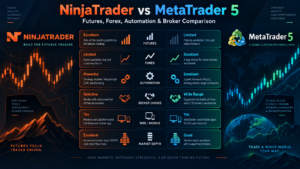
NinjaTrader vs MetaTrader 5: Quick Comparison
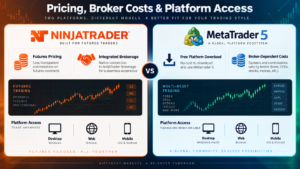
| Category | NinjaTrader | MetaTrader 5 |
|---|---|---|
| Primary Strength | Dedicated futures ecosystem | Broker-dependent multi-asset trading |
| Futures | Core specialization | Available when supported by broker |
| Forex | Not primary brokerage focus | Major platform use case |
| Stocks | Not primary brokerage focus | Supported through compatible brokers |
| Programming | NinjaScript / C# | MQL5 / C++-like syntax |
| Automated Strategies | NinjaScript Strategies | Expert Advisors |
| Backtesting | Advanced strategy testing | Multi-currency Strategy Tester |
| Optimization | Optimization and walk-forward capabilities | Multi-threaded, genetic and cloud-assisted optimization |
| Market Depth | SuperDOM and futures tools | Built-in Market Depth |
| Order Flow | Order Flow+ and third-party ecosystem | Market Depth and third-party indicators/EAs |
| Desktop | Windows | Windows plus official macOS/Linux options |
| Web | Yes | Yes |
| Mobile | iPhone and Android | iPhone/iPad and Android |
| Live Trading Cost | Published NinjaTrader commission plans | Determined by selected broker |
| Best For | Dedicated futures traders | Forex, multi-asset and EA-focused traders |
NinjaTrader vs MetaTrader 5: Markets and Instruments
Market coverage is one of the biggest differences between the two platforms.
NinjaTrader’s brokerage proposition is intentionally concentrated on futures.
This includes major U.S. exchange-listed contracts across:
- Equity indexes
- Micro E-mini futures
- E-mini futures
- Energy
- Metals
- Agricultural markets
- Interest rates
- Currency futures
- Other supported futures products
MetaTrader 5 is designed as a broader multi-asset platform.
MetaQuotes officially describes MT5 as capable of supporting currencies, stocks and futures.
However, the exact instrument list is controlled by the selected brokerage company.
This distinction is essential.
Installing MetaTrader 5 does not automatically give the trader access to every market that the software technically supports.
The broker determines what can actually be traded.
Market breadth winner: MetaTrader 5 when paired with an appropriate multi-asset broker.
Dedicated futures specialization winner: NinjaTrader.
NinjaTrader vs MetaTrader 5 for Futures Trading
For traders primarily focused on U.S. exchange-listed futures, NinjaTrader has the clearer proposition.
The platform’s brokerage plans, intraday margin structure, charting, SuperDOM, Market Replay and advanced tools are all centered heavily around futures trading.
NinjaTrader currently advertises intraday margins starting at $50 for selected Micro futures contracts and commissions starting at $0.09 per Micro contract per side under its Lifetime plan.
MetaTrader 5 technically supports futures and exchange-market trading, but the availability, exchanges, contract specifications, commissions and data are broker-dependent.
Therefore, a futures trader considering MT5 must first identify a broker that provides the required futures instruments through the platform.
The practical comparison is therefore:
NinjaTrader: futures are the center of the ecosystem.
MetaTrader 5: futures are one of several markets the software can support when offered by the connected broker.
For dedicated futures scalping, NinjaTrader’s specialization can be a major advantage.
NinjaTrader vs MetaTrader 5 for Forex Trading
The situation reverses when forex becomes the primary market.
MetaTrader has an enormous history in currency trading, and MetaTrader 5 was designed to support forex alongside exchange markets.
The platform offers hedging and netting account systems, multiple execution modes, technical analysis, automated Expert Advisors and broker-dependent forex access.
NinjaTrader’s current brokerage proposition does not primarily target spot forex trading.
A trader whose main objective is currencies through a forex broker will therefore usually find the MetaTrader 5 ecosystem more naturally aligned with that workflow.
Forex winner: MetaTrader 5.
For traders who prefer regulated exchange-traded currency futures rather than spot forex, NinjaTrader becomes much more relevant.
NinjaTrader vs MetaTrader 5 for Charting and Technical Analysis
Both platforms provide capable technical-analysis environments.
NinjaTrader Charting
NinjaTrader Desktop provides customizable charts, numerous built-in indicators, drawing tools and extensive third-party expansion through the NinjaTrader ecosystem.
Custom NinjaScript indicators can be developed directly in C#.
Charts also integrate closely with:
- Order entry
- Automated strategies
- Market Replay
- SuperDOM
- Order Flow tools
- Strategy testing
MetaTrader 5 Charting
MetaTrader 5 provides professional technical-analysis functionality across desktop, web and mobile platforms.
Its ecosystem includes built-in indicators, graphical objects, multiple timeframes and the ability to add custom MQL5 indicators.
MetaTrader 5 Web currently provides 30 technical indicators and 24 graphical objects together with one-click trading and Market Depth.
The desktop ecosystem can be expanded significantly through the MetaTrader Market and MQL5 Code Base.
Charting verdict: both are strong. NinjaTrader is more naturally optimized around futures workflows, while MetaTrader 5 provides broader broker-dependent multi-asset flexibility.
NinjaTrader SuperDOM vs MetaTrader 5 Market Depth
Both platforms provide depth-of-market functionality.
NinjaTrader’s SuperDOM is a futures-focused price ladder designed for order entry, position management and professional execution.
It can be combined with advanced trade-management logic and custom NinjaScript columns.
MetaTrader 5 includes Market Depth for supported instruments and execution models.
Market Depth can display available buy and sell offers and allows traders to interact with the market using market and pending orders.
MT5 also supports both netting and hedging position accounting systems.
The exact quality and depth of the order-book information depend on the broker, market and data being supplied.
For exchange-listed futures specialists, NinjaTrader’s SuperDOM has a more specialized workflow.
For a broader multi-asset environment, MT5 Market Depth is highly functional.
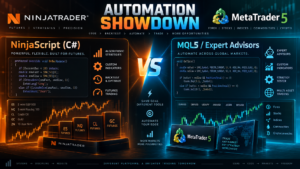
NinjaTrader vs MetaTrader 5 for Automated Trading
Automated trading is one of the most important parts of the NinjaTrader vs MetaTrader 5 comparison.
Both ecosystems support sophisticated trading robots, but the development architectures differ.
NinjaTrader Automation
NinjaTrader Desktop uses NinjaScript, its C# programming framework.
Developers can create:
- Automated trading strategies
- Custom indicators
- Drawing tools
- SuperDOM columns
- Market Analyzer components
- Complete platform add-ons
NinjaScript strategies can be backtested and optimized before deployment.
MetaTrader 5 Automation
MetaTrader 5 uses Expert Advisors, commonly known as EAs.
The integrated MQL5 IDE provides the complete development lifecycle for:
- Creating Expert Advisors
- Writing custom indicators
- Debugging code
- Compiling applications
- Testing strategies
- Optimizing parameters
- Running automated systems
MetaTrader 5 also provides access to an extensive marketplace of commercial and free automated trading applications.
Automation verdict: neither platform is universally superior. NinjaTrader is highly attractive for C# developers and futures systems, while MT5 has an enormous established ecosystem around Expert Advisors and MQL5.
NinjaScript vs MQL5
The programming language may determine the winner for experienced developers.
NinjaScript
NinjaScript is based on C# and runs inside NinjaTrader Desktop.
Its advantages include:
- Modern object-oriented C# development
- Direct access to NinjaTrader charting and order infrastructure
- Automated strategies
- Custom indicators
- Custom optimizers
- Platform add-ons
- Visual Studio compatibility
Developers already working with .NET may find NinjaScript immediately familiar.
MQL5
MQL5 is MetaTrader 5’s proprietary object-oriented trading language.
Its syntax is similar to C++ and it was specifically created for developing trading applications.
MQL5 can be used for:
- Expert Advisors
- Custom indicators
- Scripts
- Function libraries
- Trading utilities
The MetaEditor environment includes code editing, debugging and compilation tools.
Choose NinjaScript if you prefer C# and .NET.
Choose MQL5 if you want deep integration with the MetaTrader Expert Advisor ecosystem.
See the official MetaTrader 5 algorithmic trading documentation and the official NinjaScript documentation.
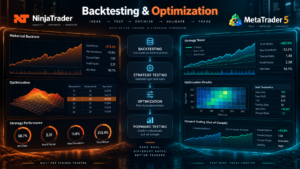
NinjaTrader vs MetaTrader 5 Backtesting
Both platforms provide sophisticated historical strategy testing.
NinjaTrader Backtesting
NinjaScript strategies can be tested against historical data and optimized through NinjaTrader Desktop.
NinjaTrader’s development framework also supports walk-forward analysis and customizable optimization and performance metrics.
MetaTrader 5 Strategy Tester
MetaTrader 5’s Strategy Tester is one of the strongest components of the platform.
It supports:
- Expert Advisor backtesting
- Multi-currency testing
- Multiple testing modes
- Visual testing
- Parameter optimization
- Genetic algorithms
- Forward testing
- Multi-threaded processing
- Remote testing agents
- MQL5 Cloud Network computing
Testing modes include highly detailed tick-based testing along with faster alternatives designed for preliminary evaluation.
The tester can also simulate execution delays to help developers evaluate how an EA behaves under less ideal conditions.
For complex optimization workloads, MetaTrader 5 can distribute calculations across local, remote or cloud computing resources.
Backtesting verdict: both are highly capable, but MetaTrader 5 has an especially mature distributed Strategy Tester architecture.
Optimization and Forward Testing
Optimization is valuable, but it can also create dangerous overfitting when misused.
NinjaTrader provides optimization and walk-forward functionality for NinjaScript strategies.
MetaTrader 5 provides several optimization approaches, including genetic algorithms designed to reduce the number of parameter combinations that need to be evaluated.
Its forward-testing feature can divide available historical data into optimization and subsequent validation periods.
This can help traders evaluate whether parameters discovered during optimization remain viable outside the original sample.
Neither approach eliminates curve fitting.
A strategy that performs well in historical optimization can still fail live because of:
- Market regime changes
- Slippage
- Execution latency
- Liquidity changes
- Broker-specific execution
- Transaction costs
- Over-optimized parameters
Backtesting and optimization should therefore be treated as research tools rather than evidence of guaranteed future profit.
Trading Robots, Indicators and Add-On Ecosystems
Both platforms have large expansion ecosystems.
NinjaTrader Ecosystem
NinjaTrader supports third-party indicators, automated strategies and add-ons developed using NinjaScript.
The ecosystem is particularly strong among futures traders and developers building specialized charting, execution and order-flow functionality.
MetaTrader Market and MQL5
MetaTrader 5 provides direct access to the MetaTrader Market, MQL5 Code Base and professional development services.
Users can:
- Purchase Expert Advisors
- Rent trading robots
- Download free applications
- Purchase technical indicators
- Test demo versions
- Hire developers to build custom systems
The availability of thousands of applications gives MetaTrader 5 one of the largest retail algorithmic-trading ecosystems.
However, traders should never assume that a commercially sold robot is profitable simply because it is available in a marketplace.
Strategy logic, live execution, drawdowns, risk and independent testing remain essential.
NinjaTrader vs MetaTrader 5 Broker Choice
This category produces one of the clearest differences.
NinjaTrader
NinjaTrader’s current commercial proposition centers around its own futures brokerage infrastructure.
This creates a more standardized relationship between account, platform and futures execution.
MetaTrader 5
MetaTrader 5 itself is not a broker.
MetaQuotes states explicitly that real trading takes place through brokerage companies.
Each broker can offer a different combination of:
- Markets
- Currency pairs
- Stocks
- Futures
- Contract specifications
- Spreads
- Commissions
- Leverage
- Execution methods
- Market data
This makes broker due diligence particularly important for MT5 users.
Broker choice winner: MetaTrader 5.
Integrated futures simplicity winner: NinjaTrader.
NinjaTrader vs MetaTrader 5: Desktop, Web and Mobile
Both ecosystems now provide strong multi-device access.
NinjaTrader Access
- NinjaTrader Desktop
- NinjaTrader Web
- iPhone
- Android
NinjaScript’s deepest custom development functionality remains associated with the Windows Desktop environment.
MetaTrader 5 Access
- Windows
- macOS
- Linux options
- MetaTrader 5 Web Terminal
- iPhone and iPad
- Android
The MetaTrader 5 Web platform can operate through modern browsers across Windows, macOS and Linux and includes Market Depth, technical-analysis tools and order execution.
Its mobile applications also support Market Depth, technical analysis and account management.
Multi-device verdict: both are strong. MetaTrader 5 offers broader operating-system flexibility, while NinjaTrader provides a particularly cohesive futures experience across its supported applications.
NinjaTrader vs MetaTrader 5 Pricing and Trading Costs
Pricing cannot be compared using a simple platform-subscription number because the business models are different.
NinjaTrader Pricing
| Plan | Plan Cost | Micro / e-Nano | Standard |
|---|---|---|---|
| Free | $0 monthly plan fee | $0.39 per side | $1.29 per side |
| Monthly | $99/month | $0.29 per side | $0.99 per side |
| Lifetime | $1,499 one-time | $0.09 per side | $0.59 per side |
Exchange, clearing and NFA fees apply in addition to published NinjaTrader commissions.
Verify current costs on the official NinjaTrader pricing page.
MetaTrader 5 Pricing
The MetaTrader 5 application itself can be downloaded for free.
However, this does not mean live trading has no cost.
Actual MT5 trading expenses depend on the broker and can include:
- Spreads
- Trading commissions
- Exchange charges
- Market-data costs
- Financing or swap charges where applicable
- Broker-specific account fees
- Optional virtual-hosting expenses
- Paid Expert Advisors or indicators
There is therefore no universal MetaTrader 5 commission schedule comparable to NinjaTrader’s published futures plans.
A trader comparing total costs must evaluate the specific MT5 broker and instruments being considered.
Cost transparency for NinjaTrader futures: NinjaTrader.
Broker-dependent pricing flexibility: MetaTrader 5.
Which Platform Is Easier to Use?
The answer depends heavily on what the trader wants to accomplish.
NinjaTrader May Be Easier If:
- You only want to trade futures
- You want brokerage and platform integration
- You want a futures-focused workflow
- You plan to use SuperDOM
- You want simulation before live trading
- You do not want to compare dozens of unrelated brokers
MetaTrader 5 May Be Easier If:
- You already use an MT5 broker
- You primarily trade forex
- You already use Expert Advisors
- You know MQL5
- You want access from several operating systems
- You want the established MetaTrader marketplace
Neither platform is simple once advanced automation becomes part of the workflow.
NinjaScript, MQL5, backtesting and strategy optimization all require significant technical understanding when used seriously.
NinjaTrader vs MetaTrader 5 Pros and Cons
NinjaTrader Pros
- Dedicated futures ecosystem
- Integrated futures brokerage
- Free simulated trading
- Desktop, Web and Mobile access
- SuperDOM
- Order Flow+
- Market Replay
- C# NinjaScript automation
- Advanced backtesting
- Large futures-focused add-on ecosystem
- Published futures commission structure
NinjaTrader Cons
- Primarily centered on futures
- Desktop customization is Windows-focused
- Less broker choice than MT5
- Advanced NinjaScript development has a learning curve
MetaTrader 5 Pros
- Free platform download
- Multi-asset architecture
- Strong forex ecosystem
- Broker flexibility
- Desktop, Web and Mobile access
- Market Depth
- MQL5 Expert Advisors
- Large application marketplace
- Multi-currency Strategy Tester
- Genetic optimization
- Forward testing
- MQL5 Cloud Network
- Netting and hedging account systems
MetaTrader 5 Cons
- Live-trading quality varies by broker
- Instrument availability varies by broker
- No universal commission structure
- Market-depth quality depends on broker and market
- Less specialized than NinjaTrader for dedicated U.S. futures workflows
- Choosing a broker requires additional due diligence
NinjaTrader vs MetaTrader 5: Which Should You Choose?
Choose NinjaTrader If You:
- Primarily trade futures
- Trade Micro or E-mini contracts
- Want integrated futures brokerage
- Need SuperDOM
- Use Order Flow+
- Develop strategies in C#
- Want NinjaScript automation
- Use Market Replay
- Want clearly published futures commissions
- Prefer a specialized futures environment
Choose MetaTrader 5 If You:
- Primarily trade forex
- Need multiple broker choices
- Use Expert Advisors
- Develop in MQL5
- Want a large robot and indicator marketplace
- Need advanced distributed strategy testing
- Use netting or hedging accounts
- Want Windows, macOS, Linux, Web and Mobile access
- Trade different asset classes through compatible brokers
Primarily Trading Futures?
Explore NinjaTrader’s futures charting, Market Replay, strategy backtesting and free simulated-trading environment before deciding which platform fits your workflow.
Free simulation is different from live futures trading. Live accounts involve real financial risk, commissions and applicable fees.
Related NinjaTrader Platform Comparisons
- NinjaTrader vs TradeStation 2026
- NinjaTrader vs TradingView 2026
- NinjaTrader vs Thinkorswim 2026
- NinjaTrader vs Tradovate 2026
- NinjaTrader vs Sierra Chart 2026
- NinjaTrader vs Quantower 2026
- NinjaTrader vs MultiCharts 2026
NinjaTrader vs MetaTrader 5 FAQ
Is NinjaTrader better than MetaTrader 5?
NinjaTrader is generally better suited to dedicated futures traders who want integrated futures brokerage, SuperDOM, Order Flow+, Market Replay and C# automation. MetaTrader 5 may be better for forex and multi-asset traders who want broker flexibility and the MQL5 Expert Advisor ecosystem.
Is MetaTrader 5 free?
Yes. MetaTrader 5 can be downloaded and used without purchasing a software license. However, live trading costs such as spreads, commissions, market data and other charges are determined by the selected broker.
Is NinjaTrader free?
NinjaTrader offers a Free plan with no monthly plan fee. Live futures trading still incurs commissions and applicable exchange, clearing and NFA fees.
Which is better for futures, NinjaTrader or MetaTrader 5?
NinjaTrader is generally the more specialized choice for active futures traders because futures brokerage, commission plans, SuperDOM, Market Replay and related tools are central to its ecosystem. MetaTrader 5 can support futures when offered by a compatible broker.
Which is better for forex?
MetaTrader 5 is generally the stronger choice for spot forex because it has extensive broker support, hedging functionality and a large forex-focused Expert Advisor ecosystem.
Does MetaTrader 5 support futures?
Yes. MetaTrader 5 supports futures and exchange-market trading, but actual futures availability depends on the broker connected to the platform.
Does NinjaTrader support automated trading?
Yes. NinjaTrader Desktop uses the C#-based NinjaScript framework to create and deploy automated strategies, indicators and add-ons.
Does MetaTrader 5 support automated trading?
Yes. MetaTrader 5 uses Expert Advisors written in MQL5 for algorithmic trading and provides an integrated development and testing environment.
What programming language does NinjaTrader use?
NinjaTrader uses NinjaScript, which is based on C#.
What programming language does MetaTrader 5 use?
MetaTrader 5 uses MQL5, an object-oriented language with syntax similar to C++.
Which platform is better for backtesting?
Both provide serious backtesting tools. MetaTrader 5 has a particularly powerful multi-currency Strategy Tester with genetic optimization, forward testing, multi-threaded processing and optional distributed computing through the MQL5 Cloud Network.
Does MetaTrader 5 have Market Depth?
Yes. MetaTrader 5 includes Market Depth for supported markets and brokers and allows market and pending order interaction through the depth interface.
Does NinjaTrader have Market Depth?
Yes. NinjaTrader provides SuperDOM and additional market-depth and order-flow tools designed primarily around active futures trading.
Can MetaTrader 5 run on Mac?
Yes. MetaTrader 5 provides macOS options and can also be accessed through its browser-based Web Terminal.
Can NinjaTrader run on Mac?
NinjaTrader Desktop is Windows-focused, while NinjaTrader Web can be accessed through a supported browser on Mac.
Does MetaTrader 5 have mobile trading?
Yes. MetaTrader 5 provides iPhone, iPad and Android applications with trading, charts, technical analysis and Market Depth functionality.
Does NinjaTrader have mobile trading?
Yes. NinjaTrader provides dedicated iPhone and Android applications in addition to Desktop and Web platforms.
Does MetaTrader 5 have demo trading?
Yes. Demo functionality is available through MetaTrader 5, although the exact account setup and available markets depend on the broker or demo environment.
Which platform has more broker choices?
MetaTrader 5 has the advantage because MetaQuotes licenses the platform to brokerage companies around the world. NinjaTrader’s current proposition is more tightly integrated with its own futures brokerage infrastructure.
Which platform is better for beginners?
NinjaTrader may be easier for someone specifically entering futures trading because the brokerage and platform relationship is more integrated. MetaTrader 5 may be easier for someone already using an MT5 forex broker or familiar with the MetaTrader ecosystem.
Final Verdict: NinjaTrader vs MetaTrader 5 2026
The final NinjaTrader vs MetaTrader 5 2026 decision depends primarily on what you trade and how you want your trading infrastructure organized.
NinjaTrader is our preferred choice for dedicated futures traders who want an integrated ecosystem combining futures brokerage, transparent commission plans, advanced charting, SuperDOM, Order Flow+, NinjaScript automation, backtesting, Market Replay and Desktop/Web/Mobile access.
MetaTrader 5 is the stronger option for traders who prioritize broker flexibility and multi-asset infrastructure, especially users focused on forex, Expert Advisors, MQL5 development and advanced distributed strategy testing.
For a C# developer building systems around Micro and E-mini futures, NinjaTrader provides a particularly coherent workflow.
For a trader already invested in Expert Advisors, MQL5 or a specific MT5 broker, switching away from MetaTrader may provide little advantage.
MetaTrader 5 also has a significant edge when broker choice, forex trading and the massive global EA marketplace matter more than futures specialization.
NinjaTrader has the opposite strength: it removes many of the broker-selection decisions and concentrates its technology around futures traders.
Neither platform makes automated trading inherently profitable.
The trading system, risk controls, execution quality, costs and trader discipline remain more important than the software itself.
Before opening a live account, verify current pricing, commissions, spreads, market-data fees, instrument availability and regulatory conditions directly with the relevant broker or platform provider.
Affiliate Disclosure: TradeboticsAI may receive compensation when visitors click certain affiliate links or complete qualifying actions. This does not increase the user’s cost and does not determine our editorial conclusions.
Risk Disclosure: Futures, forex, stocks and other leveraged financial products involve substantial risk and are not appropriate for every investor. Losses can be significant and may, depending on the product and circumstances, exceed the amount initially committed. Simulated, replayed and backtested performance is hypothetical and does not guarantee future live-trading results. This material is provided for informational and educational purposes only and is not financial, investment, tax or legal advice.