NinjaTrader vs Tradovate 2026: Which Futures Platform Is Better?
NinjaTrader vs Tradovate remains a popular comparison among futures traders, but the answer in 2026 is more interesting than simply choosing one broker over another.
NinjaTrader and Tradovate are now closely connected within the same corporate ecosystem. Tradovate states that users can access NinjaTrader using their Tradovate credentials, effectively creating a “one login, two platforms” environment.
This means traders should no longer evaluate NinjaTrader vs Tradovate as two completely separate futures brokers.
The more useful comparison is now about platform experience, desktop customization, cloud-based trading, automation, third-party integrations, simulated trading and workflow preferences.
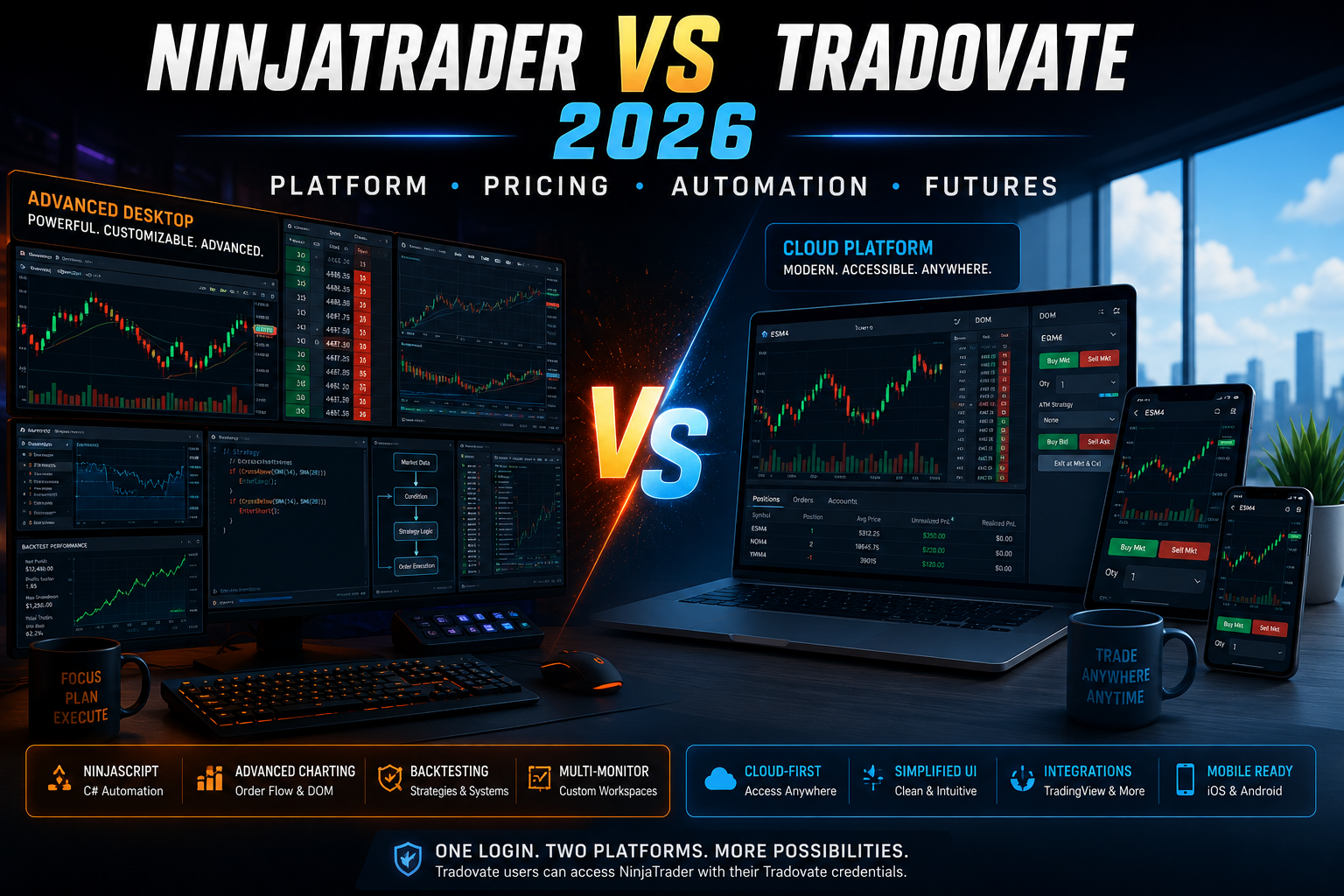
NinjaTrader offers its powerful Desktop platform alongside Web and Mobile access, with advanced charting, strategy backtesting, order-flow functionality and C#-based NinjaScript development.
Tradovate has traditionally focused on a modern cloud-based futures interface accessible through web browsers, desktop applications and mobile devices, with tools including Depth of Market, advanced orders, charts, Market Replay, simulated trading and third-party integrations.
In this detailed NinjaTrader vs Tradovate 2026 comparison, TradeboticsAI explains the differences that still matter and which platform experience may suit different types of futures traders.
Tradovate’s current site explicitly promotes access to NinjaTrader with Tradovate credentials, while NinjaTrader Group disclosures identify Tradovate within the same affiliated corporate structure.
Free simulated trading is available. Live futures trading is separate and involves substantial financial risk, commissions and other applicable fees. The linked affiliate offer is intended for eligible U.S. users.
NinjaTrader vs Tradovate: Quick Verdict
The most important conclusion from our NinjaTrader vs Tradovate comparison is that the two platforms are much more closely connected in 2026 than many older reviews suggest.
Tradovate users can currently access NinjaTrader using their Tradovate credentials, and Tradovate’s current pricing structure includes access to NinjaTrader Desktop, Web and Mobile.
Therefore, pricing alone is no longer a strong reason to choose one over the other.
The more meaningful differences involve the trading interface and the level of customization you need.
NinjaTrader is particularly compelling for traders who want:
advanced Windows desktop functionality, NinjaScript automation, deep customization, multi-monitor workflows, extensive third-party add-ons and advanced strategy development.
Tradovate remains attractive for traders who prefer:
a cloud-oriented interface, straightforward browser access, a modern multi-device workflow and its existing Tradovate ecosystem.
For a new futures trader starting today, our preference would generally be to evaluate the broader NinjaTrader ecosystem first, especially because NinjaTrader now provides Desktop, Web and Mobile access rather than being limited to its traditional Windows application.
Are NinjaTrader and Tradovate the Same Company?
They are separate brands and platform experiences, but they are no longer completely independent businesses.
Tradovate’s current disclosures identify it within NinjaTrader Group’s affiliated company structure.
Even more importantly for traders, the Tradovate website currently advertises:
one login, two platforms
and states that Tradovate users can access NinjaTrader with their Tradovate credentials.
This significantly changes the NinjaTrader vs Tradovate decision.
Instead of asking only:
“Which broker should I open an account with?”
a more useful question in 2026 is:
“Which interface and trading workflow should I use?”
This distinction is important because many older NinjaTrader vs Tradovate comparisons were written when their ecosystems were much more separate.
NinjaTrader vs Tradovate Comparison
What Is NinjaTrader?
NinjaTrader is a futures trading platform and brokerage ecosystem designed for active traders.
Its current platform lineup includes:
NinjaTrader Desktop, NinjaTrader Web and NinjaTrader Mobile.
The Desktop application provides the deepest customization capabilities, including multi-monitor support, extensive third-party add-ons, advanced backtesting and NinjaScript development.
NinjaTrader Web provides charting, account management and order execution through a browser, while the mobile platform allows users to monitor and manage futures positions on iPhone and Android devices.
NinjaTrader also includes tools such as:
advanced charting, Depth of Market, Market Replay, order-flow analysis, advanced trade management and simulated trading.
For our complete platform analysis, read our NinjaTrader Review 2026.
What Is Tradovate?
Tradovate was built around a cloud-based futures trading architecture designed for active traders.
Its platform can be accessed through Windows, Mac, web browsers, iPhone, iPad and Android.
Tradovate’s platform tools include Depth of Market, charts, quotes, order management, simulated trading, Market Replay, options-chain functionality, spread tools, performance analytics and third-party integrations.
Tradovate remains particularly recognizable for its cloud-first approach.
However, the line between Tradovate and NinjaTrader has become significantly less rigid because Tradovate credentials can now provide access to NinjaTrader as well.
NinjaTrader Desktop
NinjaTrader Desktop remains the strongest differentiator in this comparison.
It is designed for traders who want substantial control over their trading environment.
The platform supports multi-monitor configurations and a large ecosystem of third-party applications and add-ons.
For traders interested in algorithmic or highly customized workflows, Desktop also provides NinjaScript.
NinjaTrader Web
NinjaTrader Web provides core charting and order-management functionality directly through a browser.
It is particularly useful when traders need access away from their primary Windows workstation.
Tradovate Platform
Tradovate was designed as a cloud-based platform from the beginning.
Its emphasis is on accessing futures trading functionality consistently across browsers, computers and mobile devices.
Platform Winner
For advanced desktop functionality:
Winner: NinjaTrader Desktop
For traders who strongly prefer Tradovate’s established cloud interface:
Tradovate remains a viable choice.
For overall flexibility in 2026, however, NinjaTrader has become much stronger because it now combines Desktop, Web and Mobile experiences.
Charting and Trading Tools
Both NinjaTrader and Tradovate provide tools designed specifically around active futures trading.
NinjaTrader offers advanced charting with multiple timeframes, chart styles and more than 100 technical indicators.
Its ecosystem also includes SuperDOM Depth of Market, Market Replay, order-flow analysis and advanced trade-management capabilities.
Tradovate provides its own suite of futures tools, including:
Depth of Market, charts, quotes, order management, Market Replay, simulated trading, spread tools and performance analytics.
Therefore, traders choosing between NinjaTrader vs Tradovate should consider not only which tools exist, but which interface makes those tools easier to use within their personal workflow.
Automation and Customization
NinjaTrader NinjaScript
This is one area where NinjaTrader has a clear advantage for technically advanced traders.
NinjaTrader Desktop provides NinjaScript, a C#-based development framework.
It can be used to create:
custom indicators, automated strategies, drawing tools, custom chart components and full platform add-ons.
Strategies can be developed, backtested and deployed directly within NinjaTrader Desktop.
Tradovate Integrations and API Ecosystem
Tradovate provides technology integrations and API infrastructure.
Its official integration ecosystem includes third-party trading tools and direct integration with services including TradingView. Tradovate’s partner infrastructure also provides REST and WebSocket APIs for approved integrations
Automation Winner
For traders who want deep, native strategy development:
Winner: NinjaTrader
NinjaScript’s C# framework provides a much more explicit environment for developing and deploying automated trading strategies directly inside the Desktop platform.
Practice in simulation before deciding whether live futures trading is appropriate for you. Simulated results are hypothetical and do not guarantee future performance.
Demo and Simulated Trading
Both ecosystems support simulated futures trading.
NinjaTrader currently states that advanced charting, strategy backtesting and simulated paper trading can be used free of charge without a time limit or funding requirement.
For a detailed guide, read our NinjaTrader Demo 2026.
Tradovate also provides simulated trading.
Its standalone trial page currently advertises a two-week demo including $50,000 in simulated funds, real-time futures market data, advanced orders, charts and Market Replay. Tradovate’s standard pricing page separately states that its plans include free simulated trading.
That distinction is important:
the promotional Tradovate trial and the simulated functionality included within an account should not automatically be treated as the same product.
NinjaTrader vs Tradovate Pricing
This is where many outdated NinjaTrader vs Tradovate articles can now be misleading.Current official pricing pages show extremely similar structures.
NinjaTrader Pricing
Free
$0/month
Micro commission: $0.39 per side
Standard commission: $1.29 per side
Monthly
$99/month
Micro commission: $0.29 per side
Standard commission: $0.99 per side
Lifetime
$1,499 one-time
Micro commission: $0.09 per side
Standard commission: $0.59 per side
Exchange, clearing and NFA fees apply in addition to advertised commissions.
Tradovate Pricing
Tie.
At the current published headline rates, there is effectively no meaningful winner based purely on those plan prices and commission levels.
This makes platform preference, workflow and advanced functionality more important than the headline commission table.
For a deeper cost analysis, read our NinjaTrader Fees 2026.
Web, Desktop and Mobile Trading
Tradovate built much of its reputation around cloud-based futures trading.
Its platform supports Windows, Mac, browser-based trading, iPhone, iPad and Android access.
NinjaTrader now also provides a complete multi-device lineup:
NinjaTrader Desktop for the deepest customization.
NinjaTrader Web for browser-based futures trading.
NinjaTrader Mobile for iPhone and Android.
This reduces one of Tradovate’s historical advantages.
A trader no longer needs to choose Tradovate simply because browser or mobile access is important.
Third-Party Integrations
Both ecosystems support third-party tools, but Tradovate has traditionally emphasized cloud integrations particularly strongly.
Tradovate’s official integration section currently includes premium partners such as TradingView and describes synchronized account, position and order functionality across supported integrations.
NinjaTrader also offers an extensive ecosystem of third-party indicators, strategies and applications.
Its Desktop platform supports thousands of trading apps and add-ons, making NinjaTrader particularly attractive for traders who want to construct heavily customized workstations.
For our direct comparison with TradingView, read:
NinjaTrader vs TradingView 2026
.
Who Should Choose NinjaTrader?
NinjaTrader may be the better starting point if you:
want advanced Windows desktop functionality;
plan to develop automated strategies;
want to use NinjaScript and C#;
need extensive third-party add-ons;
use multi-monitor trading setups;
want sophisticated strategy backtesting;
want Desktop, Web and Mobile access within the same ecosystem;
or simply want to start with the platform that NinjaTrader Group is currently positioning as its broader multi-device futures experience.
For advanced technically oriented traders, NinjaTrader Desktop remains the strongest differentiator.
Who Should Choose Tradovate?
Tradovate may still appeal to traders who:
already use and prefer the Tradovate interface;
have an existing Tradovate account;
prefer its cloud-oriented workflow;
use Tradovate-specific integrations;
or have already built their trading process around the Tradovate platform.
Because Tradovate credentials can currently provide access to NinjaTrader as well, existing Tradovate users may not need to think of this as an all-or-nothing choice.
Frequently Asked Questions
Is NinjaTrader better than Tradovate?
For advanced desktop customization, NinjaScript development and native automated strategy functionality, NinjaTrader has the advantage. Tradovate remains attractive for traders who prefer its established cloud-based interface.
Are NinjaTrader and Tradovate the same company?
They remain distinct brands and platform experiences, but Tradovate operates within NinjaTrader Group’s affiliated structure, and Tradovate users are currently offered NinjaTrader access using their Tradovate credentials.
Can I use NinjaTrader with my Tradovate account?
Tradovate currently states that users can access NinjaTrader using Tradovate credentials. Users should verify current account eligibility and connection requirements before relying on a particular setup.
Which is cheaper, NinjaTrader or Tradovate?
Their current published Free, Monthly and Lifetime headline pricing and commission structures are essentially aligned.
Which is better for automated trading?
NinjaTrader Desktop has the advantage because NinjaScript supports C#-based automated strategies that can be built, tested and deployed within the platform.
Does Tradovate have simulated trading?
Yes. Tradovate provides simulated trading and currently offers a two-week standalone demo that includes simulated funds and real-time futures market data.
Does NinjaTrader have free simulated trading?
Yes. NinjaTrader currently states that advanced charting, backtesting and simulated trading can be used free without a time limit or funding requirement
Which is better for beginners?
Both can be used by newer futures traders, but the priority should be learning through simulation before risking real capital. Futures are leveraged instruments and losses can be substantial.
Final Verdict
Our NinjaTrader vs Tradovate 2026 comparison produces a very different conclusion from comparisons written several years ago.
These are no longer two completely isolated futures ecosystems.
Tradovate operates within the broader NinjaTrader Group structure, current Tradovate pricing closely mirrors NinjaTrader pricing, and Tradovate actively promotes access to NinjaTrader using Tradovate credentials.
As a result, choosing between them is increasingly about platform workflow rather than headline brokerage pricing.
For traders who want advanced desktop customization, backtesting, NinjaScript development and native strategy automation, NinjaTrader is our preferred platform experience.
For existing Tradovate users who strongly prefer its cloud interface, there may be little reason to abandon that workflow simply for the sake of changing brands.
For a new futures trader starting in 2026, we would begin by evaluating NinjaTrader through simulated trading and then decide which interface best matches the trader’s workflow.
No platform can eliminate trading risk, and lower commissions or advanced trading technology cannot guarantee profitable results.
Explore simulated trading before considering live futures trading. Live futures trading involves substantial financial risk and applicable trading costs.
Official Sources
Affiliate Disclosure
TradeboticsAI may receive compensation when users register or purchase products through affiliate links on this page. This does not increase the price paid by the user and does not affect our editorial standards.
Risk Disclosure
Futures and derivatives trading involves substantial risk and is not appropriate for every investor. Leverage can magnify losses and an investor may lose all or more than the initial investment. Simulated, hypothetical and backtested results do not represent actual trading results and should not be interpreted as a guarantee of future performance. TradeboticsAI provides educational and informational content only and does not provide personalized investment, financial, legal or tax advice.