NinjaTrader Order Flow Review 2026: Is Order Flow+ Worth It?
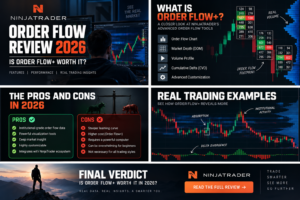

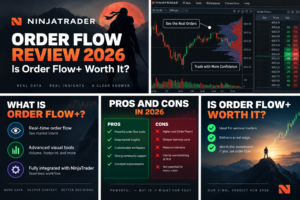
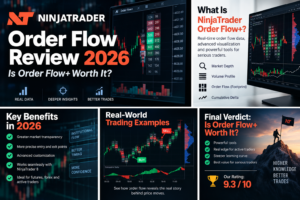
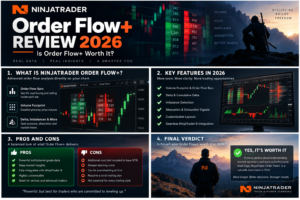
NinjaTrader Order Flow is one of the platform’s most advanced analytical environments for futures traders who want to examine what happens inside individual price bars rather than relying only on conventional candlestick charts.
The current NinjaTrader Order Flow+ suite combines Volumetric Bars, Cumulative Delta, Delta Bars, Volume Profile, VWAP, Trade Detector, Price on Volume Bars and Market Depth Map. These tools help traders analyze executed volume, bid-versus-ask activity, delta, market participation and displayed liquidity.
For active futures traders, the biggest advantage of NinjaTrader Order Flow is integration. Order-flow analysis can operate inside the same ecosystem as SuperDOM, Chart Trader, Market Replay, Strategy Analyzer, simulation and NinjaScript automation.
That does not mean Order Flow+ automatically improves trading results. Footprint charts, delta and market-depth tools provide additional information, but they can also add complexity.
Their value depends on whether the trader has a repeatable process for interpreting them.
Quick Answer: Is NinjaTrader Order Flow+ Worth It?
Yes — for active futures traders who actually use footprint, delta, Volume Profile or market-depth analysis.
Futures traders can also review official market information and educational resources directly from
CME Group
.
- Best feature: Order Flow Volumetric Bars
- Best confirmation tool: Cumulative Delta
- Best price-distribution tool: Volume Profile
- Best liquidity tool: Market Depth Map
- Best execution pairing: SuperDOM
- Best practice tool: Market Replay
- Best developer advantage: NinjaScript access to selected Order Flow data
TradeboticsAI Verdict: NinjaTrader Order Flow is particularly compelling for futures scalpers, footprint traders and discretionary traders who want analysis, execution and replay in one platform.
Explore NinjaTrader and Free Simulated Futures Trading →
Affiliate Disclosure: TradeboticsAI may receive compensation when visitors complete qualifying actions through certain links. Affiliate relationships do not determine our conclusions. Order-flow indicators do not guarantee profitable trades or future price direction.
Table of Contents
- NinjaTrader Order Flow Overview
- Order Flow+ Tools
- Volumetric Bars
- Cumulative Delta
- Delta Bars
- Volume Profile
- Order Flow VWAP
- Market Depth Map
- Trade Detector
- Order Flow + SuperDOM
- Order Flow + Market Replay
- Order Flow + NinjaScript
- Market Data Requirements
- Best for Scalping?
- MES & MNQ
- NinjaTrader vs Bookmap
- NinjaTrader vs ATAS
- Pros & Cons
- Is Order Flow+ Worth It?
- FAQ
- Final Verdict
NinjaTrader Order Flow Overview
NinjaTrader Order Flow is designed to provide more information about trading activity than a conventional OHLC candle.
| Order Flow+ Tool | Primary Purpose | Best For |
|---|---|---|
| Volumetric Bars | Bid/ask volume and delta at individual price levels | Footprint traders |
| Cumulative Delta | Tracks net aggressive buying vs selling | Trend confirmation and divergence |
| Delta Bars | Builds bars from cumulative-delta movement | Noise-reduced order-flow analysis |
| Volume Profile | Displays activity by price | POC and value-area analysis |
| VWAP | Volume-weighted average-price analysis | Intraday context |
| Market Depth Map | Visualizes Level II liquidity over time | DOM and liquidity traders |
| Trade Detector | Identifies qualifying trade activity | Large-trade analysis |
| Price on Volume Bars | Builds chart bars around volume behavior | Alternative order-flow charting |
Instead of asking only whether price moved higher or lower, NinjaTrader Order Flow can help answer additional questions:
- How much volume traded at each price?
- Did more aggressive volume execute at the bid or ask?
- Is cumulative buying pressure confirming price?
- Where did the largest amount of volume trade?
- Where is significant displayed market depth appearing?
- Is liquidity being added or removed?
What Is Included in NinjaTrader Order Flow+?
The current NinjaTrader Order Flow documentation lists the following Order Flow+ tools:
- Order Flow Volumetric Bars
- Order Flow Cumulative Delta
- Order Flow Delta Bars
- Order Flow Market Depth Map
- Order Flow Price on Volume Bars
- Order Flow Trade Detector
- Order Flow Volume Profile
- Order Flow VWAP
Availability can depend on the user’s current NinjaTrader plan, account entitlement, platform version and market-data configuration. Traders should verify the current entitlement before making a purchase decision.
NinjaTrader Order Flow Volumetric Bars
Volumetric Bars are the centerpiece of NinjaTrader Order Flow.
Traditional candles summarize price movement.
Volumetric Bars add trading activity at each individual price level.
Depending on configuration, users can examine:
- Bid volume
- Ask volume
- Total volume
- Delta
- Bar delta
- Cumulative delta
- Buying and selling imbalances
- Maximum-volume price levels
NinjaTrader describes Volumetric Bars as an “x-ray” view into aggressive buying and selling activity.
How Volumetric Bars Work
When trades execute at or above the ask, they can be classified as aggressive buying volume.
When trades execute at or below the bid, they can be classified as aggressive selling volume.
The difference between the two creates delta.
For example:
Ask Volume 500 − Bid Volume 300 = +200 Delta.
A positive delta does not automatically mean price must rise.
A negative delta does not automatically mean price must fall.
That relationship between price and delta is exactly what many NinjaTrader Order Flow traders study.
NinjaTrader Footprint Charts
When traders search for NinjaTrader footprint charts, they are usually referring to Order Flow Volumetric Bars.
A footprint-style bar can help highlight:
- Aggressive buying
- Aggressive selling
- Volume imbalance
- Absorption
- Exhaustion
- High-volume areas
- Low-volume areas
However, interpretation remains discretionary.
Two traders can look at exactly the same NinjaTrader Order Flow footprint and reach different conclusions.
Read Best Footprint Chart Platforms 2026 →
NinjaTrader Order Flow Cumulative Delta
Cumulative Delta tracks the difference between buying-side and selling-side activity over time.
NinjaTrader currently supports two main views:
- Session — delta accumulates through the entire trading session
- Bar — delta resets for every individual price bar
The indicator can calculate activity using:
- Bid/Ask classification
- Up/Down Tick classification
Price vs Cumulative Delta Divergence
One common NinjaTrader Order Flow technique is comparing price with Cumulative Delta.
Imagine price makes a new intraday high but Cumulative Delta fails to make a corresponding high.
Some traders interpret that as weaker underlying aggressive buying.
The opposite can occur at lows.
Divergence is not a guaranteed reversal signal. Strong trends can continue even when delta diverges.
NinjaTrader Order Flow Delta Bars
Delta Bars provide another approach to NinjaTrader Order Flow.
Instead of constructing a chart primarily around elapsed time or price distance, Delta Bars can create new bars when cumulative delta reaches configured trend or reversal thresholds.
The objective is to reduce some of the noise present in conventional time-based charts and emphasize significant changes in buying and selling pressure.
Historical Delta Bars require appropriate historical bid/ask-stamped tick data.
NinjaTrader Order Flow Volume Profile
Volume Profile is one of the most useful NinjaTrader Order Flow tools for traders who want to understand where trading activity occurred by price.
Key concepts include:
- POC — Point of Control
- Value Area
- High-volume areas
- Low-volume areas
- Session profiles
- Composite profiles
- Delta profiles
The Point of Control represents the price level containing the largest value in the relevant profile.
The Value Area represents a configurable percentage of activity around the profile distribution.
Traders frequently use these levels as context for acceptance, rejection, support, resistance or rotational market behavior.
NinjaTrader Volume Profile Display Modes
Current NinjaTrader documentation provides several profile visualization approaches.
Depending on configuration, these can include:
- Standard profile
- Buy/Sell
- Delta
- Heat
- Heat Map
- Outline
- Time-color displays
Some NinjaTrader Order Flow Volume Profile modes require tick-resolution historical data.
NinjaTrader Order Flow VWAP
VWAP stands for Volume Weighted Average Price.
Unlike a simple moving average that weights each price observation equally, VWAP incorporates volume into the calculation.
NinjaTrader Order Flow VWAP can help traders evaluate the market relative to a volume-weighted reference price.
Common discretionary uses include:
- Intraday trend context
- Mean-reversion analysis
- Dynamic support/resistance context
- Deviation-band analysis
VWAP should not be treated as an automatic trading signal.
NinjaTrader Order Flow Market Depth Map
The Market Depth Map is one of the most distinctive NinjaTrader Order Flow tools.
It converts Level II market-depth information into a visual map directly on the futures chart.
NinjaTrader currently states that the indicator tracks the highest depth volume received at individual price levels during each bar and maps those values using varying opacity.
Higher displayed depth can therefore appear more visually prominent.
What the Market Depth Map Can Show
- Current displayed liquidity
- Historical depth information
- Large resting bid concentrations
- Large resting ask concentrations
- Liquidity being added
- Liquidity being removed
By default, the indicator displays multiple depth levels on each side of the market.
Level II market data is required.
This means traders using only top-of-book Level I data cannot use the tool to its full intended functionality.
Market Depth Is Not Guaranteed Liquidity
This point is critical when evaluating NinjaTrader Order Flow.
A resting limit order shown in the book can be:
- Modified
- Reduced
- Moved
- Canceled
Large displayed liquidity therefore does not guarantee that price will stop at that level.
Market-depth tools should be treated as information about the current order book rather than certainty about future execution.
NinjaTrader Order Flow Trade Detector
Trade Detector helps users identify qualifying trade activity according to configured criteria.
The objective is to make unusually significant executions easier to identify visually.
For futures traders, this can be useful when studying whether larger transactions appear around:
- Session highs
- Session lows
- Volume Profile levels
- Breakouts
- Liquidity zones
Like other NinjaTrader Order Flow tools, Trade Detector should be used as context rather than proof of institutional intent.
NinjaTrader Order Flow + SuperDOM
One of NinjaTrader’s biggest advantages over standalone analytical software is the ability to combine NinjaTrader Order Flow with SuperDOM.
A possible workspace can include:
- Volumetric Bars
- Cumulative Delta
- Volume Profile
- Market Depth Map
- SuperDOM
- Time & Sales
The trader can therefore analyze executed volume on the chart while monitoring resting liquidity and managing orders through the DOM.
Read Best DOM Trading Platforms 2026 →
Using NinjaTrader Order Flow With Market Replay
Market Replay can make NinjaTrader Order Flow significantly more useful for training.
A finished footprint chart only shows the final state of the session.
Replay allows traders to watch the session develop.
Users can study:
- How delta changed before a breakout
- How volume accumulated at a level
- How DOM liquidity changed
- How a footprint evolved during a reversal
- How price reacted around Volume Profile levels
This allows the same historical market environment to be studied repeatedly without waiting for a similar live setup.
Read Best Futures Trading Simulators 2026 →
Can NinjaTrader Order Flow Be Automated?
NinjaTrader Order Flow has an important advantage for developers: selected Order Flow values can be accessed through NinjaScript.
For example, NinjaTrader’s documented Volumetric Bars API exposes values including:
- Bar Delta
- Cumulative Delta
- Ask Volume at Price
- Bid Volume at Price
- Total Volume
This can allow advanced developers to research systematic strategies based on order-flow data.
Example Strategy Concepts
A developer could theoretically research rules involving:
- Delta thresholds
- Volume imbalance
- Price and delta divergence
- Volume Profile levels
- Volumetric-bar statistics
These are research concepts, not recommended strategies.
Order-flow systems can be especially vulnerable to overfitting because the data is extremely granular.
Read Best Futures Backtesting Platforms 2026 →
NinjaTrader Order Flow and Automated Risk Controls
Automating NinjaTrader Order Flow signals should never mean giving an indicator unlimited authority over a live brokerage account.
A safer architecture separates:
- Signal generation
- Position sizing
- Execution
- Risk limits
- Emergency shutdown
Useful safeguards include:
- Maximum position size
- Maximum contracts per order
- Maximum daily loss
- Maximum number of trades
- Duplicate-order prevention
- Stale-data detection
- Connection monitoring
NinjaTrader Order Flow Market Data Requirements
Data quality is critical for NinjaTrader Order Flow.
Different tools have different requirements.
| Tool | Important Data Consideration |
|---|---|
| Volumetric Bars | Granular trade and bid/ask data improve analysis |
| Cumulative Delta | Bid/Ask or Up/Down Tick methodology |
| Delta Bars | Historical bid/ask-stamped tick data required for historical plotting |
| Volume Profile | Some display modes require tick-resolution data |
| Market Depth Map | Level II data required |
Order-flow software cannot recreate information the original market-data feed never supplied.
Is NinjaTrader Order Flow Good for Scalping?
NinjaTrader Order Flow can be particularly useful for futures scalpers because short-term traders often care about activity that is invisible on conventional candles.
Potentially useful inputs include:
- Price-level bid/ask volume
- Delta
- Volume imbalance
- DOM liquidity
- Time & Sales
- Volume Profile levels
The main advantage for scalping is integration with SuperDOM and order-management tools.
The main disadvantage is information overload.
A trader watching footprint, delta, heatmap, DOM, tape and several conventional indicators simultaneously can easily create more noise rather than more clarity.
Read Best Futures Brokers for Scalping 2026 →
NinjaTrader Order Flow for MES and MNQ
MES and MNQ are natural markets for many NinjaTrader Order Flow users because Micro E-mini futures are popular with active retail traders.
The same analytical concepts used on ES and NQ can be applied to their Micro equivalents:
- Volumetric Bars
- Cumulative Delta
- VWAP
- Volume Profile
- Market Depth
Micro contracts have smaller multipliers than their corresponding E-mini contracts, but this does not make order-flow signals more reliable or remove futures risk.
Read Best Micro Futures Brokers 2026 →
NinjaTrader Order Flow vs Bookmap
NinjaTrader and Bookmap approach order flow differently.
NinjaTrader Order Flow uses several analytical tools inside a broader futures trading platform.
Bookmap puts historical liquidity visualization at the center of the experience.
| Category | NinjaTrader | Bookmap |
|---|---|---|
| Footprint | Volumetric Bars | Volume/order-flow visualization |
| Liquidity | Market Depth Map | Core Heatmap experience |
| DOM | SuperDOM | Trading DOM |
| Automation | NinjaScript / C# | More specialized ecosystem |
Choose NinjaTrader if you want footprint, DOM, replay, brokerage execution and automation in one environment.
Choose Bookmap if visual historical liquidity is your central analytical method.
Read NinjaTrader vs Bookmap 2026 →
NinjaTrader Order Flow vs ATAS
ATAS is a dedicated order-flow specialist with hundreds of footprint configurations and extensive volume-analysis tools.
NinjaTrader provides a smaller but highly integrated NinjaTrader Order Flow ecosystem alongside brokerage execution and native C# automation.
ATAS is stronger for:
- Very deep footprint customization
- Specialized cluster analysis
- Dedicated volume-analysis workflows
NinjaTrader is stronger for:
- Integrated futures brokerage
- SuperDOM execution
- Market Replay
- NinjaScript development
- End-to-end futures workflow
Read NinjaTrader vs ATAS 2026 →
NinjaTrader Order Flow Pros and Cons
Pros
- Native futures-focused Order Flow+ suite
- Excellent Volumetric Bars
- Cumulative Delta
- Advanced Volume Profile
- Level II Market Depth Map
- Strong SuperDOM integration
- Market Replay
- NinjaScript access to selected data
- Integrated futures brokerage workflow
Cons
- Advanced tools can overwhelm beginners
- Some functionality requires premium/account entitlement
- Market Depth Map requires Level II data
- Additional market-data costs may apply
- Order-flow signals can produce false interpretations
- Specialist platforms may provide deeper visualization in one specific category
Is NinjaTrader Order Flow+ Worth It in 2026?
NinjaTrader Order Flow is worth considering when order flow is actually part of your strategy.
It is particularly relevant for:
- Futures day traders
- MES/MNQ traders
- ES/NQ scalpers
- Footprint traders
- Volume Profile traders
- DOM traders
- Advanced NinjaScript developers
It is less compelling for traders who use only:
- Daily charts
- Basic moving averages
- Simple trendlines
- Long-term swing strategies
If the additional NinjaTrader Order Flow information does not change your decision process, additional chart complexity has little value.
Explore NinjaTrader Order Flow Tools
Start with simulation, learn the platform, then decide whether Volumetric Bars, Cumulative Delta, Volume Profile and market-depth analysis fit your futures workflow.
Order-flow tools provide analytical information. They do not guarantee profitable trades or future price direction.
Related NinjaTrader Order Flow Guides
- Best Order Flow Trading Platforms 2026
- Best Footprint Chart Platforms 2026
- Best DOM Trading Platforms 2026
- Best Futures Charting Software 2026
- Best Futures Trading Simulators 2026
- Best Futures Backtesting Platforms 2026
- NinjaTrader Fees 2026
- NinjaTrader vs Bookmap 2026
- NinjaTrader vs ATAS 2026
- NinjaTrader vs Sierra Chart 2026
- NinjaTrader vs Quantower 2026
NinjaTrader Order Flow FAQ
What is NinjaTrader Order Flow?
NinjaTrader Order Flow refers to the Order Flow+ suite of futures-analysis tools including Volumetric Bars, Cumulative Delta, Delta Bars, Volume Profile, VWAP, Market Depth Map, Trade Detector and related functionality.
Does NinjaTrader have footprint charts?
Yes. NinjaTrader calls its footprint-style charts Order Flow Volumetric Bars.
What are NinjaTrader Volumetric Bars?
Volumetric Bars display buying and selling activity at individual price levels, including bid volume, ask volume and delta information.
Does NinjaTrader show bid and ask volume?
Yes. Volumetric Bars can expose bid and ask volume at individual price levels.
What is delta in NinjaTrader Order Flow?
Delta measures the difference between buying-side and selling-side volume according to the selected classification methodology.
What is NinjaTrader Cumulative Delta?
Cumulative Delta accumulates buying-versus-selling volume over a session or individual bar to provide additional information about aggressive market participation.
Can Cumulative Delta predict reversals?
No. Traders may use divergence as analytical context, but Cumulative Delta can produce false signals and does not predict reversals reliably.
What are NinjaTrader Delta Bars?
Delta Bars construct bars based on cumulative-delta trend and reversal thresholds rather than ordinary elapsed time.
What is NinjaTrader Order Flow Volume Profile?
Volume Profile displays trading activity by price and can identify concepts such as Point of Control, Value Area and high- or low-volume regions.
What is POC in NinjaTrader?
POC, or Point of Control, represents the price containing the largest value in the selected Volume Profile.
Does NinjaTrader have VWAP?
Yes. Order Flow+ includes Order Flow VWAP for volume-weighted average-price analysis.
Does NinjaTrader have a liquidity heatmap?
NinjaTrader provides the Order Flow Market Depth Map, which visualizes market-depth values directly on charts.
Does NinjaTrader Market Depth Map require Level II?
Yes. NinjaTrader’s official documentation states that Level II data is required for Market Depth Map functionality.
Can NinjaTrader show historical market depth?
The Market Depth Map can display depth information captured historically within its charting environment, subject to the available underlying data.
Can liquidity displayed in NinjaTrader disappear?
Yes. Resting orders can be modified or canceled, so displayed liquidity should never be treated as guaranteed support or resistance.
What is NinjaTrader Trade Detector?
Trade Detector is an Order Flow+ tool intended to identify qualifying trade activity according to user-defined criteria.
Can NinjaTrader Order Flow work with SuperDOM?
Yes. Traders can use Order Flow+ chart tools alongside SuperDOM for market-depth analysis and futures execution.
Can I use NinjaTrader Order Flow in Market Replay?
Order-flow analysis can be combined with NinjaTrader historical replay workflows where the required underlying data is available.
Can NinjaTrader Order Flow be automated?
Selected Order Flow data is accessible through NinjaScript APIs, allowing advanced developers to research systematic strategies based on order-flow information.
What programming language does NinjaTrader use?
NinjaScript is based on C#.
Can NinjaScript read Volumetric Bars?
Yes. NinjaTrader documents programmatic access to multiple Volumetric Bar statistics, including bar delta and ask/bid volume at price.
Is NinjaTrader Order Flow good for scalping?
It can be useful for scalpers who actively use bid/ask volume, delta, DOM information and Volume Profile. The additional information does not guarantee better results.
Is NinjaTrader Order Flow good for MES?
Yes. Order Flow+ tools can be applied to MES where the required market data is available.
Is NinjaTrader Order Flow good for MNQ?
Yes. MNQ traders can use Volumetric Bars, Cumulative Delta, Volume Profile and other supported Order Flow+ tools.
Is NinjaTrader better than Bookmap for order flow?
NinjaTrader provides a broader integrated futures workflow with footprint charts, SuperDOM, replay and automation. Bookmap specializes more heavily in visual liquidity heatmaps.
Is NinjaTrader better than ATAS for order flow?
ATAS provides deeper dedicated footprint customization, while NinjaTrader offers stronger integration with futures brokerage, replay and C# automation.
Does NinjaTrader Order Flow guarantee profitable signals?
No. Order-flow tools describe market activity and can produce false or ambiguous signals.
Is NinjaTrader Order Flow worth it?
It can be worth it for active futures traders whose process genuinely uses footprint, delta, Volume Profile or market depth. Traders using only basic charts may not need the additional complexity.
Final Verdict: NinjaTrader Order Flow Review 2026
NinjaTrader Order Flow remains one of the strongest integrated order-flow environments available to active retail futures traders in 2026.
The main reason is not any single indicator.
It is the combination of tools.
Volumetric Bars provide footprint-style bid/ask and delta analysis.
Cumulative Delta helps traders compare price movement with net aggressive buying and selling activity.
Delta Bars provide an alternative way to visualize changes in order-flow pressure.
Volume Profile shows where trading activity was concentrated by price.
VWAP provides a volume-weighted reference for intraday analysis.
Market Depth Map adds Level II liquidity visualization.
Trade Detector adds another layer for identifying qualifying trade activity.
More importantly, these tools exist inside the same NinjaTrader ecosystem as SuperDOM, Market Replay, Strategy Analyzer, simulation and NinjaScript.
That integration is the strongest argument for NinjaTrader Order Flow.
A trader can analyze a footprint, monitor market depth, replay a historical session, practice the execution workflow and eventually research automation without moving between several unrelated platforms.
Specialist competitors still have advantages.
Bookmap provides an exceptional liquidity-first visualization.
ATAS provides extremely deep footprint customization.
Sierra Chart gives highly technical users exceptional control.
But for TradeboticsAI readers who want one futures-first platform combining advanced order flow with execution and automation, NinjaTrader remains our preferred overall choice.
Final rating: NinjaTrader Order Flow+ is best suited to active futures traders who have a defined reason to use footprint, delta, volume and market-depth information.
Explore NinjaTrader and Start With Free Simulation →
Affiliate Disclosure: TradeboticsAI may receive compensation when visitors click certain affiliate links or complete qualifying actions. This does not increase the user’s cost and does not determine our editorial conclusions.
Risk Disclosure: Futures and options on futures involve substantial risk and are not suitable for every investor. Order-flow indicators, footprint charts, delta, Volume Profile, VWAP, DOM information, liquidity maps and trade-detection tools describe market activity but do not predict future prices or guarantee profitable results. Displayed market-depth orders can be modified or canceled. Historical, replayed, simulated and backtested results are hypothetical and can differ materially from live trading. Futures leverage can magnify losses rapidly. Verify current NinjaTrader Order Flow entitlement, market-data requirements, platform features and pricing directly with NinjaTrader. This material is educational only and is not financial, investment, tax or legal advice.