Best Futures Charting Software 2026: Top 10 for Advanced Traders
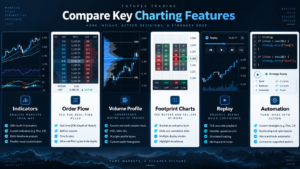
The Best Futures Charting Software in 2026 should do far more than display candlesticks. Active futures traders increasingly need customizable charts, technical indicators, volume analysis, order flow, multiple timeframes, drawing tools, replay, DOM integration and enough flexibility to support both discretionary and systematic workflows.
Our #1 overall choice among the Best Futures Charting Software is NinjaTrader. Its futures-first platform combines hundreds of indicators, more than 10 chart styles, extensive customization, Order Flow+, Volume Profile, Volumetric Bars, Market Replay, SuperDOM, Strategy Analyzer and NinjaScript development.
NinjaTrader also states that its advanced charting, strategy backtesting and simulated trading can be used without a separate platform fee. That makes it particularly attractive to futures traders who want to begin with chart analysis and later expand into DOM execution, replay or automation.
Other Best Futures Charting Software platforms specialize in different areas. Sierra Chart provides extremely deep customization and more than 400 studies. TradingView offers an exceptionally accessible browser-first charting experience. ATAS focuses on footprint, volume and order-flow analysis, while Bookmap specializes in visualizing liquidity rather than conventional candlestick analysis.
This guide compares the Best Futures Charting Software by chart types, indicators, order-flow tools, Volume Profile, footprint charts, customization, multi-timeframe analysis, drawing tools, replay, automation, broker connectivity and futures-specific usability.
Quick Answer: Best Futures Charting Software 2026
- NinjaTrader — Best Overall Futures Charting Software
- Sierra Chart — Best for Maximum Chart Customization
- TradingView — Best Browser-Based Futures Charting
- ATAS — Best for Footprint & Volume Analysis
- MotiveWave — Best Advanced Multi-Asset Charting Suite
- Quantower — Best Modern Order Flow Charting
- Bookmap — Best Liquidity Visualization Platform
- MultiCharts — Best Multi-Series Systematic Charting
- TradeStation — Best EasyLanguage Charting Ecosystem
- thinkorswim — Best Multi-Asset Technical Charting
TradeboticsAI Top Pick: NinjaTrader provides the strongest overall combination of professional futures charting, order-flow analysis, replay, DOM execution, backtesting and automation.
Explore NinjaTrader and Start With Advanced Futures Charts →
Affiliate Disclosure: TradeboticsAI may receive compensation when visitors complete qualifying actions through certain links. Affiliate relationships do not determine our rankings. Technical charts and indicators provide analytical information and do not guarantee future market direction or profitable trading.
Table of Contents
- Best Futures Charting Software Comparison
- How We Ranked Futures Charting Software
- 1. NinjaTrader
- 2. Sierra Chart
- 3. TradingView
- 4. ATAS
- 5. MotiveWave
- 6. Quantower
- 7. Bookmap
- 8. MultiCharts
- 9. TradeStation
- 10. thinkorswim
- Best for Technical Indicators
- Best for Order Flow
- Best for Volume Profile
- Best for Footprint Charts
- Multi-Timeframe Analysis
- Drawing Tools
- Chart Replay
- Charting + Automation
- Best Charts for Futures Scalping
- Market Data
- How to Choose
- FAQ
- Final Verdict
Best Futures Charting Software 2026: Comparison Table
| Rank | Platform | Charting Strength | Order Flow | Customization | Best For |
|---|---|---|---|---|---|
| 1 | NinjaTrader | 100s of indicators + 10+ chart styles | Order Flow+, Volumetric Bars, Volume Profile | High + NinjaScript | Complete futures workflow |
| 2 | Sierra Chart | 400+ customizable studies | Numbers Bars + depth tools | Extremely high | Technical power users |
| 3 | TradingView | Supercharts + huge script ecosystem | Volume Footprint on qualifying plans | High | Browser and multi-device charting |
| 4 | ATAS | 240+ indicators | 400+ footprint variants + Smart Tape | Very high | Order-flow specialists |
| 5 | MotiveWave | 300+ studies + 19 bar types on Ultimate | Volume Imprint + advanced order flow | Very high | Advanced multi-asset analysis |
| 6 | Quantower | Professional chart types | Cluster Chart + DOM Surface | High | Modern volume analytics |
| 7 | Bookmap | Liquidity-first visualization | Heatmap + Volume Dots + CVD | Specialized | Liquidity and order-book traders |
| 8 | MultiCharts | Multi-series and high-capacity charts | Data/provider dependent | High + PowerLanguage | Systematic multi-market traders |
| 9 | TradeStation | Chart Analysis + custom studies | Market Depth + Matrix | High + EasyLanguage | Systematic chart traders |
| 10 | thinkorswim | Hundreds of indicators | Futures ladder + advanced studies | High | Multi-asset technical traders |
Features, subscriptions and data requirements can change. Some advanced volume, footprint and depth tools require premium packages or specific exchange-data subscriptions.
How We Ranked the Best Futures Charting Software
Our Best Futures Charting Software ranking is designed specifically around active futures traders rather than general investors.
We evaluated each platform across:
- Chart quality and responsiveness
- Available chart types
- Technical indicators
- Custom indicators
- Drawing tools
- Multiple timeframes
- Multiple data series
- Volume Profile
- Footprint charts
- Order-flow analysis
- DOM integration
- Historical replay
- Strategy backtesting
- Automation
- Broker and data-feed connectivity
- Ease of use
The Best Futures Charting Software should not simply provide the largest number of indicators.
A futures trader needs tools that remain useful when markets are moving quickly. A platform with 500 indicators but poor execution integration can be less useful than one with a smaller, better-integrated toolkit.
We therefore prioritize complete analytical workflows rather than feature count alone.
1. NinjaTrader — Best Overall Futures Charting Software
NinjaTrader ranks #1 among our Best Futures Charting Software choices for 2026.
NinjaTrader is built specifically around futures rather than treating futures as one small component of a multi-asset brokerage platform.
Its current charting environment includes:
- Hundreds of technical indicators
- More than 10 chart styles
- Multiple timeframes
- Custom indicators
- Drawing tools
- Chart Trader
- Market Replay
- Order Flow+
- Volume Profile
- Volumetric Bars
- Cumulative Delta
- VWAP
- SuperDOM integration
- Strategy Analyzer
- NinjaScript
NinjaTrader Chart Customization
NinjaTrader charts can be customized by timeframe, style, technical study and layout.
The platform currently states that traders can access charts from multiple devices and work with more than 100 technical indicators.
This is a major advantage when evaluating the Best Futures Charting Software because the user can begin with conventional technical analysis without immediately paying for third-party chart software.
NinjaTrader Order Flow+
For advanced traders, Order Flow+ takes NinjaTrader beyond conventional charting.
Its current tools include:
- Volumetric Bars
- Cumulative Delta
- Volume Profile
- Market Depth Map
- Order Flow VWAP
Volumetric Bars show bid and ask activity at individual price levels, while Volume Profile displays the distribution of traded volume by price.
This makes NinjaTrader one of the Best Futures Charting Software choices for users who eventually want to study market microstructure rather than relying entirely on moving averages and oscillators.
Market Replay
Market Replay reproduces historical futures data tick by tick.
This allows traders to study how charts and indicators behaved as a historical session developed rather than examining only the finished chart.
NinjaScript
NinjaScript is based on C# and allows developers to build:
- Custom indicators
- Strategies
- Chart tools
- SuperDOM components
- Automated systems
For TradeboticsAI’s automation-focused audience, this gives NinjaTrader a meaningful advantage over purely visual chart platforms.
Best for: futures day traders, MES/MNQ traders, scalpers, technical analysts and C# strategy developers.
View official NinjaTrader futures charts →
2. Sierra Chart — Best Futures Charting Software for Maximum Customization
Sierra Chart is arguably the most technically configurable platform in our Best Futures Charting Software ranking.
The platform currently documents more than 400 fully customizable studies and indicators.
Sierra Chart also provides ACSIL, its Advanced Custom Study Interface and Language, allowing custom indicators and systems to be developed in C++.
Sierra Chart Strengths
- 400+ studies and indicators
- Custom chart studies
- Numbers Bars
- Volume by Price
- Market Depth Historical Graph
- Trade DOM
- Tick charts
- Range charts
- Custom chart bars
- Replay
- ACSIL C++ development
Sierra Chart’s Study Collections also allow groups of technical studies to be saved and reused.
Multiple studies can be based on other studies, giving technically sophisticated users a huge amount of control.
Where Sierra Chart Wins
Users who want extremely precise control over how futures charts, depth data and indicators are calculated may rank Sierra Chart above every other Best Futures Charting Software platform.
The trade-off is usability.
Sierra Chart’s interface is far less beginner-oriented than TradingView or NinjaTrader’s newer interfaces.
Best for: technically experienced futures traders who prioritize flexibility and data control.
Explore official Sierra Chart features →
Read NinjaTrader vs Sierra Chart 2026 →
3. TradingView — Best Browser-Based Futures Charting Software
TradingView remains one of the most accessible Best Futures Charting Software options because its Supercharts environment operates primarily through the browser and supported applications.
Its major advantages include:
- Large indicator ecosystem
- Community Pine scripts
- Custom Pine Script indicators
- Extensive drawing tools
- Multiple chart types
- Multi-chart layouts
- Alerts
- Replay
- Strategy testing
- Broker integrations
TradingView Volume Footprint
TradingView now provides a native Volume Footprint chart type to qualifying higher-tier users.
The footprint can display:
- Buy volume
- Sell volume
- Volume Delta
- Point of Control
- Value Area
- Imbalances
- Stacked imbalances
- Open-interest information on futures where available
TradingView uses lower-timeframe intrabar information for historical footprint calculations, and the granularity can change deeper into historical data.
This methodology should be understood before directly comparing it with specialist exchange-level order-flow implementations.
Where TradingView Wins
TradingView is particularly strong when users need excellent charts on multiple devices without maintaining a specialized Windows trading workstation.
It is also extremely useful for sharing layouts, ideas and Pine Script indicators.
Best for: browser-first futures traders and users who prioritize ease of use and technical analysis.
Explore official TradingView →
Read NinjaTrader vs TradingView 2026 →
4. ATAS — Best Futures Charting Software for Footprint Analysis
ATAS is one of the most specialized Best Futures Charting Software platforms for traders who analyze volume, order flow and liquidity.
ATAS currently advertises:
- 240+ indicators
- 70+ volume-analysis tools
- 400+ Footprint variations
- 25+ market connections
- Smart Tape
- Smart DOM
- Volume Profile
- Market Profile / TPO
- VWAP
- Delta
- Cumulative Delta
- Heatmap
ATAS Footprint Charts
Footprint charts let traders examine activity inside individual candles at specific price levels.
ATAS provides hundreds of configurations using volume, delta, bid/ask and alternative bar construction methods.
ATAS Indicators
Its indicator ecosystem combines conventional technical studies with specialist volume-analysis tools.
Cluster Search, for example, can scan footprints for conditions involving bid, ask, volume, delta and trade count.
Smart Tape and Smart DOM
ATAS goes beyond ordinary charting through tools designed to examine executed trades and resting liquidity.
For pure order-flow specialists, ATAS can be stronger than several higher-ranked Best Futures Charting Software platforms.
NinjaTrader remains our overall winner because it combines analytical tools more directly with futures brokerage, backtesting and native automation.
Explore official ATAS futures software →
Read NinjaTrader vs ATAS 2026 →
5. MotiveWave — Best Advanced Multi-Asset Charting Suite
MotiveWave provides one of the broadest professional technical-analysis environments among the Best Futures Charting Software.
Its Ultimate package currently advertises:
- 300+ built-in studies and indicators
- 19 chart bar types
- 30+ broker/data-feed providers
- Order Flow tools
- Advanced DOM
- Replay Mode
- Trade Simulation
- Strategy Backtesting
- Java SDK
- Advanced Elliott Wave tools
- Harmonic analysis
- Gann tools
Volume Imprint
MotiveWave’s Volume Imprint provides footprint-style analysis with modes such as:
- Bid/Ask
- Delta
- Volume
- Ladder
- Profile
Specialized Technical Analysis
MotiveWave is especially valuable to traders who use Elliott Wave, Fibonacci, harmonic patterns or other advanced forms of technical analysis alongside futures order flow.
This breadth gives MotiveWave a strong position in our Best Futures Charting Software ranking.
Best for: technical analysts combining futures with other asset classes and advanced chart methodologies.
Read NinjaTrader vs MotiveWave 2026 →
6. Quantower — Best Modern Volume-Analysis Charting
Quantower combines modern interface design with advanced analytical features, giving it a strong position among the Best Futures Charting Software.
Its current charting and analytics toolkit includes:
- Cluster Chart
- Volume Profile
- Historical Time & Sales
- Volume statistics
- VWAP
- TPO Profile
- DOM Surface
- Renko
- Kagi
- Point & Figure
- Line Break
- Tick charts
- Range Bars
- Heikin-Ashi
Cluster Chart
Quantower’s Cluster Chart combines price, volume, time and order-flow information inside a footprint-style chart.
DOM Surface
DOM Surface provides a visual liquidity heatmap and can combine market depth with Volume Analysis tools.
That makes Quantower one of the Best Futures Charting Software choices for traders who want modern visualization without abandoning professional market-depth analysis.
Quantower Algo also provides C# development for custom strategies and tools.
Explore Quantower charting and analytics →
Read NinjaTrader vs Quantower 2026 →
7. Bookmap — Best Futures Charting Software for Liquidity Visualization
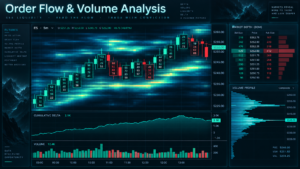
Bookmap looks very different from conventional Best Futures Charting Software.
Instead of making candlesticks the center of the experience, Bookmap focuses on the order book.
Its key features include:
- Historical liquidity heatmap
- Volume Dots
- Volume Delta
- Cumulative Volume Delta
- Volume Profile columns
- Trading DOM
- Replay
- Specialist add-ons
Liquidity Heatmap
The heatmap records how resting limit-order liquidity changes over time.
This means traders can see not only where orders are currently displayed but where significant liquidity previously appeared, moved or disappeared.
Volume Dots
Bookmap plots executed trades directly over the liquidity visualization, allowing traders to compare actual traded volume with resting orders.
This makes Bookmap one of the strongest Best Futures Charting Software options for traders whose methodology is centered on liquidity rather than traditional indicators.
Best for: ES/NQ order-flow traders and users who prioritize order-book visualization.
Read NinjaTrader vs Bookmap 2026 →
8. MultiCharts — Best Multi-Series Futures Charting Software
MultiCharts is particularly strong among the Best Futures Charting Software for systematic traders who need multiple symbols and resolutions inside the same chart.
Current MultiCharts technical documentation supports:
- More than 5 million bars per chart, subject to system resources
- Unlimited indicators per chart window
- Raw tick data
- Tick bars
- Volume bars
- Range bars
- Second-based charts
- Multiple symbols on one chart
- Multiple resolutions on one chart
- Chart drawing tools
- PowerLanguage
- Portfolio trading
- Scanner
- DOM
Multiple Data Series
A strategy can reference several symbols or time resolutions within the same chart environment.
This is useful for traders who might analyze ES using one timeframe while referencing VIX, NQ or a higher ES timeframe in the same systematic model.
PowerLanguage and .NET
Standard MultiCharts uses PowerLanguage, while MultiCharts .NET supports C# and VB.NET development.
MultiCharts has also been developing Python integration for custom indicators and trading strategies.
This gives MultiCharts a strong position among Best Futures Charting Software choices for systematic multi-market traders.
Explore official MultiCharts →
Read NinjaTrader vs MultiCharts 2026 →
9. TradeStation — Best EasyLanguage Charting Ecosystem
TradeStation combines advanced charts with EasyLanguage, placing it among the strongest Best Futures Charting Software environments for systematic technical traders.
Its Chart Analysis environment provides:
- Real-time and historical charts
- Technical studies
- Custom indicators
- Drawing tools
- Chart trading
- Strategy backtesting
- EasyLanguage customization
- RadarScreen
- Matrix
- Market Depth
EasyLanguage
EasyLanguage allows traders to build custom indicators, RadarScreen studies and strategies.
For users without a traditional programming background, the trading-specific syntax can be easier to approach than general-purpose languages.
RadarScreen
TradeStation’s RadarScreen can monitor and rank up to 1,000 symbols using technical and historical chart indicators.
Although this is more useful for multi-market scanning than a single futures chart, it adds another analytical dimension.
Best for: systematic traders who want chart analysis and strategy development tightly integrated.
Explore official TradeStation →
Read NinjaTrader vs TradeStation 2026 →
10. thinkorswim — Best Multi-Asset Technical Charting Platform
thinkorswim completes our Best Futures Charting Software ranking with one of the deepest technical-analysis environments offered by a major U.S. multi-asset brokerage.
Charles Schwab currently describes thinkorswim as providing:
- Hundreds of technical indicators and studies
- Extensive drawing tools
- Desktop charts
- Web charts
- Mobile access
- Real-time futures charting for approved clients
- Futures price ladder
- Custom studies
- thinkScript
Schwab has stated that thinkorswim includes more than 300 charting studies, while the current platform provides more than 20 drawing tools.
Where thinkorswim Wins
thinkorswim is most attractive to users who want futures charts alongside equities and options.
For purely futures-specific DOM, order flow and native automation, NinjaTrader, Sierra Chart and ATAS are more specialized.
Explore official thinkorswim →
Read NinjaTrader vs Thinkorswim 2026 →
Best Futures Charting Software for Technical Indicators
Traditional technical indicators remain important when choosing the Best Futures Charting Software.
Common tools include:
- Moving averages
- RSI
- MACD
- VWAP
- Bollinger Bands
- ATR
- Stochastic oscillators
- ADX
- Volume indicators
NinjaTrader offers hundreds of indicators and allows NinjaScript customization.
Sierra Chart provides more than 400 customizable studies.
MotiveWave Ultimate provides more than 300 built-in studies.
ATAS provides more than 240 indicators combining conventional and advanced volume analysis.
thinkorswim provides hundreds of studies and significant customization.
The platform with the most indicators is not automatically the best. Excessive indicators can make charts harder to interpret.
Best Futures Charting Software for Order Flow
Order flow is one of the largest differentiators among the Best Futures Charting Software platforms.
Our strongest choices include:
- NinjaTrader: Order Flow+, Volumetric Bars, Cumulative Delta and Market Depth Map
- ATAS: Footprint, Smart Tape, Smart DOM, Heatmap and volume analytics
- Bookmap: historical liquidity heatmap, Volume Dots and CVD
- Sierra Chart: Numbers Bars, Market Depth Historical Graph and Trade DOM
- Quantower: Cluster Chart, Volume Analysis and DOM Surface
- MotiveWave: Volume Imprint and advanced DOM
NinjaTrader remains our overall winner because the order-flow tools coexist with direct futures execution, backtesting, replay and C# automation.
Read Best Order Flow Trading Platforms 2026 →
Best Futures Charting Software for Volume Profile
Volume Profile is a key feature across many Best Futures Charting Software platforms.
Instead of plotting volume only by time, Volume Profile shows how much trading activity occurred at different price levels.
Potentially useful information includes:
- Point of Control
- Value Area High
- Value Area Low
- High-volume nodes
- Low-volume nodes
NinjaTrader provides Order Flow Volume Profile.
ATAS includes advanced Volume Profile and Market Profile tools.
Quantower provides several configurable Volume Profile periods.
Bookmap displays Volume Profile columns alongside liquidity.
MotiveWave includes Volume Profile within its advanced Order Flow package.
Best Futures Charting Software for Footprint Charts
Footprint functionality adds price-level transaction information inside individual bars.
Among the Best Futures Charting Software options:
- NinjaTrader: Order Flow Volumetric Bars
- ATAS: 400+ Footprint configurations
- Sierra Chart: Numbers Bars
- MotiveWave: Volume Imprint
- Quantower: Cluster Chart
- TradingView: native Volume Footprint on qualifying plans
ATAS provides the deepest specialist footprint variety, while NinjaTrader offers the strongest integrated futures workflow.
Read Best Footprint Chart Platforms 2026 →
Best Futures Charting Software for Multi-Timeframe Analysis
Multi-timeframe analysis is essential for many futures strategies.
A trader might use:
- Daily chart for macro structure
- 60-minute chart for trend
- 15-minute chart for setup context
- 5-minute chart for execution
- Tick or footprint chart for entry detail
The Best Futures Charting Software should allow these views to coexist without requiring constant manual changes.
MultiCharts is especially strong for mixing symbols and resolutions in one chart.
TradingView provides convenient multi-chart layouts on qualifying plans.
NinjaTrader supports multiple chart windows and customized futures workspaces.
Sierra Chart gives advanced users extensive control over linked charts and studies.
Best Futures Charting Software for Drawing Tools
Drawing tools remain useful even in highly quantitative futures environments.
Typical tools include:
- Trend lines
- Horizontal levels
- Channels
- Fibonacci tools
- Rectangles
- Text annotations
- Risk/reward tools
TradingView is particularly easy to use for visual chart annotation.
thinkorswim provides more than 20 drawing tools.
Sierra Chart provides extensive customizable drawing functionality.
MotiveWave adds specialized Elliott Wave, harmonic, Fibonacci and Gann toolkits.
MultiCharts includes both conventional and analytical drawing objects.
Best Futures Charting Software With Market Replay
Replay can significantly improve the value of the Best Futures Charting Software.
A historical chart shows the final result.
Replay shows the process.
Strong choices include:
- NinjaTrader Market Replay
- Sierra Chart Replay
- ATAS Market Replay
- MotiveWave Replay Mode
- Bookmap Record / Replay
- TradingView Bar Replay
NinjaTrader is our preferred overall futures replay environment because charts can be combined with SuperDOM, simulated orders and strategy tools.
Read Best Futures Trading Simulators 2026 →
Best Futures Charting Software for Automation
Automation is increasingly important when comparing the Best Futures Charting Software.
Strong development environments include:
- NinjaTrader: NinjaScript / C#
- Sierra Chart: ACSIL / C++
- TradingView: Pine Script
- MotiveWave: Java SDK
- Quantower: C# through Quantower Algo
- MultiCharts: PowerLanguage, C#/VB.NET in MultiCharts .NET
- TradeStation: EasyLanguage
- thinkorswim: thinkScript for custom studies and analytical logic
NinjaTrader is our preferred solution when the objective is moving from visual chart analysis into automated futures strategies.
NinjaScript can use the same broader platform environment for indicators, backtesting, simulation and execution.
Read Best Automated Futures Trading Platforms 2026 →
Best Futures Charting Software for Scalping
Scalpers often need different charts from swing traders.
The Best Futures Charting Software for scalping should support:
- Fast chart updates
- Tick charts
- Volume charts
- Footprint charts
- DOM integration
- Order flow
- Hotkeys
- Rapid order management
NinjaTrader is our overall choice because charts, SuperDOM and order-flow tools are tightly integrated.
ATAS is particularly strong for footprint-based scalpers.
Sierra Chart is excellent for technical users who need highly customized tick and depth setups.
Bookmap is strong for liquidity-focused scalping.
Read Best Futures Brokers for Scalping 2026 →
Market Data and the Best Futures Charting Software
The charting platform is only one half of the system.
Even the Best Futures Charting Software cannot display data the underlying feed does not provide.
Potential requirements include:
- Historical bars
- Real-time top-of-book data
- Tick-by-tick trades
- Level 2 market depth
- Historical depth
- Market-by-Order data
A moving average requires very different information from a historical liquidity heatmap.
Similarly, a footprint chart requires much more granular information than a basic daily candlestick chart.
When comparing the Best Futures Charting Software, always evaluate:
- Platform cost
- Exchange data cost
- Professional vs non-professional data status
- Historical data depth
- Broker connectivity
Best Futures Charting Software by Trader Type
| Trader Type | Our Pick | Why |
|---|---|---|
| Overall Futures Trader | NinjaTrader | Charts + execution + replay + automation |
| Technical Power User | Sierra Chart | Maximum customization |
| Browser Trader | TradingView | Accessible Supercharts ecosystem |
| Footprint Trader | ATAS | 400+ Footprint variations |
| Liquidity Trader | Bookmap | Historical liquidity heatmap |
| System Developer | NinjaTrader / MultiCharts | Strong programmable environments |
| Multi-Asset Technical Trader | MotiveWave / thinkorswim | Broad technical-analysis environments |
How to Choose the Best Futures Charting Software
Use this framework before choosing among the Best Futures Charting Software.
1. Define Your Trading Style
A footprint scalper and a trend-following swing trader do not need identical charts.
2. Identify Your Essential Chart Types
Decide whether you need:
- Candlesticks
- Renko
- Range
- Tick
- Volume
- Footprint
- Market Profile
- TPO
3. Determine Whether Order Flow Matters
If you only use moving averages and support/resistance, an expensive specialist order-flow package may add unnecessary complexity.
4. Check Data Compatibility
Confirm that your selected platform and data feed support the contracts and depth information you need.
5. Consider Your Future Requirements
You may start with charts but later want:
- DOM execution
- Backtesting
- Market Replay
- Custom indicators
- Automation
This is one reason NinjaTrader ranks first in our Best Futures Charting Software comparison: the platform provides a clear path beyond basic charting.
Our #1 Futures Charting Software for 2026
NinjaTrader combines customizable futures charts, hundreds of indicators, Order Flow+, Market Replay, SuperDOM, Strategy Analyzer and NinjaScript inside one futures-first ecosystem.
Technical charts and indicators describe market behavior but do not guarantee profitable futures trades.
Related Futures Charting & Trading Guides
- Best Futures Trading Platforms 2026
- Best Order Flow Trading Platforms 2026
- Best Footprint Chart Platforms 2026
- Best DOM Trading Platforms 2026
- Best Futures Trading Simulators 2026
- Best Futures Backtesting Platforms 2026
- Best Automated Futures Trading Platforms 2026
- Best Futures Brokers 2026
- Best Futures Brokers for Scalping 2026
- NinjaTrader vs Sierra Chart 2026
- NinjaTrader vs TradingView 2026
- NinjaTrader vs ATAS 2026
- NinjaTrader vs MotiveWave 2026
- NinjaTrader vs Quantower 2026
- NinjaTrader vs Bookmap 2026
- NinjaTrader vs MultiCharts 2026
- NinjaTrader vs TradeStation 2026
- NinjaTrader vs Thinkorswim 2026
Best Futures Charting Software FAQ
What is the Best Futures Charting Software in 2026?
Our Best Futures Charting Software ranking places NinjaTrader first overall, followed by Sierra Chart, TradingView, ATAS, MotiveWave, Quantower, Bookmap, MultiCharts, TradeStation and thinkorswim.
Why is NinjaTrader the best futures charting software overall?
NinjaTrader combines advanced futures charts, hundreds of indicators, Order Flow+, Market Replay, SuperDOM, backtesting and C# NinjaScript development inside one futures-focused ecosystem.
Is NinjaTrader charting free?
NinjaTrader currently states that its advanced charting, strategy backtesting, simulated trading and technical analysis can be used without a separate platform fee. Real-time market data and live brokerage services have separate conditions.
How many indicators does NinjaTrader have?
NinjaTrader currently advertises hundreds of indicators and more than 10 chart styles.
Does NinjaTrader have footprint charts?
Yes. NinjaTrader’s Order Flow Volumetric Bars provide footprint-style analysis showing bid and ask activity at individual price levels.
Does NinjaTrader have Volume Profile?
Yes. Order Flow Volume Profile displays volume-at-price information and can identify areas such as high-volume and low-volume zones.
Does NinjaTrader support custom indicators?
Yes. NinjaScript is based on C# and can be used to develop custom indicators, strategies and platform tools.
How many indicators does Sierra Chart have?
Sierra Chart currently documents more than 400 fully customizable technical studies and indicators.
Is Sierra Chart better than NinjaTrader for chart customization?
Sierra Chart can provide deeper low-level customization for highly technical users. NinjaTrader is our overall winner because it balances advanced charts with easier futures execution, replay, backtesting and automation.
What is the easiest futures charting software?
TradingView is one of the easiest environments for general technical charting because of its browser-first interface. NinjaTrader provides a stronger futures-specific progression beyond basic charting.
Does TradingView support futures charts?
Yes. TradingView provides charting for many futures markets. Real-time exchange data can require the appropriate data subscription.
Does TradingView have footprint charts?
Yes. TradingView provides native Volume Footprint charts to qualifying subscription tiers.
What is the best footprint chart software for futures?
ATAS is one of the deepest specialist footprint platforms, while NinjaTrader is our preferred overall futures environment because footprint-style analysis integrates with execution and automation.
How many footprint configurations does ATAS have?
ATAS currently advertises more than 400 Footprint variations.
How many indicators does ATAS provide?
ATAS currently advertises more than 240 indicators and more than 70 volume-analysis tools.
Is MotiveWave good for futures charting?
Yes. MotiveWave offers extensive technical-analysis tools, hundreds of indicators, many bar types, order-flow functionality and broad broker/data connectivity.
Does Quantower have footprint charts?
Yes. Quantower’s Cluster Chart provides footprint-style volume and order-flow analysis.
Does Quantower have Volume Profile?
Yes. Quantower includes configurable Volume Profile along with TPO, VWAP and other volume-analysis tools.
Is Bookmap a normal futures charting platform?
Bookmap is more specialized than a conventional charting platform. Its central visualization is a historical order-book liquidity heatmap combined with executed-volume information.
What is Bookmap best for?
Bookmap is particularly useful for liquidity, order-flow and market-depth traders who want to see how resting orders change over time.
Is MultiCharts good for futures charting?
Yes. MultiCharts is especially strong for systematic users who need multiple symbols, multiple resolutions, large historical datasets and programmable studies.
How many bars can MultiCharts display?
Current MultiCharts documentation states that charts can handle more than five million bars, with the practical maximum limited by computer resources.
Does MultiCharts support multiple symbols on one chart?
Yes. MultiCharts supports multiple symbols and multiple resolutions within the same chart.
Is TradeStation good for futures charting?
Yes. TradeStation combines Chart Analysis, customizable studies, drawing tools, chart trading and EasyLanguage strategy development.
What is TradeStation EasyLanguage?
EasyLanguage is TradeStation’s trading-focused programming language for building and modifying custom indicators, RadarScreen studies and strategies.
Is thinkorswim good for futures charting?
Yes. Futures-approved Schwab clients can access real-time futures charting, technical indicators and trading tools through thinkorswim.
How many studies does thinkorswim have?
Schwab describes thinkorswim as providing hundreds of technical indicators and studies, with more than 300 studies referenced in its educational material.
What is the Best Futures Charting Software for MES and MNQ?
NinjaTrader is our preferred overall solution for MES and MNQ because charting can be combined with futures-specific DOM, order flow, Market Replay and automation.
What is the Best Futures Charting Software for scalping?
NinjaTrader is our top all-around choice, while ATAS, Sierra Chart and Bookmap are particularly strong specialist alternatives.
What is the Best Futures Charting Software for order flow?
NinjaTrader leads our overall ranking. ATAS and Bookmap can be stronger for specialized footprint or liquidity visualization workflows.
What is the Best Futures Charting Software for Mac?
TradingView’s browser-first platform and MotiveWave’s native multi-platform software are strong choices. NinjaTrader also provides Web access for charting across supported devices.
What is the Best Futures Charting Software for automated trading?
NinjaTrader is our preferred futures-first option because NinjaScript uses C# and integrates custom indicators, backtesting, simulation and live execution.
Do advanced futures charts guarantee better trading results?
No. More indicators and order-flow tools provide additional information but cannot guarantee profitable decisions or future market direction.
What should I compare before choosing futures charting software?
Compare chart types, indicators, drawing tools, order-flow functionality, market-data requirements, replay, automation, operating-system compatibility, broker connections and complete monthly cost.
Final Verdict: Best Futures Charting Software 2026
The Best Futures Charting Software in 2026 ranges from easy browser-based charting systems to extremely specialized professional order-flow platforms.
NinjaTrader is our #1 overall choice.
Its primary advantage is that professional charting is only the first layer of the platform.
Traders can begin with customizable charts, hundreds of indicators and multiple chart styles, then progress into Order Flow+, Volume Profile, Volumetric Bars, Market Replay and SuperDOM.
Strategy Analyzer and NinjaScript extend that workflow into historical testing and automated strategy development.
This gives NinjaTrader the strongest end-to-end proposition in our Best Futures Charting Software comparison.
Sierra Chart ranks second because its more than 400 technical studies and extensive customization make it exceptionally powerful for advanced users.
TradingView ranks third because its browser-first Supercharts environment remains one of the most accessible and polished technical-analysis experiences available.
ATAS is one of the strongest choices for specialist footprint, volume and order-flow traders.
MotiveWave delivers broad professional technical analysis, Volume Imprint and specialized Elliott Wave functionality.
Quantower combines modern charting with Cluster Charts, Volume Profile, TPO and DOM Surface.
Bookmap is the specialist winner for visual historical liquidity analysis.
MultiCharts excels for multi-symbol, multi-resolution and systematic futures charting.
TradeStation combines mature chart analysis with EasyLanguage strategy development.
thinkorswim provides an excellent multi-asset technical-analysis environment for Schwab futures customers.
The central conclusion from our Best Futures Charting Software research is that chart sophistication should match trading methodology.
A trader using a simple trend strategy does not automatically need 400 indicators. A DOM scalper may gain more value from order-flow and depth tools than from conventional oscillators.
Choose software that supports the complete process you actually intend to use.
For TradeboticsAI readers focused on futures, active execution, backtesting and automation, our final winner is:
NinjaTrader — Best Overall Futures Charting Software for 2026.
Explore NinjaTrader and Start With Advanced Futures Charts →
Affiliate Disclosure: TradeboticsAI may receive compensation when visitors click certain affiliate links or complete qualifying actions. This does not increase the user’s cost and does not determine our rankings or editorial conclusions.
Risk Disclosure: Futures and options on futures involve substantial risk and are not suitable for every investor. Technical indicators, chart patterns, Volume Profile, footprint charts, DOM information, order flow and liquidity tools describe market information but do not predict future price direction or guarantee profitable trading results. Historical, simulated, replayed and backtested performance is hypothetical and can differ materially from live execution. Futures leverage can magnify losses rapidly. Verify current platform features, pricing, market-data requirements and broker compatibility directly with each provider. This material is educational only and is not financial, investment, legal or tax advice.