Automated futures software comparison · Updated September 2026 · U.S. futures traders
If you are comparing the Best Automated Futures Trading Software in 2026, focus on the complete workflow: strategy design, historical testing, simulation, order routing, monitoring, broker connectivity and risk controls. We reviewed seven serious options for futures traders, from visual desktop automation to developer-first cloud and API environments.
The right platform depends on how you actually plan to build and operate a strategy. A trader who wants a visual strategy builder has very different requirements from a C# developer, a Python quant researcher or a fintech team building an external execution service.
Our overall choice for the Best Automated Futures Trading Software is NinjaTrader for traders who want futures-focused execution, Strategy Builder, NinjaScript/C#, Strategy Analyzer, Market Replay, simulation and brokerage integration inside one ecosystem.
QuantConnect is stronger for cloud and code-first quant workflows; MultiCharts is highly capable for systematic desktop traders; TradeStation is attractive for EasyLanguage users; Sierra Chart provides deep technical control; MotiveWave offers broad multi-broker flexibility; and the Tradovate API is better understood as a developer building block for custom software.
TradeboticsAI comparison of futures automation environments for 2026.
- Best Automated Futures Trading Software Comparison
- How We Ranked the Platforms
- 1. NinjaTrader
- 2. QuantConnect
- 3. MultiCharts
- 4. TradeStation
- 5. Sierra Chart
- 6. MotiveWave
- 7. Tradovate API
- Additional Automation and API Platforms
- Programming Languages Compared
- Native Platform vs API Automation
- Backtesting and Simulation
- Hidden Costs
- Risk Management
- How to Choose
- Pros and Cons
- FAQ
- Final Verdict
Best Automated Futures Trading Software 2026 Comparison
The Best Automated Futures Trading Software is not automatically the product with the largest feature list. A discretionary futures trader automating a rules-based setup has different needs from a developer operating an external strategy engine across multiple broker connections.
| Platform | Best For | Automation Approach | Backtesting | Primary Trade-Off |
|---|---|---|---|---|
| NinjaTrader | Overall futures automation | Visual Strategy Builder + C# NinjaScript | Yes | Advanced native automation is desktop/Windows centered |
| QuantConnect | Quant developers | LEAN algorithms, cloud/local | Yes | Higher coding and infrastructure learning curve |
| MultiCharts | Systematic desktop traders | PowerLanguage / .NET | Yes | Professional workflow can require more setup |
| TradeStation | Accessible strategy coding | EasyLanguage | Yes | Closely connected to the TradeStation ecosystem |
| Sierra Chart | Advanced technical users | ACSIL / spreadsheet systems | Yes | Steeper learning curve |
| MotiveWave | Multi-broker technical analysis | Strategies + SDK | Yes | Automation is part of a broader analysis platform |
| Tradovate API | Custom applications and bots | REST / WebSocket | External workflow | Requires development and external strategy infrastructure |
How We Ranked the Best Automated Futures Trading Software
For this 2026 comparison, TradeboticsAI considered automation depth, futures-specific workflow, historical testing, customization, broker and data connectivity, monitoring, operational risk controls and the difficulty of moving from research to live deployment.
We also distinguish backtesting, simulation and live execution. A platform can produce convincing historical results while behaving very differently when real orders, latency, spread, slippage, disconnections, changing liquidity, margin requirements and partial fills affect execution.
No Best Automated Futures Trading Software can transform a weak strategy into a durable trading edge. Automation executes rules; it does not remove market risk or operational risk.

A robust automated futures workflow moves from rules to testing, simulation, controlled deployment and monitoring.
1. NinjaTrader — Best Overall Automated Futures Trading Software
NinjaTrader combines a futures-oriented trading environment with several levels of automation. Strategy Builder lets traders define conditions and actions through a visual workflow, while NinjaScript provides a C# framework for more advanced strategies and custom logic.
NinjaTrader also provides Strategy Analyzer for historical strategy testing and optimization, together with simulation and Market Replay workflows that can be used before controlled live deployment.
This progression is a major reason NinjaTrader remains a strong Best Automated Futures Trading Software candidate. A user can begin with structured visual rules and move toward custom C# development as the system becomes more sophisticated.
Why NinjaTrader Stands Out
- Visual Strategy Builder for rule-based automation.
- NinjaScript based on C#.
- Strategy Analyzer for historical testing and optimization.
- Market Replay and simulation workflows.
- Futures-focused charting and order entry.
- Automated strategy execution inside the platform.
- Developer ecosystem for indicators, strategies and AddOns.
NinjaTrader Limitations
Advanced NinjaScript development requires programming knowledge, and native NinjaTrader 8 Desktop automation is Windows centered. Developers whose main requirement is fully cloud-native infrastructure may prefer QuantConnect or an external API architecture.
Automated strategies also need supervision. Successful historical testing does not mean the strategy will behave identically in live markets.
Best for: active futures traders who want strategy development, backtesting, simulation and execution close together.
Not ideal for: teams whose primary requirement is browser-hosted or fully cloud-native algorithm infrastructure.
Official NinjaTrader Strategy Builder information
For a broader review, see our NinjaTrader Review 2026.
2. QuantConnect — Best for Cloud and Quant Developers
QuantConnect is oriented toward developers who want a research-to-deployment environment rather than a conventional futures trading terminal.
Its LEAN engine supports quantitative research, historical testing, optimization, paper workflows and live algorithm deployment through compatible brokerage integrations.
For developers, QuantConnect can be a serious Best Automated Futures Trading Software alternative because the strategy engine can operate in cloud or local infrastructure and can be integrated into a broader quantitative research process.
QuantConnect Pros
- Cloud and local development options.
- Code-first research environment.
- Extensible algorithm framework.
- Quantitative and portfolio workflows.
- Suitable for Python and C# developers.
QuantConnect Cons
- Higher programming requirement.
- More infrastructure concepts to understand.
- Less appropriate for traders who primarily want a futures DOM and visual strategy workflow.
Best for: quantitative developers, systematic researchers and code-first trading teams.
3. MultiCharts — Best for Systematic Desktop Traders
MultiCharts is designed around strategy development, historical testing, optimization and automated execution.
PowerLanguage provides a trading-oriented programming environment, while MultiCharts .NET expands development into .NET languages. Portfolio-level testing is another important capability for systematic traders evaluating strategies across multiple markets.
MultiCharts deserves a place in a Best Automated Futures Trading Software shortlist because automation is a core part of its workflow rather than an optional add-on.
MultiCharts Pros
- Historical strategy testing.
- Portfolio-level tools.
- PowerLanguage development.
- .NET development options.
- Broker and data-feed flexibility.
MultiCharts Cons
- Professional configuration can be more complex than beginner-oriented tools.
- Broker and data-feed setup may require additional decisions.
Read our NinjaTrader vs MultiCharts 2026 comparison.
4. TradeStation — Best for EasyLanguage Strategy Development
TradeStation’s principal automation advantage is EasyLanguage, which is designed around trading concepts and lets users express indicators and strategy rules through trading-oriented syntax.
Its strategy environment combines development, historical testing and automated execution within the TradeStation ecosystem.
For traders who want more control than no-code tools but do not want to begin with a general-purpose language, TradeStation can be a compelling Best Automated Futures Trading Software option.
TradeStation Pros
- Trading-oriented EasyLanguage environment.
- Integrated strategy testing.
- Automated order execution.
- Established futures brokerage workflow.
TradeStation Cons
- Less attractive for teams seeking maximum broker independence.
- External or cloud-first architectures may require another approach.
Read NinjaTrader vs TradeStation 2026.
5. Sierra Chart — Best for Advanced Technical Automation
Sierra Chart provides deep control over charting, market data, order flow and automated trading.
Its Advanced Custom Study/System Interface and Language, commonly known as ACSIL, is based on C++ and provides experienced developers with detailed access to platform and trading functionality.
Sierra Chart can compete as Best Automated Futures Trading Software for highly technical users who value control more than simplicity.
Sierra Chart Pros
- Deep customization.
- C++-based ACSIL framework.
- Advanced market-data functionality.
- Strong futures and order-flow tools.
- Programmable order and trade management.
Sierra Chart Cons
- Steep learning curve.
- Less approachable for users without programming or advanced platform experience.
Read NinjaTrader vs Sierra Chart 2026.
6. MotiveWave — Best Multi-Broker Analysis Alternative
MotiveWave combines technical analysis, strategy backtesting, automation and developer tooling with connections to multiple brokers and data services.
Its strength is flexibility for users who want automated strategies alongside advanced technical-analysis functionality rather than a futures-only automation environment.
MotiveWave Pros
- Broad broker/data connectivity.
- Advanced charting.
- Strategy backtesting and optimization.
- Automated and partially automated strategies.
- Developer SDK.
MotiveWave Cons
- Automation is one part of a larger analysis platform rather than its sole focus.
For a direct comparison, see NinjaTrader vs MotiveWave 2026.
7. Tradovate API — Best for Custom Futures Apps and Bots
Tradovate’s API represents a different automation model. Instead of supplying a complete built-in strategy-development environment, an API allows external software to communicate programmatically with trading infrastructure.
Developers can therefore build independent strategy engines, dashboards, bots, risk services, analytics applications and execution workflows around REST and WebSocket connectivity.
This makes Tradovate useful for developers, but it is not automatically the Best Automated Futures Trading Software for a non-programmer because research, testing, monitoring and operational safeguards may need to be built separately.
Tradovate API Pros
- Programmable futures connectivity.
- REST and streaming architecture.
- Useful for custom applications.
- Suitable for external strategy infrastructure.
Tradovate API Cons
- Meaningful development workload.
- Testing and monitoring remain external responsibilities.
- State management and error handling must be engineered carefully.
Additional Automated Futures Platforms and API Infrastructure
The seven products above cover the primary Best Automated Futures Trading Software use cases. Developers building more modular systems should also understand Quantower, Interactive Brokers, tastytrade, Ironbeam and EdgeClear.
| Platform | Development Model | Core Strength | Best Use Case |
|---|---|---|---|
| Quantower | C# / Visual Studio | Modern development workflow and multiple connections | Native strategies, indicators and plugins |
| Interactive Brokers | TWS API / Web API / other interfaces | Broad brokerage connectivity | External multi-asset trading infrastructure |
| tastytrade | REST + streaming APIs | Derivatives-oriented external development | Custom futures and options applications |
| Ironbeam | REST / WebSocket futures API | Futures-native connectivity | Independent execution engines and fintech integrations |
| EdgeClear | Modular platform ecosystem | Platform, routing and data-feed flexibility | Custom futures technology stacks |
Quantower
Quantower Algo uses C# and integrates with Visual Studio. Developers can build custom indicators, automated strategies, plugins and other extensions, while its Backtest & Optimize environment supports historical strategy testing.
Best for: C# developers who prefer a conventional .NET-style development workflow.
Official Quantower Algo documentation
|
NinjaTrader vs Quantower 2026
Interactive Brokers
Interactive Brokers is better viewed as brokerage API infrastructure than as one integrated strategy-development product. Developers can run research, signal generation, risk management and monitoring externally while using brokerage interfaces for account and execution workflows.
Best for: developers building external multi-asset infrastructure that includes futures.
Official Interactive Brokers API information
|
NinjaTrader vs Interactive Brokers 2026
tastytrade
tastytrade’s developer environment supports programmatic account and trading workflows across products including futures and futures options. Its API approach is relevant for developers building applications outside the broker’s normal interface.
Best for: developers combining futures, options and derivatives workflows.
Official tastytrade developer documentation
|
NinjaTrader vs tastytrade 2026
Ironbeam
Ironbeam provides futures-oriented REST and WebSocket infrastructure for developers creating algorithmic strategies, custom trading applications and fintech integrations.
This is a fundamentally different model from selecting a complete Best Automated Futures Trading Software package: the brokerage interface can provide connectivity while the developer supplies the strategy engine, research layer, risk management and monitoring.
Best for: futures developers building independent execution software.
Official Ironbeam API information
|
NinjaTrader vs Ironbeam 2026
EdgeClear
EdgeClear follows a modular model. Traders can build a futures stack around supported trading platforms, routing technologies and data feeds rather than relying on one proprietary automation language.
Best for: experienced traders who already know which development platform and connectivity architecture they want.
Official EdgeClear platform information
|
NinjaTrader vs EdgeClear 2026
Best Automated Futures Trading Software by Programming Language
The programming language can strongly influence which Best Automated Futures Trading Software option makes sense for your workflow.
| Language / Architecture | Strong Examples | Typical Use |
|---|---|---|
| C# | NinjaTrader, Quantower, MultiCharts .NET | Native strategies, indicators and desktop automation |
| C++ | Sierra Chart ACSIL | Low-level customization and advanced futures systems |
| Trading-specific languages | TradeStation EasyLanguage, MultiCharts PowerLanguage | Strategy development with trader-oriented syntax |
| Java | MotiveWave SDK | Custom studies and strategy extensions |
| Python / quant research | QuantConnect, custom infrastructure | Research, analytics, machine learning and orchestration |
| REST / WebSocket | Tradovate, tastytrade, Ironbeam and other broker APIs | External bots, SaaS products and execution services |
C# Automation
NinjaTrader is especially relevant when C# development should remain inside a futures-focused trading platform. Quantower provides another C# environment with Visual Studio integration, while MultiCharts .NET is relevant for systematic traders who want .NET development with broader broker flexibility.
Python Automation
Python remains useful for research, machine learning, portfolio analytics and orchestration. The important architectural question is usually not whether a broker advertises a dedicated Python button, but whether a Python application can communicate reliably with the execution layer through supported APIs.
Python Research Engine → Signal Engine → Risk Guard → Broker API → Futures Exchange → Reconciliation → Monitoring
Native Platform Automation vs External API Automation
One of the most important distinctions when selecting the Best Automated Futures Trading Software is whether the strategy runs inside the trading platform or inside an external application.
Native Platform Automation
Platforms such as NinjaTrader, TradeStation, Sierra Chart and MultiCharts can run strategy logic directly inside the trading environment.
This approach can simplify:
- market-data access;
- historical strategy testing;
- simulation;
- strategy configuration;
- order execution;
- chart interaction;
- monitoring inside one application.
External API Automation
API-first architectures separate the strategy engine from brokerage connectivity.
This architecture can be more flexible for independent software and SaaS systems because individual responsibilities can be separated into services.
The trade-off is engineering responsibility. Authentication, disconnects, stale data, duplicate orders, state reconciliation, logging, monitoring and security all need explicit handling.
Backtesting, Simulation and Live Automated Futures Trading
A serious Best Automated Futures Trading Software comparison must evaluate the complete progression from research to live execution.
Backtests should model realistic execution assumptions whenever possible, including:
- commissions;
- exchange fees;
- bid/ask spread;
- slippage;
- latency;
- contract rollovers;
- partial fills;
- market liquidity;
- changing volatility;
- different market regimes.
Simulation is also not identical to live execution. Simulated fills can differ from the behavior of actual orders interacting with a live market.
Hidden Costs of the Best Automated Futures Trading Software
Platform subscription price is only one component of total automation cost.
When evaluating the Best Automated Futures Trading Software, account for:
- brokerage commissions;
- exchange and regulatory fees;
- market-data subscriptions;
- premium data feeds;
- third-party indicators;
- strategy add-ons;
- API access where applicable;
- VPS or cloud hosting;
- database infrastructure;
- monitoring and alerting;
- development time;
- ongoing maintenance;
- backup and recovery systems.
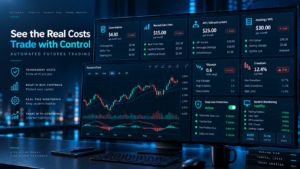
Total automation cost can include software, brokerage, data, infrastructure, development and monitoring.
For NinjaTrader-specific charges, see our NinjaTrader Fees 2026 guide.
Risk Management for Automated Futures Trading
The quality of the Best Automated Futures Trading Software is not determined only by the quality of its entry signals. A production system should separate strategy logic from risk controls whenever practical.
Minimum Controls to Consider
- Maximum position size: limits total exposure.
- Maximum order size: blocks unintended oversized submissions.
- Daily loss limits: can disable trading after a predefined risk threshold.
- Duplicate-order protection: reduces repeated order submissions.
- Connection monitoring: detects broker or data failures.
- Market-data freshness checks: reduces decisions based on stale data.
- Position reconciliation: compares strategy state with brokerage state.
- Price validation: can block abnormal execution requests.
- Emergency kill switch: provides an independent shutdown mechanism.
- Audit logging: records signals, orders, errors and risk decisions.
How to Choose the Best Automated Futures Trading Software
Start with your strategy-development process rather than a feature list. The Best Automated Futures Trading Software for your use case should match your programming ability, broker, preferred contracts, research methodology, deployment environment and tolerance for technical complexity.
Choose NinjaTrader If…
- futures are your primary market;
- you want a visual Strategy Builder;
- you want a path toward C# NinjaScript;
- you need backtesting, replay and simulation;
- you prefer an integrated desktop workflow.
Choose QuantConnect If…
- you are comfortable coding;
- you want cloud or local quantitative infrastructure;
- research and systematic portfolio development are priorities;
- you want the strategy engine separated from a traditional futures terminal.
Choose MultiCharts If…
- you are a systematic desktop trader;
- portfolio-level strategy testing matters;
- broker flexibility matters;
- PowerLanguage or .NET matches your development skills.
Choose TradeStation If…
- you want a trader-oriented programming language;
- EasyLanguage appeals to you;
- you prefer strategy development and brokerage in one ecosystem.
Choose Sierra Chart If…
- you are technically experienced;
- you value C++ customization;
- market-depth and order-flow control are important.
Choose an API-First Architecture If…
- your strategy engine runs externally;
- you are building your own trading application;
- you need independent risk and monitoring services;
- you want to connect multiple broker technologies;
- you are developing a scalable trading SaaS.
For broader platform research, read our Best Futures Trading Platforms 2026 guide.
Best Automated Futures Trading Software: Pros and Cons
Potential Advantages
- Consistent rule execution.
- Repeatable testing.
- Reduced manual order-entry workload.
- Ability to monitor multiple markets.
- Structured risk rules.
- Detailed performance records.
- Integration with custom indicators and APIs.
Potential Limitations
- Automation cannot guarantee profits.
- Historical results may be misleading.
- Software bugs can generate unintended behavior.
- Connectivity failures can affect execution.
- Live fills differ from simulations.
- Complex systems require maintenance.
- Futures leverage can magnify losses rapidly.
Best Automated Futures Trading Software FAQ
What is the best automated futures trading software in 2026?
For a broad group of retail futures traders, our choice for the Best Automated Futures Trading Software is NinjaTrader because it combines visual strategy development, NinjaScript/C#, historical testing, simulation, replay and live strategy execution. QuantConnect may be better suited to some code-first quantitative developers.
Can I automate futures trading without coding?
Yes. Visual strategy-building environments can automate rule-based systems without requiring a trader to begin with conventional programming. More advanced strategies may eventually require coding.
What is the best automated futures trading software for Python developers?
QuantConnect is one notable option for Python-oriented quantitative research and algorithm deployment. Python can also be used in external applications that communicate with compatible broker APIs.
Is automated futures trading profitable?
No software can guarantee profitability. Automation executes defined logic. Strategy quality, transaction costs, slippage, market regime, leverage, infrastructure and risk controls all influence results.
Should I backtest before running live automation?
Yes, but historical testing should be only one stage. A stronger process also includes realistic costs, robustness checks, simulation, monitored forward observation and cautious live deployment.
Is NinjaTrader better than MultiCharts for automation?
NinjaTrader is particularly convenient for a futures-focused workflow that spans visual strategy creation and C# development. MultiCharts is highly competitive for systematic traders who prioritize PowerLanguage, .NET development, portfolio testing and flexible broker integrations.
Is an API the same as automated trading software?
No. An API provides connectivity. A complete automation system also requires strategy logic, state management, market-data processing, testing, error handling, monitoring, security, logging and risk controls.
What is the difference between native platform automation and API automation?
Native platform automation runs strategy logic inside software such as NinjaTrader or TradeStation. API automation runs the strategy in an external application that communicates programmatically with brokerage or execution infrastructure.
Can Python be used for automated futures trading?
Yes. Python is frequently used for research, analytics, machine learning, orchestration and external strategy engines. Production suitability depends on the broker interface, latency requirements, architecture and operational controls.
What risk controls should an automated futures system have?
Common controls include maximum position size, maximum order size, daily loss limits, duplicate-order prevention, connection monitoring, price checks, data-freshness validation, account reconciliation, kill switches and audit logs.
Can simulated results differ from live futures results?
Yes. Live trading can involve slippage, spread, latency, partial fills, rejected orders, connectivity issues and liquidity conditions that simulations cannot reproduce perfectly.
Do automated futures strategies need monitoring?
Yes. Automated systems can experience software, data, brokerage and network failures. Live systems should be supervised and should include procedures for abnormal behavior.
Final Verdict: Best Automated Futures Trading Software for 2026
The Best Automated Futures Trading Software depends on how the strategy is developed, tested and operated.
NinjaTrader offers a particularly complete futures-focused path from visual strategy construction through NinjaScript/C#, Strategy Analyzer, Market Replay, simulation and automated execution.
QuantConnect is a strong developer-first alternative for cloud and code-driven quantitative workflows. MultiCharts stands out for systematic desktop trading, TradeStation provides an accessible strategy-development language, Sierra Chart rewards technically advanced users, and MotiveWave combines automation with broad technical-analysis functionality.
Tradovate and other API-first environments become more relevant when developers want to build independent bots, dashboards, execution engines or SaaS infrastructure instead of running the complete strategy inside a conventional desktop platform.
The Best Automated Futures Trading Software should therefore be judged by the quality of its research workflow, realistic testing, execution controls, monitoring and ability to manage failure—not by promises of returns.