NinjaTrader SuperDOM Review 2026: Best DOM for Futures?
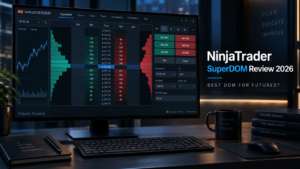
NinjaTrader SuperDOM is one of the best-known futures price ladders for active traders who want fast order entry, market depth, working-order visibility and direct position management from one compact interface. In this 2026 review, we examine how NinjaTrader SuperDOM works, the difference between Dynamic and Static ladders, its ATM strategy integration, market-data requirements, customization options and whether it is a strong choice for futures scalping.
The biggest advantage of NinjaTrader SuperDOM is integration. Traders can manage orders from the ladder while using NinjaTrader charts, Time & Sales, Market Replay, Order Flow+, Strategy Analyzer and NinjaScript in the same desktop ecosystem. That makes the tool more than a standalone DOM: it becomes part of a complete futures workflow.
Quick Answer: Is NinjaTrader SuperDOM Good for Futures?
Yes. For active futures traders who prefer ladder-based execution, NinjaTrader SuperDOM is a strong option because it combines market-depth visibility, order entry, order modification, ATM strategy support and customizable columns inside NinjaTrader Desktop.
- Best for: futures scalpers and discretionary intraday traders
- Main strength: order and position management directly from the price ladder
- Static and Dynamic: both ladder styles are available
- Customization: additional columns and NinjaScript extensions are supported
- Practice: can be used with NinjaTrader simulation and replay workflows
Explore NinjaTrader and Free Simulated Futures Trading →
Affiliate Disclosure: TradeboticsAI may receive compensation when visitors complete qualifying actions through certain links. Affiliate relationships do not determine our conclusions. Futures trading involves substantial risk.
NinjaTrader SuperDOM Overview
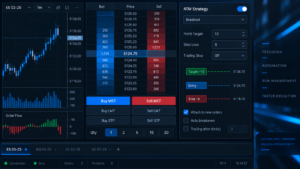
NinjaTrader SuperDOM is a Depth of Market window designed for visual order and position management. NinjaTrader’s documentation describes the SuperDOM as a price-ladder interface that displays market depth in the Buy and Sell columns and provides tools for managing orders, positions and discretionary stop or exit strategies.
The standard ladder can display price, bid size, ask size, working orders, position information and other selected columns. The purpose is to reduce the number of separate windows a short-term trader needs during execution. Instead of opening an order ticket, a trader can interact directly with price levels on the ladder.
This design is particularly relevant for futures because markets such as ES, NQ, MES, MNQ, CL and GC are commonly traded with price ladders by active intraday participants.
How NinjaTrader SuperDOM Works
At its core, NinjaTrader SuperDOM organizes prices vertically. Bid information appears on one side of the ladder and ask information on the other. The current inside market and last traded price update as the futures contract moves.
NinjaTrader’s official documentation notes that the ladder is intended to let traders see market prices, market depth, indicator levels, profit and loss, current positions and pending orders at a glance. This is useful when speed matters because the trader can monitor market context and manage an open position without switching between multiple order-entry panels.
The exact information visible depends on the selected columns, data subscription and layout. A basic top-of-book feed provides less depth information than a Level II subscription.
Static vs Dynamic SuperDOM Price Ladder
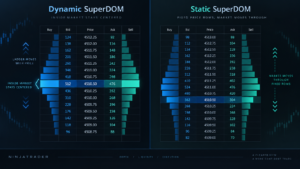
NinjaTrader SuperDOM is available in two ladder styles: Static and Dynamic. The difference is how the price rows behave as the market moves.
Static SuperDOM
On the Static ladder, the price rows remain fixed while bid, ask and last-price information move up or down through those fixed levels. Traders who prefer strong spatial memory may find this behavior intuitive because a specific price stays in the same location until the ladder itself is repositioned.
Dynamic SuperDOM
On the Dynamic ladder, the inside market remains in a relatively fixed visual location while the prices displayed in the rows update as the market moves. NinjaTrader also documents a feature that can temporarily suspend the Dynamic ladder when the mouse is placed over it, helping users submit or modify an order without the underlying row changing during fast movement.
Neither format is universally better. The correct choice depends on execution habits, experience and how the trader prefers to track prices visually.
SuperDOM Order Entry and Management
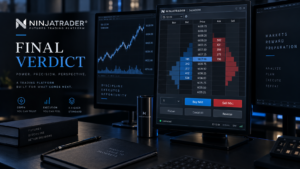
NinjaTrader SuperDOM is built for direct interaction with working orders. Depending on the selected order type and settings, traders can submit, modify and cancel orders from the ladder rather than opening a separate ticket.
This can make it easier to manage:
- Limit orders
- Stop orders
- Working targets
- Protective stops
- Open positions
- Order cancellations and modifications
The benefit is speed and visibility. The risk is also speed: one-click or ladder-based execution can make an incorrect quantity or price more consequential. Traders should therefore verify account, contract and order size before submitting orders.
SuperDOM and ATM Strategies
The ladder can be used with NinjaTrader’s Advanced Trade Management, or ATM, strategy functionality. ATM strategies are designed to help discretionary traders manage predefined stop-loss and profit-target structures after entry.
A trader can create templates for recurring execution plans instead of manually rebuilding the same bracket structure on every trade. This can improve consistency, especially for futures scalpers who use repeatable protective stops and targets.
ATM functionality should not be confused with a fully automated trading strategy. The trader can still make the discretionary entry decision while the ATM template handles predefined order-management logic.
SuperDOM Market Depth and Level II Data
Market depth is a central part of the ladder. The Buy and Sell columns can display contracts available at multiple bid and ask price levels when the connected market-data feed provides the required depth.
Level II data is particularly relevant for traders who want to observe more than the best bid and best ask. It can show additional resting quantities across several price levels, although displayed liquidity can change rapidly as market participants add, modify or cancel orders.
This is important: market depth is information, not a prediction. A large resting order can disappear before price reaches it, and visible size does not guarantee support, resistance or execution.
Custom SuperDOM Columns and Indicators
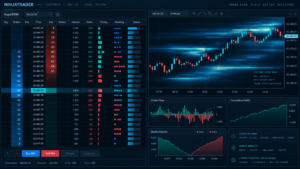
Another strength of NinjaTrader SuperDOM is customization. NinjaTrader supports additional SuperDOM columns, including columns that can display information such as volume, profit/loss, notes and custom values.
Advanced developers can build custom SuperDOM columns with NinjaScript. NinjaTrader’s official documentation exposes methods and events for market data, Level II depth, order updates, position updates and rendering custom information.
Indicators can also be displayed on the ladder. NinjaTrader documents the ability to attach resting orders to indicator values so that the order can move with the selected indicator as its value changes. This is an advanced feature and should be tested carefully in simulation before live use.
SuperDOM Simulation and Market Replay
NinjaTrader SuperDOM becomes more useful for training when combined with the platform’s simulation and Playback/Market Replay tools. Traders can practice ladder mechanics, order modification and ATM workflows without immediately exposing real capital.
Replay is especially valuable because DOM trading is dynamic. A screenshot cannot reproduce how bids, asks, last price and working orders change through time. Replaying historical sessions gives traders a way to rehearse execution during fast opens, trend sessions or volatile periods.
Simulation is still hypothetical. Live fills can differ because of queue position, latency, partial fills, slippage and market conditions.
Is SuperDOM Good for Futures Scalping?
For traders who execute from a ladder, NinjaTrader SuperDOM can be well suited to futures scalping. The interface keeps price, market depth, working orders and position management close together, reducing the need to move between multiple windows.
Scalpers may also combine the ladder with:
- Time & Sales
- Order Flow+ tools
- Volumetric Bars
- Volume Profile
- Chart Trader
- Market Replay
The best setup is not the one with the most information. A clear ladder with a small number of useful columns is often easier to manage than a screen overloaded with order-flow indicators.
SuperDOM Pros and Cons
Pros
- Futures-focused price ladder
- Direct order and position management
- Static and Dynamic ladder options
- ATM strategy integration
- Market-depth visibility
- Custom columns
- NinjaScript extensibility
- Works with simulation and replay workflows
Cons
- Can overwhelm beginners
- Advanced depth requires appropriate market data
- Fast ladder execution increases the cost of user mistakes
- Displayed liquidity can change or disappear
- Windows/Desktop-centric advanced workflow
- Specialist DOM platforms may offer different tape-reading experiences
Who Should Use SuperDOM?
NinjaTrader SuperDOM is best suited to active futures traders who want to enter and manage trades directly from a price ladder. It is especially relevant to MES, MNQ, ES, NQ and other intraday traders who value speed, market-depth visibility and predefined order-management templates.
It is less important for traders who place only a few longer-term positions and primarily analyze daily or weekly charts. Those users may find a conventional chart-trading or order-ticket workflow simpler.
SuperDOM vs Other DOM Platforms
Traders comparing NinjaTrader SuperDOM with Jigsaw daytradr, Trading Technologies MD Trader, Sierra Chart, ATAS or Quantower should focus on workflow rather than one isolated feature.
NinjaTrader’s main advantage is integration with its wider futures ecosystem. Jigsaw is heavily focused on DOM and tape-reading education. Trading Technologies targets professional execution workflows. Sierra Chart offers deep customization, while ATAS and Quantower combine DOM functionality with specialist volume-analysis tools.
Explore NinjaTrader for Futures Trading
Practice order entry, market-depth workflows and futures execution in simulation before deciding whether ladder-based trading fits your process.
Official Resources
For current functionality, use the
official NinjaTrader SuperDOM documentation
.
This editorial link is intentionally dofollow.
SuperDOM FAQ
What is NinjaTrader SuperDOM?
NinjaTrader SuperDOM is NinjaTrader Desktop’s Depth of Market price ladder for viewing market depth and managing futures orders, positions and discretionary exit strategies.
Does SuperDOM show market depth?
Yes. The ladder can display bid and ask market-depth information when the connected data feed provides the required depth.
What is the difference between Static and Dynamic SuperDOM?
Static keeps price rows fixed while the inside market moves through them. Dynamic keeps the inside market in a more fixed visual position while the price values in the rows change.
Can SuperDOM use ATM strategies?
Yes. Traders can use ATM strategies to manage predefined protective stops and profit targets around discretionary futures entries.
Can I customize SuperDOM?
Yes. Users can customize columns and templates, while advanced developers can create custom SuperDOM columns through NinjaScript.
Can I use indicators with SuperDOM?
Yes. NinjaTrader supports indicators on the ladder and also documents functionality for attaching resting orders to indicator values.
Can I practice SuperDOM without live money?
Yes. NinjaTrader provides simulation and replay workflows that can be used to practice order entry and management before live trading.
Is SuperDOM good for scalping?
It can be a strong choice for futures scalpers who prefer ladder-based execution and want order management, depth and position information in one interface.
Does market depth predict price?
No. Resting orders can be modified or canceled, and visible liquidity does not guarantee future market direction.
Is SuperDOM better than Jigsaw?
NinjaTrader provides broader integration with charts, replay, brokerage execution and automation. Jigsaw is more specialized around DOM and tape-reading workflows. The better choice depends on the trader’s process.
NinjaTrader SuperDOM Final Verdict 2026
NinjaTrader SuperDOM remains one of the strongest integrated futures DOM tools for traders who want to manage orders directly from a price ladder.
Its main advantage is not simply market-depth display. The ladder works inside a broader ecosystem that includes charts, ATM strategies, Market Replay, simulation, Order Flow+, Strategy Analyzer and NinjaScript customization.
Static and Dynamic versions give traders a choice in how the price ladder behaves, while custom columns and indicator integration provide room for more advanced workflows.
The limitations are equally important. Market depth does not predict price, Level II information depends on the selected data subscription, and fast ladder execution can amplify user mistakes. New traders should practice extensively in simulation before using live capital.
For active futures traders who value ladder-based execution, market-depth visibility and integrated order management, NinjaTrader SuperDOM is a strong 2026 choice.
Explore NinjaTrader and Start With Free Simulation →
Risk Disclosure: Futures and options on futures involve substantial risk and are not suitable for every investor. Depth of Market data, order-flow tools, indicators and price ladders do not guarantee future market direction or profitable results. Resting orders can be changed or canceled. Simulated and replayed results can differ materially from live execution. Futures leverage can magnify losses rapidly.
Affiliate Disclosure: TradeboticsAI may receive compensation if you use an affiliate link on this page. This does not increase the price you pay and does not determine our editorial conclusions.