NinjaTrader vs Optimus Futures 2026: Which Futures Broker Is Better?
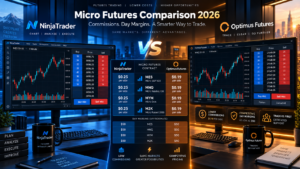
NinjaTrader vs Optimus Futures is a high-intent comparison for active futures traders choosing between an integrated broker-platform ecosystem and a more flexible brokerage structure with multiple clearing, platform and data-feed choices in 2026.
NinjaTrader combines futures brokerage through NinjaTrader Clearing with NinjaTrader Desktop, Web and Mobile, SuperDOM, Market Replay, strategy backtesting, simulated trading and C#-based NinjaScript automation.
Optimus Futures operates differently. It is an independent Introducing Broker rather than a Futures Commission Merchant that directly holds customer funds. Optimus works with clearing FCMs and provides traders access to its own Optimus Flow, Web and Mobile platforms plus third-party solutions including TradingView, Sierra Chart, MultiCharts, Bookmap, MetaTrader 5 and other supported platforms.
This detailed NinjaTrader vs Optimus Futures 2026 comparison examines commissions, Micro futures pricing, intraday margins, account minimums, platforms, data feeds, TradingView integration, automation, simulation, order-flow tools and overall cost to determine which futures trading setup is better for different types of traders.
Quick Answer
Choose NinjaTrader if you want an integrated futures broker and platform, published plan-based commissions, no general deposit minimum, NinjaScript automation, SuperDOM, Market Replay and a consistent Desktop/Web/Mobile ecosystem.
Choose Optimus Futures if you value platform choice, want access to solutions such as Optimus Flow, TradingView, Sierra Chart, Bookmap or MultiCharts, prefer an independent introducing-broker structure and want competitive futures pricing without committing to NinjaTrader’s Lifetime plan.
TradeboticsAI Verdict: NinjaTrader is generally the cleaner choice for traders who want an all-in-one futures environment. Optimus Futures is particularly attractive for experienced traders who want to choose their own platform, clearing relationship and technology stack.
Explore NinjaTrader and Free Simulated Trading →
Affiliate disclosure: TradeboticsAI may receive compensation when visitors complete qualifying actions through certain links. Futures trading involves substantial risk. Simulated performance is hypothetical and live trading involves commissions, exchange, regulatory, clearing and potentially data or platform fees.
Table of Contents
- NinjaTrader vs Optimus Futures Overview
- Quick Comparison
- Broker Structure
- Commissions
- Futures Margins
- Micro Futures
- Account Minimums
- Trading Platforms
- Optimus Flow vs NinjaTrader Desktop
- TradingView
- Data Feeds and Routing
- Market Data Costs
- DOM and Order Flow
- Automated Trading
- Backtesting and Market Replay
- Web and Mobile
- Additional Fees
- Ease of Use
- Pros and Cons
- Which Broker Should You Choose?
- Related Comparisons
- FAQ
- Final Verdict
NinjaTrader vs Optimus Futures 2026: Overview
The key difference in NinjaTrader vs Optimus Futures is vertical integration versus brokerage flexibility.
NinjaTrader’s model is relatively straightforward.
NinjaTrader, LLC develops the trading technology while NinjaTrader Clearing, LLC operates as the Futures Commission Merchant responsible for brokerage accounts and clearing.
This creates an integrated environment where the same ecosystem provides:
- Futures brokerage
- NinjaTrader Desktop
- NinjaTrader Web
- NinjaTrader Mobile
- SuperDOM
- Charting
- NinjaScript
- Backtesting
- Market Replay
- Simulated trading
Optimus Futures uses a different model.
Optimus Futures, LLC is an independent Introducing Broker and member of the National Futures Association. An Introducing Broker facilitates the customer relationship and accepts orders but customer funds are maintained by the selected clearing Futures Commission Merchant.
Because Optimus is not tied exclusively to one FCM, its model can provide additional choice in platforms, clearing relationships and trading infrastructure.
That distinction defines much of the NinjaTrader vs Optimus Futures comparison.
NinjaTrader vs Optimus Futures: Quick Comparison
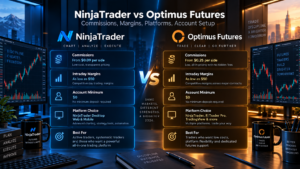
| Category | NinjaTrader | Optimus Futures |
|---|---|---|
| Business Structure | Integrated platform + FCM ecosystem | Independent Introducing Broker |
| NFA Status | NinjaTrader Clearing NFA 0309379 | Optimus Futures NFA 0481133 |
| Primary Focus | Futures | Futures |
| Micro Commission | From $0.09/side on Lifetime plan | Starting at $0.25/side |
| Standard Commission | From $0.59/side on Lifetime plan | Starting at $0.75/side |
| MES Day Margin | $50 published | $50 published |
| MNQ Day Margin | $100 published | $100 published |
| Micro Account Minimum | No general minimum deposit | $500 published |
| Platform Model | Integrated NinjaTrader family | Broad multi-platform choice |
| Free Proprietary Platform | Yes | Optimus Flow |
| TradingView Integration | Check current supported connection options | Yes, via CQG |
| Native Programming | NinjaScript / C# | Depends on selected platform |
| Best For | Integrated futures trading | Platform and infrastructure flexibility |
NinjaTrader vs Optimus Futures Broker Structure
The business structure is important because these companies are not identical types of futures firms.
NinjaTrader Structure
NinjaTrader Clearing is a registered Futures Commission Merchant.
An FCM can hold customer funds and clear futures transactions.
NinjaTrader therefore controls much of the customer journey from platform technology through brokerage access.
Optimus Futures Structure
Optimus Futures is an independent Introducing Broker.
Optimus does not hold customer futures funds itself. Funds are held at the applicable clearing FCM.
Optimus currently works with multiple clearing relationships, which can create greater flexibility for traders with specific platform or infrastructure requirements.
The Optimus website notes that commission, margin and other terms shown on many of its primary pricing pages apply to accounts cleared through Ironbeam unless otherwise specified.
This is critical when evaluating NinjaTrader vs Optimus Futures because an Optimus trader using another FCM may receive different pricing, margin or platform conditions.
Simplicity winner: NinjaTrader.
Clearing flexibility winner: Optimus Futures.
NinjaTrader vs Optimus Futures Commissions
Commission structure is one of the strongest commercial differences in NinjaTrader vs Optimus Futures.
NinjaTrader Commission Plans
| Plan | Plan Fee | Micro / e-Nano | Standard |
|---|---|---|---|
| Free | $0 monthly | $0.39 per side | $1.29 per side |
| Monthly | $99/month | $0.29 per side | $0.99 per side |
| Lifetime | $1,499 one-time | $0.09 per side | $0.59 per side |
These are base commissions. Exchange, NFA and clearing charges apply in addition.
Verify current rates on the official NinjaTrader pricing page.
Optimus Futures Commission Pricing
Optimus currently advertises:
- Micro futures: starting at $0.25 per side
- Standard futures: starting at $0.75 per side
- High-volume pricing: additional reductions may be available for qualifying active traders
Exchange, clearing, regulatory and connectivity costs may still apply.
Optimus also states that the commission structure can vary based on account, clearing setup, trading volume and selected technology.
Current pricing is available on the official Optimus Futures commission page.
Which Is Cheaper?
There is no single winner for every trader.
The NinjaTrader Lifetime plan currently provides the lower published base commission for Micro futures at $0.09 per side, but it requires the $1,499 one-time plan purchase.
Optimus starts at $0.25 per side on Micro futures without requiring an equivalent Lifetime platform purchase under its standard advertised Optimus pricing structure.
A low-volume trader may therefore prefer comparing NinjaTrader Free against Optimus rather than comparing Optimus only against NinjaTrader Lifetime.
An active trader should calculate the break-even point between:
- Monthly contract volume
- Plan fees
- Commission differences
- Exchange fees
- Clearing fees
- Routing costs
- Market-data costs
- Platform subscriptions
The best NinjaTrader vs Optimus Futures commission choice depends on the complete all-in cost.

NinjaTrader vs Optimus Futures Margin Requirements
Both companies target active futures traders with competitive intraday margins.
| Contract | NinjaTrader Day Margin | Optimus Futures Day Margin |
|---|---|---|
| MES | $50 | $50 |
| MNQ | $100 | $100 |
| MYM | $50 | $50 |
| M2K | $50 | $50 |
| ES | $500 | $500 |
| NQ | $1,000 | $1,000 |
For these major U.S. equity-index contracts, published intraday margins are currently very similar.
Optimus notes that margins shown on its primary margin page apply to specific clearing and data-feed configurations and that another FCM, platform or feed can require different amounts.
Both brokers reserve the ability to increase intraday requirements during abnormal volatility or major market events.
Low margin is not equivalent to low risk.
For example, controlling an MES contract with $50 of intraday margin does not cap the trader’s potential loss at $50.
Futures leverage can cause losses substantially larger than the margin required to enter the trade.
NinjaTrader vs Optimus Futures for Micro Futures
Micro contracts are a major reason traders search for NinjaTrader vs Optimus Futures.
Both ecosystems support popular contracts including:
- MES — Micro E-mini S&P 500
- MNQ — Micro E-mini Nasdaq-100
- MYM — Micro E-mini Dow
- M2K — Micro E-mini Russell 2000
- MGC — Micro Gold
- MCL — Micro WTI Crude Oil
- Micro FX and other eligible CME products
The biggest differences are not necessarily the contracts themselves.
They are pricing model, platform choice and account structure.
NinjaTrader traders can choose among Free, Monthly and Lifetime plans.
Optimus traders can use its standard commission structure while choosing from several platform and clearing configurations.
If you trade only a handful of Micro contracts each month, calculate whether paying for a NinjaTrader upgraded plan produces enough commission savings to justify the subscription or Lifetime cost.
If you trade hundreds or thousands of contracts, small per-side commission differences become much more important.
NinjaTrader vs Optimus Futures Account Minimum
NinjaTrader currently advertises no general minimum deposit to open a futures brokerage relationship, although ACH and debit-card funding can have operational minimums and the account must contain sufficient capital to satisfy applicable margins and trading risk.
Optimus currently states:
- $500 minimum to begin trading Micro futures through its primary account-opening configuration.
- $2,000 minimum for E-minis or standard contracts according to its current account-opening FAQ.
Account requirements can vary when another clearing FCM or specialized configuration is selected.
Formal deposit-minimum winner: NinjaTrader.
However, opening a futures account with the smallest technically permitted amount is not necessarily prudent risk management.
NinjaTrader vs Optimus Futures Trading Platforms
Platform choice produces one of the clearest differences in NinjaTrader vs Optimus Futures.
NinjaTrader Platforms
NinjaTrader provides its own integrated platform family:
- NinjaTrader Desktop
- NinjaTrader Web
- NinjaTrader Mobile
The Desktop application provides the deepest development and customization environment.
NinjaTrader Web and Mobile provide simpler multi-device access while remaining connected to the same overall brokerage ecosystem.
Optimus Futures Platforms
Optimus offers its proprietary free platforms plus numerous third-party options.
Its currently advertised platform ecosystem includes solutions such as:
- Optimus Flow
- Optimus Web
- Optimus Mobile
- TradingView
- Sierra Chart
- MultiCharts
- Bookmap
- MetaTrader 5
- TrendSpider
- Trading Technologies
- R | Trader Pro
- Jigsaw daytradr
- CQG platforms
- Other supported futures software
The exact platforms available can depend on clearing FCM and data-feed configuration.
Single integrated platform ecosystem: NinjaTrader.
Third-party platform flexibility: Optimus Futures.
Optimus Flow vs NinjaTrader Desktop
A fair NinjaTrader vs Optimus Futures comparison should include Optimus Flow because it is Optimus’s flagship platform.
Optimus Flow currently has no monthly platform fee under the advertised standard setup.
Its functionality includes:
- Professional charting
- DOM Trader
- Order-flow visualization
- Market Replay
- TPO functionality
- DOM Surface Heatmap
- Simulated trading
- Trading journal functionality
NinjaTrader Desktop is deeper in native programmability.
It integrates NinjaScript development, Strategy Analyzer, custom indicators, automated strategies, SuperDOM and a large third-party ecosystem directly inside the application.
Therefore:
For native C# development: NinjaTrader Desktop.
For a free professional futures interface without buying a platform license: Optimus Flow is highly competitive.
NinjaTrader vs Optimus Futures for TradingView
TradingView integration is a significant advantage for Optimus Futures.
Optimus customers can connect an eligible live futures account directly to TradingView and place orders from TradingView Desktop, Web and Mobile.
The current Optimus TradingView connection uses CQG credentials.
Optimus states that CQG is the data-feed connection used for TradingView futures trading through its brokerage.
This can be attractive for users who already build their analysis around:
- TradingView charts
- Watchlists
- Alerts
- Pine Script indicators
- Desktop and mobile synchronization
Current Optimus TradingView information can be reviewed on the official Optimus Futures TradingView page.
If TradingView is your preferred front end, Optimus deserves serious consideration.
If you specifically want NinjaTrader Desktop and NinjaScript, NinjaTrader itself remains the more natural ecosystem.
NinjaTrader vs Optimus Futures Data Feeds and Routing
Data infrastructure can materially affect platform compatibility and trading costs.
NinjaTrader provides a relatively standardized brokerage technology environment and supports its own platform family with applicable connection technologies.
Optimus has a more modular model.
For example:
- Optimus Flow can operate with supported Rithmic or CQG configurations.
- TradingView through Optimus currently uses CQG.
- Sierra Chart can be configured with supported routing and data solutions, including Teton and Denali in appropriate setups.
- Other platforms can require their own compatible feeds and routing technology.
This makes Optimus attractive to experienced traders who understand precisely which technology stack they want.
It can also make setup more complex because platform, FCM, feed and routing compatibility must all align.
Infrastructure simplicity: NinjaTrader.
Infrastructure choice: Optimus Futures.
NinjaTrader vs Optimus Futures Market Data
Market-data costs should be included when calculating total ownership cost.
NinjaTrader
NinjaTrader currently publishes non-professional CME Group market-data charges including:
- CME Group Level I bundle: $12/month
- CME Group Level II bundle: $48/month
- Individual exchange Level I: $4/month
- Individual exchange Level II: $16/month
Professional-user pricing is considerably higher.
Optimus Futures
Optimus currently advertises free CME Level I data for qualifying customers who satisfy its stated monthly activity requirement.
The current promotion requires at least 10 trades per month and a monthly rebate process; the regular advertised Level I price is $3 per month when the rebate conditions are not met.
Market-data costs can vary according to:
- Professional versus non-professional status
- Exchange
- Level I versus Level II
- Data feed
- Platform
- FCM
Therefore the correct NinjaTrader vs Optimus Futures data comparison should be made using the exact trading configuration rather than assuming all setups cost the same.
NinjaTrader SuperDOM vs Optimus Futures DOM and Order Flow
NinjaTrader’s SuperDOM remains one of its defining futures tools.
It provides ladder-based order entry and can integrate advanced trade management and custom NinjaScript extensions.
NinjaTrader also offers Order Flow+ tools within qualifying platform configurations.
Optimus traders have several DOM choices.
Optimus Flow includes its own DOM Trader and order-flow tools.
Optimus also supports specialized third-party platforms such as Bookmap, Sierra Chart and Jigsaw daytradr, depending on configuration.
This means:
NinjaTrader offers a standardized high-quality futures DOM inside one platform.
Optimus Futures provides greater freedom to choose a specialized DOM or order-flow application.
NinjaTrader vs Optimus Futures Automated Trading
Automation is another fundamental distinction in NinjaTrader vs Optimus Futures.
NinjaTrader Automation
NinjaTrader uses NinjaScript, based on C#.
Developers can create:
- Automated strategies
- Custom indicators
- Custom trade-management systems
- Platform add-ons
- SuperDOM extensions
- Custom optimization logic
This creates a clear native development path.
Optimus Futures Automation
Optimus is more platform-dependent.
The automation language and workflow depend on which supported platform the trader chooses.
For example, supported platforms can provide environments based around:
- MultiCharts strategy development
- Sierra Chart ACSIL
- MetaTrader 5 Expert Advisors
- TradingView Pine Script analysis and alerts
- Other platform-specific automated functionality
This can be an advantage for traders already committed to another software ecosystem.
For a C# developer who wants strategies directly integrated with the trading platform, NinjaTrader has the cleaner path.
Native automation winner: NinjaTrader.
Automation-framework flexibility: Optimus Futures.
Backtesting, Simulation and Market Replay
Both competitors provide tools for practicing and researching without immediately placing live trades.
NinjaTrader
NinjaTrader provides:
- Free simulated trading
- Strategy Analyzer
- Historical backtesting
- Optimization
- Market Replay
- NinjaScript strategy testing
Optimus Futures
Optimus Flow provides free demo functionality and includes Market Replay capabilities.
Additional testing functionality depends on the third-party platform chosen.
For example, MultiCharts and Sierra Chart provide their own sophisticated strategy-development and historical-testing tools.
This makes NinjaTrader more standardized while Optimus provides multiple possible research environments.
Historical and simulated results remain hypothetical and should not be treated as evidence that a live strategy will produce the same results.
NinjaTrader vs Optimus Futures Web and Mobile Trading
Both ecosystems support trading away from the primary workstation.
NinjaTrader
- Desktop
- Web
- iPhone
- Android
The platform family provides a relatively consistent account experience across devices.
Optimus Futures
Optimus offers Optimus Web and Optimus Mobile while also supporting mobile-capable third-party solutions.
TradingView integration is especially relevant because an eligible Optimus account can be used through TradingView’s Desktop, Web and Mobile applications.
This gives Optimus traders significant interface flexibility.
Consistent proprietary ecosystem: NinjaTrader.
Choice of mobile and web interfaces: Optimus Futures.
NinjaTrader vs Optimus Futures Additional Fees
Base commissions are only part of total futures trading cost.
Potential NinjaTrader Costs
- Exchange fees
- NFA fees
- $0.15 clearing fee per contract under current fee schedule
- Market-data subscriptions
- Optional plan fee
- Optional third-party tools
- Applicable routing fees
- Potential Free-plan inactivity fee under qualifying conditions
NinjaTrader currently states that Free-plan accounts that log into the trading platform but execute no live trade during a 30-day period may incur a $35 inactivity fee for the applicable period.
Potential Optimus Futures Costs
- Commission
- FCM clearing fees
- Exchange fees
- NFA fees
- Connectivity or routing fees
- Market-data fees
- Third-party platform subscriptions
- Optional data-feed charges
Some Optimus clearing configurations advertise no monthly inactivity fee, but traders should verify their exact FCM’s fee schedule because Optimus works with more than one clearing relationship.
The most accurate NinjaTrader vs Optimus Futures cost comparison therefore requires calculating an all-in round-trip cost using the exact contract and platform setup.
Which Is Easier to Use?
NinjaTrader is generally easier to understand from an infrastructure perspective.
The basic workflow is:
Choose NinjaTrader account → choose NinjaTrader plan → use NinjaTrader platforms.
Optimus provides more variables:
Choose clearing configuration → choose platform → choose compatible data feed → configure market data → trade.
That is not necessarily worse.
An experienced trader may strongly prefer the additional control.
NinjaTrader May Be Easier If:
- You are new to futures platforms
- You want one primary ecosystem
- You want integrated mobile and web access
- You plan to use NinjaScript
- You want SuperDOM
- You do not want to compare many platforms and data feeds
Optimus Futures May Be Better If:
- You already use TradingView
- You already use Sierra Chart
- You prefer Bookmap
- You prefer MultiCharts
- You want Optimus Flow
- You need a particular data feed
- You value multiple clearing relationships
NinjaTrader vs Optimus Futures Pros and Cons
NinjaTrader Pros
- Dedicated futures ecosystem
- Integrated brokerage and software
- No general minimum deposit
- Free plan available
- Published commission tiers
- Micro commissions as low as $0.09 per side on Lifetime
- Competitive intraday margins
- NinjaTrader Desktop
- NinjaTrader Web
- NinjaTrader Mobile
- SuperDOM
- Order Flow+
- NinjaScript C# automation
- Strategy Analyzer
- Market Replay
- Large third-party ecosystem
NinjaTrader Cons
- Lowest commission tier requires Lifetime plan
- Less third-party platform choice than Optimus
- Native development is centered on NinjaScript/C#
- Desktop environment is Windows-focused
- Free-plan inactivity fee can apply in specific circumstances
Optimus Futures Pros
- Independent Introducing Broker
- Multiple clearing relationships
- Competitive Micro commissions
- Micro commissions starting around $0.25 per side
- Competitive $50 MES day margin
- Optimus Flow with no monthly platform fee
- Optimus Web
- Optimus Mobile
- TradingView integration
- Sierra Chart support
- MultiCharts support
- Bookmap support
- MetaTrader 5 support
- Multiple data-feed possibilities
- Free demo environment
- Market Replay through Optimus Flow
- Personalized futures brokerage structure
Optimus Futures Cons
- $500 published minimum for Micro accounts
- Higher stated minimum for standard/E-mini trading
- Pricing can vary by FCM and technology setup
- More infrastructure decisions for beginners
- Some third-party platforms require separate subscriptions
- Data-feed compatibility depends on platform
- No single native automation language across the entire ecosystem
NinjaTrader vs Optimus Futures: Which Should You Choose?
Choose NinjaTrader If You:
- Want an integrated futures broker and platform
- Primarily trade CME futures
- Trade MES, MNQ, MYM or M2K
- Want no general minimum deposit requirement
- Want simple published pricing tiers
- Need Desktop, Web and Mobile
- Use SuperDOM
- Want Market Replay
- Develop trading systems in C#
- Want NinjaScript automation
- Prefer fewer infrastructure decisions
Choose Optimus Futures If You:
- Want multiple platform choices
- Prefer an independent Introducing Broker
- Already use TradingView
- Want Optimus Flow
- Use Sierra Chart
- Use Bookmap
- Use MultiCharts
- Want greater data-feed flexibility
- Want to choose among compatible clearing configurations
- Prefer platform-specific automation frameworks
Want an Integrated Futures Platform?
Explore NinjaTrader’s Desktop, Web and Mobile platforms, SuperDOM, Market Replay, strategy development and free simulated-trading environment.
Free simulation is different from live trading. Futures trading involves substantial risk and applicable fees.

Related NinjaTrader Comparisons
- NinjaTrader vs AMP Futures 2026
- NinjaTrader vs Interactive Brokers 2026
- NinjaTrader vs TradeStation 2026
- NinjaTrader vs TradingView 2026
- NinjaTrader vs Thinkorswim 2026
- NinjaTrader vs Tradovate 2026
- NinjaTrader vs Sierra Chart 2026
- NinjaTrader vs Quantower 2026
- NinjaTrader vs Bookmap 2026
- NinjaTrader vs ATAS 2026
- NinjaTrader vs MotiveWave 2026
- NinjaTrader vs MultiCharts 2026
- NinjaTrader vs MetaTrader 5 2026
NinjaTrader vs Optimus Futures FAQ
Is NinjaTrader better than Optimus Futures?
NinjaTrader may be better for traders who want an integrated futures brokerage and platform ecosystem with NinjaScript, SuperDOM and Market Replay. Optimus Futures may be better for traders who want an independent Introducing Broker with more platform and clearing flexibility.
Is Optimus Futures a Futures Commission Merchant?
No. Optimus Futures is an independent Introducing Broker and NFA member. Customer funds are maintained by the applicable Futures Commission Merchant rather than by Optimus itself.
Is NinjaTrader a Futures Commission Merchant?
NinjaTrader Clearing, LLC is a registered Futures Commission Merchant and NFA member. NinjaTrader, LLC separately develops the trading platform technology.
What is the Optimus Futures minimum deposit?
Optimus currently advertises a $500 minimum for Micro futures accounts through its primary account setup. Its account-opening FAQ states $2,000 for E-minis or standard contracts. Requirements can vary by clearing configuration.
Does NinjaTrader have a minimum deposit?
NinjaTrader currently advertises no general minimum deposit requirement, although sufficient capital is required to meet margin requirements and manage trading risk.
Which has lower Micro futures commissions?
NinjaTrader’s Lifetime plan currently publishes a base Micro commission of $0.09 per side. Optimus currently starts Micro futures commissions around $0.25 per side, with lower rates potentially available for qualifying high-volume traders. Exchange, clearing, NFA and other fees must also be included.
How much does NinjaTrader Lifetime cost?
NinjaTrader currently prices the Lifetime plan at $1,499 as a one-time payment.
Is Optimus Flow free?
Optimus currently advertises Optimus Flow with no monthly platform fee under its standard offering.
Can I trade Optimus Futures through TradingView?
Yes. Eligible Optimus Futures accounts can connect directly to TradingView. The current TradingView futures connection through Optimus uses CQG.
Can I use Sierra Chart with Optimus Futures?
Yes. Optimus supports Sierra Chart and offers compatible execution and data configurations, including Teton and Denali options for applicable setups.
Can I use Bookmap with Optimus Futures?
Yes. Bookmap is among the third-party futures platforms currently supported by Optimus Futures, subject to compatible account and data-feed configuration.
Can I use MultiCharts with Optimus Futures?
Yes. MultiCharts is among the platforms currently listed by Optimus Futures.
What is the MES margin at Optimus Futures?
Optimus currently publishes a $50 intraday margin for MES under its applicable standard configuration.
What is the MES margin at NinjaTrader?
NinjaTrader currently publishes a $50 intraday margin for MES.
What is the MNQ margin at Optimus Futures?
Optimus currently publishes a $100 intraday margin for MNQ under its applicable configuration.
What is the MNQ margin at NinjaTrader?
NinjaTrader currently publishes a $100 intraday margin for MNQ.
Which is better for automated trading?
NinjaTrader generally has the clearer native automation environment because NinjaScript is built directly into NinjaTrader Desktop. Optimus supports several platforms with different automation frameworks, making it more flexible for traders already committed to another development ecosystem.
Does Optimus Futures offer simulated trading?
Yes. Optimus offers demo trading through Optimus Flow and other supported platforms. Simulation features can vary according to platform.
Does NinjaTrader offer simulated trading?
Yes. NinjaTrader provides free simulated trading and Market Replay functionality.
Which is better for TradingView users?
Optimus Futures is particularly attractive to TradingView users because eligible Optimus accounts can connect directly to TradingView through CQG for futures execution.
Which is better for C# developers?
NinjaTrader is generally the stronger choice for C# developers because NinjaScript is based on C# and is deeply integrated with NinjaTrader Desktop.
Which is better for order-flow trading?
Both can be strong. NinjaTrader provides SuperDOM and Order Flow+ functionality, while Optimus supports Optimus Flow plus specialized third-party order-flow platforms such as Bookmap, Sierra Chart and Jigsaw daytradr.
Which is better for beginners?
NinjaTrader may be easier for beginners who want a single integrated platform and brokerage workflow. Optimus Futures can require more decisions about platform, FCM, data feed and routing, although that flexibility can become valuable as experience increases.
Which is better for experienced futures traders?
Experienced traders who already know their preferred platform, feed and clearing setup may value Optimus Futures. Traders who want deep customization inside a single C#-based futures platform may prefer NinjaTrader.
Final Verdict: NinjaTrader vs Optimus Futures 2026
The final NinjaTrader vs Optimus Futures 2026 decision depends less on which company is universally “better” and more on which brokerage architecture matches your trading workflow.
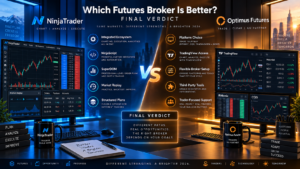
NinjaTrader is our preferred option for traders who want an integrated futures environment.
Its biggest strengths are the combination of NinjaTrader Clearing, Desktop/Web/Mobile applications, competitive intraday margins, transparent Free/Monthly/Lifetime commission plans, SuperDOM, Market Replay and native C# NinjaScript development.
Optimus Futures is one of the stronger alternatives for traders who prioritize platform and clearing flexibility.
Optimus’s independent Introducing Broker structure allows it to support multiple clearing arrangements and a wide selection of third-party platforms.
The ability to trade through Optimus Flow, TradingView, Sierra Chart, MultiCharts, Bookmap and other supported environments can be a decisive advantage for traders who do not want their brokerage account tied to one primary front end.
On headline Micro commissions, NinjaTrader Lifetime currently has the lower published base rate at $0.09 per side versus Optimus’s standard starting rate of $0.25 per side.
But that does not make the Lifetime plan automatically cheaper for every trader because the $1,499 purchase price must be included in the economics.
For intraday margins, the two firms are currently very competitive on the most popular equity-index contracts. Both publish approximately $50 for MES, $100 for MNQ, $50 for MYM, $50 for M2K, $500 for ES and $1,000 for NQ under the configurations described above.
The largest practical difference is therefore not margin.
It is architecture.
NinjaTrader = integrated futures brokerage + proprietary platform ecosystem + C# automation.
Optimus Futures = independent futures broker + multiple FCM/platform/data-feed possibilities.
Choose NinjaTrader when simplicity, NinjaScript, SuperDOM and an integrated experience are most important.
Choose Optimus Futures when TradingView, Sierra Chart, Bookmap, MultiCharts or a more modular futures infrastructure matters more.
Before funding either account, verify the latest commissions, all-in round-trip cost, margin rules, exchange fees, market-data pricing and account conditions directly with the provider because futures pricing and margin requirements can change.
Affiliate Disclosure: TradeboticsAI may receive compensation when visitors click certain affiliate links or complete qualifying actions. This does not increase the user’s cost and does not determine our editorial conclusions.
Risk Disclosure: Futures and other leveraged derivatives involve substantial risk and are not suitable for every investor. Low intraday margins increase leverage and can result in rapid losses. Losses may be substantial and, depending on the circumstances, can exceed the amount initially committed. Simulated, replayed and backtested performance is hypothetical and does not guarantee future live-trading results. This content is provided for informational and educational purposes only and is not financial, investment, tax or legal advice.