Why Is My Crypto Grid Bot Not Trading? 11 Causes & Fixes (2026)
A crypto grid bot not trading does not automatically mean the software is broken. It may be waiting for the next grid level, sitting outside its configured range, short of the right currency, disconnected from the exchange, or showing a stale dashboard while orders are actually being processed.
This guide gives you a provider-neutral diagnostic order: verify the bot state, compare the live price with the range, inspect exchange orders and error logs, then check balances, API permissions and order rules. Only after those checks should you edit the grid. That sequence helps you avoid widening a range, adding capital or restarting a bot without knowing what changed.
Quick Answer: Crypto Grid Bot Not Trading
When a crypto grid bot not trading problem appears, check these items in order:
- Open the bot’s own status panel and confirm it is running, not paused, stopped or waiting for a trigger.
- Compare the current market price with the upper and lower grid limits.
- Check the exchange’s open orders, filled orders and rejection messages rather than trusting one summary card.
- Confirm the account has enough free base currency, quote currency and fee reserve for the next order.
- Verify that the API key is active, has trading permission and has no unexpected IP or account restriction.
- Check minimum order size, tick size, step size, precision, maintenance notices and rate-limit errors.
If the price is inside the range and no order is pending, the next suspects are grid spacing, low volatility, a stale connection or a bot-level risk control. Do not change the range simply to make the bot look busy.
A practical crypto grid bot not trading diagnosis ends with one documented cause and one deliberate next action.
Affiliate disclosure: TradeboticsAI may receive compensation if you complete a qualifying action through a labeled affiliate link. Affiliate compensation does not change this diagnostic checklist, its risk warnings or the order in which checks are presented.
Want a separate workflow to compare after you diagnose the issue? Bitsgap provides GRID automation tools and exchange connections; confirm supported pairs, current fees, order limits and account controls before connecting funds.
Affiliate link · A platform feature does not remove market, execution or custody risk.
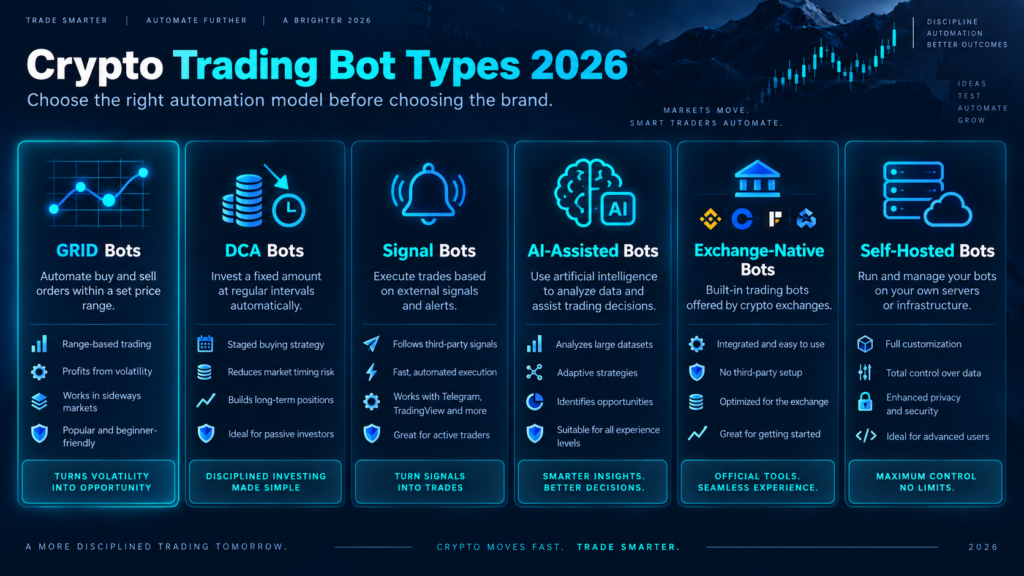
What “Not Trading” Actually Means
Crypto grid bot not trading checkpoint: classify the state before changing the strategy. “Waiting,” “rejected,” “stopped” and “stale display” require different actions.
The phrase crypto grid bot not trading describes several different states. Treating them as one problem leads to the wrong fix. A bot can be healthy and quiet because price has not reached the next level. It can be active but unprofitable because the grid step is smaller than round-trip costs. It can be stopped because an API or balance error repeated. It can even be trading while the dashboard is delayed.
| What you see | What it may mean | First evidence to collect |
|---|---|---|
| No new fill for hours | Price has not reached a level, range is out of market, or volatility is too low. | Live price, upper/lower limits, open orders and last fill time. |
| Orders show “failed” or “rejected” | Balance, precision, minimum notional, permissions or exchange rules blocked execution. | Exact exchange error code and the order’s amount, price and currency. |
| Status changed to stopped | A stop-loss, take-profit, kill switch, repeated-error threshold or manual action ended the bot. | Bot event log, risk-control settings and account notifications. |
| Bot says active but dashboard is blank | Reporting or synchronization may be delayed; orders may still exist at the exchange. | Exchange open-order list, trade history and last-sync timestamp. |
| Many fills but weak or negative result | Activity is not the same as net profitability; fees, spread, slippage and inventory matter. | Net P&L, fee currency, average fill prices and current inventory value. |
The safe question is not “How do I make the bot trade again?” It is “Which condition is preventing the next valid order, and would that order still make sense after costs?” That distinction protects you from panic edits.
The 60-Second Triage Sequence
Crypto grid bot not trading checkpoint: record the current state first; screenshots and timestamps are more useful than a memory of what the dashboard showed.
Use this sequence whenever you see a crypto grid bot not trading alert or an unusually quiet bot. Record what you find before changing anything. A screenshot of the status, range, open orders and error log is useful if you later contact the platform or exchange.
- Read the bot status. Look for running, paused, stopped, initializing, waiting, error or low-balance labels. A “running” label alone does not prove that orders are being accepted.
- Read the exchange order history. Find the last submitted order, last fill and latest rejection. If there is a fresh order ID, the bot may be working even if the dashboard is delayed.
- Map price to the range. Write down the current price, lower limit, upper limit and the nearest grid levels. Price above or below the range is a strategy state, not automatically a software failure.
- Check free balances. Separate free balance from total balance. Open orders, other bots and manual positions can reserve funds that appear present but cannot be used.
- Check the connection. Confirm the API key is enabled, trading is permitted, withdrawals are disabled and any IP allowlist still matches the bot server.
- Check the next order’s economics and rules. Confirm minimum notional, precision, tick size, step size, fee reserve and whether the expected spread clears costs.
Pause before adding funds. More capital can satisfy a minimum order or fee reserve, but it cannot repair an invalid range, a disabled API key, a bad symbol, a stale connection or a market that has become directional. Fix the evidence-backed cause first.
If the evidence still says crypto grid bot not trading after this pass, move through the 11 causes below without skipping the exchange order log.
11 Causes of a Crypto Grid Bot Not Trading
The checks below move from common, low-risk explanations to more technical failures. For each cause, compare the visible symptom with the evidence and use the smallest safe action. After any change, observe the next order attempt rather than changing several variables at once.
1Price moved outside the grid range
Crypto grid bot not trading checkpoint: compare live price, lower limit and upper limit on the same market and timestamp.
The most common reason a crypto grid bot not trading appears inactive is that the current price is above the upper limit or below the lower limit. A spot grid generally places new orders inside its defined range. If price leaves it, the bot may wait, hold inventory from the old range or follow price only if a trailing feature is enabled.
Check the current price against both limits, not just a chart thumbnail. If the bot is outside range, do not move the range immediately. Ask whether the market formed a new sideways structure or broke into a trend. Widening the range to force activity can turn a previously defined strategy into an unplanned position.
For a second explanation of this state, compare the provider-neutral logic here with the Bitsgap range troubleshooting guide. The safe action is to wait, stop cleanly, or rebuild around a new structure according to your plan.
2The bot is paused, stopped or waiting for a trigger
Crypto grid bot not trading checkpoint: read the last state transition and its timestamp before clicking restart.
A crypto grid bot not trading can be behaving exactly as configured if an entry trigger has not fired, a start condition is pending, or the bot was paused after an edit. Some dashboards keep the strategy visible while its execution state is waiting. Other platforms stop after repeated errors or after a take-profit, stop-loss or auto-close event.
Open the bot’s activity or event log and identify the last state transition. Check whether the system says “waiting,” “scheduled,” “paused,” “completed,” “stopped by risk control” or “error.” Do not restart until you know whether the existing orders and inventory will be cancelled, preserved or recreated.
If the trigger is still valid, waiting may be the right state. If the trigger is stale, cancel the unused setup and create a new plan rather than treating the trigger as a technical failure.
3Grid spacing is too wide for current volatility
Crypto grid bot not trading checkpoint: compare the next level distance with recent movement and the full round-trip cost.
If price is inside the range but a crypto grid bot not trading for long periods, the next level may simply be too far away. A range can be valid while the distance between levels is mismatched with recent movement. The result is a healthy bot with few fills, especially in a quiet or thin market.
Compare the distance to the next grid level with recent candles, spread and typical intraday movement. Then check whether a fill would clear round-trip fees and expected slippage. Making levels tighter may increase activity but reduce net result per cycle. Making them wider may reduce costs per trade but leave capital idle. There is no universal “more trades” setting.
Use the crypto grid bot profit calculator to test fee-adjusted cycle economics, then review the crypto grid bot settings guide before editing. These are separate questions: the first estimates unit economics; the second frames configuration tradeoffs.
4Base, quote or fee balance is insufficient
Crypto grid bot not trading checkpoint: check free, reserved and fee balances separately for both sides of the pair.
Grid execution needs the correct currency at the correct time. In a BTC/USDT spot grid, a buy generally needs free USDT while a sell generally needs free BTC. A crypto grid bot not trading may have total account value but lack the free base or quote balance required for the next order. Funds reserved by another bot, open order or manual position do not count as available.
Also check the fee currency. On some exchanges, fees are deducted from the asset being bought or sold. Repeated fills can consume a small reserve and later block one side of the grid. A trailing-up move may require additional quote currency even if the original grid had enough capital.
Compare the bot’s expected next order with free balances, reserved balances and the fee buffer. If the shortage is real, top up only the needed amount or reduce exposure according to your plan. Do not transfer funds blindly while the cause could be an incorrect pair, subaccount or API connection.
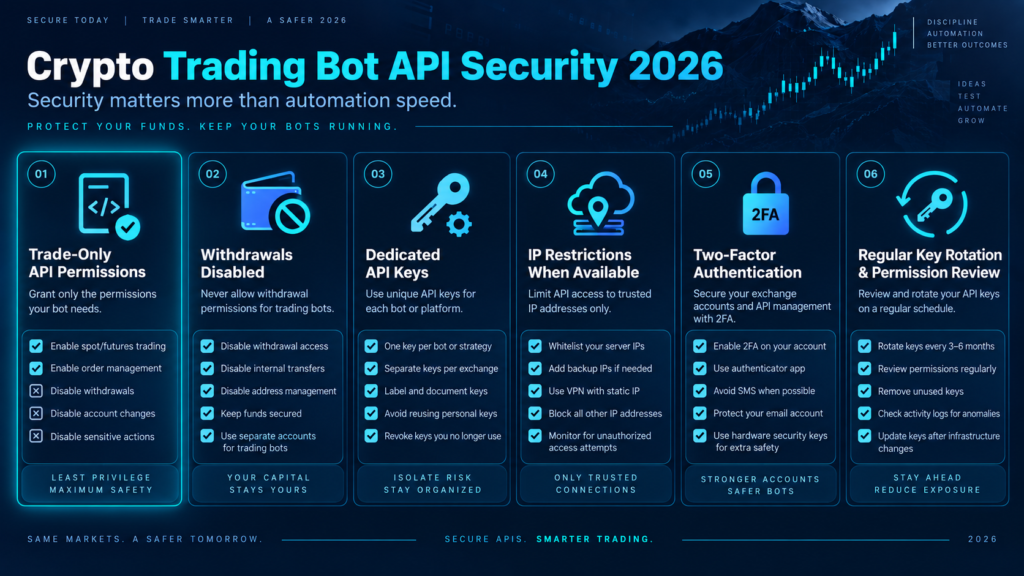
5The API key is disconnected or mis-permissioned
Crypto grid bot not trading checkpoint: verify the key, account, permissions and IP rules at the exchange rather than in a cached bot card.
A disabled, expired or restricted API key can leave a crypto grid bot not trading even while its old status card remains visible. The key may have lost trade permission, failed an IP allowlist check, been deleted by the exchange or become disconnected after a security change.
Check the exchange’s API page directly. Confirm the key is active, the selected spot or futures permissions match the bot, the account or subaccount is correct and withdrawals are disabled. If the platform requires a reconnect, use the official connection flow. Never paste an API secret into chat, a spreadsheet, a support ticket or an unverified form.
If you must recreate a key, record the old key’s status, revoke it after confirming the replacement works and watch for duplicate orders during the handoff. A reconnect is a security action as well as a trading action.
6The next order fails exchange filters
Crypto grid bot not trading checkpoint: copy the exact rejection code and compare the proposed amount and price with current symbol filters.
Exchanges enforce market-specific rules such as minimum notional, minimum quantity, price tick size, quantity step size and maximum order limits. If a grid level produces an order that violates one of those rules, a crypto grid bot not trading may keep retrying or skip that level.
Read the exact rejection message and compare the proposed order with the pair’s current rules. The rules can differ by symbol and can change after a listing, migration or exchange update. A price rounded to too many decimals, a quantity below the minimum or an order value below the minimum notional can all look like “the bot is idle” from a high-level dashboard.
Use the exchange’s own market rules as the source of truth. For example, the Binance Spot API filter documentation explains the kinds of price, quantity and notional filters an integration must satisfy. Adjust the order size, pair or grid design only after confirming the rule that failed.
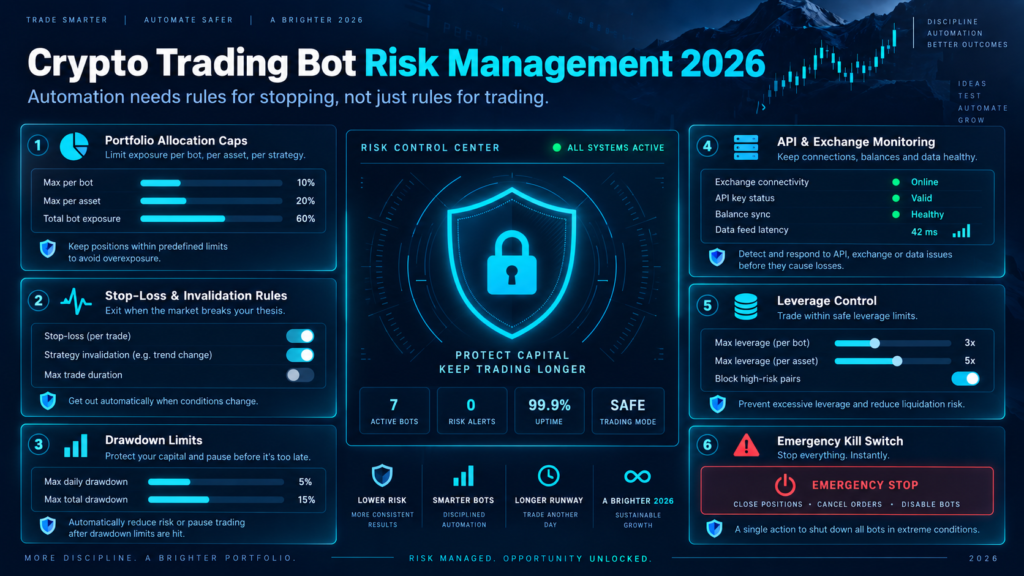
7Orders are open, filled or waiting for a complete cycle
Crypto grid bot not trading checkpoint: reconcile order IDs at the exchange before canceling or duplicating anything manually.
“No new trade” does not mean “no order activity.” A crypto grid bot not trading may already have limit orders resting at the exchange. It may have filled one side and be waiting for the matching level, or it may hold an inventory position that has not completed a buy-sell cycle.
Inspect the exchange’s open-order list and trade history. Match order IDs, symbols and timestamps with the bot’s internal log. If an order is open, canceling it may change exposure. If a buy filled but the sell level has not been reached, the bot is not broken; it is carrying inventory while waiting for price.
This is also where “profit” can be misunderstood. A completed-grid-profit field may be positive while total equity is flat or down because unsold inventory has changed value. Separate realized cycle profit, unrealized inventory P&L and total account equity.
8Exchange maintenance, rate limits or a stale connection
Crypto grid bot not trading checkpoint: compare the bot’s last-sync time with the exchange status page and order history.
An exchange outage, scheduled maintenance, API rate limit or network interruption can make a crypto grid bot not trading temporarily. The bot may not receive price updates, may fail to submit a new order or may show an old “running” state while the connection is unhealthy.
Check the exchange status page, the bot’s last-sync timestamp, recent API response codes and the exchange order history. A rate-limit message means the integration is sending or polling too often; repeatedly reconnecting can make diagnosis harder. Wait for a clear recovery signal and confirm whether an order was accepted before submitting anything manually.
During an outage, the exchange’s actual order book and account state outrank a third-party dashboard. If the exchange is reachable but the bot is stale, contact the bot provider with timestamps, pair, account identifier and non-sensitive error text.
9Trailing or rebalancing needs funds or failed
Crypto grid bot not trading checkpoint: inspect the trailing event, new range and free balance needed for the move.
Trailing up, trailing down and automatic range movement can change the resource requirements of a grid. A crypto grid bot not trading may be outside its original range because a trailing feature is on, but the move may be waiting for a new order that requires free quote currency, base currency or an exchange-compliant amount.
Check whether the trailing event was attempted and whether it produced an error. Confirm that the new range, order sizes and available balances satisfy the exchange rules. If the feature is not part of your written plan, disable it only after understanding what happens to open orders and inventory.
Trailing is not a substitute for a new market thesis. It can keep a grid aligned with a moving market, but it can also increase turnover, concentrate exposure near a breakout and require extra liquidity.
10Symbol, account mode or market type is wrong
Crypto grid bot not trading checkpoint: match the exact symbol, market type, settlement currency and subaccount on both sides of the connection.
A mismatched symbol or account mode can leave a crypto grid bot not trading even if the configuration appears complete. Examples include selecting a futures pair for a spot-only bot, connecting the wrong subaccount, using a delisted or temporarily disabled market, or reading the price of one symbol while the bot trades another quote currency.
Compare the exact symbol, market type, settlement currency, account or subaccount and contract status in both systems. For futures, also inspect margin mode, leverage, available margin, funding and liquidation distance. A spot grid cannot use futures margin, and a futures grid has risks that a spot inventory model does not capture.
Resolve identity first. Rebuilding the strategy on the right market may be safer than editing a bot whose account context is unclear.
11Risk controls, plan limits or a kill switch ended activity
Crypto grid bot not trading checkpoint: identify the exact control or limit that ended activity and record the remaining inventory.
The final common cause is intentional inactivity. A crypto grid bot not trading may have reached take-profit, stop-loss, maximum drawdown, auto-close, expiry, bot-count limit or a user-defined kill switch. Some systems stop after repeated errors to prevent an endless retry loop.
Read the event log rather than inferring from the P&L card. Record the exact trigger, time, order cancellations and remaining inventory. If the stop rule did what it was designed to do, restarting without changing the underlying risk decision simply reopens the same exposure.
Only resume after checking the market regime, account equity, open orders and the reason for the original stop. If you cannot explain why the control fired, treat that uncertainty as a reason to stay stopped.
Once the cause is known, compare the execution workflow. If you are evaluating a new grid platform, review its exchange permissions, order logs, range controls, fee handling and stop behavior before funding it.
Affiliate link · Test with an amount you can afford to lose and review the platform’s current terms.
Not Trading vs. Not Profitable
Crypto grid bot not trading checkpoint: prove whether the issue is missing execution, missing profit or a reporting mismatch.
A frequent diagnostic mistake is to use trading frequency as the success metric. More fills can mean more fees, more inventory turnover and more execution risk. A quiet grid may be economically healthier than a busy grid whose average cycle is smaller than its total cost.
When you investigate a crypto grid bot not trading report, keep activity, realized P&L and total equity as separate columns in your notes.
| Question | What to measure | Why it matters |
|---|---|---|
| Is the bot executing? | Submitted orders, accepted orders, fills, rejects and timestamps. | Shows whether the failure is technical, market-driven or only a reporting delay. |
| Is one cycle positive? | Sell proceeds minus buy cost, both-side fees, spread and slippage. | A gross price gap can disappear after round-trip costs. |
| Is the account positive? | Realized P&L plus unrealized inventory P&L minus subscription and funding costs. | Unsold base currency can change total equity even after completed grid profits. |
| Is the risk acceptable? | Range break, drawdown, concentration, leverage, liquidation distance and stop behavior. | Positive short-term activity does not prove the exposure is suitable. |
If a crypto grid bot not trading because price is between levels, the correct answer may be to wait. If it is not trading because the next order fails a filter, the correct answer is to repair the configuration. If it is trading but not profitable, the question is unit economics rather than uptime.
Safe Recovery Checklist
Crypto grid bot not trading checkpoint: preserve state first, choose one recovery action second, and observe the next exchange response third.
Use this checklist after identifying the likely cause. It is designed to preserve evidence and reduce accidental duplicate orders.
If a crypto grid bot not trading incident requires manual intervention, treat the bot and the exchange account as two separate systems until their order IDs and balances reconcile.
- Capture the state: save the bot status, range, current price, open orders, last fill, error text and balances. Remove secrets from screenshots.
- Confirm exposure: identify base inventory, quote balance, borrowed funds, margin, leverage and any manual orders on the same account.
- Check the exchange: verify order history and open orders directly. Do not assume the bot dashboard is current during a sync issue.
- Secure the connection: use trade-only API permissions, keep withdrawals disabled, review IP restrictions and revoke unknown keys.
- Choose one action: wait, reconnect, top up a defined reserve, cancel, stop, edit or rebuild. Avoid changing range, spacing and capital at the same time.
- Observe one cycle: after a fix, monitor the next order attempt and its exchange response before declaring success.
- Recalculate costs: update the fee, slippage, spread and software assumptions. A technical fix that produces unprofitable orders is not a complete fix.
Manual order warning: If you place an order while the bot is still connected, the bot may later place another order based on its original state. Stop or pause the bot according to the provider’s documented process before taking manual control, and confirm all open orders afterward.
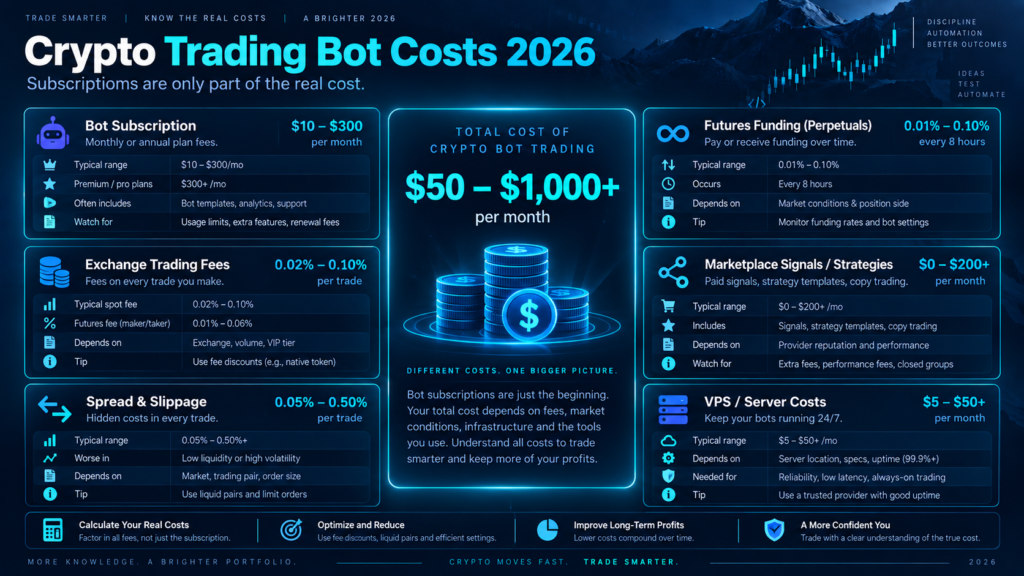
When to Restart, Edit or Stop
Crypto grid bot not trading checkpoint: restart only when the original market idea, account state and new exposure are all explainable.
The right response to a crypto grid bot not trading issue depends on whether the original market idea is still valid. Use the decision table below as a guardrail, not as a substitute for the platform’s own order-cancellation rules.
| Evidence | Usually reasonable next step | Action to avoid |
|---|---|---|
| Price is inside range; next level is simply far away. | Wait and compare the expected cycle with costs. | Tightening levels only to increase trade count. |
| Price left the range but a new structure is unclear. | Stay stopped or wait for confirmation according to the plan. | Chasing price by moving the range after every candle. |
| API or balance error is confirmed. | Repair the connection or defined reserve, then test one order path. | Restarting repeatedly while the error remains. |
| Order filter or symbol error is confirmed. | Correct pair, amount, precision or market type. | Adding capital without fixing the invalid order. |
| Stop-loss, take-profit or drawdown control fired. | Review the stop decision and exposure before any new bot. | Restarting with the same settings to recover a loss. |
| Exchange outage or sync issue is likely. | Wait for state reconciliation; contact support with timestamps. | Submitting duplicate manual orders from stale data. |
“Restart” should mean a controlled new state: known inventory, known open orders, known range, known balance and a documented reason. It should not mean clicking start until the dashboard changes color.
Hidden Costs and Limitations
Crypto grid bot not trading checkpoint: a technical repair is incomplete if the next valid order still loses after fees, spread and inventory risk.
Fixing a crypto grid bot not trading technical issue does not prove that the strategy is attractive. Before allocating capital, include the costs and risks that a basic dashboard can hide.
Conversely, making a crypto grid bot not trading state disappear is not a performance objective by itself; it is only a sign that the execution path is available again.
Trading and execution costs
- Maker or taker fees on both sides of a completed cycle.
- Bid-ask spread and market impact when orders are filled.
- Slippage during fast movement or thin liquidity.
- Fee currency and the reserve needed to keep the sell side working.
- Funding, borrowing or liquidation costs for futures and margin products.
Ownership and strategy costs
- Bot subscription or plan limits.
- Opportunity cost of capital waiting inside a range.
- Unrealized inventory loss after a directional break.
- Tax, reporting and accounting treatment in your jurisdiction.
- Time spent monitoring, securing keys and handling exceptions.
Grid logic also has structural limits. It works best when price repeatedly traverses a defined area, but it cannot make a trending market range-bound. Backtests can omit queue position, exchange outages, changed fees, partial fills and live liquidity. Historical fills are not a promise of future execution.
For a complete risk framing, pair this guide with the grid bot vs. DCA bot comparison and the arithmetic vs. geometric grid explanation. Those pages answer strategy-choice questions; this page answers the post-launch troubleshooting question.
Pros, Cons and Best Use Cases
Crypto grid bot not trading checkpoint: use the workflow to improve auditability, not to promise more activity or returns.
A good answer to crypto grid bot not trading should leave you with a documented cause, not just a newly active dashboard.
Pros of a disciplined diagnostic process
- Separates normal waiting from genuine execution failure.
- Preserves order and account evidence before a risky edit.
- Reduces duplicate manual orders during stale dashboards or outages.
- Exposes fee, balance and filter problems that a headline P&L can hide.
- Creates a repeatable support ticket with useful timestamps and IDs.
Cons and boundaries
- It cannot make an unsuitable market fit a grid strategy.
- Provider interfaces use different labels and error thresholds.
- Exchange rules can change by symbol and over time.
- More monitoring is required than a “set and forget” pitch suggests.
- Technical uptime does not guarantee positive or suitable returns.
Best for
This workflow is best for spot-grid users who have access to the exchange order history, can identify their base and quote balances, and are willing to document a range, cost assumption and stop condition. It is also useful for evaluating a new automation platform because it turns vague claims into observable controls.
Not for
It is not a substitute for exchange support during an account compromise, a liquidation emergency or an unexplained withdrawal. It is not a signal to add leverage, average down or widen a range. If you cannot verify the account state, stop trading activity and secure the account first.
Platform and Exchange Checks
Crypto grid bot not trading checkpoint: compare provider labels with observable status, orders, balances, errors, permissions and stop behavior.
A provider’s interface changes the labels, but the evidence should remain comparable. Look for a live status, current range, open orders, trade history, error log, balance view, API connection state and a clear stop or cancel process. If any of those are missing, treat the platform as harder to audit.
When a crypto grid bot not trading state is difficult to verify, reduce the test size and increase the evidence you collect before granting broader permissions.
For a provider-specific example, Altrady’s troubleshooting guide separates out-of-range behavior, repeated errors, API connection, balance shortages, display delays and low-volatility gaps. Its grid setup documentation also illustrates why the selected pair, funding mode and market type matter. Use those resources as examples of evidence categories, not as universal rules for every platform.
For a broader platform shortlist, see best crypto grid trading bots. That comparison answers “which platform should I evaluate?”; this guide answers “why did my running bot stop placing or completing orders?”

Run the same checklist on a demo or small test allocation first. A platform should make it easy to see open orders, permissions, errors, fees and stop behavior before you scale.
Affiliate link · Availability, pricing and exchange support can change; verify the current details before use.
FAQ: Crypto Grid Bot Not Trading
Crypto grid bot not trading checkpoint: use the short answers below as triage prompts, then confirm the exact state at your exchange.
Why is my crypto grid bot not trading when the status says “running”?
A running label can mean the service is online, not that a new order is due. Check whether price is inside the range, whether a limit order is already open, whether the next grid level has been reached, and whether the exchange has rejected or delayed a request. Compare the bot log with the exchange order history.
Can a grid bot stop trading when price leaves the range?
Yes. Many spot-grid designs place new orders inside the selected lower and upper limits. Outside that range, the bot may wait, hold inventory or use a trailing rule if enabled. Moving the range should require a new market structure and a documented risk decision, not just a desire to see more fills.
Why does my bot trade buys but not sells?
Check free base-currency balance, fee deductions, sell-order minimums and precision rules. A buy can fill while the matching sell is blocked by a fee reserve shortage, an order-size rule or an incorrect account or pair. The exchange’s exact rejection message is more useful than the dashboard’s summary.
Should I add more money if my crypto grid bot is not trading?
Only if the evidence shows a defined balance or minimum-order shortfall and the additional exposure fits your plan. More money will not fix a disabled API key, wrong market, invalid precision, stale connection, broken range or unsuitable trend. Resolve the cause before funding.
How do I tell whether the bot is not trading or the dashboard is stale?
Check the exchange directly for open orders, filled orders, order IDs and recent timestamps. If the exchange shows activity while the dashboard is blank, preserve screenshots and contact the provider without stopping the bot blindly. Stopping a healthy bot can cancel orders or change inventory.
Why is my grid bot active but not profitable?
Activity does not guarantee positive net P&L. Compare gross grid spread with both-side fees, spread, slippage, software cost and the value of unsold inventory. A tight grid can fill often while each cycle is too small to cover costs; a directional move can create inventory losses even after realized grid gains.
What should I check before restarting a stopped grid bot?
For a crypto grid bot not trading after a stop, record why it stopped, verify open orders and inventory, check API and balances, confirm the market and range, and understand whether the original risk control fired. Restart only when the underlying cause and new exposure are clear. If the stop reason is unexplained, stay stopped and seek support.
Final Verdict
Crypto grid bot not trading checkpoint: identify the missing condition for the next valid order before changing the strategy.
When a crypto grid bot not trading, the best first move is evidence, not a wider range or a larger deposit. Confirm the state, read the exchange orders, map price to the range, inspect balances and API permissions, then test order rules and platform health. Only after the cause is known should you wait, reconnect, edit, stop or rebuild.
The strongest response to a crypto grid bot not trading problem is a controlled decision that keeps the account state, order history and risk limit understandable.
A grid bot is an execution system with market exposure, not a guaranteed income engine. A quiet bot may be waiting correctly; a busy bot may still lose after fees and inventory changes. The strongest setup is one where you can explain what the next order needs, what will make it stop and what you will do if price leaves the range.
One-line rule: diagnose the next order’s missing condition before changing the strategy that created it.
Risk disclosure: Crypto trading and automated trading involve substantial risk of loss, including losses from volatility, illiquidity, exchange outages, API errors, software defects, fees, slippage, leverage, liquidation and custody or security failures. This page is educational information, not investment, legal, tax or financial advice. Review the exchange and bot provider’s current terms, security model, supported markets and fee schedule. Never use money you cannot afford to lose.
Related TradeboticsAI Guides
If crypto grid bot not trading remains unresolved, use the related guides for strategy economics and configuration context after the account state is secure.