TradingView futures broker guide · Updated September 9, 2026 · U.S. audience
Best Futures Brokers with TradingView 2026: Top 7
The best Futures Brokers with TradingView let traders analyze futures on TradingView Supercharts and send supported orders directly to a connected brokerage account. That can remove the friction of switching between a browser chart and a separate execution terminal, but broker integration still matters: commissions, intraday margin, market-data subscriptions, supported exchanges, bracket orders, account minimums, routing, and customer service can vary substantially.
This 2026 guide compares seven leading Futures Brokers with TradingView for U.S. traders: NinjaTrader, AMP Futures, Tradovate, Optimus Futures, EdgeClear, Interactive Brokers, and TradeStation. Our ranking emphasizes futures-specific economics and workflow rather than simply counting every asset class a brokerage supports.
Quick answer: Best Futures Brokers with TradingView in 2026
NinjaTrader is our top overall choice for futures-focused traders because TradingView integration sits beside a complete futures ecosystem with no general minimum deposit, published commission plans, low intraday margins, Desktop/Web/Mobile access, simulation, SuperDOM, Market Replay, Order Flow+, Strategy Analyzer, and NinjaScript automation. AMP Futures is an excellent low-cost TradingView choice and won TradingView’s 2026 North America Best in Futures award. Tradovate is strong for cloud-first futures execution, Optimus Futures emphasizes brokerage support, EdgeClear provides flexible professional infrastructure, Interactive Brokers is best for global multi-asset traders, and TradeStation combines TradingView with a broader systematic trading ecosystem.
Explore NinjaTrader with TradingView
Affiliate link. Verify current TradingView compatibility, commissions, market data, margins, and account eligibility before funding.
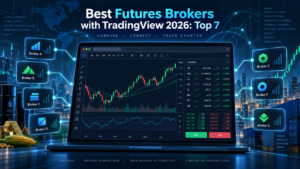
Table of contents
- Top TradingView futures brokers at a glance
- How TradingView broker integration works
- 1. NinjaTrader
- 2. AMP Futures
- 3. Tradovate
- 4. Optimus Futures
- 5. EdgeClear
- 6. Interactive Brokers
- 7. TradeStation
- Orders and bracket functionality
- Market data and TradingView subscriptions
- How to calculate total cost
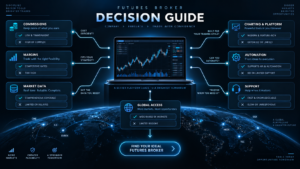
- How to choose the right broker
- FAQ
- Final verdict
Best Futures Brokers with TradingView at a glance
| Rank | Broker | Best for | TradingView strength | Main limitation |
|---|---|---|---|---|
| 1 | NinjaTrader | Overall futures trading | TradingView + full futures ecosystem | Advanced NinjaScript features remain in NinjaTrader Desktop |
| 2 | AMP Futures | Low-cost futures access | Established TradingView futures integration | Technology and data choices require careful cost comparison |
| 3 | Tradovate | Cloud-first futures traders | Strong TradingView adoption and futures focus | Less compelling if deep desktop automation is the priority |
| 4 | Optimus Futures | Broker-assisted traders | TradingView integration plus dedicated support | Higher initial funding requirement than some competitors |
| 5 | EdgeClear | Professional flexible setups | TradingView plus broad platform/feed choice | Modular pricing can be harder to calculate |
| 6 | Interactive Brokers | Global multi-asset traders | TradingView connected to a global brokerage account | Margin and account architecture can be more complex |
| 7 | TradeStation | Multi-asset systematic traders | TradingView plus EasyLanguage ecosystem | Less futures-specialized than dedicated futures brokers |
TradingView’s current broker directory includes futures integrations from NinjaTrader, Tradovate, AMP Futures, Optimus Futures, EdgeClear, Interactive Brokers, TradeStation and additional providers. The right Futures Brokers with TradingView ranking therefore depends on the trading workflow rather than simple compatibility.
How Futures Brokers with TradingView actually work
TradingView is primarily the charting and front-end trading interface. The brokerage account remains with the connected broker.
To trade through supported Futures Brokers with TradingView, a user typically opens TradingView Supercharts, selects Trade or the Trading Panel, chooses the brokerage integration, authenticates the account, and then submits supported orders from TradingView.
The broker still controls important account-level elements such as:
- Account eligibility.
- Futures permissions.
- Intraday and overnight margin.
- Broker commission.
- Exchange and regulatory charges.
- Available futures exchanges.
- Clearing relationship.
- Account deposits and withdrawals.
TradingView controls the charting interface and broker-integration layer. It does not turn every brokerage into an identical product.
1. NinjaTrader — Best overall TradingView futures broker
NinjaTrader ranks first among our Futures Brokers with TradingView because the TradingView connection is only one entry point into a much larger futures-specific ecosystem.
TradingView currently lists NinjaTrader as a regulated futures broker with no general minimum deposit and commissions advertised as low as $0.09 per Micro contract and $0.59 per Standard futures contract. NinjaTrader’s own current pricing confirms three brokerage plans.
| Plan | Monthly/one-time cost | Micro commission | Standard commission |
|---|---|---|---|
| Free | $0/month | $0.39 per side | $1.29 per side |
| Monthly | $99/month | $0.29 per side | $0.99 per side |
| Lifetime | $1,499 one time | $0.09 per side | $0.59 per side |
Exchange, clearing, and NFA charges are additional. Current NinjaTrader documentation also lists $50 intraday margins on several popular Micro contracts.
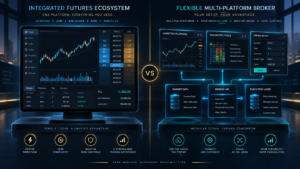
The important advantage is optionality. A trader can use TradingView for charts and execution, then use NinjaTrader Desktop when deeper functionality is required. NinjaTrader Desktop adds NinjaScript/C#, Strategy Builder, Strategy Analyzer, SuperDOM, Market Replay, Order Flow+, and third-party extensions.
This makes NinjaTrader unusually flexible among Futures Brokers with TradingView: TradingView can be the simplified front end without eliminating access to a more advanced native futures platform.
Read our NinjaTrader vs TradingView 2026 comparison for the platform differences.
2. AMP Futures — Best low-cost TradingView specialist
AMP Futures is one of the longest-established Futures Brokers with TradingView and remains especially popular with cost-sensitive futures traders.
TradingView’s current broker profile lists AMP as a futures-only broker with a $100 minimum deposit and day-trading margin as low as $40 on Micro E-mini S&P futures under the published conditions.
AMP also won TradingView’s current North America Best in Futures broker award, reinforcing its prominence within the TradingView ecosystem.
The attraction is straightforward: AMP combines a futures brokerage account with TradingView’s familiar browser charts and supports exchange-traded futures rather than synthetic derivatives.
AMP also supports additional platforms beyond TradingView, which is useful if the trader later needs a specialized desktop terminal.
The downside is that total cost depends on more than the broker commission. Market data, platform choices, exchange fees, routing, and clearing have to be included before declaring one setup cheaper than another.
For the direct comparison, read NinjaTrader vs AMP Futures 2026.

3. Tradovate — Best cloud-first TradingView futures broker
Tradovate is another major name among Futures Brokers with TradingView. TradingView currently shows more than 100,000 connected Tradovate accounts, making the integration one of the most heavily used futures connections on its broker directory.
Tradovate specializes in futures and was built around cloud-oriented access. TradingView currently lists no minimum deposit and commissions as low as $0.09 for Micro futures, $0.59 for Standard contracts, and $0.05 for Nano or Event contracts under the lowest published membership rates. Exchange, clearing, and NFA fees remain additional.
Tradovate’s appeal is strongest for traders who prefer browser and multi-device workflows rather than constructing a complex Windows-only futures workstation.
Because NinjaTrader acquired Tradovate, current pricing structures between the two ecosystems have become closely aligned. The choice increasingly depends on the interface and technology workflow rather than dramatically different base commissions.
See our NinjaTrader vs Tradovate 2026 comparison for more detail.
4. Optimus Futures — Best for personalized TradingView support
Optimus Futures ranks highly among Futures Brokers with TradingView because its brokerage model emphasizes platform support and trader assistance rather than simply providing a login connection.
TradingView’s current broker profile describes an integrated TradingView futures experience and lists commissions as low as $0.10 per futures contract under applicable pricing. The current profile also lists a $500 minimum deposit and approximately one-day account opening.
Optimus publishes educational material specifically about using TradingView, including order entry, paper trading, chart trading, DOM tools, and account integration. That support can be useful for a trader who prefers human brokerage assistance instead of configuring everything alone.
The disadvantage is that a $500 minimum deposit is higher than the zero general minimum shown for NinjaTrader and Tradovate. Exact commission and margin economics also depend on the account configuration and products traded.
Read NinjaTrader vs Optimus Futures 2026 for a direct broker comparison.
5. EdgeClear — Best for flexible professional infrastructure
EdgeClear is one of the most flexible Futures Brokers with TradingView for traders who want TradingView today but may want Sierra Chart, Bookmap, Quantower, MotiveWave, MultiCharts, or another professional front end later.
TradingView’s current EdgeClear broker profile lists futures as the supported asset class, a $500 minimum deposit, no inactivity fee, and advertised commissions from approximately $0.10 per futures contract under eligible pricing.
EdgeClear’s broader value proposition is its modular brokerage architecture. Traders can use different data and execution technologies depending on the selected setup. TradingView therefore becomes one possible interface rather than a permanent platform lock-in.
That flexibility is valuable for experienced traders but creates more configuration decisions. Broker commission, market data, technology fee, exchange charges, and platform subscriptions may come from different layers.
Our NinjaTrader vs EdgeClear 2026 page explains that architecture in detail.
6. Interactive Brokers — Best for global multi-asset traders
Interactive Brokers is different from most of the specialist Futures Brokers with TradingView because futures represent only one part of a much broader global brokerage platform.
The combination is useful for traders who want TradingView charts while maintaining access to global futures, stocks, options, currencies, bonds, and other assets through the same brokerage relationship.
Interactive Brokers’ current official TradingView documentation states that users need open accounts with both services. An open and minimally funded IBKR account is required to connect, while users wishing to receive Interactive Brokers market data must satisfy the broker’s current market-data funding and subscription requirements. Futures permissions must also be enabled.
The major advantage is global market breadth. The disadvantage is complexity: futures margin, permissions, market-data subscriptions, and account configuration are generally less futures-specialized than a broker focused almost entirely on retail futures.
For a U.S. trader whose entire strategy revolves around CME Micro futures, NinjaTrader or AMP may be simpler. For someone trading futures alongside a global portfolio, IBKR becomes far more compelling.
7. TradeStation — Best TradingView broker for multi-asset systematic traders
TradeStation rounds out our top Futures Brokers with TradingView because it combines TradingView connectivity with a mature multi-asset platform and strategy-development ecosystem.
TradeStation is particularly relevant to users who want futures trading but also value stocks, options, sophisticated desktop charting, historical strategy testing, and EasyLanguage development.
TradingView’s broker comparison currently includes TradeStation among supported futures broker choices. The broader TradeStation ecosystem therefore gives traders two distinct workflows: TradingView for browser-centric analysis and execution, or TradeStation’s own desktop environment for deeper EasyLanguage research.
For a futures-only trader, the platform can feel broader than necessary. For someone who wants TradingView plus a mature strategy-development and multi-asset environment, it deserves consideration.
Our NinjaTrader vs TradeStation 2026 comparison examines the differences in futures pricing and automation.
Orders and bracket functionality on TradingView
Order functionality is an important difference between Futures Brokers with TradingView.
TradingView’s broker system can support common order types including market, limit, stop, and stop-limit orders depending on the integration. Some brokers also support bracket orders, trailing stops, partial closes, position reversal, and chart-based modifications.
However, support is broker-specific. A feature visible in the native broker platform should not automatically be assumed to work identically through TradingView.
Before live trading, confirm:
- Market orders.
- Limit orders.
- Stop and stop-limit orders.
- Attached stop-loss and take-profit brackets.
- OCO behavior.
- Trailing stops.
- Position reversal.
- Partial closes.
- Order modification from the chart.
- Emergency flatten procedures.
TradingView currently indicates bracket functionality on several futures broker integrations, including AMP Futures and Optimus Futures. The exact implementation should still be tested in simulation or minimal size before depending on it with larger positions.
Market data and TradingView subscriptions
One of the easiest mistakes when comparing Futures Brokers with TradingView is assuming that opening a broker account automatically provides every market-data entitlement needed on every platform.
Several separate layers can exist:
- TradingView account plan.
- Exchange real-time data subscription.
- Broker market-data subscription.
- Level I top-of-book data.
- Level II or market-depth data.
- Professional versus non-professional exchange classification.
For example, NinjaTrader currently lists non-professional CME Group Level I data at $12 per month for the CME, CBOT, NYMEX, and COMEX bundle and Level II full depth at $48 per month for the same bundle. Those amounts are separate from broker commissions.
A trader using TradingView should verify whether the desired exchange data is supplied through TradingView, the broker, or another entitlement and avoid paying twice for unnecessary duplicate feeds.
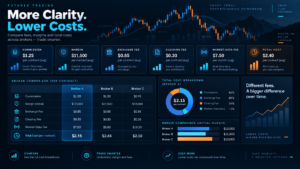
How to compare total costs
Never rank Futures Brokers with TradingView using only the broker’s advertised base commission.
The real cost per trade can include:
| Cost | What it covers |
|---|---|
| Broker commission | Broker’s published per-side trading charge |
| Exchange fee | CME, CBOT, NYMEX, COMEX or another exchange |
| NFA/regulatory | Applicable regulatory charges |
| Clearing fee | Cost associated with clearing each contract |
| Routing/technology | Connection or execution technology where applicable |
| Market data | Real-time quotes and market depth |
| TradingView plan | Optional paid TradingView functionality |
| Broker platform | Native platform subscription when applicable |
A broker advertising a $0.10 commission can ultimately have a higher all-in round trip than another broker advertising $0.29 if its additional routing, clearing, data, and technology costs are higher.
Check NinjaTrader Current Futures Pricing
Affiliate link. Exchange, clearing and NFA fees apply in addition to published NinjaTrader commissions.
How to choose Futures Brokers with TradingView
Choose NinjaTrader for an integrated futures ecosystem
If TradingView is your preferred charting interface but you also want access to NinjaScript automation, Strategy Analyzer, SuperDOM, Market Replay, and a native futures platform, NinjaTrader provides the broadest upgrade path.
Choose AMP Futures for cost-sensitive TradingView trading
AMP is especially compelling for traders focused on low margins, Micro contracts, and direct futures execution through TradingView.
Choose Tradovate for cloud-first simplicity
Tradovate suits traders who want futures execution to remain centered on browser and multi-device workflows.
Choose Optimus Futures for broker guidance
Optimus is particularly attractive if support and guidance around TradingView and futures technology matter as much as the commission schedule.
Choose EdgeClear for technology flexibility
EdgeClear makes sense when TradingView is one part of a larger professional setup and you may later want a different front end or data architecture.
Choose Interactive Brokers for global breadth
IBKR is the logical choice when futures are only one component of a larger international multi-asset portfolio.
Choose TradeStation for EasyLanguage and multi-asset research
TradeStation suits traders who want TradingView execution but also intend to build and test strategies in TradeStation’s native ecosystem.
Frequently asked questions
What are the best Futures Brokers with TradingView in 2026?
Our top seven Futures Brokers with TradingView are NinjaTrader, AMP Futures, Tradovate, Optimus Futures, EdgeClear, Interactive Brokers, and TradeStation. The correct choice depends on commissions, markets, margin, automation, support, and the native platform you may want outside TradingView.
Can I trade real futures directly from TradingView?
Yes. TradingView supports direct brokerage connections for multiple regulated futures brokers. After connecting an eligible account through the Trading Panel, supported orders can be submitted through TradingView.
Is NinjaTrader integrated with TradingView?
Yes. TradingView currently lists NinjaTrader as a supported futures broker. NinjaTrader also has its own Desktop, Web, and Mobile platforms, so users are not limited to TradingView.
What does NinjaTrader cost with TradingView?
NinjaTrader currently offers a Free plan at $0 per month, Monthly at $99, and Lifetime at $1,499 one time. Base Micro commissions are currently $0.39, $0.29, and $0.09 per side respectively. Exchange, clearing, and NFA fees are additional.
Which TradingView futures broker has no general minimum deposit?
TradingView currently lists both NinjaTrader and Tradovate with a $0 minimum deposit. Traders still need sufficient funds to satisfy the actual margin and trading requirements of the contracts they intend to trade.
Which TradingView futures broker is best for low margins?
NinjaTrader and AMP Futures both publish very low intraday margins on selected Micro futures. Low margin increases leverage and should not be treated as an automatic advantage.
Can I use TradingView with Interactive Brokers for futures?
Yes. Interactive Brokers officially supports TradingView connectivity for eligible accounts. Users require the relevant futures permissions, and market-data requirements depend on the desired data source and subscriptions.
Does TradingView support bracket orders with futures brokers?
Several integrations support bracket functionality, but exact order features vary by broker. Verify attached stops, targets, OCO behavior, and modifications on the specific connected account before relying on them.
Do I still need the broker’s native platform?
Not necessarily for routine chart-based execution, but the broker’s native platform may offer functionality TradingView does not replicate. NinjaTrader Desktop, for example, provides NinjaScript automation, Strategy Analyzer, SuperDOM, advanced add-ons, and other specialist features.
Is TradingView market data included with the brokerage account?
Not always. Exchange subscriptions and broker or TradingView market-data entitlements can be separate. Check exactly where your CME, CBOT, NYMEX, or COMEX real-time data originates before paying for duplicate subscriptions.
Which broker is best for Micro E-mini futures on TradingView?
NinjaTrader, AMP Futures, Tradovate, Optimus Futures, and EdgeClear are all serious candidates. Compare the complete Micro futures round-trip cost, margin, data fees, platform access, and support rather than only the advertised broker commission.
Final verdict: Best Futures Brokers with TradingView 2026
The market for Futures Brokers with TradingView is far stronger in 2026 than it was when browser-based futures execution offered only a small set of brokerage choices.
NinjaTrader is our top overall choice because the TradingView connection complements rather than replaces a complete futures ecosystem. Traders can use TradingView for convenient chart-based execution while retaining access to NinjaTrader Desktop, NinjaScript, Strategy Builder, Strategy Analyzer, SuperDOM, Market Replay, Order Flow+, simulation, Web, and Mobile.
AMP Futures is highly competitive for cost-conscious futures traders and is TradingView’s current North America Best in Futures award winner. Tradovate is excellent for cloud-oriented traders, while Optimus Futures and EdgeClear stand out when brokerage service or infrastructure flexibility matters.
Interactive Brokers becomes more compelling when futures are part of a global multi-asset portfolio, and TradeStation is particularly useful when TradingView needs to coexist with a mature EasyLanguage research environment.
When comparing Futures Brokers with TradingView, calculate total cost and test the actual connection. A few cents of commission savings are less important than reliable order handling, correct market data, risk controls, a workflow you understand, and a brokerage arrangement appropriate for your trading style.
Use simulation before committing substantial capital. Futures are leveraged instruments, and TradingView integration does not reduce market risk, margin risk, execution risk, or the possibility of losses greater than the funds initially committed.
Explore NinjaTrader on TradingView
Affiliate link for eligible users. Confirm current TradingView integration, account requirements, commissions, data, exchange charges, and margins directly with the provider.
Official sources checked
TradingView supported brokers
TradingView futures broker comparison
NinjaTrader on TradingView
AMP Futures on TradingView
Tradovate on TradingView
Optimus Futures on TradingView
EdgeClear on TradingView
NinjaTrader official futures pricing
Editorial scope: This ranking is based on current 2026 provider documentation and TradingView broker information checked September 9, 2026. We did not independently benchmark execution latency, fill quality, slippage, uptime, or customer-service response times. Broker terms and TradingView integrations can change.
Affiliate disclosure: TradeboticsAI may receive compensation from qualifying NinjaTrader referrals through marked affiliate links. Readers are not paid or incentivized to register, fund an account, or trade.
Risk disclosure: Futures are leveraged products and involve substantial risk, including potential losses greater than the amount initially committed. Low intraday margin increases leverage and does not reduce economic risk. Simulated and historical results are hypothetical and do not predict live performance. This material is educational and is not personalized financial advice.