Mobile futures trading guide · Updated September 9, 2026 · U.S. audience
Best Futures Trading Apps 2026: Top 7 for iPhone & Android
The best Futures Trading Apps let active traders monitor positions, analyze contracts, place orders, manage stops and react to changing markets without being tied to a desktop workstation. Mobile futures trading has become substantially more capable, but the quality of the app is only part of the decision. Commission structure, market-data fees, margin requirements, order types, broker reliability, paper trading and the quality of the desktop or web ecosystem still matter.
This guide compares seven leading Futures Trading Apps for U.S. traders in 2026: Power E*TRADE, NinjaTrader, Tradovate, thinkorswim, TradeStation, tastytrade and IBKR Mobile. The ranking focuses specifically on exchange-traded futures rather than crypto perpetual contracts or leveraged CFDs.
Quick answer: Best Futures Trading Apps in 2026
Power E*TRADE is our best overall mobile futures app because it combines mobile futures ladder trading, charting, paper trading and multi-asset account access. NinjaTrader is our best futures-first mobile ecosystem because the mobile app connects to the same broader futures environment as NinjaTrader Desktop and Web. Tradovate is excellent for cloud-first futures traders, while thinkorswim provides one of the strongest advanced multi-asset experiences. TradeStation, tastytrade and IBKR Mobile round out the top seven for traders with different pricing, market-access and platform priorities.
Explore NinjaTrader Mobile Futures Trading
Affiliate link. Verify current commissions, data charges, account requirements and margin before trading.
Table of contents
- Top futures apps at a glance
- How we ranked them
- 1. Power E*TRADE
- 2. NinjaTrader
- 3. Tradovate
- 4. thinkorswim
- 5. TradeStation
- 6. tastytrade
- 7. IBKR Mobile
- Mobile orders and DOM trading
- Paper trading and simulation
- Futures commissions and total cost
- Mobile risk management
- How to choose
- FAQ
- Final verdict
Best Futures Trading Apps at a glance
| Rank | App | Best for | Mobile strength | Main limitation |
|---|---|---|---|---|
| 1 | Power E*TRADE | Overall mobile futures trading | Futures ladder, charts, paper trading, multi-asset account | Higher base futures commission than some specialists |
| 2 | NinjaTrader | Futures-first traders | Dedicated futures app plus Desktop/Web ecosystem | Deepest NinjaScript and add-on functionality remains on Desktop |
| 3 | Tradovate | Cloud-first futures trading | DOM, charts, brackets and synced multi-device workflow | Less advanced native automation than NinjaTrader Desktop |
| 4 | thinkorswim | Advanced multi-asset traders | Futures orders, paperMoney, charts and Schwab ecosystem | Futures pricing is higher than specialist discount brokers |
| 5 | TradeStation | Mobile plus systematic desktop workflow | iOS/Android futures access and sophisticated charts | Most advanced strategy development remains outside mobile |
| 6 | tastytrade | Options and futures traders | Stocks, options and futures in one mobile platform | Less futures-specialized than NinjaTrader or Tradovate |
| 7 | IBKR Mobile | Global futures markets | 170+ markets and advanced order types | More complex account and data architecture |
The strongest Futures Trading Apps are therefore not identical. A dedicated CME Micro futures scalper may prioritize a different app from a trader managing futures alongside equities, options and international markets.
How we ranked Futures Trading Apps
Our 2026 Futures Trading Apps ranking uses criteria that matter when real positions have to be managed from a small screen.
- Futures access: real exchange-listed futures rather than only derivatives or CFDs.
- Order entry: market, limit, stop and other supported order types.
- Position management: ability to modify and cancel working orders quickly.
- Brackets and risk: stop-loss, profit target and OCO capability where supported.
- Charting: indicators, drawing tools and usable contract navigation.
- DOM or ladder: market-depth functionality for active futures traders.
- Simulation: paper trading or practice environments.
- Pricing: broker commission plus the broader cost stack.
- Ecosystem: desktop, web, API or automation tools available when mobile is insufficient.
Mobile execution speed was not independently benchmarked. Network quality, device performance, broker routing and market conditions can materially affect actual order handling.
1. Power E*TRADE — Best overall mobile futures app
Power E*TRADE ranks first among our Futures Trading Apps because its mobile interface provides a strong combination of serious futures features and relatively polished everyday usability.
E*TRADE currently states that the Power E*TRADE app can trade futures alongside stocks, ETFs and options from a single platform. Futures traders can use a ladder on mobile to view contract prices and directly trade, cancel or modify orders.
The app also includes interactive charting and technical studies. Power E*TRADE paper trading allows users to practice strategies without risking real money.
E*TRADE currently publishes futures pricing of $1.50 per contract, with applicable additional exchange and regulatory fees. This is higher than the headline base commission offered by several futures specialists, so frequent Micro traders should compare total transaction economics carefully.
Best for
- Traders who want a polished mobile-first interface.
- Users trading futures alongside stocks and options.
- Traders who value a mobile futures ladder.
- Users who want built-in paper trading.
Main limitation
The mobile experience is strong, but a high-volume futures-only trader may find specialist commission structures more attractive elsewhere.

2. NinjaTrader — Best futures-first mobile ecosystem
NinjaTrader ranks second among our Futures Trading Apps but is our preferred choice for traders who want mobile access to remain part of a dedicated futures ecosystem.
NinjaTrader officially provides mobile apps for Android and iPhone. The same current plan structure includes access to NinjaTrader Desktop, Web and Mobile, allowing a trader to switch between devices without changing the underlying brokerage ecosystem.
NinjaTrader currently publishes three futures pricing plans:
| Plan | Plan cost | Micro commission | Standard commission |
|---|---|---|---|
| Free | $0/month | $0.39 per side | $1.29 per side |
| Monthly | $99/month | $0.29 per side | $0.99 per side |
| Lifetime | $1,499 one time | $0.09 per side | $0.59 per side |
Exchange, clearing and NFA fees apply in addition. NinjaTrader currently includes free simulated trading, while funded plans can unlock additional tools such as real-time data, Market Replay and Order Flow+ according to current account conditions.
The key advantage over many Futures Trading Apps appears when the trader returns to a desktop. NinjaTrader Desktop adds NinjaScript/C#, Strategy Builder, Strategy Analyzer, SuperDOM, advanced workspaces and a large ecosystem of third-party tools.
That makes mobile a companion rather than the entire product.
For the automation side, see our Best Automated Futures Trading Platforms 2026 guide.
Check NinjaTrader Current Plans
Affiliate link. Current commissions are per side and additional futures fees apply.
3. Tradovate — Best cloud-first Futures Trading App
Tradovate remains one of the strongest Futures Trading Apps for traders who want the same workflow to follow them across phone, browser, Mac and Windows.
Tradovate’s official mobile platform supports iPhone and Android. Users can view a chart and DOM, place and manage orders, work with brackets, monitor positions and access more than 40 built-in indicators plus compatible custom indicators.
The platform’s cloud architecture is a major advantage. Workspace information and account data can remain synchronized across multiple device types, reducing dependence on a single trading computer.
Tradovate currently uses the same headline Free, Monthly and Lifetime structure seen across the broader NinjaTrader Group futures ecosystem: $0.39, $0.29 and $0.09 per Micro contract per side respectively, plus applicable exchange, clearing and NFA fees.
Read our NinjaTrader vs Tradovate 2026 comparison if these are your two finalists.
4. thinkorswim — Best advanced multi-asset mobile app
thinkorswim is one of the most sophisticated multi-asset Futures Trading Apps in this ranking.
Charles Schwab officially supports futures trading through thinkorswim mobile, and its educational material demonstrates opening futures positions from an iPhone. Users can access a live account or paperMoney, search futures contracts and configure quantity, order type, price and time in force from the mobile order editor.
thinkorswim is especially valuable for traders already using Schwab for other products. Futures can coexist with equities, ETFs, options and other parts of the broader account ecosystem.
Schwab currently publishes online futures commissions of $2.25 per contract, with exchange and other applicable fees additional. Dedicated high-volume futures traders may therefore find lower base commissions elsewhere.
For the direct platform comparison, see NinjaTrader vs thinkorswim 2026.
5. TradeStation — Best mobile companion for systematic traders
TradeStation belongs among the leading Futures Trading Apps because the mobile product connects to a much deeper systematic-trading ecosystem.
TradeStation’s current mobile apps run on iOS and Android and support futures alongside equities and options. Features include real-time charting, watchlists, alerts, simulated trading and mobile order management.
The company’s desktop environment adds robust backtesting, strategy development and automation capabilities that are not intended to be replicated completely on a smartphone.
Current TradeStation promotional pricing lists standard futures commissions at $1.75 per contract per side and Micro futures at $0.50 per contract per side, plus exchange and NFA fees. Traders should verify the live pricing schedule applicable to their account.
See NinjaTrader vs TradeStation 2026 for a deeper comparison.
6. tastytrade — Best for options traders who also trade futures
tastytrade provides one of the simpler multi-product Futures Trading Apps for traders who already spend substantial time in options markets.
The official mobile platform supports stocks, options, futures and crypto from one application. Traders can monitor, adjust and exit positions while viewing quotes and account information from the phone.
Current tastytrade pricing lists futures at $1 per contract and Micro futures at $0.75 per contract, with other fees applying.
Its strongest use case is not necessarily the dedicated futures scalper. Instead, tastytrade can make sense for an options-focused trader who wants futures access without maintaining a completely separate brokerage platform.
7. IBKR Mobile — Best for global futures access
IBKR Mobile completes our top seven Futures Trading Apps because it offers unusually broad international market access from one mobile account.
Interactive Brokers states that IBKR Mobile provides access to stocks, options, futures, currencies, bonds and funds across more than 170 markets. Advanced mobile order capabilities include limit, stop, bracket and conditional orders, plus selected algorithmic order types.
For U.S. standard futures, current Interactive Brokers pricing starts at $0.85 per contract for lower monthly volumes before the applicable exchange and regulatory charges. Selected Micro and E-Nano futures are listed from $0.25 per contract at the lowest volume tier.
This is compelling for traders operating across multiple exchanges and asset classes. The trade-off is complexity: data subscriptions, permissions, margin treatment and contract routing require more understanding than a simpler futures-only account.
Futures Trading Apps for DOM, brackets and mobile order entry
The most useful Futures Trading Apps reduce the number of steps between identifying a trade and controlling the resulting risk.
For active traders, check whether your app supports:
- Market orders.
- Limit orders.
- Stop orders.
- Stop-limit orders.
- Attached stop-loss orders.
- Profit targets.
- OCO brackets.
- Order modification.
- Fast position flattening.
- DOM or futures ladder trading.
Power E*TRADE provides a mobile futures ladder. Tradovate allows orders and brackets to be managed from its mobile DOM or chart. Other apps offer different combinations of advanced order types.
Never assume the mobile app duplicates every desktop feature. Test the exact order workflow before relying on it during a volatile futures session.
Paper trading and simulation on Futures Trading Apps
Simulation is particularly important when evaluating Futures Trading Apps because mobile interfaces compress significant account risk into a very small screen.
Power E*TRADE supports paper trading. thinkorswim provides paperMoney. NinjaTrader offers free simulated trading, and Tradovate provides a trial and simulation environment across multiple devices.
A useful test should include more than entering a market order. Practice:
- Changing contract month.
- Adjusting quantity.
- Placing stops and targets.
- Canceling a working order.
- Reversing or flattening a position.
- Handling poor network connectivity.
- Reopening the app with an active position.
Simulation cannot reproduce every live fill or slippage condition, but it can reveal dangerous interface mistakes before capital is at risk.
Futures Trading Apps pricing and total trading cost
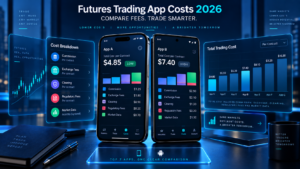
Comparing Futures Trading Apps by app-download price is meaningless because most brokerage apps are free to install. The meaningful number is the complete trading cost.
| Broker/App | Current headline futures pricing | Other costs to check |
|---|---|---|
| Power E*TRADE | $1.50 per futures contract | Exchange/regulatory and applicable data costs |
| NinjaTrader | Micro from $0.39 to $0.09 per side depending on plan | Exchange, clearing, NFA, data and applicable account fees |
| Tradovate | Micro from $0.39 to $0.09 per side depending on plan | Exchange, clearing, NFA and data |
| thinkorswim / Schwab | $2.25 per futures contract | Exchange and regulatory charges |
| TradeStation | Published account pricing varies; current promotional rates include $1.75 standard / $0.50 Micro per side | Exchange, NFA, data and account-specific pricing |
| tastytrade | $1 standard / $0.75 Micro per contract | Exchange, clearing, regulatory and other fees |
| IBKR Mobile | U.S. standard from $0.85; selected Micros from $0.25 at lower-volume tier | Exchange, regulatory, data and applicable carrying costs |
High-volume traders should calculate expected monthly round trips rather than comparing only one side of a commission schedule.
Mobile risk management matters more than app design
The best-looking Futures Trading Apps can still be dangerous if a trader does not understand leverage and order behavior.
A phone introduces risks that a fixed workstation may reduce: accidental taps, weak cellular connections, smaller charts, distractions, battery failure and difficulty viewing several order or account panels simultaneously.
Before trading futures from mobile, configure a repeatable risk procedure:
- Confirm the contract symbol and expiration.
- Check position quantity before transmitting.
- Know the dollar value per tick.
- Use protective orders when appropriate.
- Understand whether brackets are server-side or platform-dependent.
- Know the broker’s emergency trade-desk procedure.
- Keep authentication secure.
- Avoid public unsecured Wi-Fi for account access.

How to choose the best Futures Trading Apps
Choose Power E*TRADE for the strongest pure mobile experience
Its mobile futures ladder, paper trading and multi-asset interface make it particularly strong when the phone is genuinely part of the primary trading workflow.
Choose NinjaTrader for a futures-first ecosystem
NinjaTrader is stronger when the mobile app is one part of a broader futures setup that may later include NinjaScript, Strategy Analyzer, SuperDOM and advanced desktop tools.
Choose Tradovate for cloud-first portability
Tradovate is designed around moving between browser, desktop, phone and tablet while retaining a consistent futures workflow.
Choose thinkorswim for advanced multi-asset trading
thinkorswim is compelling for Schwab users who want futures alongside equities and options while retaining sophisticated analysis and paperMoney.
Choose TradeStation for a mobile-to-systematic path
The mobile app works well as a companion to TradeStation’s more advanced desktop strategy-development environment.
Choose tastytrade for options plus futures
Its interface is attractive to active options traders who occasionally use futures for directional exposure or portfolio management.
Choose IBKR Mobile for global market access
IBKR becomes particularly attractive when U.S. futures are only one part of a global multi-market portfolio.
Frequently asked questions
What are the best Futures Trading Apps in 2026?
Our top seven are Power E*TRADE, NinjaTrader, Tradovate, thinkorswim, TradeStation, tastytrade and IBKR Mobile. The best app depends on whether you prioritize mobile execution, low futures commissions, global markets, automation or multi-asset trading.
Can I trade real futures from an iPhone?
Yes. Multiple regulated U.S. futures brokers provide iPhone applications that support live futures orders for approved accounts, including the providers listed in this guide.
Can I trade futures on Android?
Yes. NinjaTrader, Tradovate, thinkorswim, Power E*TRADE, TradeStation, tastytrade and Interactive Brokers provide Android-compatible mobile access.
Which Futures Trading App is best for Micro E-mini futures?
NinjaTrader and Tradovate are particularly competitive for Micro futures because their current published plans offer Micro base commissions ranging from $0.39 to $0.09 per side depending on the selected plan.
Which mobile futures app has a DOM?
Tradovate provides mobile DOM functionality, while Power E*TRADE provides mobile futures ladder trading. Functionality differs between apps, so test the interface before live execution.
Can I paper trade futures from my phone?
Yes. Several Futures Trading Apps provide simulation. Examples include thinkorswim paperMoney, Power E*TRADE paper trading and NinjaTrader’s simulated trading environment.
Can NinjaTrader run on iPhone?
Yes. NinjaTrader officially provides an iPhone mobile futures application as well as Android, Web and Desktop platforms.
Which Futures Trading App is best for beginners?
A beginner should prioritize simulation, understandable order entry and clear risk information. Power E*TRADE, NinjaTrader, Tradovate and thinkorswim all provide useful pathways for practice before live futures trading.
Is mobile futures trading safe?
The technology can be secure, but futures themselves remain high-risk leveraged instruments. Mobile trading also adds operational risks such as network failure, small-screen errors and accidental order entry.
Should I replace my desktop platform with a mobile app?
Usually not if your trading requires automation, multiple monitors, deep order flow or detailed research. The strongest Futures Trading Apps often work best as companions to desktop or web platforms rather than complete replacements.
Final verdict: Best Futures Trading Apps 2026
The best Futures Trading Apps in 2026 are capable enough to do much more than monitor an account. Traders can now analyze contracts, manage working orders, use ladders or DOM-style tools, paper trade and control live futures positions directly from iPhone or Android.
Power E*TRADE takes our overall mobile crown because its futures ladder, charting, paper trading and multi-asset account experience are particularly complete. NinjaTrader is our strongest futures-first ecosystem because the phone can remain connected to a much deeper Desktop/Web environment with specialist futures pricing and tools.
Tradovate is the natural cloud-first alternative. thinkorswim remains excellent for advanced multi-asset traders. TradeStation connects mobile execution to systematic research, tastytrade works well for options-focused users, and IBKR Mobile provides outstanding global reach.
Do not choose among Futures Trading Apps using screenshots or app-store ratings alone. Compare the broker behind the app, the contracts you trade, all-in commissions, market data, margin, bracket behavior, simulation capability and what happens when you need functionality that does not fit on a phone.
Mobile convenience does not reduce futures risk. Test the complete workflow in simulation before using meaningful live capital.
Explore NinjaTrader Futures
Affiliate link for eligible users. Review current pricing, commissions, market data, margin requirements and risk disclosures before funding an account.
Official sources checked
NinjaTrader Mobile, Web and Desktop platforms
NinjaTrader pricing
Tradovate mobile futures platform
Charles Schwab thinkorswim futures trading
Power E*TRADE futures
TradeStation mobile apps
tastytrade mobile platform
IBKR Mobile
Editorial scope: This ranking uses publicly available provider documentation checked September 9, 2026. We did not independently benchmark mobile network latency, order-fill quality, app uptime or execution speed. Mobile features, commissions and fees can change.
Affiliate disclosure: TradeboticsAI may receive compensation from qualifying NinjaTrader referrals through marked affiliate links. Readers are not paid or incentivized to register, fund an account or trade.
Risk disclosure: Futures involve substantial risk and are not appropriate for every trader. Leverage can result in losses greater than the amount initially committed. Simulated results are hypothetical and do not predict live trading performance. This material is educational and is not personalized financial advice.