NinjaTrader vs ATAS 2026: Which Is Better for Order Flow?
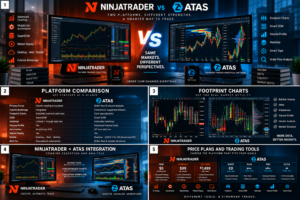
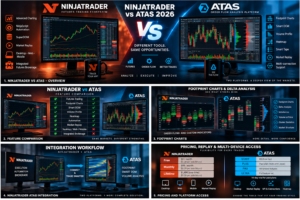
NinjaTrader vs ATAS is one of the most relevant trading-platform comparisons for futures traders focused on order flow, footprint charts, volume analysis and market depth in 2026. Both platforms provide sophisticated tools for active traders, but their core strengths are different.
NinjaTrader is a complete futures trading ecosystem combining brokerage access, Desktop, Web and Mobile platforms, advanced charting, Order Flow+, SuperDOM, NinjaScript automation, strategy backtesting, simulated trading and Market Replay.
ATAS is primarily a professional volume and order-flow analysis platform. It specializes in Footprint charts, Smart DOM, Smart Tape, Volume Profile, market-depth analysis, liquidity visualization, Heatmap functionality and other tools designed to expose market activity that traditional candlestick charts can hide.
This detailed NinjaTrader vs ATAS 2026 comparison examines order flow, footprint charts, liquidity, futures execution, automation, pricing, replay, data connectivity and usability to determine which platform better fits different trading workflows.
Quick Answer
Choose NinjaTrader if you want a complete futures ecosystem with brokerage integration, advanced execution, NinjaScript automation, strategy backtesting and convenient Desktop, Web and Mobile access.
Choose ATAS if your priority is deep Footprint analysis, Smart DOM, liquidity visualization, Smart Tape, Volume Profile and specialized order-flow research.
Important: These platforms do not have to be mutually exclusive. ATAS officially supports a connection through NinjaTrader, which can allow traders to combine NinjaTrader infrastructure with ATAS analytics.
Explore NinjaTrader and Free Simulated Trading →
Affiliate disclosure: TradeboticsAI may receive compensation when visitors complete qualifying actions through certain links. Simulated trading is different from live brokerage trading. Futures trading involves substantial risk, and commissions and other fees may apply.
Table of Contents
- NinjaTrader vs ATAS Overview
- Quick Comparison
- Order Flow Analysis
- Footprint Charts
- Smart DOM vs SuperDOM
- Heatmap and Liquidity
- Volume Profile and Market Structure
- Futures Trading
- Can ATAS Connect to NinjaTrader?
- Pricing Comparison
- Automation and Development
- Replay and Simulation
- Market Data and Connections
- Desktop, Web and Mobile
- Ease of Use
- Pros and Cons
- Which Platform Should You Choose?
- Related Comparisons
- FAQ
- Final Verdict
NinjaTrader vs ATAS 2026: Overview
The fundamental difference in NinjaTrader vs ATAS is product philosophy.
NinjaTrader is designed to cover most of the trading lifecycle. A futures trader can analyze markets, practice in simulation, develop strategies, backtest systems and execute live futures trades within the NinjaTrader ecosystem.
ATAS concentrates much more heavily on understanding what is occurring inside market activity.
Its tools are designed to expose volume, bid-versus-ask activity, liquidity, aggressive trading, market depth and transaction flow at a granular level.
That makes ATAS particularly attractive to:
- Order-flow traders
- Futures scalpers
- Footprint-chart users
- Volume-profile traders
- DOM traders
- Liquidity analysts
- Short-term discretionary traders
NinjaTrader appeals to a broader futures audience because it combines analytics with execution, brokerage, strategy automation and multi-device access.
NinjaTrader vs ATAS: Quick Comparison
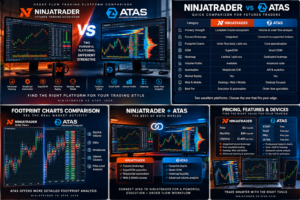
| Category | NinjaTrader | ATAS |
|---|---|---|
| Primary Strength | Complete futures trading ecosystem | Professional volume and order-flow analysis |
| Futures Brokerage | Integrated | Connects to supported brokers and data providers |
| Footprint Charts | Order-flow tools and third-party options | Core specialization |
| DOM | SuperDOM | Smart DOM |
| Heatmap | Not the central platform design | Dedicated liquidity Heatmap functionality |
| Volume Profile | Available through Order Flow tools | Extensive volume-analysis environment |
| Automation | Advanced NinjaScript / C# environment | API and analytical ecosystem |
| Market Replay | Yes | Yes, depending on plan and functionality |
| Desktop | Yes | Yes |
| Web | Yes | Desktop-oriented analytical environment |
| Mobile | Native iPhone and Android apps | Not equivalent to NinjaTrader’s full mobile ecosystem |
| Best For | Futures execution, automation and integrated trading | Footprint, DOM, liquidity and volume specialists |
NinjaTrader vs ATAS for Order Flow Analysis
Order flow is where the NinjaTrader vs ATAS comparison becomes particularly competitive.
NinjaTrader includes Order Flow+ functionality designed to help traders analyze volume, buying and selling pressure, price levels and market participation.
NinjaTrader also has a large ecosystem of commercial order-flow indicators and third-party add-ons.
ATAS, however, makes order-flow analysis the center of the platform.
Its analytical environment includes tools for evaluating:
- Bid and ask volume
- Delta
- Imbalances
- Executed trades
- Limit-order liquidity
- Large market orders
- Depth changes
- Volume concentration
- Price-level activity
For a trader who primarily watches conventional charts and occasionally uses order flow, NinjaTrader may provide more than enough functionality.
For a trader whose entire strategy depends on reading the auction process at individual prices, ATAS deserves deeper consideration.
NinjaTrader vs ATAS Footprint Charts
Footprint analysis is one of ATAS’s defining strengths.
A Footprint chart breaks a bar down into individual price levels and displays trading activity inside the candle rather than showing only open, high, low and close.
Depending on configuration, traders can study information such as:
- Bid volume
- Ask volume
- Delta
- Total traded volume
- Imbalances
- Cluster statistics
- Volume concentration
This can make it easier to see where aggressive buyers and sellers actually interacted.
NinjaTrader provides sophisticated order-flow functionality and can also be expanded with third-party footprint-style tools.
ATAS, however, has built its reputation specifically around cluster and footprint analysis.
Footprint specialist winner: ATAS.
NinjaTrader SuperDOM vs ATAS Smart DOM
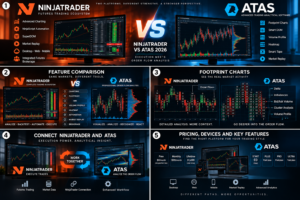
Both platforms provide professional depth-of-market interfaces.
NinjaTrader SuperDOM
NinjaTrader’s SuperDOM provides a futures price ladder designed for fast order entry and position management.
It integrates naturally with the NinjaTrader brokerage environment and can be combined with ATM-style trade-management workflows.
For traders who prioritize rapid execution, this integrated workflow is a major advantage.
ATAS Smart DOM
ATAS Smart DOM is more explicitly analytical.
It combines traditional price and order columns with advanced information such as:
- Trades
- Depth changes
- Liquidity Map
- Footprint information
- Market Profile
- Rolling Footprint
- Mini Footprint
This means ATAS Smart DOM is not simply an order-entry ladder. It is also designed as a market-microstructure analysis window.
ATAS also supports hotkeys and direct order-management functionality when connected to compatible brokerage or exchange infrastructure.
For pure execution simplicity, NinjaTrader’s integration is compelling.
For highly analytical DOM trading, ATAS provides unusually deep information.
Current Smart DOM functionality can be verified on the official ATAS Smart DOM page.
NinjaTrader vs ATAS Heatmap and Liquidity Analysis
ATAS has significantly expanded its liquidity-analysis capabilities.
The platform’s Heatmap functionality visualizes resting limit orders through time rather than showing only a static snapshot of the order book.
This allows traders to examine:
- Liquidity building at specific prices
- Orders being pulled
- Liquidity holding as price approaches
- Potential absorption
- Large resting areas
- Changes in market depth
ATAS describes its current Heatmap environment as capable of synchronization with charts and DOM tools, along with 3D and bubble-style visualization modes.
NinjaTrader provides strong order-flow and depth functionality, but ATAS is more heavily oriented toward specialized liquidity visualization.
Liquidity-analysis winner: ATAS.
Volume Profile and Market Structure
Volume Profile is another major component of the NinjaTrader vs ATAS decision.
Instead of measuring volume exclusively over time, Volume Profile organizes activity by price.
This can help identify:
- Point of Control
- High-volume nodes
- Low-volume areas
- Value-area structure
- Potential support and resistance
- Acceptance and rejection zones
NinjaTrader provides volume-profile functionality inside its broader order-flow ecosystem.
ATAS integrates volume analysis throughout many of its modules and allows traders to combine it with Footprint, Smart DOM and other analytical tools.
For traders whose methodology revolves around volume-at-price information, ATAS provides a highly specialized environment.
NinjaTrader vs ATAS for Futures Trading
NinjaTrader has a major structural advantage when evaluating the platforms as complete futures solutions.
NinjaTrader combines platform access and futures brokerage infrastructure.
Current plans include access to Desktop, Web and Mobile platforms, top-of-book market data, free simulated trading and advanced tools.
NinjaTrader currently publishes futures commissions as low as $0.09 per Micro contract per side on its Lifetime plan, with exchange, clearing and NFA fees applying separately.
ATAS is not a futures broker.
It is a trading-analysis platform that connects to supported brokers, exchanges and data providers.
This distinction matters because ATAS users generally need to consider:
- Software subscription
- Brokerage account
- Trading commissions
- Exchange data
- Connection compatibility
Complete futures ecosystem winner: NinjaTrader.
Specialized volume-analysis winner: ATAS.
Can ATAS Connect to NinjaTrader?
Yes. This is one of the most important points in the NinjaTrader vs ATAS comparison.
ATAS officially documents a NinjaTrader connection.
The current connection process requires a compatible NinjaTrader version, an active NinjaTrader connection with market data and installation of the ATAS data-feeder component.
ATAS uses its ADataFeeder8 indicator and NinjaTrader’s automated-trading interface to establish the connection.
This creates a potential hybrid setup:
- NinjaTrader: futures brokerage, strategy automation and execution infrastructure
- ATAS: Footprint, Smart DOM, volume analysis and liquidity research
Traders should be aware that ATAS notes technical limitations in the connection, including how tick direction can be determined from bid/ask information.
For setup instructions, see the official ATAS NinjaTrader connection guide.
NinjaTrader vs ATAS Pricing
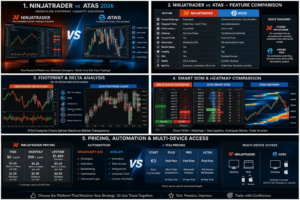
NinjaTrader Pricing
NinjaTrader currently publishes three primary futures plans:
| Plan | Plan Cost | Micro / e-Nano | Standard |
|---|---|---|---|
| Free | $0 monthly plan fee | $0.39 per side | $1.29 per side |
| Monthly | $99/month | $0.29 per side | $0.99 per side |
| Lifetime | $1,499 one-time | $0.09 per side | $0.59 per side |
Exchange, clearing and NFA fees apply separately.
Verify current details on the official NinjaTrader pricing page.
ATAS Pricing
ATAS currently provides a permanently free START tier and several paid subscription levels for more advanced functionality.
The current pricing structure includes:
- START: €0 with basic functionality
- PLUS: entry paid tier
- PRO: advanced analytical features
- ULTRA: highest-level feature package
ATAS currently provides a 14-day trial for paid plans.
Displayed prices vary according to subscription duration, discounts and promotions, so users should verify the current cost immediately before purchasing.
Paid tiers can expand access to functionality such as additional indicators, real-time futures data connections, multiple active connections, advanced frames, Market Replay and higher-end analytical tools.
Current subscriptions can be checked on the official ATAS pricing page.
Which Platform Is Cheaper?
There is no direct apples-to-apples answer.
NinjaTrader’s pricing is closely connected to futures brokerage commissions.
ATAS pricing primarily purchases analytical software access.
An ATAS user’s complete trading cost may include ATAS plus broker commissions and market data.
A NinjaTrader user’s complete cost may include the selected plan, commissions, exchange fees, clearing fees, NFA charges and applicable market-data costs.
Compare total trading infrastructure rather than only the platform subscription.
NinjaTrader vs ATAS for Automated Trading
NinjaTrader has the stronger proposition for traders building sophisticated automated strategies.
NinjaScript is based on C# and allows developers to create:
- Automated trading strategies
- Custom indicators
- Drawing tools
- Platform add-ons
- Trade-management logic
NinjaTrader combines this programming environment with backtesting and optimization tools.
ATAS offers API and integration capabilities, but the core value proposition of ATAS remains discretionary market and volume analysis.
Therefore, traders building automated futures systems will generally find NinjaTrader’s native development ecosystem more mature.
Automation winner: NinjaTrader.
Market Replay and Simulation
Both platforms provide functionality useful for historical practice.
NinjaTrader’s Market Replay can reproduce historical market activity tick by tick and works alongside simulated trading.
ATAS also provides Market Replay functionality across its current plan structure.
This is especially valuable for footprint traders because replay can be used to analyze:
- Bid/ask imbalances
- Delta behavior
- Volume spikes
- Liquidity changes
- DOM movement
- Absorption
- Breakouts and failed breakouts
Replay can improve platform familiarity and research, but historical or simulated performance does not guarantee future live-trading results.
Market Data and Connections
ATAS supports connections to different exchanges, brokers and data providers depending on the user’s account, selected plan and market.
Higher subscription levels currently allow more active connections and expanded real-time futures-data connectivity.
NinjaTrader provides a more integrated futures-data experience within its brokerage ecosystem.
The right model depends on the trader.
NinjaTrader: fewer infrastructure decisions for dedicated futures traders.
ATAS: greater flexibility for users who want to combine different analytical and execution relationships.
NinjaTrader vs ATAS: Desktop, Web and Mobile
NinjaTrader has the clearer advantage for full multi-device trading.
The NinjaTrader ecosystem includes:
- Desktop
- Web
- iPhone
- Android
ATAS has historically been strongly desktop-oriented, while its newer ATAS X development expands the platform toward Windows and macOS.
However, traders who require a mature native web and mobile trading ecosystem will generally find NinjaTrader more complete.
Multi-device winner: NinjaTrader.
Which Platform Is Easier to Learn?
Neither platform should be considered a simple beginner-only trading application.
NinjaTrader offers substantial complexity through strategy development, workspace customization and order-flow functionality, but beginners can start with conventional charting and simulation.
ATAS introduces concepts such as:
- Footprint clusters
- Delta
- Market Profile
- DOM changes
- Liquidity
- Smart Tape
- Bid-versus-ask activity
A trader without an understanding of market microstructure may initially find that information overwhelming.
Once the methodology is understood, however, ATAS can organize sophisticated order-flow information in a highly visual way.
For general futures trading, NinjaTrader provides the easier path.
For dedicated order-flow education and specialization, ATAS may justify the steeper learning curve.
NinjaTrader vs ATAS Pros and Cons
NinjaTrader Pros
- Integrated futures brokerage ecosystem
- Free simulated trading
- Desktop, Web and Mobile access
- Advanced futures charting
- SuperDOM
- Order Flow+
- NinjaScript C# automation
- Strategy backtesting
- Market Replay
- Large third-party ecosystem
NinjaTrader Cons
- Less specialized than ATAS for Footprint analysis
- Advanced desktop functionality has a learning curve
- Additional market-data and service charges may apply
- Primarily focused on futures
ATAS Pros
- Professional Footprint charts
- Smart DOM
- Smart Tape
- Heatmap liquidity analysis
- Volume Profile tools
- Detailed Delta analysis
- Market Replay
- Free START plan
- 14-day paid-plan trial
- Multiple market and data connections
- Official NinjaTrader connection
- Strong environment for scalpers and order-flow traders
ATAS Cons
- Not an integrated futures brokerage
- Can require separate broker and market-data relationships
- Advanced features require paid tiers
- Steeper learning curve for traders unfamiliar with order flow
- Less complete native mobile and browser ecosystem than NinjaTrader
NinjaTrader vs ATAS: Which Should You Choose?
Choose NinjaTrader If You:
- Want one complete futures ecosystem
- Trade Micro or E-mini futures
- Need brokerage integration
- Want Desktop, Web and Mobile access
- Develop automated strategies
- Use NinjaScript
- Need backtesting and optimization
- Use Market Replay
- Want conventional charting plus order-flow functionality
Choose ATAS If You:
- Trade primarily with Footprint charts
- Analyze Delta
- Use Smart DOM
- Study liquidity and market depth
- Use Volume Profile extensively
- Trade short-term futures setups
- Want specialized order-flow analytics
- Already have compatible brokerage and data infrastructure
Use NinjaTrader and ATAS Together If You:
- Want NinjaTrader execution and brokerage
- Need NinjaScript automation
- Want ATAS Footprint analysis
- Use Smart DOM and volume analytics
- Prefer separating execution from specialized analysis
Want to Test NinjaTrader?
Explore NinjaTrader’s futures charting, backtesting and simulated-trading environment before deciding whether ATAS should replace or complement your current workflow.
Free simulation is different from live trading. Futures trading involves substantial financial risk, commissions and applicable fees.
Related NinjaTrader Platform Comparisons
Continue researching professional futures platforms with these TradeboticsAI comparisons:
- NinjaTrader vs TradeStation 2026
- NinjaTrader vs TradingView 2026
- NinjaTrader vs Thinkorswim 2026
- NinjaTrader vs Tradovate 2026
- NinjaTrader vs Sierra Chart 2026
- NinjaTrader vs Quantower 2026
- NinjaTrader vs Bookmap 2026
NinjaTrader vs ATAS FAQ
Is NinjaTrader better than ATAS?
NinjaTrader is generally stronger as a complete futures trading ecosystem because it combines brokerage, execution, automation, backtesting and multiple device platforms. ATAS is more specialized for Footprint charts, volume analysis, Smart DOM and order flow.
Is ATAS better than NinjaTrader for order flow?
ATAS has a particularly strong specialization in Footprint, Delta, Smart DOM, Smart Tape and liquidity analysis. NinjaTrader also provides professional order-flow functionality but integrates it into a broader futures environment.
Can ATAS connect to NinjaTrader?
Yes. ATAS officially provides a NinjaTrader connector using a dedicated data-feeder component and NinjaTrader’s automated-trading interface.
Is ATAS free?
ATAS currently offers a permanently free START plan with basic functionality. More advanced functionality is available through paid PLUS, PRO and ULTRA plans.
Does ATAS have a free trial?
Yes. ATAS currently advertises a 14-day trial for its paid plans.
How much does NinjaTrader cost?
NinjaTrader currently provides a Free plan with no monthly plan fee, a Monthly plan at $99 per month and a Lifetime plan at $1,499. Live futures commissions and exchange, clearing and NFA fees apply.
What is ATAS Smart DOM?
Smart DOM is ATAS’s advanced depth-of-market interface combining order-book information with analytical columns such as trades, depth changes, liquidity mapping, market profile and Footprint information.
Does ATAS have Footprint charts?
Yes. Footprint and cluster analysis are central ATAS capabilities and can display detailed bid, ask, Delta and volume information at individual price levels.
Does ATAS have a Heatmap?
Yes. ATAS provides Heatmap functionality designed to visualize limit-order liquidity and how the order book changes over time.
Which is better for automated trading?
NinjaTrader is generally stronger for automated strategy development because NinjaScript provides a mature C# framework integrated with backtesting, optimization and execution.
Which is better for futures scalping?
Both can be effective. NinjaTrader offers integrated SuperDOM execution and brokerage access, while ATAS provides deeper Footprint and Smart DOM analytics that can appeal strongly to discretionary scalpers.
Does ATAS support Market Replay?
Yes. Market Replay is included across several ATAS plan levels and can be used to review historical market activity.
Does NinjaTrader support Market Replay?
Yes. NinjaTrader Market Replay allows traders to replay historical market data tick by tick for research and simulated practice.
Which platform is easier for beginners?
NinjaTrader generally provides the easier starting point for traders seeking an integrated futures workflow. ATAS requires more understanding of order flow, Delta, Footprint and market microstructure.
Can I use NinjaTrader and ATAS together?
Yes. ATAS provides an official NinjaTrader connection, making a hybrid workflow possible for traders who want NinjaTrader execution and ATAS order-flow analytics.
Final Verdict: NinjaTrader vs ATAS 2026
The final NinjaTrader vs ATAS 2026 decision comes down to whether you need a complete futures infrastructure or highly specialized market-microstructure analysis.
NinjaTrader is our preferred choice for traders who want an integrated futures ecosystem combining brokerage access, execution, advanced charting, NinjaScript automation, backtesting, simulation, Market Replay and Desktop/Web/Mobile trading.
ATAS is one of the strongest specialized alternatives for serious order-flow traders who depend on Footprint charts, Smart DOM, Delta, liquidity, Smart Tape and Volume Profile analysis.
For systematic traders, NinjaTrader’s automation environment gives it a clear advantage.
For discretionary scalpers who make decisions from volume and order-flow information, ATAS can provide substantially deeper visual analysis.
Most importantly, the two platforms can complement each other.
Because ATAS supports a NinjaTrader connection, an advanced trader can potentially combine NinjaTrader brokerage and execution with ATAS’s specialized order-flow analytics.
That hybrid setup may ultimately provide the strongest answer to the NinjaTrader vs ATAS question for traders who want both execution infrastructure and granular market analysis.
Before purchasing either platform or trading live, verify current software pricing, exchange-data costs, brokerage commissions, connection compatibility and trading requirements directly with the providers.
Affiliate Disclosure: TradeboticsAI may receive compensation when visitors click certain affiliate links or complete qualifying actions. This does not increase the user’s cost and does not determine our editorial conclusions.
Risk Disclosure: Futures and other leveraged products involve substantial risk and are not suitable for every investor. Losses may be significant and can, depending on the circumstances, exceed the amount initially committed. Simulated, replayed and backtested results are hypothetical and do not guarantee future live-trading performance. This content is provided for informational and educational purposes only and is not financial, investment, tax or legal advice.