NinjaTrader Market Replay Review 2026: Best Futures Replay Tool?

NinjaTrader Market Replay is NinjaTrader Desktop’s historical playback environment for traders who want to replay previous futures sessions, practice execution, study order flow and test strategies without waiting for the same market conditions to occur again. In this 2026 review, we examine how NinjaTrader Market Replay works, how it differs from Historical Playback and Tick Replay, what data it contains, how Playback101 handles simulated orders, and whether it is one of the best tools for serious futures practice.
The strongest advantage of NinjaTrader Market Replay is data fidelity. NinjaTrader states that Market Replay files preserve the exact sequence of Level I and Level II market-depth events together in one synchronized file. That makes the mode more appropriate than ordinary historical tick playback when a trader needs depth, DOM or order-flow context.
NinjaTrader currently markets its Playback Connection as capable of replaying recorded historical tick data at speeds up to 1,000x, with downloadable Market Replay data going back approximately 90 days. Availability can vary by instrument and date, so traders should confirm the actual data shown inside the Historical Data window before planning a practice session.
Quick Answer: Is NinjaTrader Market Replay Worth It?
Yes, especially for futures traders who want to practice specific historical sessions with charts, SuperDOM, indicators and simulated orders. It is particularly valuable for replaying volatile opens, studying order flow and rehearsing discretionary execution.
- Best for: futures practice, scalping, DOM and order-flow study
- Replay modes: Market Replay data or Historical tick data
- Market depth: available with Market Replay data
- Playback speed: up to 1,000x on NinjaTrader’s current simulator page
- Download window: approximately 90 days of Market Replay data currently advertised
- Simulation account: Playback101
- Important limitation: Playback fills are not identical to live-market execution
Explore NinjaTrader and Start With Free Simulation →
Affiliate Disclosure: TradeboticsAI may receive compensation when visitors complete qualifying actions through certain links. Affiliate relationships do not determine our conclusions. Historical replay and simulated results are hypothetical and do not guarantee future performance.
NinjaTrader Market Replay Overview
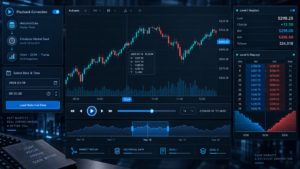
NinjaTrader Market Replay operates through the Playback Connection included with NinjaTrader Desktop. The connection can replay previously recorded Market Replay files or historical tick data and distributes the playback stream to NinjaTrader windows as though the information were arriving in real time.
This means a trader can use charts, SuperDOM, indicators and other compatible windows during the replay. Multiple recorded instruments can also be replayed synchronously when the required data exists.
The Playback Control provides a timeline, date range, play controls and speed controls. Traders can jump to a selected historical time, move through the session and choose whether playback uses Market Replay data or Historical data.
The practical value is repetition. Instead of waiting for the next U.S. cash open or economic-release session, a trader can revisit a previous session and practice the same execution process again.
How Market Replay Works
To use the feature, traders first need suitable replay data. NinjaTrader allows Market Replay files to be downloaded where available, recorded from incoming real-time data when recording is enabled, or backed up and restored between installations.
After the data is available, the trader selects Playback Connection from the Control Center’s Connections menu. The Playback Control then appears and provides access to the available historical period.
When connected, NinjaTrader delivers the playback information across compatible platform windows. Orders can be submitted to the Playback101 simulation account while the historical session is running.
Because the entire environment moves with the playhead, NinjaTrader Market Replay can be used to study not only where price eventually moved but how charts, indicators and market depth developed through the session.
Market Replay vs Historical Playback
NinjaTrader’s Playback Connection supports two data types, and the distinction matters.
Market Replay Data
Market Replay data is the higher-fidelity choice. NinjaTrader states that it stores the exact sequence of Level I and Level II events together in a single replay file. This keeps top-of-book information and market-depth events synchronized for the instrument.
That makes it the preferred mode for users studying DOM behavior, depth-based indicators and other workflows where the sequence of market-depth updates matters.
Historical Tick Data
Historical Playback uses historical tick data. NinjaTrader explicitly notes that this mode does not contain Level II market depth, so it is less accurate for depth-sensitive workflows.
If the historical data provider supplies bid/ask-stamped ticks, NinjaTrader can use those values during playback. If not, bid and ask values may need to be simulated according to platform rules.
For ordinary chart practice, Historical mode can still be useful. For depth-sensitive practice, NinjaTrader Market Replay is the stronger option when the required replay file is available.
Level I and Level II Data in Market Replay

Market-depth fidelity is one of the main reasons traders use NinjaTrader Market Replay. NinjaTrader stores Level I and Level II information together so the events remain synchronized.
Level I includes information such as best bid, best ask and last-trade updates. Level II adds additional depth beyond the inside market, allowing compatible DOM and depth-based tools to reconstruct more of the order-book environment.
NinjaTrader’s help guide states that Market Replay files can store timestamps with granularity down to 100 nanoseconds, although the effective granularity still depends on the timestamps provided by the underlying market-data provider.
The user interface itself may visually update at a lower frequency for performance reasons, while orders, indicators and strategies continue processing the replay stream according to the underlying event sequence.
This is useful for serious practice, but traders should not interpret historical depth as proof that the same liquidity would have been available to their own live order at the same queue position.
How to Download Market Replay Data
The Historical Data window provides access to the platform’s historical and Market Replay data. Traders can review available data and download supported replay files for selected instruments and dates.
NinjaTrader’s current simulator page advertises Playback Connection data going back approximately 90 days. The actual availability for a specific contract should be verified inside the platform because not every instrument or session necessarily has identical replay coverage.
Traders can also enable recording of incoming market data for future Playback use. This can be useful when a particular instrument or event is important enough to archive locally.
Recorded replay files are stored locally in NinjaTrader’s replay database and can be included in backup and restore workflows.
Playback Controls, Speed and Navigation
The Playback Control is designed to resemble familiar media controls. Users can select a start and end period, move the slider, play the historical session and increase playback speed.
NinjaTrader’s current simulator page states that playback can run at speeds up to 1,000x. The Desktop help guide also provides a Max setting that processes the replay as fast as the system can handle.
Speed control is useful for skipping quiet periods and reaching a setup quickly. However, traders practicing discretionary execution should avoid running the session so quickly that order-entry behavior becomes unrealistic.
For deliberate skill development, a useful workflow is to accelerate low-activity periods, return to normal speed before the targeted setup and then manage the trade in real time.
Market Replay With SuperDOM
NinjaTrader Market Replay becomes especially valuable for traders who execute through SuperDOM. When Market Replay depth data is available, the trader can observe a reconstructed ladder while practicing simulated order entry.
This can help rehearse:
- Limit-order placement
- Stop placement
- Order cancellation and modification
- ATM strategy selection
- Position flattening
- Depth-reading workflows
Repeated practice can build familiarity with the interface, but Playback101 fills still differ from real fills. The objective should be operational competence and strategy observation, not manufacturing perfect simulated performance.
Market Replay for Order Flow and Footprint Study

Order-flow traders can use NinjaTrader Market Replay to revisit historical sessions while watching compatible indicators and chart types develop through time.
This can be useful for studying:
- Volumetric Bars
- Cumulative Delta
- Volume Profile
- VWAP
- Market-depth behavior
- Price reaction around high-volume areas
A completed historical chart can create hindsight bias because the trader already sees the final outcome. Playback hides the future and reveals information progressively, which can make practice more realistic from a decision-making perspective.
Market Replay for Strategy Testing
Playback can also be used with compatible NinjaScript strategies. NinjaTrader’s documentation specifically describes a “Playback from start” mode as useful when backtesting or validating strategy behavior through the exact replay sequence.
This is different from a standard Strategy Analyzer backtest. Strategy Analyzer processes historical data according to its own backtesting engine, while Playback runs the platform through a historical event stream and can therefore be useful for forward-style validation of real-time strategy behavior.
Developers should still distinguish replay testing from live execution. A strategy that behaves correctly on Playback101 can fail in production because of latency, broker responses, queue position, connectivity or unforeseen market conditions.
Market Replay vs Tick Replay: Important Difference
Market Replay and Tick Replay are not the same NinjaTrader feature.
Tick Replay is a Data Series property used by compatible NinjaScript indicators and strategies to process historical market-data events tick by tick when calculating historical values.
Market Replay is part of the Playback Connection and is designed to replay a previous trading session through the platform.
NinjaTrader warns that Tick Replay is not intended to reproduce NinjaScript strategy backtests in the same way as live or Playback trading. It can also increase CPU usage substantially.
For a trader who wants to sit at the platform and practice a previous futures session, NinjaTrader Market Replay is the relevant feature. Tick Replay primarily concerns historical script calculations.
Playback101 Fills: How Realistic Are They?
This is the most important limitation in any NinjaTrader Market Replay review.
Orders sent to Playback101 are processed immediately and synchronously. NinjaTrader states that Playback101 does not include the simulated internet-latency delay used in Sim101.
This improves reproducibility for strategy development, but it also means the execution model is not identical to a live brokerage environment.
Real futures trading can involve:
- Network latency
- Queue position
- Partial fills
- Slippage
- Rapidly changing liquidity
- Exchange and broker processing
A trader should therefore use replay results as training and testing information rather than as a prediction of live profitability.
Market Replay for MES and MNQ
NinjaTrader Market Replay is particularly useful for MES and MNQ traders because Micro E-mini contracts are widely used for retail futures practice and short-term execution.
A trader can replay previous U.S. cash opens, trend days, range sessions or volatile economic-release periods and study the exact process without risking live capital.
The smaller contract multipliers of MES and MNQ can be useful when eventually transitioning to live trading, but they do not make leverage or trading risk insignificant.
The practice objective should be consistency: use the same setup definitions, contract quantities, stop methodology and execution process that would be used in live conditions.
Recommended Market Replay Practice Workflow
A structured process prevents replay from becoming entertainment rather than training.
- Select one specific skill. Examples include opening-range execution, DOM order entry or one defined setup.
- Choose a historical session. Verify that suitable replay data exists for the instrument.
- Set realistic Playback101 properties. Use a balance, commission assumptions and position size that reflect the intended live process.
- Start before the setup. Avoid jumping directly to a known winning trade.
- Hide the future. Make decisions only from information available at the playhead.
- Use normal speed during execution. Accelerate only quiet periods.
- Record every decision. Track entry, stop, target, mistakes and rule violations.
- Repeat the session when useful. Compare whether execution improves without changing rules simply because the outcome is known.
This process makes NinjaTrader Market Replay more useful as a deliberate-practice system rather than a tool for generating attractive hypothetical P&L.
Market Replay Pros and Cons
Pros
- Exact sequence of Level I and Level II events in Market Replay files
- Works across NinjaTrader windows
- Useful with SuperDOM and charts
- Playback speed controls
- Current simulator page advertises up to 1,000x speed
- Approximately 90 days of downloadable replay data currently advertised
- Useful for order-flow study
- Useful for strategy behavior validation
Cons
- Playback101 fills are not identical to live execution
- Available data varies by instrument and date
- Historical mode lacks Level II market depth
- Replay can create hindsight bias when sessions are repeated improperly
- Large or complex playback workspaces can consume significant computer resources
- Simulation cannot reproduce live psychological pressure
Who Should Use NinjaTrader Market Replay?
NinjaTrader Market Replay is best suited to futures traders who want deliberate historical practice rather than passive chart review.
It is particularly relevant for:
- Futures beginners learning order entry
- MES and MNQ traders
- Scalpers
- SuperDOM users
- Order-flow traders
- Footprint traders
- NinjaScript developers validating real-time behavior
It is less important for traders who only use end-of-day charts or who primarily need large-scale statistical research across many years. Strategy Analyzer or a dedicated quantitative backtesting platform is usually more appropriate for that objective.
Practice Historical Futures Sessions With NinjaTrader
Use simulation and playback to learn the platform, test execution routines and study previous market conditions before considering live futures trading.
Official Playback Documentation
For current setup, controls and technical behavior, review the
official NinjaTrader Playback documentation
.
NinjaTrader Market Replay FAQ
What is NinjaTrader Market Replay?
NinjaTrader Market Replay is a Playback Connection mode that replays previously recorded or downloaded futures market data through NinjaTrader Desktop so users can study and simulate previous market sessions.
Is NinjaTrader Market Replay free?
Playback Connection is built into NinjaTrader Desktop. Data availability, account access and other platform or market-data conditions should be verified under the current NinjaTrader offering.
How far back does NinjaTrader Market Replay go?
NinjaTrader’s current simulator page advertises Market Replay data going back approximately 90 days. Actual availability for individual instruments and dates should be checked inside the Historical Data window.
How fast can NinjaTrader Market Replay run?
NinjaTrader currently advertises playback speeds up to approximately 1,000x. The Desktop Playback Control also provides a Max mode for processing data as quickly as the system allows.
Does Market Replay include Level II data?
Yes. NinjaTrader states that Market Replay files store the exact sequence of Level I and Level II market-depth events together.
Does Historical Playback include Level II data?
No. NinjaTrader states that Historical Playback uses historical tick data without Level II market depth.
Can I trade during NinjaTrader Market Replay?
Yes. Simulated orders can be submitted to the Playback101 account while the historical session is being replayed.
Can I use SuperDOM with Market Replay?
Yes. SuperDOM can receive replayed data and can be used to practice simulated ladder-based futures execution.
Can I use Order Flow+ with Market Replay?
Compatible NinjaTrader indicators and charts can operate during Playback when the necessary underlying data is available.
Can NinjaTrader Market Replay test automated strategies?
Compatible NinjaScript strategies can run during Playback. This can be useful for validating real-time strategy behavior, but it is not a substitute for live execution testing.
Is Market Replay the same as Tick Replay?
No. Market Replay replays a previous session through Playback Connection. Tick Replay is primarily a historical Data Series property for compatible NinjaScript calculations.
Are Playback101 fills realistic?
They are simulated and reproducible, but not identical to live execution. NinjaTrader states that Playback101 orders are processed synchronously without simulated internet latency.
Can I download replay data?
Yes. Market Replay data can be downloaded through NinjaTrader’s Historical Data tools when data is available for the selected instrument and period.
Can I record my own replay data?
Yes. NinjaTrader provides a market-data recording option for future use with Playback Connection.
Is Market Replay good for beginners?
It can be very useful because beginners can practice platform controls and futures execution without risking live capital. Simulation still cannot reproduce every aspect of live trading.
Is NinjaTrader Market Replay good for scalping?
Yes. It is particularly relevant to scalpers who want to rehearse rapid order entry, DOM management and short-term setups against previous futures sessions.
Is NinjaTrader Market Replay good for MES and MNQ?
Yes. It can be used to practice Micro E-mini futures sessions when suitable replay data is available.
NinjaTrader Market Replay Final Verdict 2026
NinjaTrader Market Replay is one of the most useful NinjaTrader Desktop features for futures traders who want to convert historical markets into structured practice sessions.
Its biggest strength is the quality of Market Replay data. The exact sequence of Level I and Level II events can be replayed through compatible platform windows, making the tool particularly useful for DOM, order-flow and short-term execution study.
The ability to move through historical sessions, adjust speed, use SuperDOM and submit simulated orders makes the environment far more interactive than simply scrolling backward through a completed chart.
There are important limitations. Playback101 is still simulation, does not reproduce live internet latency and cannot perfectly model queue position, slippage or psychological pressure. Historical data availability is also limited by what has been recorded or made available for download.
Traders should therefore evaluate replay performance as practice evidence, not proof of future profitability.
For active futures traders who want to rehearse specific sessions, study order flow or validate platform behavior, NinjaTrader Market Replay is a powerful 2026 training tool and one of the strongest reasons to use NinjaTrader Desktop.
Explore NinjaTrader and Start With Free Simulation →
Risk Disclosure: Futures and options on futures involve substantial risk and are not suitable for every investor. Market Replay, Playback101, paper trading, simulated results and historical testing are hypothetical. Live fills can differ because of latency, queue position, liquidity, slippage, connectivity and other market conditions. Historical results do not guarantee future performance. Futures leverage can magnify losses rapidly.
Affiliate Disclosure: TradeboticsAI may receive compensation if you use an affiliate link on this page. This does not increase the price you pay and does not determine our editorial conclusions.