TrendSpider Review 2026: Pricing, AI, Bots, Pros & Cons
This TrendSpider review examines the platform as a complete research-to-automation system—not as a shortcut to profitable trading. We verified current plans, data fees, Sidekick AI, ML Quant Lab, Strategy Tester, scanners, cloud alerts, trading bots, broker routing, and the limits that materially change which plan is usable.
Last fact-checked: . Written for U.S. readers. Prices, promotions, limits, market-data fees, integrations, and product names can change.

TrendSpider Review: Quick Answer
TrendSpider is worth considering when one workflow must cover technical analysis, multi-timeframe scanning, no-code backtesting, AI research, cloud alerts, and strategy bots. Its advantage is integration: one idea can move from chart or scanner to test, monitoring, and controlled execution.
The central finding of this TrendSpider review is that power comes with cost and complexity. Standard has restrictive capacity; Premium is a more practical baseline for many active traders; Enhanced and Advanced raise speed, depth, bot, alert, scan, and workspace limits. Data and add-ons can increase the total.
Best for: systematic traders, no-code strategy builders, and multi-asset researchers. Less suitable for: passive investors, charting-only beginners, and code-first institutional quants.
Compare the live renewal price—not only the introductory rate—and confirm the backtest, scanner, alert, bot, and data limits required by your workflow.
TrendSpider Review Verdict at a Glance
A useful TrendSpider review should separate capability from suitability. The platform can do many things, but value depends on whether the user will connect those tools into a repeatable research process.
| Category | Editorial finding | Main limitation |
|---|---|---|
| Charting and analysis | Strong multi-timeframe technical, fundamental, and alternative-data workspace | Depth creates a learning curve |
| Scanning | Flexible technical, fundamental, pattern, and strategy-based conditions | Scan interval and scheduled-scan capacity depend on plan |
| No-code backtesting | Core strength with cost/slippage inputs, variance testing, and broad metrics | Candle depth and minimum timeframe are tier-gated |
| Sidekick AI | Useful for chart questions, scans, alerts, research, and indicator construction | Can make errors; 25 monthly messages are included before optional paid capacity |
| ML Quant Lab | Accessible model training and signal deployment without conventional coding | No-code does not remove leakage, overfitting, or validation risk |
| Alerts and bots | Cloud-based, position-aware route from tested logic to monitoring or orders | Live automation adds broker, order-mapping, and operational risk |
| Market coverage | Stocks, ETFs, options, futures, forex, and crypto across relevant tools | Some live feeds cost extra and eligibility matters |
| Value | High when it replaces several disconnected subscriptions | Low when the user needs only charts or occasional screening |
TrendSpider Review: What the Platform Is—and Is Not
TrendSpider is a browser-based research platform with automated charting, 300+ indicators, scanners, fundamental and alternative data, Strategy Tester, Sidekick, ML Quant Lab, alerts, bots, broker connections, mobile apps, and browser access. It is an integrated technical-research environment, not merely a stock screener.
Many searches for a TrendSpider review ask whether it “finds winning trades.” It cannot guarantee that. The user still owns the question, data, rules, validation, execution, and risk.
It is not a broker. Connections can route signals to supported accounts, but custody, permissions, fills, exchange rules, and broker behavior remain separate. Keep research, simulation, and live execution distinct.
TrendSpider Review: The Complete Workflow
The workflow map is the key information gain. TrendSpider becomes valuable when five stages stay connected:
- Discover: narrow the universe with scans, watchlists, market, fundamental, and alternative data.
- Analyze: inspect charts, patterns, indicators, and multi-timeframe context.
- Test: convert the hypothesis into deterministic, cost-aware rules.
- Validate: use unseen data, forward tests, drawdown, and sample-size checks.
- Deploy carefully: begin with alerts or simulation; add reconciliation and a kill switch.
A trader who skips testing and validation receives only a sophisticated idea generator. A trader who skips monitoring turns automation into unmanaged operational risk. The TrendSpider review conclusion here is simple: the platform reduces handoffs; it does not remove the need for a documented process.

TrendSpider Review: Pricing in 2026
Pricing is the most change-sensitive part of any TrendSpider review. On October 7, 2026, the official page showed four plans, a paid 14-day trial, first-invoice promotions, and later price ranges. Compare capacity and renewal cost—not the largest promotional number.
| Plan | Published later-price range | Bots / alerts | Backtest floor and depth | Scanner floor / scheduled scans |
|---|---|---|---|---|
| Standard | $59–$89 per month | 5 bots / 10 alerts | 2-hour / 2,000 candles | 2-hour / 3 scans |
| Premium | $99–$149 per month | 10 bots / 50 alerts | 5-minute / 10,000 candles | 5-minute / 5 scans |
| Enhanced | $133–$199 per month | 50 bots / 100 alerts | 1-minute / 20,000 candles | 1-minute / 7 scans |
| Advanced | $233–$349 per month | 100 bots / 400 alerts | 1-minute / 30,000 candles | 1-minute / 10 scans |
This TrendSpider review found five workspaces and 50 symbol/test combinations in Standard, 10 and 150 in Premium, 15 and 250 in Enhanced, and 20 and 510 in Advanced. Core tools span all plans, but throughput differs sharply; a check mark is meaningless when timeframe or depth cannot support the strategy.
Snapshot verified October 7, 2026. Promotional prices apply to the first invoice under published terms and can differ by monthly, quarterly, or annual billing. Verify the live checkout and renewal amount before paying.
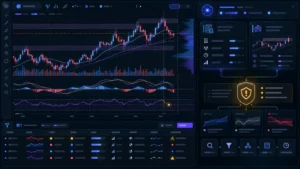
Open the official plans page and compare the renewal range, minimum scan and backtest timeframe, historical depth, active alerts, bots, and scheduled scans.
TrendSpider Review: Real Cost, Data, and Add-ons
A complete TrendSpider review must include add-ons. Eligible non-professionals currently receive real-time U.S. equities and ETFs; professional equity data is $29 monthly. Non-professional CME-group futures data is $7.50 monthly and OPRA options data is $9.50.
Standard and Premium can add 20,000-candle depth for $39 monthly. Plans include 25 Sidekick messages; optional tiers list $49 for 100, $129 for 300, and $349 for 1,000 messages. Five automated SignalStack orders are listed monthly, so heavier routing may add cost.
Lower-cost case
Non-pro stock swing trader
Plan price may be close to the platform total when included equity data, moderate scans, and alert-only deployment are sufficient.
Add-on case
Futures or options researcher
Add the relevant exchange feed, then verify whether the plan’s timeframe and history depth match the intended test.
Heavy-use case
AI and automation power user
Sidekick capacity, deeper tests, more bots, more alerts, and greater order-routing volume can make the headline plan price incomplete.
The rational purchase test is all-in annual cost versus the separate charting, scanning, testing, AI, alerting, and automation subscriptions replaced. If only one function is needed, a narrower product may offer better value.
How to Test TrendSpider Before Paying for a Full Term
A paid trial should answer whether the platform improves a real, repeatable workflow. Do not spend the period opening random features or admiring charts. Define the decision criteria before the trial begins and record the evidence produced by each step.
- Choose one recurring job. Use a genuine weekly task—such as finding pullbacks inside a higher-timeframe trend—and measure how long the current process takes.
- Rebuild the condition precisely. Confirm symbol universe, session, timeframe, indicator settings, and whether every input was available when the signal would have fired.
- Run a cost-aware historical test. Add reasonable commission and slippage assumptions, inspect individual trades, and check sample size instead of relying on net return alone.
- Stress the result. Change symbols, periods, start dates, and nearby parameters. A strategy that collapses after a minor change is not ready for automation.
- Reserve unseen data. Keep a final period untouched during development, then use it once to challenge the selected logic.
- Deploy alert-only. Forward-test signals without orders, confirm timestamps, and deliberately test duplicate, stale-data, disconnection, and rejection scenarios.
- Calculate the full annual cost. Include renewal pricing, feeds, Sidekick capacity, backtest upgrades, and routing. Subtract only subscriptions the platform will genuinely replace.
TrendSpider Review: Charting, Analysis, and Scanning
This TrendSpider review finds chart automation to be a central strength. The platform documents 300+ indicators, automated trendlines and Fibonacci levels, pattern recognition, anchored tools, multi-timeframe analysis, Raindrop charts, fundamentals, seasonality, economic data, heatmaps, and alternative data.
Scanning applies the same condition engine across a universe. Users can combine technical, fundamental, pattern, multi-symbol, and multi-timeframe logic; schedule scans; export results; or ask Sidekick to translate natural language into conditions.
Our TrendSpider review does not equate automation with correctness. Pattern classification can differ, scans can surface weak matches, and timing errors can introduce unavailable information. Define and audit every condition.
Readers focused specifically on stock discovery should compare the dedicated TrendSpider vs Trade Ideas analysis. Readers comparing broader chart platforms can use the best TradingView alternatives guide.
TrendSpider Review: Sidekick AI
In this TrendSpider review, Sidekick is the conversational layer. It can inspect open charts, query data, compare symbols, analyze backtests, build scanners and alerts, create indicators, and support research with platform context.
Its best uses are labor reduction and hypothesis clarification: explain a chart, draft a scanner, summarize a test, flag configuration errors, or generate JavaScript for review. A fluent answer is not a verified trade instruction.
TrendSpider warns that AI can make mistakes. Check data, symbol, timeframe, and generated conditions; test every rule independently; never let chat output set live size or bypass risk limits.

TrendSpider Review: ML Quant Lab
For this TrendSpider review, ML Quant Lab must be separated from Sidekick. Sidekick assists research; ML Quant Lab trains signal models. The official page lists Random Forest, K-Nearest Neighbors, Naive Bayes, and Logistic Regression, using technical, fundamental, price-action, formula, custom-indicator, and selected alternative-data features.
Users define a target, select inputs, train and compare models, then deploy accepted signals into charts, scans, alerts, strategies, or bots. An LLM may suggest features, but models can still learn noise, leak future information, depend on one regime, or win only after excessive searching.
“No coding required” removes programming, not statistical responsibility. Rejection after robust testing can be the most valuable result.
The TrendSpider review verdict depends on real plan limits, data needs, validation discipline, and whether the integrated stack replaces other paid tools.
TrendSpider Review: Strategy Tester and Backtesting
For this TrendSpider review, Strategy Tester is a falsification tool. Users can express entry, exit, stop, target, trailing, multi-symbol, and indicator logic through natural language, menus, or custom JavaScript. Reports include trades, equity curve, return, Sharpe, Sortino, win rate, reward-to-risk, drawdown, and configurable KPIs.
Two features strengthen the TrendSpider review verdict: a trade-cost input for commissions and slippage, and variance testing across symbols, timeframes, rules, and depths. Higher plans allow as many as 510 symbol/test combinations.
Backtests remain hypothetical. Flat costs cannot reproduce every spread, partial fill, queue, latency, rejection, borrow, rollover, or market-impact event. Repeated testing can also select a lucky result. Use the tester to eliminate weak ideas before capital is exposed.
For broader platform choices, compare our best backtesting software research and the best no-code algorithmic trading platforms.

Confirm that the chosen plan supports the timeframe, candle depth, symbols per test, active alerts, and bots your process requires.
TrendSpider Review: Trading Bots and Broker Routing
This TrendSpider review finds that automation begins with cloud-hosted dynamic and multi-factor alerts. They monitor indicators, levels, patterns, symbols, and timeframes without a local computer. Tested logic can become a position-aware bot that notifies, triggers a webhook, or routes an order.
The route is condition → alert/bot → webhook or SignalStack → broker → response. Every boundary can fail through wrong quantity, duplicate alerts, bad symbol mapping, timeout, or rejection.
For that reason, this TrendSpider review recommends a five-control deployment gate:
- paper or forward-test the exact entry and exit logic;
- cap order size independently at the broker or routing layer;
- reconcile intended position with actual broker position;
- alert on rejection, disconnection, duplicate signal, and stale data;
- maintain a tested manual kill switch and a daily loss ceiling.
Broker support spans several asset classes, but order types differ. Verify the exact connection and test the route. See the webhook-to-broker safety guide and TradersPost review for deeper execution coverage.

TrendSpider Review: Who Should—and Should Not—Use It?
The user-fit test in this TrendSpider review is based on the work performed every week, not on the longest feature list.
Strong fit
Systematic technical or swing trader
You build repeatable conditions, scan several markets, validate rules, and want charting, testing, alerts, and bots connected.
Strong fit
No-code strategy builder
You prefer visual or natural-language logic but are willing to learn testing discipline and inspect every generated condition.
Plan-dependent
Intraday or futures trader
The workflow can fit, but one-minute scanning, deeper history, live data, and automation capacity may require a higher plan or add-on.
Mixed fit
Beginner or passive investor
The platform may be excessive if you need simple charts, occasional screening, or long-term portfolio monitoring rather than systematic research.
Trade Ideas may better fit rapid U.S. stock discovery; TradingView may suit social charting and Pine Script; code-first quants may prefer notebooks, raw data, version control, and custom execution. TrendSpider wins when integration matters more than maximum specialization.
TrendSpider Review: Pros and Cons
This TrendSpider review balances the efficiency of one connected platform against cost, complexity, statistical risk, and the operational burden of live automation.
Pros
- Integrated discovery, charting, testing, AI, alerts, and automation.
- Broad multi-asset research coverage.
- Strong no-code testing and variance workflow.
- Sidekick works from platform context.
- Cloud alerts and scalable automation capacity.
Cons
- Meaningful cost and a paid trial.
- Entry-tier limits constrain intraday research.
- Data, AI capacity, depth, and routing can add cost.
- Real learning curve and overfitting risk.
- Live automation adds execution and reconciliation risk.
How This TrendSpider Review Was Evaluated
This TrendSpider review used first-party pricing, product, data, AI, testing, automation, and broker pages checked October 7, 2026. We separated facts from inference, treated promotions as temporary, and did not convert vendor examples into performance claims.
We evaluated workflow, limits, total cost, validation, operational risk, and user fit. No return, win rate, bot result, or customer experience was invented. Affiliate compensation does not change the verdict.
- Official plans, limits, data fees, trials, and add-ons
- Official Strategy Tester and backtesting documentation
- Official ML Quant Lab capabilities and model documentation
- Official Sidekick capabilities and message pricing
- Official cloud alerts, bots, and execution workflow
- Official broker and asset-support directory
TrendSpider Review FAQ
Is TrendSpider worth it in 2026?
Yes for systematic traders who use charting, scanning, testing, alerts, and bots together; less so for basic charting, passive investing, or occasional screening.
How much does TrendSpider cost?
The prices verified for this TrendSpider review were $59–$89 monthly for Standard, $99–$149 Premium, $133–$199 Enhanced, and $233–$349 Advanced. Billing, promotions, data, and add-ons change the total.
Does TrendSpider have a free plan?
The official page currently promotes a paid 14-day trial, not an ongoing free platform plan. Verify the live trial price.
Is TrendSpider really an AI trading platform?
It includes Sidekick, AI-assisted conditions and indicators, AI strategy analysis, and ML Quant Lab. Charting, scanning, testing, and automation also use deterministic tools.
What is the difference between Sidekick and ML Quant Lab?
Sidekick assists research and construction. ML Quant Lab trains predictive models and deploys accepted signals into charts, scans, alerts, strategies, or bots.
Can TrendSpider automate trades?
Yes. Bots and alerts can notify or route orders through supported connections. Live use still needs simulation, size limits, rejection alerts, reconciliation, and a kill switch.
Does TrendSpider support futures and options?
Yes, but live CME-group futures and OPRA options feeds currently have separate non-professional charges. Verify status, entitlement, and broker support.
Is TrendSpider backtesting accurate?
It supports rules, metrics, costs, and variance analysis, but no test perfectly reproduces live fills, latency, impact, data errors, or regime change.
Which TrendSpider plan is best?
Standard fits slower research. Premium is a practical active-trader baseline. Enhanced or Advanced suits one-minute tests, many bots, alerts, workspaces, or large variance runs.
Is TrendSpider better than Trade Ideas?
TrendSpider favors integrated multi-asset research and automation; Trade Ideas specializes in continuous U.S. equity discovery. Fit depends on the daily job.
Can TrendSpider AI guarantee profitable signals?
No. AI, models, scanners, and backtests can fail and cannot remove market, data, execution, or operational risk.
Final TrendSpider Review Verdict
The final TrendSpider review verdict is positive but conditional. Its advantage is not a magical AI signal; it is the route from discovery and chart analysis to deterministic rules, tests, monitoring, cloud alerts, and broker-connected automation.
Choose it when integration replaces fragmented tools and every strategy will be validated. Standard fits slower workflows; Premium is a more realistic active-trader baseline; Enhanced and Advanced add capacity for demanding intraday or multi-bot use.
Judge process quality—not a screenshot or AI answer. The software can accelerate disciplined research, but it cannot manufacture an edge or rescue weak risk control.

Start with the smallest tier that supports your real timeframe and testing depth, then keep every automation in simulation until the full order lifecycle is verified.