NinjaTrader vs MultiCharts 2026: Which Trading Platform Is Better?


NinjaTrader vs MultiCharts is a serious comparison for futures traders, systematic traders and developers choosing a professional trading platform in 2026. Both platforms support advanced charting, strategy development, backtesting, optimization and automated trading, but their ecosystems are built around very different priorities.
NinjaTrader combines a futures-focused platform with its own brokerage ecosystem. Traders can use Desktop, Web and Mobile applications, simulated trading, Market Replay, SuperDOM, Order Flow+, NinjaScript automation and strategy backtesting while trading through NinjaTrader Clearing.
MultiCharts takes a more broker-neutral approach. It is designed around professional charting, systematic strategy development, replay, optimization and automation while allowing traders to connect to a wide selection of supported brokers, exchanges and market-data providers.
This detailed NinjaTrader vs MultiCharts 2026 comparison examines automated trading, PowerLanguage, NinjaScript, portfolio backtesting, futures execution, broker connectivity, pricing, replay, charting and usability to determine which platform better fits different trading workflows.
Quick Answer
Choose NinjaTrader if futures are your primary market and you want an integrated brokerage ecosystem, C#-based NinjaScript development, convenient Desktop/Web/Mobile access, Market Replay and a large futures-focused third-party marketplace.
Choose MultiCharts if you prioritize broker flexibility, PowerLanguage/EasyLanguage compatibility, sophisticated strategy optimization, multi-market automation or portfolio-level testing across multiple instruments.
TradeboticsAI Verdict: NinjaTrader is generally the more practical choice for dedicated retail futures traders. MultiCharts is particularly compelling for systematic traders who want greater freedom over brokers, data feeds and portfolio-level strategy research.
Explore NinjaTrader and Free Simulated Trading →
Affiliate disclosure: TradeboticsAI may receive compensation when visitors complete qualifying actions through certain links. Free simulated trading is different from live brokerage trading. Futures and leveraged products involve substantial risk, and commissions and additional fees may apply.
Table of Contents
- NinjaTrader vs MultiCharts Overview
- Quick Comparison
- Futures Trading
- Charting and Technical Analysis
- Automated Trading
- NinjaScript vs PowerLanguage
- MultiCharts .NET
- Backtesting
- Portfolio Backtesting
- Strategy Optimization
- Replay and Simulation
- Broker and Data Connectivity
- DOM and Trade Execution
- Desktop, Web and Mobile
- Pricing Comparison
- Ease of Use
- Pros and Cons
- Which Platform Should You Choose?
- Related Comparisons
- FAQ
- Final Verdict
NinjaTrader vs MultiCharts 2026: Overview
The main difference in NinjaTrader vs MultiCharts is integration versus flexibility.
NinjaTrader is built around a relatively unified futures workflow. Traders can open a NinjaTrader brokerage account and use the company’s own trading platforms across desktop, browser and mobile devices.
This can reduce the complexity of building a futures trading stack because brokerage, charting, simulation and execution can remain within one ecosystem.
MultiCharts approaches professional trading differently.
It functions primarily as an independent trading and analysis platform that connects to supported brokers and market-data sources.
Its official connectivity list includes major names such as Interactive Brokers, TradeStation, AMP, Rithmic, Coinbase, Saxo Bank, OKX, Ironbeam, StoneX and numerous other trading and data services.
This makes MultiCharts particularly attractive to traders who do not want their strategy development environment permanently tied to one brokerage relationship.
For someone trading only CME futures through one brokerage account, NinjaTrader’s tighter integration can be simpler.
For someone running systematic strategies across several instruments, brokers or data feeds, MultiCharts can offer greater infrastructure flexibility.
NinjaTrader vs MultiCharts: Quick Comparison
| Category | NinjaTrader | MultiCharts |
|---|---|---|
| Primary Focus | Integrated futures ecosystem | Broker-neutral systematic and discretionary platform |
| Futures Brokerage | Integrated NinjaTrader brokerage | Uses supported external brokers |
| Programming | NinjaScript / C# | PowerLanguage / EasyLanguage |
| .NET Option | Native C#-based ecosystem | MultiCharts .NET supports C# and VB.NET |
| Automated Trading | Advanced | Advanced |
| Backtesting | Strategy backtesting and optimization | Backtesting, genetic optimization and advanced testing tools |
| Portfolio Testing | Strategy-focused environment | Portfolio Trader in Advanced plan |
| Walk-Forward | Optimization tools available | Walk-Forward and Matrix optimization in Advanced |
| DOM | SuperDOM | Depth of Market trading |
| Replay | Market Replay | Historical market playback and simulator |
| Web | Yes | Primarily desktop-focused |
| Mobile | iPhone and Android | No equivalent full native suite |
| Best For | Dedicated futures traders | Systematic, multi-broker and portfolio traders |
NinjaTrader vs MultiCharts for Futures Trading
NinjaTrader has a major advantage when the goal is to create a straightforward retail futures setup.
NinjaTrader combines platform technology with a regulated futures brokerage relationship through NinjaTrader Clearing.
Its current plans provide access to major futures markets and include Desktop, Web and Mobile platforms, simulated trading and futures-focused trading tools.
MultiCharts can also be used extensively for futures trading, but it does not require traders to use one specific broker.
Users can connect supported futures brokers and data providers according to their own infrastructure preferences.
This makes the NinjaTrader vs MultiCharts decision partly a question of architecture.
If you want:
- One principal futures broker
- One integrated trading ecosystem
- Simple access across several devices
- Futures-specific commission plans
NinjaTrader has the cleaner proposition.
If you want:
- Broker choice
- Separate market-data providers
- Multiple market connections
- Systematic trading across different products
- Portfolio-level strategy infrastructure
MultiCharts deserves stronger consideration.
NinjaTrader vs MultiCharts for Charting
Both platforms provide professional charting capabilities.
NinjaTrader offers customizable workspaces, numerous indicators, drawing tools, multiple chart types and integration between charts, NinjaScript strategies and order execution.
MultiCharts also provides extensive visual analysis functionality and supports multiple chart types, indicators, volume tools and custom strategy logic.
One notable MultiCharts strength is its ability to separate trading data from platform logic through supported external data providers.
This allows sophisticated traders to design a charting and strategy environment around the specific feeds they prefer.
NinjaTrader’s advantage is convenience.
Charting sits naturally beside brokerage access, SuperDOM, Market Replay, simulated trading and order management.
Charting verdict: both are highly capable. NinjaTrader wins for integration; MultiCharts wins for infrastructure flexibility.
NinjaTrader vs MultiCharts for Automated Trading
Automated trading is one of the strongest reasons traders research NinjaTrader vs MultiCharts.
Both platforms can move well beyond simple chart alerts.
NinjaTrader Automation
NinjaTrader Desktop provides NinjaScript, a C#-based framework capable of creating:
- Automated strategies
- Custom indicators
- Trading add-ons
- Custom drawing tools
- Trade-management logic
- Market-analysis components
The NinjaTrader ecosystem is particularly mature for futures traders and includes a large marketplace of third-party strategies, indicators and applications.
MultiCharts Automation
MultiCharts is explicitly designed around developing and executing rule-based trading systems.
The current Standard plan includes algorithmic trading, while Advanced expands the environment with portfolio and optimization tools.
MultiCharts also provides functionality for automatic order generation and strategy trading through supported brokers.
The strongest advantage for many users is that strategies can remain independent of one specific brokerage relationship.
Automation verdict: NinjaTrader is excellent for futures-specific C# automation. MultiCharts is particularly strong for systematic strategies requiring broader broker and portfolio flexibility.
NinjaScript vs PowerLanguage
The programming-language difference is central to the NinjaTrader vs MultiCharts decision.
NinjaScript
NinjaScript is based on C#.
This makes it especially attractive to developers familiar with:
- .NET
- Object-oriented programming
- C# libraries
- Complex custom indicators
- Advanced application logic
NinjaScript can become extremely sophisticated, but beginners without programming experience may face a meaningful learning curve.
PowerLanguage
The traditional MultiCharts edition supports PowerLanguage and EasyLanguage-compatible syntax.
MultiCharts describes this environment as particularly user-friendly and suitable for traders who may not consider themselves professional programmers.
PowerLanguage is designed specifically around trading logic, making common strategy concepts relatively direct to express.
For example, traders frequently use it to define:
- Entry conditions
- Exit conditions
- Stops
- Profit targets
- Position sizing
- Indicator calculations
- Strategy filters
Programming verdict: NinjaTrader is the natural choice for C# developers. MultiCharts PowerLanguage may offer a more trading-specific learning path for strategy developers who do not need a general-purpose programming framework.
MultiCharts .NET vs NinjaTrader
MultiCharts also provides a separate .NET edition.
This changes the programming comparison significantly.
MultiCharts .NET supports C# and VB.NET, while the current platform also references Python functionality in beta.
That means developers comparing NinjaTrader vs MultiCharts should not assume MultiCharts is limited to PowerLanguage.
A developer comfortable with C# effectively has two different architectural options:
- NinjaTrader: C# development inside an integrated futures ecosystem.
- MultiCharts .NET: C# development inside a broker-neutral systematic trading platform.
The correct choice depends less on the language itself and more on brokerage architecture, platform tools and deployment requirements.
NinjaTrader vs MultiCharts Backtesting
Both platforms provide serious backtesting functionality.
NinjaTrader supports historical strategy testing and optimization through its Desktop environment.
MultiCharts places particularly heavy emphasis on realistic strategy development and testing.
Its official platform includes:
- Historical backtesting
- Tick-level simulation
- Strategy performance reports
- Exhaustive optimization
- Genetic optimization
- Strategy analysis
The free MultiCharts tier already provides strategy development, backtesting and optimization using included sample historical data, although real-time trading access is reserved for paid tiers.
This is useful for traders who want to evaluate the platform before committing capital or a live broker connection.
Backtesting results should always be treated cautiously.
Historical simulations can underestimate:
- Slippage
- Liquidity constraints
- Latency
- Partial fills
- Changing volatility
- Changing market regimes
No backtesting engine can guarantee that a strategy will reproduce historical results in live trading.
NinjaTrader vs MultiCharts for Portfolio Backtesting
Portfolio-level research is one of MultiCharts’ clearest strategic advantages.
The Advanced plan includes Portfolio Trader.
This allows traders to evaluate strategies across multiple instruments while taking broader portfolio considerations into account.
Portfolio-oriented analysis can be valuable when strategies are deployed across:
- Multiple futures markets
- Several equities
- FX pairs
- Cryptocurrency markets
- Diversified systematic portfolios
Instead of evaluating one instrument independently, a portfolio trader can examine how positions interact within a larger allocation framework.
This matters because a collection of profitable individual backtests does not automatically create a robust portfolio.
Correlation, simultaneous drawdowns, capital usage and exposure can materially affect combined performance.
Portfolio research winner: MultiCharts Advanced.
Strategy Optimization and Walk-Forward Testing
Optimization is another important part of NinjaTrader vs MultiCharts.
MultiCharts supports exhaustive and genetic optimization across its plans, while the Advanced tier adds Matrix optimization and Walk-Forward analysis.
Walk-Forward testing can help traders examine whether optimized parameters remain viable when moved into a subsequent out-of-sample period.
This does not eliminate overfitting, but it can provide a more disciplined research process than optimizing one historical period and assuming those settings will continue working indefinitely.
MultiCharts Advanced also includes Self-Adaptive Trading functionality and additional portfolio-oriented tools.
NinjaTrader provides its own optimization capabilities and can also support complex custom strategy-testing workflows through NinjaScript.
For the trader who wants a highly integrated futures strategy development environment, NinjaTrader remains highly capable.
For the quantitative trader who makes portfolio and advanced optimization tools a core requirement, MultiCharts has a particularly strong feature set.
NinjaTrader vs MultiCharts Replay and Simulation
Both platforms allow traders to practice and research without immediately risking live capital.
NinjaTrader provides free simulated trading and Market Replay, allowing historical market activity to be replayed tick by tick.
MultiCharts provides a trading simulator with sample historical market data and playback functionality.
Its current playback environment is synchronized across charts, quote windows and depth-of-market displays.
This can be useful for:
- Practicing execution
- Reviewing market sessions
- Testing discretionary setups
- Developing automated strategies
- Training on DOM behavior
- Studying reactions around major market events
Simulation is useful for research and platform training, but it does not reproduce every feature of live execution.
NinjaTrader vs MultiCharts Broker and Data Connectivity
Connectivity is one of the clearest philosophical differences between the two platforms.
NinjaTrader’s futures ecosystem is intentionally integrated.
MultiCharts emphasizes freedom of choice.
Its current official website lists numerous supported broker, exchange and data relationships, including names such as:
- Interactive Brokers
- TradeStation
- AMP
- Rithmic
- Coinbase
- OKX
- Saxo Bank
- Ironbeam
- StoneX
- dxFeed
- IQFeed
- Trading Technologies
Actual market availability and functionality vary according to the selected connection.
This flexibility can be useful if a trader wants one source for data and another relationship for execution.
Broker flexibility winner: MultiCharts.
Integrated futures simplicity winner: NinjaTrader.
See the official MultiCharts platform page for current supported connections and functionality.
NinjaTrader vs MultiCharts DOM and Trade Execution
Both platforms support depth-of-market trading.
NinjaTrader’s SuperDOM is deeply integrated into its futures environment and is designed for active order entry and position management.
MultiCharts Standard and Advanced also provide Depth of Market trading through supported broker connections.
MultiCharts additionally provides Order and Position Tracker functionality for monitoring orders, positions and accounts across brokers being used for trading.
This can be particularly relevant for multi-broker setups.
For a futures scalper operating one NinjaTrader brokerage account, SuperDOM may be the simpler solution.
For a systematic trader managing different brokerage relationships, MultiCharts’ account and connection flexibility can become more valuable.
NinjaTrader vs MultiCharts: Desktop, Web and Mobile
NinjaTrader has the clear advantage for multi-device access.
The NinjaTrader ecosystem currently includes:
- NinjaTrader Desktop
- NinjaTrader Web
- NinjaTrader Mobile for iPhone
- NinjaTrader Mobile for Android
MultiCharts is primarily centered on its professional desktop trading environment.
That is not necessarily a disadvantage for automated traders running strategies on dedicated workstations or VPS infrastructure.
However, traders who frequently move between a main computer, browser and phone will generally find NinjaTrader more convenient.
Multi-device winner: NinjaTrader.
NinjaTrader vs MultiCharts Pricing
Pricing needs to be interpreted carefully because the platforms monetize different parts of the trading stack.
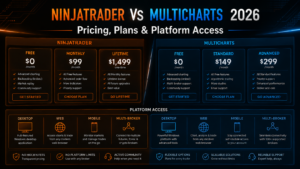
NinjaTrader Pricing
| Plan | Plan Cost | Micro / e-Nano | Standard |
|---|---|---|---|
| Free | $0 monthly plan fee | $0.39 per side | $1.29 per side |
| Monthly | $99/month | $0.29 per side | $0.99 per side |
| Lifetime | $1,499 one-time | $0.09 per side | $0.59 per side |
Exchange, clearing and NFA fees apply in addition to published commissions.
Verify current details on the official NinjaTrader pricing page.
MultiCharts Pricing Structure
MultiCharts currently provides three principal levels:
- Free: $0, with trading simulator, sample historical data, chart analysis, strategy development, backtesting and optimization.
- Standard: Adds access to supported brokers and data feeds, manual trading, DOM, algorithmic trading, Market Scanner and live trading functionality.
- Advanced: Adds Portfolio Trader, Walk-Forward and Matrix optimization, Self-Adaptive Trading, Volume Profile and additional automation and historical-data tools.
The official pricing page allows users to compare monthly, annual and lifetime purchase structures. Actual displayed pricing can depend on edition, billing period and current commercial terms.
MultiCharts also currently lists optional market data at $49 per month on its paid-plan pricing page.
A full-featured 30-day trial is currently available.
MultiCharts and MultiCharts .NET are separate editions, and users can convert between them under the company’s current licensing rules.
Verify live pricing on the official MultiCharts pricing page.
Which Platform Is Easier to Use?
NinjaTrader generally provides the simpler route for someone specifically entering active futures trading.
The platform, brokerage account, simulation environment and multi-device access are closely integrated.
MultiCharts may require more infrastructure decisions because the trader needs to think about:
- Broker selection
- Market data
- Platform edition
- Programming language
- Standard versus Advanced functionality
- Live deployment architecture
For a systematic trader, however, those options can be an advantage rather than a disadvantage.
PowerLanguage may also be approachable for traders who want to write trading rules without immediately diving deeply into a general-purpose programming environment.
C# developers will generally feel more at home with NinjaScript or MultiCharts .NET.
NinjaTrader vs MultiCharts Pros and Cons
NinjaTrader Pros
- Integrated futures brokerage
- Free simulated trading
- Desktop, Web and Mobile
- C# NinjaScript development
- Strategy backtesting
- Market Replay
- SuperDOM
- Order Flow+
- Large third-party futures ecosystem
- Simple futures-focused account structure
NinjaTrader Cons
- Desktop environment is primarily Windows-focused
- Less broker-neutral
- Primarily centered around futures
- Advanced NinjaScript development can require significant programming knowledge
MultiCharts Pros
- Broker-neutral architecture
- Large selection of supported broker and data connections
- Free simulation tier
- 30-day full-feature trial
- PowerLanguage and EasyLanguage compatibility
- MultiCharts .NET for C# and VB.NET
- Advanced backtesting
- Genetic optimization
- Walk-Forward testing
- Portfolio Trader
- Matrix optimization
- DOM trading
- Market Scanner
- Strong systematic-trading focus
MultiCharts Cons
- Less integrated than NinjaTrader for a simple futures brokerage workflow
- More infrastructure decisions
- Advanced functionality requires higher plan levels
- Market data may add separate cost
- Primarily desktop-oriented compared with NinjaTrader’s full multi-device suite
NinjaTrader vs MultiCharts: Which Should You Choose?
Choose NinjaTrader If You:
- Primarily trade futures
- Want integrated futures brokerage
- Trade Micro and E-mini futures
- Need Web and Mobile access
- Develop in C#
- Want NinjaScript automation
- Use Market Replay
- Need a large third-party futures ecosystem
- Prefer fewer infrastructure decisions
Choose MultiCharts If You:
- Use multiple brokers or data providers
- Build systematic trading strategies
- Prefer PowerLanguage
- Need portfolio-level backtesting
- Use Walk-Forward optimization
- Need genetic or Matrix optimization
- Trade multiple markets
- Want broker-independent automation
- Need MultiCharts .NET for C# or VB.NET
Want to Test NinjaTrader?
Explore NinjaTrader’s futures charting, strategy backtesting and simulated trading environment before deciding which automated trading platform fits your workflow.
Free simulation is different from live futures trading. Live accounts involve real financial risk, commissions and applicable fees.
Related NinjaTrader Platform Comparisons
- NinjaTrader vs TradeStation 2026
- NinjaTrader vs TradingView 2026
- NinjaTrader vs Thinkorswim 2026
- NinjaTrader vs Tradovate 2026
- NinjaTrader vs Sierra Chart 2026
- NinjaTrader vs Quantower 2026
- NinjaTrader vs Bookmap 2026
- NinjaTrader vs ATAS 2026
- NinjaTrader vs MotiveWave 2026
NinjaTrader vs MultiCharts FAQ
Is NinjaTrader better than MultiCharts?
NinjaTrader may be better for dedicated futures traders who want integrated brokerage, C# automation and multi-device access. MultiCharts may be better for systematic traders requiring multiple broker connections, PowerLanguage or advanced portfolio-level testing.
Is MultiCharts free?
MultiCharts currently provides a free tier with simulated trading, sample historical data, chart analysis, strategy development, backtesting and optimization. Live broker and real-time data access require paid functionality.
Does MultiCharts have a free trial?
Yes. MultiCharts currently offers a 30-day trial of its full-featured platform.
Does MultiCharts support futures?
Yes. MultiCharts supports futures trading through compatible broker and market-data connections.
Does MultiCharts support automated trading?
Yes. Automated and algorithmic trading are core MultiCharts capabilities. Paid plans can route strategy-generated orders through supported broker connections.
What programming language does MultiCharts use?
The traditional MultiCharts edition uses PowerLanguage and supports EasyLanguage-compatible code. MultiCharts .NET supports C# and VB.NET, with Python functionality currently referenced in beta.
What programming language does NinjaTrader use?
NinjaTrader uses NinjaScript, a C#-based development framework for custom indicators, strategies, add-ons and other platform functionality.
Which is better for automated trading?
Both are strong. NinjaTrader is particularly attractive for C# futures automation, while MultiCharts is compelling for broker-neutral systematic strategies and portfolio-level research.
Which is better for backtesting?
Both provide sophisticated backtesting. MultiCharts has a particularly strong feature set for portfolio testing, genetic optimization, Walk-Forward analysis and Matrix optimization through its Advanced plan.
Does MultiCharts support portfolio backtesting?
Yes. MultiCharts Advanced includes Portfolio Trader, designed for evaluating strategies across multiple instruments and portfolio-level settings.
Does MultiCharts support Walk-Forward testing?
Yes. MultiCharts Advanced includes Walk-Forward and Matrix optimization tools.
Does NinjaTrader support backtesting?
Yes. NinjaTrader provides historical strategy backtesting and optimization within NinjaTrader Desktop.
Can MultiCharts connect to Interactive Brokers?
Yes. Interactive Brokers is among the supported connections listed by MultiCharts.
Can MultiCharts connect to TradeStation?
Yes. TradeStation is currently listed as a supported MultiCharts connection.
Which is better for multiple brokers?
MultiCharts has the stronger proposition because broker and data-provider flexibility is a fundamental part of its platform architecture.
Which is better for mobile trading?
NinjaTrader has the clear advantage because it provides dedicated Web, iPhone and Android platforms in addition to Desktop.
Which platform is easier for beginners?
NinjaTrader is generally easier for someone specifically starting futures trading because the broker and platform are more tightly integrated. MultiCharts can require more decisions about brokers, data feeds and platform editions.
Final Verdict: NinjaTrader vs MultiCharts 2026
The final NinjaTrader vs MultiCharts 2026 decision depends primarily on whether you value integration or systematic-trading flexibility.
NinjaTrader is our preferred choice for dedicated futures traders who want an integrated brokerage environment, advanced charting, NinjaScript automation, backtesting, Market Replay and convenient Desktop/Web/Mobile access.
MultiCharts is an exceptionally strong alternative for systematic traders who value broker neutrality, PowerLanguage, portfolio-level backtesting, advanced optimization and the ability to build a more independent trading infrastructure.
For a C# developer primarily trading Micro and E-mini futures, NinjaTrader will often provide the simpler end-to-end workflow.
For a strategy developer managing multiple markets, brokers or portfolio systems, MultiCharts Advanced can provide capabilities that become increasingly valuable as the trading operation grows in complexity.
The presence of MultiCharts .NET also means C# developers do not necessarily have to abandon their preferred programming language to gain MultiCharts’ broker-neutral architecture.
Ultimately, the better platform is the one that matches your execution model.
If your priority is futures brokerage integration and accessibility, choose NinjaTrader.
If your priority is advanced strategy research and flexible broker infrastructure, MultiCharts deserves serious consideration.
Before purchasing either platform or funding a live account, verify current software prices, brokerage commissions, market-data charges and connection requirements directly with the providers.
Affiliate Disclosure: TradeboticsAI may receive compensation when visitors click certain affiliate links or complete qualifying actions. This does not increase the user’s cost and does not determine our editorial conclusions.
Risk Disclosure: Futures, forex, cryptocurrencies and other leveraged financial products involve substantial risk and are not suitable for every investor. Losses can be significant and may, depending on the product and circumstances, exceed the amount initially committed. Simulated, replayed and backtested results are hypothetical and do not guarantee future live-trading performance. This content is provided for informational and educational purposes only and is not financial, investment, tax or legal advice.