NinjaTrader vs Sierra Chart 2026: Which Futures Platform Is Better?
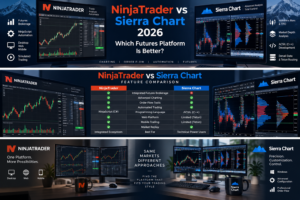
NinjaTrader vs Sierra Chart is one of the most technical trading-platform comparisons for serious futures traders in 2026. Both platforms offer advanced charting, depth-of-market tools, strategy development, historical analysis and professional futures workflows, but they approach trading infrastructure very differently.
NinjaTrader combines a futures brokerage ecosystem with Desktop, Web and Mobile trading platforms. Its Windows desktop application provides NinjaScript automation, strategy backtesting, Market Replay, advanced charting and a large ecosystem of third-party tools.
Sierra Chart is primarily a high-performance desktop charting and trading application. It is known among technically oriented traders for Numbers Bars, TPO profiles, market-depth analysis, Denali market data, Teton Futures Order Routing and its C++-based Advanced Custom Study Interface and Language, better known as ACSIL.
This detailed NinjaTrader vs Sierra Chart 2026 comparison examines pricing, order flow, charting, automation, programming, futures execution, data feeds, replay, mobile access and usability to determine which platform better fits different types of futures traders.
Quick Answer
Choose NinjaTrader if you want an integrated futures brokerage experience, easier multi-device access, advanced NinjaScript automation and a large ecosystem of commercial indicators and strategies.
Choose Sierra Chart if you prioritize high-performance Windows desktop trading, detailed order-flow analysis, highly configurable market data, Numbers Bars, TPO, direct technical control and C++-based strategy development.
TradeboticsAI Verdict: NinjaTrader is generally easier to adopt as a complete futures ecosystem. Sierra Chart can be exceptionally powerful for technically experienced order-flow and quantitative traders willing to accept a steeper learning curve.
Explore NinjaTrader and Free Simulated Trading →
Affiliate disclosure: TradeboticsAI may receive compensation when visitors complete qualifying actions through certain links. Free simulated trading is different from a funded live brokerage account. Futures trading involves substantial risk, and commissions and other fees can apply.
Table of Contents
- NinjaTrader vs Sierra Chart Overview
- Quick Comparison
- Pricing Comparison
- Charting and Technical Analysis
- Order Flow and Market Depth
- Automated Trading
- NinjaScript vs ACSIL
- Market Data and Connectivity
- Futures Execution and Order Routing
- Backtesting, Replay and Simulation
- Desktop Performance
- Web and Mobile Trading
- Ease of Use
- Pros and Cons
- Which Platform Should You Choose?
- Related Comparisons
- FAQ
- Final Verdict
NinjaTrader vs Sierra Chart 2026: Overview
The biggest difference in NinjaTrader vs Sierra Chart is the overall product philosophy.
NinjaTrader attempts to provide a relatively unified futures ecosystem. Traders can open a brokerage account, access the company’s trading applications, practice in simulation and move between Desktop, Web and Mobile platforms.
Sierra Chart is more modular. The core software is a sophisticated desktop trading and charting application, while market data, external trading connectivity and order-routing services depend on the selected Service Package and configuration.
This modular design can provide experienced traders with substantial control, but it also means new users need to understand several components before choosing a setup.
Sierra Chart’s current software is designed primarily for 64-bit Windows systems. Its documentation also discusses running the application through environments such as Wine or Crossover, but the core program remains Windows-focused.
NinjaTrader therefore has an immediate advantage for traders who value native browser and mobile access, while Sierra Chart has a strong appeal to traders who prioritize a dedicated high-performance desktop workstation.
NinjaTrader vs Sierra Chart: Quick Comparison
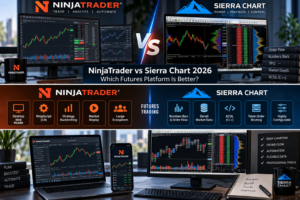
| Category | NinjaTrader | Sierra Chart |
|---|---|---|
| Primary Focus | Integrated futures platform and brokerage ecosystem | High-performance charting, data and trading software |
| Desktop Platform | Advanced Windows desktop | Advanced 64-bit Windows-focused desktop |
| Web Platform | Yes | Teton web trading panel, not the full desktop charting environment |
| Mobile | Dedicated mobile applications | Browser-based Teton trading panel where applicable |
| Programming | NinjaScript / C# | ACSIL / C++ |
| Automated Trading | Advanced | Advanced |
| Order Flow | Strong, including Order Flow tools | Excellent with Numbers Bars, depth tools and advanced packages |
| Market Data | Integrated brokerage data options | Denali and supported external services |
| Brokerage | Integrated NinjaTrader futures brokerage | Connects to supported trading and clearing services |
| Learning Curve | Moderate to advanced | Advanced |
| Best For | Futures traders wanting an integrated ecosystem | Technical order-flow and highly customized desktop traders |
NinjaTrader vs Sierra Chart Pricing
Pricing is one of the most misunderstood areas of the NinjaTrader vs Sierra Chart comparison because the two companies charge for different things.
NinjaTrader’s principal published plans combine its futures brokerage pricing model with access to its platform ecosystem.
NinjaTrader Pricing
| Plan | Cost | Micro / e-Nano Commission | Standard Commission |
|---|---|---|---|
| Free | $0 monthly plan fee | $0.39 per side | $1.29 per side |
| Monthly | $99/month | $0.29 per side | $0.99 per side |
| Lifetime | $1,499 one-time | $0.09 per side | $0.59 per side |
Exchange, clearing and NFA fees apply in addition to the advertised commissions. Market-data and certain technology charges may also apply depending on the account configuration.
Current NinjaTrader details can be verified on the official NinjaTrader pricing page.
Sierra Chart Pricing
Sierra Chart sells access through Service Packages. Its current published monthly pricing includes:
| Package | Monthly Price | Primary Use |
|---|---|---|
| Package 3 | $26 | Base Standard |
| Package 5 | $36 | Base Advanced Features |
| Package 10 | $36 | Integrated Standard with external connectivity |
| Package 11 | $46 | Integrated Advanced Features |
| Package 12 | $56 | Integrated Advanced plus Market by Order |
Sierra Chart also offers discounted pricing when multiple months are purchased in advance. However, the software package is not necessarily the complete monthly trading cost.
Real-time exchange data can have separate charges, and brokerage commissions depend on the clearing firm or trading service being used.
Packages 10, 11 and 12 are particularly important for traders who need external trading-service connectivity or access to the Denali Exchange Data Feed.
Verify current packages on the official Sierra Chart Service Packages page.
NinjaTrader vs Sierra Chart for Charting and Technical Analysis
Both platforms provide professional charting, but Sierra Chart is particularly well known for the depth and configurability of its desktop analytics.
NinjaTrader Charting
NinjaTrader supports extensive chart customization, drawing tools, multiple chart styles, custom indicators and integration with strategies and order management.
Its greatest advantage is how naturally charts connect with the rest of the NinjaTrader ecosystem. A user can move from technical analysis to strategy testing and execution without leaving the platform.
Sierra Chart Charting
Sierra Chart is built around detailed desktop analysis. It supports a large collection of studies, custom chart configurations, market-depth tools, historical data analysis and highly configurable chartbooks.
Advanced Service Packages provide specialized features such as:
- TPO Chart Study
- Numbers Bars
- Numbers Bars Calculated Values
- Market Depth Historical Graph
- Advanced Volume Profile functionality
For conventional technical charting, both platforms are powerful. For highly granular footprint-style analysis and market-depth research, Sierra Chart has a particularly strong reputation and feature set.
NinjaTrader vs Sierra Chart for Order Flow
Order flow is one of the most important battlegrounds in NinjaTrader vs Sierra Chart.
NinjaTrader provides Order Flow tools that can help traders analyze volume, liquidity and buying-versus-selling activity around specific prices.
Sierra Chart’s advanced packages provide Numbers Bars, Market Depth Historical Graph and Market by Order functionality in the highest package.
Numbers Bars can display detailed bid and ask trading activity within individual price bars, making Sierra Chart particularly attractive to traders who analyze footprint-style information.
The correct choice depends on how deeply order flow forms part of your trading methodology.
A trader who primarily needs robust charting plus accessible order-flow tools may prefer NinjaTrader’s integrated experience. A specialist who wants to configure extensive footprint, depth and historical market-depth analytics may find Sierra Chart especially compelling.
NinjaTrader vs Sierra Chart for Automated Trading
Both platforms support serious automated trading, but the programming environments are fundamentally different.
NinjaTrader Desktop uses NinjaScript, a framework based on C#. Traders can build indicators, automated strategies and other custom platform functionality.
Sierra Chart uses its Advanced Custom Study Interface and Language, or ACSIL, which is based on standard C++.
Sierra Chart’s documentation states that ACSIL can create custom studies and automated trading systems and can access chart data, tick-by-tick information, time-and-sales data and market depth.
Sierra Chart also provides managed and unmanaged automated-trading approaches through ACSIL.
Therefore, the automation decision should not simply be based on which platform has more features. Your programming background matters.
NinjaScript vs ACSIL: C# or C++?
The programming-language difference is strategically important in the NinjaTrader vs Sierra Chart decision.
NinjaTrader NinjaScript
- Based on C#
- Supports indicators and automated strategies
- Large third-party ecosystem
- Widely accessible to .NET developers
- Strategy testing and optimization integration
Sierra Chart ACSIL
- Based on C++
- Compiled native custom studies
- Access to tick data and market depth
- Custom trading-system development
- Managed and unmanaged automated trading support
- Extensive low-level customization
Developers already comfortable with C# may find NinjaTrader easier to extend. Developers who value C++ and closer control over native custom-study development may prefer Sierra Chart.
See the official Sierra Chart ACSIL documentation for technical details.
Market Data and Connectivity
Sierra Chart takes a particularly infrastructure-focused approach to market data.
The company provides the Denali Exchange Data Feed and supports connectivity to various external trading and data services when an appropriate Integrated Service Package is used.
This flexibility appeals to technically sophisticated users but creates more configuration decisions.
NinjaTrader’s brokerage-centric environment can be easier for users who prefer to open an account, choose market data and access their futures platform without designing a more modular data stack.
Neither approach is objectively superior.
NinjaTrader: simpler integrated experience.
Sierra Chart: greater emphasis on configurable data and trading connectivity.
NinjaTrader vs Sierra Chart for Futures Execution
Sierra Chart’s Teton Futures Order Routing is an important part of the comparison.
According to Sierra Chart, Teton routes supported futures orders directly to major exchanges without an additional intermediary order-routing provider. Sierra Chart currently lists CME, CBOT, NYMEX and COMEX among supported exchanges for the service.
The company also states that Teton itself has no per-transaction order-routing charge for Sierra Chart users, although brokerage, clearing, exchange and other costs can still apply.
Teton supports server-side functionality such as bracket and OCO order management and provides a browser-based trading panel.
NinjaTrader takes a different route by integrating its trading technology with NinjaTrader Clearing for futures brokerage accounts.
For many retail futures traders, that creates a simpler account-to-platform relationship.
For technically oriented traders who specifically want Sierra Chart’s data and routing architecture, Teton can be a meaningful advantage.
Read the official Sierra Chart Teton documentation before selecting a configuration.
Backtesting, Replay and Simulated Trading
Both platforms provide tools for strategy development without immediately risking live capital.
NinjaTrader offers free simulated trading and strategy backtesting. Market Replay can reproduce historical market activity tick by tick for strategy evaluation and discretionary practice.
Sierra Chart provides simulation, chart replay and extensive historical data functionality. Its programming environment can also be used to evaluate trading systems against historical data.
Sierra Chart currently provides new accounts with a temporary trial period, allowing users to evaluate the software before committing to a paid Service Package.
Simulation and backtesting are valuable research tools, but they have important limitations. Live markets introduce slippage, liquidity constraints, latency, emotional decision-making and changing market regimes.
Neither NinjaTrader nor Sierra Chart can turn a profitable backtest into a guaranteed live-trading result.
NinjaTrader vs Sierra Chart Desktop Performance
The desktop environment is where this comparison becomes particularly interesting.
Sierra Chart is designed as a 64-bit desktop application with a strong focus on performance and local processing. Its official documentation recommends a 64-bit Windows operating system and describes its software as self-contained and portable within its installation directory.
NinjaTrader Desktop is also a powerful Windows trading workstation but focuses more heavily on creating an expandable ecosystem that balances advanced functionality with accessibility for retail futures traders.
Sierra Chart may appeal more to users who:
- Run specialized chart configurations
- Analyze large amounts of historical data
- Use multiple chartbooks
- Build C++ systems
- Prioritize detailed market-depth analytics
- Want substantial configuration control
NinjaTrader may appeal more to users who:
- Want a more familiar retail trading ecosystem
- Use commercial third-party indicators
- Develop in C#
- Need an integrated broker-platform relationship
- Want Desktop, Web and Mobile options
NinjaTrader vs Sierra Chart for Web and Mobile Trading
NinjaTrader has the clearer advantage for full multi-device platform access.
The NinjaTrader ecosystem includes Desktop, Web and Mobile applications. That allows traders to monitor and manage their trading activity without remaining tied to the main desktop workstation.
Sierra Chart’s full charting application remains primarily a Windows desktop platform.
However, users of the Teton Futures Order Routing service can access a web-based trading panel from browsers and mobile devices. The panel supports functions such as:
- Viewing current orders
- Viewing positions
- Checking account balances
- Entering new orders
- Creating targets and stops
- Modifying orders
- Cancelling orders
This should not be confused with having the complete Sierra Chart desktop charting environment running in a browser.
Multi-device winner: NinjaTrader.
Which Platform Is Easier to Learn?
NinjaTrader generally has the advantage for accessibility.
It still contains sophisticated tools, and NinjaScript development can become highly technical, but users do not have to understand every advanced component to begin charting and simulated futures trading.
Sierra Chart gives traders enormous control but expects users to become familiar with Service Packages, data services, trading connections, chartbooks and extensive settings.
Its interface can initially appear dense to traders coming from newer browser-first platforms.
This complexity is not necessarily a weakness. For advanced users, many of those settings are precisely why Sierra Chart is attractive.
The question is whether you need that level of control.
NinjaTrader vs Sierra Chart Pros and Cons
NinjaTrader Pros
- Integrated futures brokerage ecosystem
- Desktop, Web and Mobile access
- Free simulated trading
- NinjaScript C# automation
- Strategy backtesting
- Market Replay
- Large third-party ecosystem
- Multiple futures commission plans
- Strong order-flow functionality
NinjaTrader Cons
- Advanced desktop functionality has a learning curve
- Some tools and data can involve additional costs
- Highly customized environments can become complex
- Primarily centered on futures rather than broad multi-asset brokerage
Sierra Chart Pros
- Extremely configurable desktop environment
- Advanced Numbers Bars and order-flow tools
- TPO and market-depth analysis
- ACSIL C++ development
- Denali market-data ecosystem
- Teton futures order routing
- Strong historical-data capabilities
- Multiple Service Packages
- Designed for technically sophisticated users
Sierra Chart Cons
- Steep learning curve
- Full platform is primarily Windows-focused
- Pricing can require combining software, data and trading-service costs
- No equivalent full-featured native mobile charting application
- Configuration can feel complicated for new users
NinjaTrader vs Sierra Chart: Which Should You Choose?
Choose NinjaTrader If You:
- Primarily trade futures
- Want an integrated broker and platform ecosystem
- Need Desktop, Web and Mobile access
- Prefer C# development
- Want NinjaScript automation
- Use third-party trading tools
- Want free simulated trading before going live
- Prefer a somewhat easier onboarding process
Choose Sierra Chart If You:
- Are a highly technical futures trader
- Prioritize order-flow analysis
- Use Numbers Bars or TPO charts extensively
- Want detailed market-depth analysis
- Prefer C++ for custom development
- Want extensive control over data and trading connections
- Use a dedicated Windows trading workstation
- Want access to Sierra Chart’s Denali and Teton infrastructure
Want to Test NinjaTrader Before Choosing?
Explore NinjaTrader’s advanced charting, strategy backtesting and simulated futures environment before deciding which trading workflow fits you best.
Free simulation is different from live futures trading. Live accounts involve real financial risk, commissions and applicable fees.
Related NinjaTrader Platform Comparisons
Continue researching platforms with these TradeboticsAI comparisons:
- NinjaTrader vs TradeStation 2026
- NinjaTrader vs TradingView 2026
- NinjaTrader vs Thinkorswim 2026
- NinjaTrader vs Tradovate 2026
Each guide focuses on a different combination of futures specialization, automation, charting, order flow and platform accessibility.
NinjaTrader vs Sierra Chart FAQ
Is NinjaTrader better than Sierra Chart?
NinjaTrader may be better for traders who want an integrated futures brokerage ecosystem, Desktop/Web/Mobile access, C# automation and a large third-party marketplace. Sierra Chart may be better for highly technical desktop traders prioritizing detailed order-flow analysis, C++ development and configurable market-data infrastructure.
Is Sierra Chart cheaper than NinjaTrader?
The pricing structures are not directly comparable. Sierra Chart charges for software Service Packages and potentially separate market-data services, while NinjaTrader’s principal plans are tied to its futures brokerage commission structure. Total cost depends on the exact services, data and trading volume required.
How much does Sierra Chart cost?
Sierra Chart currently publishes monthly Service Package prices ranging from $26 for Base Standard Package 3 to $56 for Integrated Advanced Package 12 with Market by Order. Multi-month discounts are available, while exchange data and other services can create additional costs.
How much does NinjaTrader cost?
NinjaTrader currently offers a Free plan with no monthly plan fee, a Monthly plan at $99 and a Lifetime plan at $1,499. Live futures commissions vary by plan and additional exchange, clearing and NFA fees apply.
Which is better for order flow?
Both platforms provide strong order-flow functionality. Sierra Chart is particularly attractive to specialists because of Numbers Bars, Market Depth Historical Graph, TPO and Market by Order functionality in appropriate Service Packages. NinjaTrader provides a more integrated order-flow environment within its broader futures platform.
Which is better for automated trading?
Both can support sophisticated automated systems. NinjaTrader uses the C#-based NinjaScript framework, while Sierra Chart uses the C++-based ACSIL environment. The best choice often depends on programming experience and required platform architecture.
Does Sierra Chart support automated trading?
Yes. Sierra Chart provides automated trading through ACSIL and also supports managed and unmanaged automated-trading approaches.
Does NinjaTrader support automated trading?
Yes. NinjaTrader Desktop supports automated strategies through NinjaScript, along with strategy development, testing and optimization tools.
Is Sierra Chart only for Windows?
The current Sierra Chart application is designed primarily for 64-bit Microsoft Windows. Its documentation discusses alternative environments such as Wine or Crossover, but the native desktop application remains Windows-focused.
Does Sierra Chart have a mobile app?
Sierra Chart does not provide a full mobile version equivalent to its desktop charting software. Teton users can access a web-based trading panel from mobile devices for order, position and account-management functionality.
Does NinjaTrader have mobile trading?
Yes. NinjaTrader provides Desktop, Web and Mobile platforms as part of its current ecosystem.
What is Sierra Chart Teton?
Teton is Sierra Chart’s futures order-routing service for supported exchanges and clearing relationships. It includes server-side risk and order-management functionality and can be used with Sierra Chart’s web-based trading panel.
What is Sierra Chart Denali?
Denali is Sierra Chart’s exchange market-data infrastructure. Access depends on the appropriate Sierra Chart Service Package and selected exchange-data subscriptions.
Which is easier for beginners?
NinjaTrader generally provides an easier entry point because its brokerage and platform ecosystem is more integrated and its web and mobile applications reduce dependence on a highly configured desktop environment. Sierra Chart is generally better suited to users comfortable with technical configuration.
Which is better for professional futures traders?
Both can serve serious futures traders. NinjaTrader offers an integrated and expandable ecosystem, while Sierra Chart provides exceptional technical control, detailed order-flow analytics and a highly configurable desktop architecture.
Final Verdict: NinjaTrader vs Sierra Chart 2026
The final NinjaTrader vs Sierra Chart 2026 decision depends more on workflow and technical requirements than on a simple feature count.
NinjaTrader is our preferred choice for traders seeking a complete futures ecosystem combining brokerage access, advanced desktop capabilities, NinjaScript automation, backtesting, simulation and convenient Web and Mobile applications.
Sierra Chart is an exceptionally powerful alternative for technically advanced traders who prioritize sophisticated order-flow analysis, market depth, C++ development, configurable data services and a performance-focused Windows desktop environment.
Sierra Chart may offer greater control in several specialized areas, but that control comes with more configuration and a steeper learning curve.
NinjaTrader sacrifices some of that infrastructure-level complexity in favor of a more unified experience that can be easier to deploy across desktop, browser and mobile devices.
For a dedicated C++ developer or order-flow specialist, Sierra Chart deserves serious consideration. For a futures trader who wants advanced functionality without assembling as many separate platform components, NinjaTrader will often be the more practical choice.
Before selecting either platform, verify current software costs, brokerage commissions, exchange fees, market-data subscriptions, margin requirements and trading-service compatibility directly with the provider.
Affiliate Disclosure: TradeboticsAI may receive compensation when visitors click certain affiliate links or complete qualifying actions. This does not increase the user’s cost and does not determine our editorial conclusions.
Risk Disclosure: Futures and other leveraged products involve substantial risk and are not suitable for every investor. Losses can be significant and may, depending on the circumstances, exceed the amount initially committed. Simulated and backtested results are hypothetical and do not guarantee future live-trading results. This content is provided for informational and educational purposes only and is not financial, investment, tax or legal advice.