NinjaTrader vs Quantower 2026: Which Trading Platform Is Better?
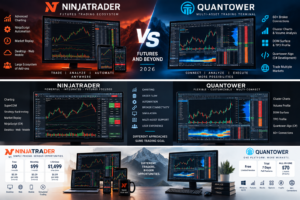
NinjaTrader vs Quantower is an increasingly relevant comparison for active traders in 2026. Both platforms provide professional charting, order execution, market-depth tools, simulated trading and advanced customization, but they are built around fundamentally different trading ecosystems.
NinjaTrader is primarily designed around active futures trading. It combines futures brokerage access with Desktop, Web and Mobile platforms, advanced charting, NinjaScript automation, strategy backtesting, Market Replay and a large ecosystem of third-party trading applications.
Quantower takes a broader multi-asset and multi-connection approach. Depending on the selected broker or data connection, traders can work with futures, stocks, options, cryptocurrencies and other markets while using professional tools such as Cluster Charts, Volume Analysis, TPO Profiles, DOM Surface, multiple broker connections and C#-based Quantower Algo development.
This detailed NinjaTrader vs Quantower 2026 comparison examines futures trading, charting, order flow, automation, pricing, broker connectivity, programming, simulated trading, usability and platform access to determine which environment may better match your trading workflow.
Quick Answer
Choose NinjaTrader if futures are your primary market and you want an integrated futures brokerage ecosystem, Desktop/Web/Mobile access, NinjaScript automation, advanced backtesting and a large third-party marketplace.
Choose Quantower if you want a highly customizable Windows trading terminal with multi-broker connectivity, multi-asset support, advanced volume analysis, DOM tools and the ability to connect simultaneously to multiple supported brokers and data providers.
TradeboticsAI Verdict: NinjaTrader is generally the more complete solution for dedicated futures traders. Quantower becomes particularly attractive for sophisticated traders who value order flow, multiple connections and greater flexibility across markets and brokers.
Explore NinjaTrader and Free Simulated Trading →
Affiliate disclosure: TradeboticsAI may receive compensation if visitors complete qualifying actions through certain links. Free simulated trading is different from live brokerage trading. Futures trading involves substantial risk, and commissions and additional fees may apply.
Table of Contents
- NinjaTrader vs Quantower Overview
- Quick Comparison
- Pricing Comparison
- Markets and Broker Connectivity
- Futures Trading
- Charting and Technical Analysis
- Order Flow and Volume Analysis
- Automated Trading
- NinjaScript vs Quantower Algo
- DOM and Order Execution
- Simulation and Market Replay
- Interface and Workspaces
- Desktop, Web and Mobile
- Ease of Use
- Pros and Cons
- Which Platform Should You Choose?
- Related Comparisons
- FAQ
- Final Verdict
NinjaTrader vs Quantower 2026: Overview
The central difference in NinjaTrader vs Quantower is platform philosophy.
NinjaTrader provides a vertically integrated futures environment. Traders can use NinjaTrader’s brokerage infrastructure and access Desktop, Web and Mobile applications within the same ecosystem.
The NinjaTrader Desktop platform provides its deepest functionality, including NinjaScript custom development, strategy backtesting, automated strategies, advanced charting, Market Replay and access to thousands of third-party apps and add-ons.
Quantower is designed as a multi-asset trading terminal that connects to supported brokers, exchanges and market-data providers.
Its current platform supports more than 60 broker, exchange and data-feed connections according to Quantower’s product documentation. Depending on the selected connection, traders can analyze or trade futures, stocks, options, cryptocurrencies and other instruments.
This means Quantower can function as a centralized front end across multiple trading relationships, while NinjaTrader is more tightly optimized around the NinjaTrader futures ecosystem.
For dedicated futures traders, integration can be an advantage. For traders managing several brokers or asset classes, flexibility can be more important.
NinjaTrader vs Quantower: Quick Comparison
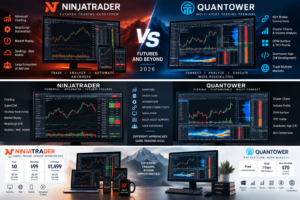
| Category | NinjaTrader | Quantower |
|---|---|---|
| Primary Focus | Dedicated futures trading ecosystem | Multi-asset and multi-connection trading terminal |
| Futures | Core specialization | Supported through compatible connections |
| Stocks | Not primary brokerage focus | Available through supported connections |
| Options | Futures-oriented ecosystem | Dedicated options tools available |
| Crypto | Not primary focus | Multiple supported connections |
| Programming | NinjaScript / C# | Quantower Algo / C# |
| Order Flow | Advanced futures order-flow tools | Cluster, Volume Analysis, DOM Surface and TPO tools |
| Multiple Broker Connections | More ecosystem-focused | Major platform strength |
| Desktop | Windows | Windows 10/11 |
| Web | Yes | No equivalent full browser terminal |
| Mobile | iPhone and Android | No equivalent native full terminal |
| Best For | Dedicated active futures traders | Multi-broker and advanced order-flow traders |
NinjaTrader vs Quantower Pricing
Pricing requires careful interpretation because NinjaTrader and Quantower monetize different parts of the trading workflow.
NinjaTrader Pricing
NinjaTrader currently publishes three principal futures brokerage plans.
| Plan | Plan Cost | Micro / e-Nano | Standard |
|---|---|---|---|
| Free | $0 monthly plan fee | $0.39 per side | $1.29 per side |
| Monthly | $99/month | $0.29 per side | $0.99 per side |
| Lifetime | $1,499 one-time | $0.09 per side | $0.59 per side |
Exchange, clearing and NFA fees apply in addition to the listed commissions.
NinjaTrader also provides advanced charting, strategy backtesting and simulated trading without requiring traders to fund a live account immediately.
Verify current pricing directly on the official NinjaTrader pricing page.
Quantower Pricing
Quantower uses a software-license structure rather than operating as one single futures brokerage relationship.
The platform currently provides several ways to access its functionality:
- Free limited version: Available without registration for supported basic functionality.
- Full-feature trial: Seven days after registering a Quantower account.
- Individual Pro features: Certain advanced functions can be purchased separately.
- ALL-IN-ONE: Full professional feature package currently starting at $70 per month.
Quantower currently advertises discounts of approximately 10% for three months, 20% for six months and 30% for annual billing.
Third-party market data is not included in the Quantower software license and must be obtained separately where required.
Current pricing can be verified on the official Quantower pricing page.
Which Pricing Model Is Better?
The answer depends on what you actually need.
NinjaTrader’s model can be straightforward for traders who want their futures brokerage, trading platform and commission plan closely integrated.
Quantower can be attractive for traders who already have brokerage relationships or data feeds and want one professional front end that can connect to multiple sources.
Do not compare only the $99 NinjaTrader Monthly plan against the $70 Quantower ALL-IN-ONE price. Brokerage commissions, data subscriptions, exchange fees and connection-specific costs must also be considered.
NinjaTrader vs Quantower: Markets and Broker Connectivity
Market connectivity is one of Quantower’s strongest advantages in the NinjaTrader vs Quantower comparison.
Quantower describes itself as a multi-asset and multi-connect platform and currently advertises connectivity to more than 60 brokers, exchanges and data feeds.
Depending on the specific connection, traders can work with:
- Futures
- Stocks
- Options
- Cryptocurrencies
- Currency markets
- CFDs where supported
Quantower can also establish simultaneous connections to supported brokers and data providers.
This enables advanced workflows in which a trader might receive data from one connection while executing through another, or manage several brokerage relationships from one workspace.
NinjaTrader is deliberately more focused.
Its current brokerage and trading-platform proposition centers heavily on futures markets. For someone primarily trading Micro E-mini, E-mini, metals, energy, currency or other exchange-listed futures contracts, that specialization can simplify the overall workflow.
Winner for market breadth: Quantower.
Winner for dedicated futures integration: NinjaTrader.
NinjaTrader vs Quantower for Futures Trading
For dedicated futures traders, the NinjaTrader vs Quantower comparison becomes more nuanced.
NinjaTrader was specifically built around active futures workflows. Brokerage pricing, margin structures, charting, SuperDOM, simulation, Market Replay and advanced strategy functionality are all closely connected.
Quantower provides sophisticated futures functionality but depends on the selected brokerage or data connection.
Its flexibility can be advantageous for experienced traders who already know which clearing firm, broker and market-data infrastructure they want to use.
Newer futures traders may find NinjaTrader’s more unified account-to-platform workflow easier to understand.
Experienced traders who maintain several brokerage relationships may prefer Quantower’s open connectivity model.
NinjaTrader vs Quantower for Charting
Both platforms provide advanced charting.
NinjaTrader Charting
NinjaTrader offers numerous chart styles, timeframes and technical indicators. Desktop users can build custom indicators using NinjaScript or install third-party indicators and applications.
The strongest advantage is integration. Charts can interact directly with order-entry tools, strategies and the broader futures platform.
Quantower Charting
Quantower provides a broad selection of professional chart types and analytical tools.
Current functionality includes:
- Candlestick and conventional time-based charts
- Tick charts
- Range Bars
- Renko
- Kagi
- Point & Figure
- Line Break
- Heikin-Ashi
- Chart overlays
- Technical indicators
- Drawing tools
Quantower also integrates specialized volume tools directly with its chart environment.
For ordinary technical analysis, both platforms are highly capable. Quantower becomes particularly interesting when volume and order-flow analysis are central to the trading methodology.
NinjaTrader vs Quantower for Order Flow and Volume Analysis
Order flow is one of Quantower’s strongest areas.
Its Volume Analysis functionality includes tools such as:
- Cluster Chart
- Volume Profile
- Historical Time & Sales
- Time Statistics
- Volume Histogram
- Dynamic VPOC
- Volume Impact
The Cluster Chart can display detailed trading information at individual price levels, while Volume Profile helps identify areas where substantial trading activity occurred.
Quantower’s DOM Surface adds another layer of liquidity analysis by combining order-book information with a heatmap-style representation of changing liquidity.
Its TPO Profile tools provide market-profile style analysis of price distribution over time.
NinjaTrader also provides advanced order-flow functionality and a strong ecosystem of order-flow indicators and third-party tools.
The key difference is that Quantower positions volume analysis as a central component of its multi-broker trading terminal, while NinjaTrader integrates order flow deeply into a dedicated futures ecosystem.
Order-flow verdict: Both are strong. Quantower deserves particular consideration for traders heavily focused on footprint-style and volume analytics.
NinjaTrader vs Quantower for Automated Trading
Automation is particularly interesting because both platforms use C#.
NinjaTrader provides NinjaScript, its proprietary C#-based development framework.
Quantower provides Quantower Algo, which also uses the C# programming language and standard development tools.
Both can therefore appeal to developers already familiar with the Microsoft .NET ecosystem.
However, the APIs, platform architecture and available objects differ substantially. A strategy written for NinjaTrader cannot simply be copied directly into Quantower.
Platform choice should therefore depend on:
- Broker connectivity requirements
- Execution architecture
- Existing source code
- Required market-data access
- Backtesting methodology
- Third-party libraries
- Deployment workflow
NinjaScript vs Quantower Algo
NinjaScript
NinjaScript runs inside NinjaTrader Desktop and allows developers to create:
- Custom indicators
- Automated strategies
- Drawing tools
- Trading applications
- Platform add-ons
NinjaTrader’s ecosystem is particularly mature and includes thousands of third-party applications and add-ons.
Quantower Algo
Quantower Algo also uses C# and supports professional development environments such as Visual Studio and Visual Studio Code.
Developers can create:
- Indicators
- Trading strategies
- Plugins
- Custom columns
- Broker connectors
- Platform extensions
Quantower also includes a Strategies Manager designed to launch and monitor multiple trading or analytical algorithms from one interface.
Programming verdict: NinjaTrader has the larger established futures ecosystem, while Quantower provides an appealing open multi-connect architecture for C# developers.
DOM and Order Execution
Both platforms provide professional depth-of-market trading.
Quantower’s DOM tools display resting orders and allow traders to place, modify and execute Market, Limit and Stop orders directly from a price ladder.
Its order-execution environment also provides:
- Chart trading
- Hot Buttons
- Mouse trading
- Multiple order types
- Working-order management
- Position management
- DOM trading
- Order Flow Surface trading
NinjaTrader’s SuperDOM is one of its most recognizable futures execution interfaces and integrates naturally with the rest of the NinjaTrader ecosystem.
For a dedicated futures scalper, execution speed is not determined only by interface appearance. Brokerage route, market connection, hardware, network conditions and exchange conditions also matter.
Simulation and Market Replay
Both platforms allow traders to practice without immediately risking real capital.
NinjaTrader provides free simulated trading and Market Replay functionality. Traders can replay historical futures sessions and evaluate their execution or strategies using historical market activity.
Quantower provides a Trading Simulator that can simulate trading against real-time market data, including on certain non-trading connections.
Its platform also includes Market Replay functionality for historical analysis and practice.
Simulation can be useful for:
- Learning order-entry mechanics
- Testing workspace layouts
- Evaluating discretionary setups
- Practicing risk management
- Developing automated systems
- Reviewing historical sessions
However, simulated performance does not guarantee live results. Slippage, liquidity, latency, psychology and changing market conditions can materially affect live trading.
Interface, Workspaces and Multiple Monitors
Quantower places substantial emphasis on workspace customization.
Each panel can operate as an independent component. Traders can arrange multiple panels across monitors, combine panels into groups, link them together and save layouts as templates.
Quantower supports multiple workspaces and can synchronize instrument changes between linked panels.
This modular architecture can be particularly effective for traders running several monitors or several broker connections.
NinjaTrader Desktop also provides substantial workspace flexibility and multi-monitor support.
The major difference is ecosystem orientation.
NinjaTrader’s customization extends deeply into thousands of third-party applications, strategies and indicators.
Quantower emphasizes modular panels, connections and multi-asset analysis within one terminal.
NinjaTrader vs Quantower: Desktop, Web and Mobile
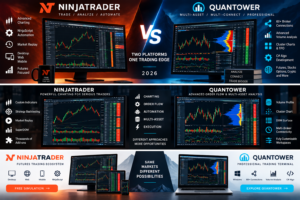
This category produces one of the clearest differences in the NinjaTrader vs Quantower comparison.
NinjaTrader
NinjaTrader currently provides:
- Desktop: Windows trading workstation with the deepest customization and NinjaScript functionality.
- Web: Cloud-based trading accessible from PC and Mac browsers.
- Mobile: Native iPhone and Android applications.
Quantower
The current full Quantower terminal is designed for Windows 10 and Windows 11.
Quantower states that there is currently no native Mac terminal. Mac users can attempt to run Windows through virtualization software, but Quantower does not guarantee stability in those environments.
Quantower’s strongest proposition is therefore the Windows desktop workstation rather than a complete native Desktop/Web/Mobile ecosystem.
Multi-device winner: NinjaTrader.
Which Platform Is Easier to Use?
Neither platform is designed exclusively for beginners.
NinjaTrader can become highly complex when NinjaScript, automated systems and customized multi-monitor environments are introduced. However, its integrated brokerage model and modern Web and Mobile applications can simplify the initial onboarding process.
Quantower has a visually modern interface but introduces another kind of complexity: connections, data providers, licenses, extensions and potentially multiple brokers.
For a trader opening a first dedicated futures account, NinjaTrader may provide the more straightforward route.
For an experienced trader already working with several brokers or data feeds, Quantower’s architecture may feel more flexible rather than more complicated.
NinjaTrader vs Quantower Pros and Cons
NinjaTrader Pros
- Dedicated futures brokerage ecosystem
- Free simulated trading
- Desktop, Web and Mobile access
- NinjaScript C# development
- Advanced strategy backtesting
- Market Replay
- Strong DOM and order-flow tools
- Thousands of third-party apps and add-ons
- Multiple futures commission plans
NinjaTrader Cons
- Primarily focused on futures
- Advanced Desktop customization has a learning curve
- Certain tools, data and services may add costs
- Less oriented toward managing numerous unrelated brokers from one terminal
Quantower Pros
- Free limited version available
- Seven-day full trial
- Multi-asset architecture
- More than 60 supported connections according to current product information
- Simultaneous broker and data-feed connections
- Advanced Cluster and Volume Analysis tools
- DOM Surface and TPO functionality
- Highly customizable workspaces
- C# algorithmic development
- Options-analysis tools
Quantower Cons
- Full terminal currently requires Windows
- No equivalent native full Web/Mobile ecosystem
- Third-party market data is not included with the license
- Total cost depends on license, broker and data configuration
- Multi-connection setup may be more complex for new traders
NinjaTrader vs Quantower: Which Should You Choose?
Choose NinjaTrader If You:
- Primarily trade futures
- Want brokerage and platform integration
- Trade Micro or E-mini futures
- Need Desktop, Web and Mobile access
- Develop strategies in C#
- Want NinjaScript automation
- Use third-party futures tools
- Need Market Replay and advanced backtesting
- Prefer a dedicated futures ecosystem
Choose Quantower If You:
- Use multiple brokers
- Trade several asset classes
- Want simultaneous connections
- Prioritize Cluster Charts and volume analysis
- Need advanced DOM functionality
- Want highly modular workspaces
- Develop C# strategies or extensions
- Already have separate data-feed relationships
- Primarily use a Windows workstation
Want to Test NinjaTrader?
Explore NinjaTrader’s advanced futures charting, backtesting and simulated trading environment before deciding which platform fits your workflow.
Free simulation is different from live brokerage trading. Futures trading involves substantial risk, commissions and applicable fees.
Related NinjaTrader Platform Comparisons
Continue comparing professional trading platforms with these TradeboticsAI guides:
- NinjaTrader vs TradeStation 2026
- NinjaTrader vs TradingView 2026
- NinjaTrader vs Thinkorswim 2026
- NinjaTrader vs Tradovate 2026
- NinjaTrader vs Sierra Chart 2026
These comparisons examine futures specialization, charting, order flow, automation, multi-asset functionality and platform accessibility from different perspectives.
NinjaTrader vs Quantower FAQ
Is NinjaTrader better than Quantower?
NinjaTrader may be better for dedicated futures traders wanting an integrated brokerage ecosystem, Desktop/Web/Mobile access and a large NinjaScript marketplace. Quantower may be better for traders who need multiple broker connections, broader asset coverage and sophisticated volume-analysis tools.
Is Quantower free?
Quantower provides a free limited version that can be downloaded without registration. It also currently offers a seven-day full-featured trial. Advanced features and the complete ALL-IN-ONE package require paid licensing.
How much does Quantower cost?
Quantower’s ALL-IN-ONE license currently starts at $70 per month before longer-term discounts. A limited free version and individually purchasable advanced features are also available. Market-data costs are separate.
How much does NinjaTrader cost?
NinjaTrader currently offers a Free plan with no monthly plan fee, a Monthly plan at $99 per month and a Lifetime plan at $1,499 as a one-time payment. Live futures commissions and additional exchange, clearing and NFA fees apply.
Does Quantower support futures?
Yes. Quantower supports futures through compatible brokers, exchanges and data connections. The platform also provides futures-oriented charting, order-flow and DOM tools.
Does Quantower support stocks and options?
Yes, through appropriate supported connections. Quantower is designed as a multi-asset platform and provides dedicated options-analysis functionality.
Which is better for order flow?
Both are strong. Quantower provides Cluster Chart, Volume Profile, Historical Time & Sales, DOM Surface and TPO functionality. NinjaTrader combines strong order-flow tools with its broader futures brokerage and third-party ecosystem.
Which is better for automated trading?
Both support C# development. NinjaTrader uses NinjaScript, while Quantower provides Quantower Algo. NinjaTrader has a particularly mature futures-focused ecosystem, while Quantower provides additional flexibility for multi-broker workflows.
Does Quantower use C#?
Yes. Quantower Algo uses the C# programming language and can integrate with standard development environments such as Visual Studio and Visual Studio Code.
Does NinjaTrader use C#?
Yes. NinjaScript is NinjaTrader’s C#-based development framework for custom indicators, automated strategies, drawing tools and add-ons.
Can Quantower connect to multiple brokers?
Yes. Multi-connection capability is one of Quantower’s major strengths. Depending on the license and connection support, users can connect to multiple brokers and data providers simultaneously.
Does Quantower work on Mac?
The current full Quantower terminal is designed for Windows. Quantower states that Mac users may attempt to run Windows through virtualization software, but native Mac support is not currently provided and stability through virtualized environments is not guaranteed.
Does NinjaTrader work on Mac?
NinjaTrader Desktop is a Windows application, but NinjaTrader Web can be accessed through supported PC and Mac browsers. NinjaTrader also provides native mobile applications for iPhone and Android.
Which is better for mobile trading?
NinjaTrader has the clear advantage because it provides native mobile applications along with a dedicated web platform. Quantower’s primary full trading terminal remains Windows-based.
Which platform is better for beginners?
NinjaTrader may offer the easier route for someone specifically entering futures trading because brokerage, simulation and platform access are closely integrated. Quantower may make more sense for experienced traders who already understand broker, market-data and multi-connection infrastructure.
Which platform is better for professional traders?
Both can support advanced traders. NinjaTrader is particularly compelling for dedicated futures and systematic traders, while Quantower can be highly attractive to multi-broker traders and specialists using advanced volume, order-flow and cross-market analysis.
Final Verdict: NinjaTrader vs Quantower 2026
The final NinjaTrader vs Quantower 2026 decision depends primarily on whether you prioritize specialization or flexibility.
NinjaTrader is our preferred choice for dedicated futures traders who want a cohesive ecosystem combining brokerage access, competitive futures pricing, advanced charting, NinjaScript automation, backtesting, Market Replay and Desktop/Web/Mobile access.
Quantower is one of the strongest alternatives for advanced multi-connect traders who want professional order-flow tools, multi-asset access, customizable workspaces and the ability to connect to numerous supported brokers and data providers.
Quantower’s Cluster Charts, Volume Analysis, DOM Surface and flexible connection model make it particularly compelling for traders who build their own trading infrastructure around multiple external services.
NinjaTrader’s strength is different: it reduces the number of separate components required for someone whose primary objective is actively trading futures.
For Micro and E-mini futures traders who value integrated execution, simulation and automation, NinjaTrader will often be the more practical choice.
For experienced traders managing several brokers or markets from one professional Windows terminal, Quantower deserves serious consideration.
Before selecting either platform, compare current commissions, software licensing, market-data costs, exchange fees, broker compatibility and technical requirements directly with the providers.
Affiliate Disclosure: TradeboticsAI may receive compensation when visitors click certain affiliate links or complete qualifying actions. This does not increase the user’s cost and does not determine our editorial conclusions.
Risk Disclosure: Futures, options, cryptocurrencies and other leveraged products involve substantial risk and are not suitable for every investor. Losses may be significant and can, depending on the product and circumstances, exceed the amount initially committed. Simulated and backtested performance is hypothetical and does not guarantee future live-trading performance. This material is provided for informational and educational purposes only and is not financial, investment, tax or legal advice.