NinjaTrader System Requirements 2026: Windows, RAM, CPU, Storage & Recommended PC Specs
NinjaTrader System Requirements remain modest on paper as of September 14, 2026. The official minimum for NinjaTrader Desktop is 64-bit Windows 11 or Windows Server 2016 or later, a 1 GHz 64-bit processor, 2 GB of RAM, Microsoft .NET Framework 4.8 and a 1024 × 768 display. A DirectX 10-compatible graphics card is highly recommended. (ninjatrader-live.ninjatrader.com)
Affiliate Disclosure: TradeboticsAI may receive compensation if readers purchase products or services through qualifying affiliate placements. Compensation does not change the official specifications, evaluation criteria or requirement to verify compatibility with NinjaTrader and the computer manufacturer before purchasing.
Compare NinjaTrader’s current platform, tools, pricing and account requirements before deciding whether it fits your trading workflow. NinjaTrader System Requirements should be evaluated against current primary-source documentation and the exact reader question.
Quick Answer
The official recommended baseline is a quad-core 2 GHz CPU, 8 GB RAM, DirectX 10 graphics and an SSD. Because the desktop platform now requires Windows 11 for ordinary PC installations, the computer must also satisfy Microsoft’s Windows 11 hardware requirements. (ninjatrader-live.ninjatrader.com) Readers researching NinjaTrader System Requirements benefit from clear definitions, source dates, limitations, and a reproducible verification process.
For a new trading PC, choose 16 GB RAM, a modern six- to eight-core processor and at least a 512 GB SSD. Move to 32 GB RAM and 1 TB of storage when running complex multi-monitor workspaces, large Market Analyzers, tick replay, custom NinjaScript or repeated strategy optimizations.
Table of Contents
NinjaTrader’s recommended specification is a 2 GHz or faster quad-core 64-bit processor, 8 GB of RAM, DirectX 10-compatible graphics and an SSD. Those specifications describe a basic compatible computer, not necessarily an ideal workstation for multiple charts, tick data, order-flow tools, third-party indicators, Market Replay or strategy optimization. (ninjatrader-live.ninjatrader.com) A reliable review of NinjaTrader System Requirements should separate verified facts from assumptions, opinions, simulations, and marketing claims.
For most active traders in 2026, a better practical target is Windows 11, a modern six- to eight-core CPU, 16 GB of RAM and a 512 GB SSD. Consider 32 GB of RAM and a 1 TB SSD for extensive historical data, replay files, development or optimization. Better hardware can reduce local bottlenecks, but it cannot improve a strategy’s expectancy, guarantee order fills or eliminate internet, broker and exchange risks. A fair comparison of NinjaTrader System Requirements should use the same standards for competing options rather than changing criteria mid-analysis.
Official Minimum Versus a Practical 2026 Trading PC
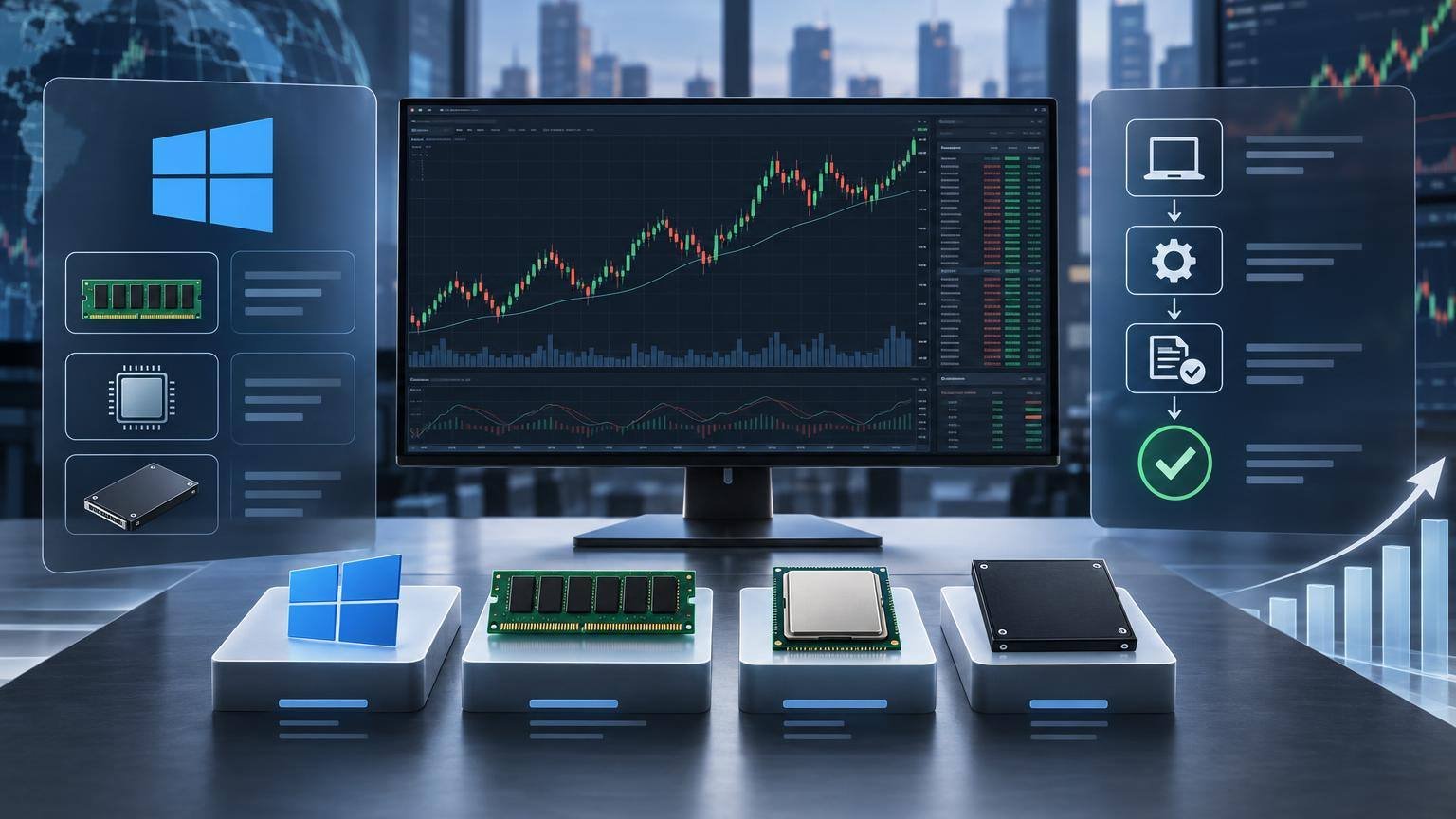
NinjaTrader’s 2 GB minimum RAM figure should not be treated as the effective minimum for a new workstation. Microsoft requires at least 4 GB for Windows 11, along with compatible 64-bit hardware, 64 GB of storage, Secure Boot and TPM 2.0. The operating system, security software, browser and background services also consume resources before NinjaTrader opens. (learn.microsoft.com)
Windows 10 is no longer listed in NinjaTrader’s current minimum requirements, and Microsoft ended standard Windows 10 support on October 14, 2025. Traders replacing or rebuilding a PC should therefore plan around a supported Windows 11 installation rather than using an old Windows 10 machine as a long-term live-trading workstation. (ninjatrader-live.ninjatrader.com) Important claims about NinjaTrader System Requirements should be rechecked whenever the underlying documentation or conditions materially change.
NinjaTrader System Requirements should be checked against both the platform specification and the higher Windows 11 operating-system baseline. Documentation for NinjaTrader System Requirements should separate factual description from interpretation, opinion, and unresolved uncertainty.
CPU and RAM Recommendations by Workload
Review the current NinjaTrader offer and compare it with your execution, market-data and risk-management requirements.
CPU selection depends on workload. Strong single-core speed matters when charts and calculations concentrate on one or a few instruments, while additional cores become more useful across varied instruments and strategy optimization. NinjaTrader states that the platform can use available CPU cores and that optimizations are designed to consume substantial processor resources. Clock speed alone is not a reliable comparison between different CPU generations. (ninjatrader.com) Readers comparing NinjaTrader System Requirements should use consistent criteria and record any limitations that could alter the conclusion.
Eight gigabytes may handle a light installation, but 16 GB provides a more realistic margin for Windows, charting, browser windows and market-data software. Use 32 GB for numerous charts, long tick histories, Market Replay, complex add-ons or optimization. More memory does not fix inefficient scripts, excessive Calculate On Each Tick settings or an overloaded workspace; the workload must still be profiled and simplified.
Before buying hardware, compare NinjaTrader System Requirements with the number of charts, indicators, instruments and monitors in the planned workspace.
Storage, Graphics, Displays and Connectivity
NinjaTrader officially recommends an SSD but does not publish a required drive capacity. A 512 GB SSD is a sensible starting point, while 1 TB provides more room for historical caches, replay data, logs, backups and development files. Market Replay files are stored locally, and years of historical chart data can make backups larger and slower. (ninjatrader.com) A decision about NinjaTrader System Requirements should explain who it is for, who should avoid it, and what evidence supports that judgment.
A dedicated graphics card is not mandatory for a modest workspace, but it can help with dense chart rendering and multiple high-resolution displays. Windows 11 already requires DirectX 12-compatible graphics, exceeding NinjaTrader’s stated DirectX 10 recommendation. For connectivity, use stable broadband and preferably wired Ethernet; NinjaTrader warns that wireless and satellite connections can introduce dropped packets or poor latency. (learn.microsoft.com)
Meeting NinjaTrader System Requirements confirms basic compatibility but does not verify that a third-party indicator is efficient or stable.
Setup, Testing and Workstation Reliability

Begin with updated Windows, graphics and network drivers, then install .NET Framework 4.8 if required. NinjaTrader must communicate with its servers for login validation, so firewall or security software can cause connection problems. The installation guide also warns against placing the active DocumentsNinjaTrader 8 folder inside a continuously synchronized cloud-backup process because file-access conflicts may occur. (ninjatrader.com) Any time-sensitive statement about NinjaTrader System Requirements should include a current verification step before publication or use.
Test the exact intended workspace in simulation before relying on it for live orders. Add third-party scripts individually, monitor CPU, memory, disk and GPU use, and run demanding replay or optimization jobs separately from live trade management. Maintain verified NinjaTrader backup archives on separate storage and test recovery procedures; hardware compatibility alone does not establish trading reliability or profitability. (ninjatrader.com)
NinjaTrader System Requirements do not include a fixed storage capacity, so users retaining replay and historical data should plan extra SSD space.
Key Comparison Criteria
| Area | What to Check | Why It Matters |
|---|---|---|
| Operating system | 64-bit Windows 11, or Windows Server 2016 or later where appropriate | The current official desktop requirements no longer list standard Windows 10 installations. |
| Processor | Official: 2 GHz quad-core recommended; practical: modern six- to eight-core CPU | Fast cores help concentrated chart workloads, while more cores benefit broader workloads and optimization. |
| Memory | Official: 8 GB recommended; practical: 16 GB standard or 32 GB for heavy use | Charts, historical bars, indicators, replay and optimization can consume substantial memory. |
| Storage | SSD required by the recommended profile; consider 512 GB or 1 TB | Historical caches, replay files, logs and backups can grow well beyond the application itself. |
| Graphics and displays | Windows 11-compatible GPU, current drivers and enough outputs for every monitor | Dense charts and multiple high-resolution screens increase rendering load. |
| Network | Stable broadband, wired Ethernet and a tested backup connection | Local hardware cannot compensate for packet loss, outages or excessive network latency. |
| Recovery | Built-in backup archives, separate backup storage and optional battery backup | A failed drive, corrupt workspace or power interruption can disrupt the trading workflow. |
Practical Use Cases
NinjaTrader System Requirements: Key Considerations
Basic Discretionary Futures Trading
A modern quad- or six-core PC with 16 GB RAM and a 512 GB SSD should comfortably support a few charts, Chart Trader or SuperDOM, standard indicators and ordinary browser use. Integrated graphics may be adequate for one or two 1080p displays. The strongest assessment of NinjaTrader System Requirements explains uncertainty instead of presenting unverified details as established facts.
Testing NinjaTrader System Requirements in simulation helps expose CPU, memory, graphics and network bottlenecks before live orders are enabled.
Multi-Monitor Active Day Trading
Use a six- to eight-core processor, 16–32 GB RAM, a 1 TB SSD and graphics hardware with the required display outputs. Test all charts, order-entry windows, indicators and data connections together during simulated market hours.
A computer exceeding NinjaTrader System Requirements can still suffer poor execution when internet, brokerage or exchange conditions deteriorate. A transparent review of NinjaTrader System Requirements should disclose commercial relationships without treating compensation as evidence.
NinjaScript Development and Backtesting
Favor strong CPU performance, 32 GB RAM and fast SSD storage. Keep development and test backups, verify commission and slippage assumptions, and separate historical, simulated and live results when evaluating a strategy.
NinjaTrader System Requirements should be reviewed again after major platform, Windows, driver or workspace changes.
Heavy Optimization and Market Replay
An eight- to sixteen-core CPU, 32 GB or more RAM and a 1 TB SSD provide useful capacity. Run optimizations away from live order management, limit unnecessary parameter permutations and monitor temperatures and memory pressure. When evaluating NinjaTrader System Requirements, readers should distinguish provider claims from independently verified facts and documented testing.
Documenting NinjaTrader System Requirements alongside backup and recovery procedures creates a more reliable trading-technology workflow.
Pros and Cons
Pros
- Official requirements are low enough for many existing Windows 11 computers.
- The platform can benefit from multiple CPU cores and additional memory.
- SSD storage improves data-cache and workspace responsiveness.
- Hardware can be scaled to match discretionary, development or optimization workloads.
Cons
- The published minimum is too low to serve as a practical buying specification.
- Desktop compatibility is centered on 64-bit Windows rather than native macOS or Linux.
- Third-party scripts can cause poor performance even on powerful hardware.
- Historical tick data, replay files and backups can create unplanned storage growth.
Costs, Limitations, and Risks
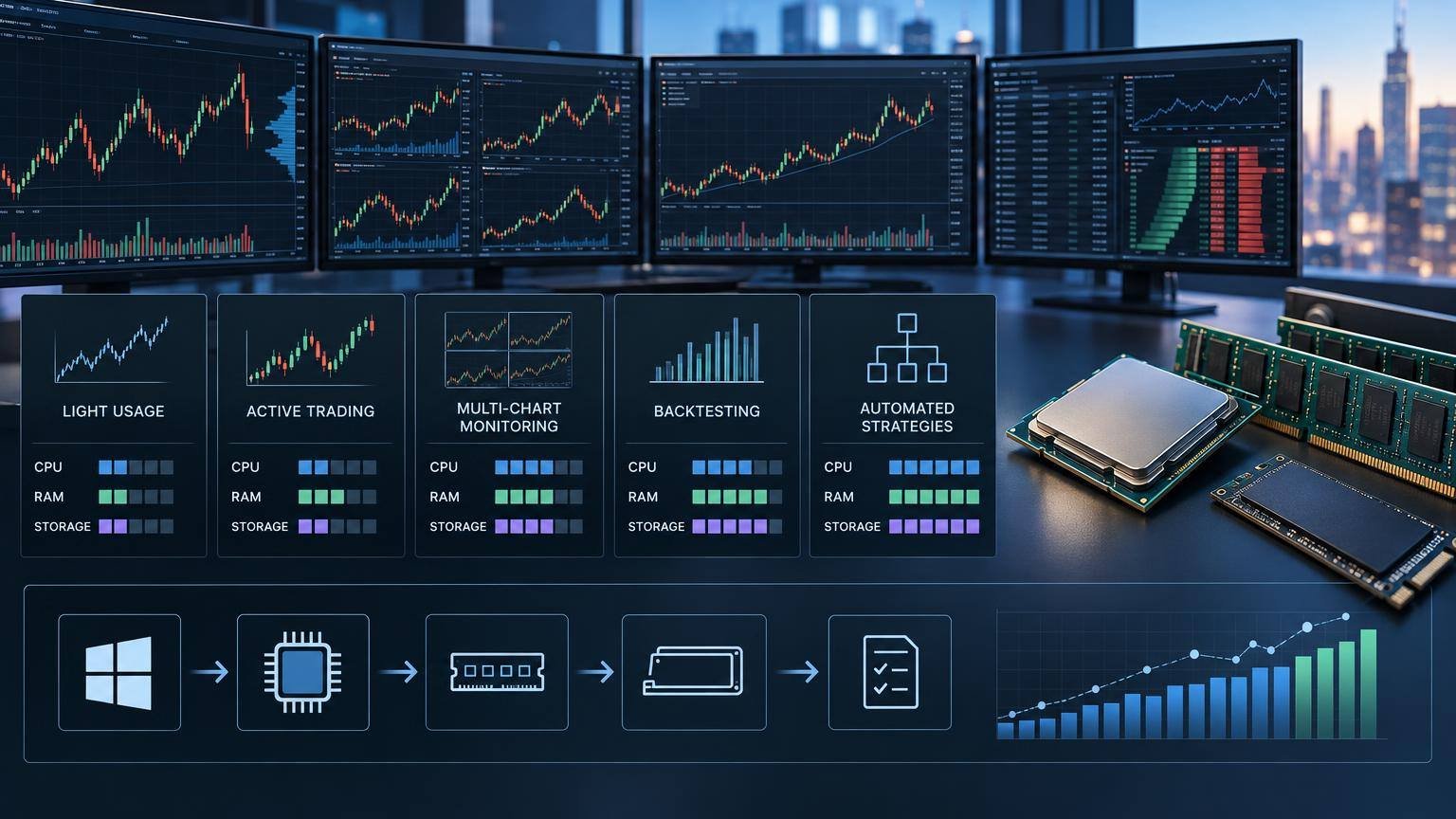
Total workstation cost extends beyond the computer. Traders may also need monitors, display cables or docks, a battery backup, external backup storage, Windows licensing, security software and a secondary network option. Brokerage, exchange-data, commission and add-on expenses are separate from hardware requirements.
Do not overbuy solely for impressive component numbers. A high-end GPU adds little to calculations that are CPU-bound, and additional CPU cores may provide limited benefit to a workspace concentrated on one instrument. Profile the intended workload before choosing expensive upgrades. The conclusion on NinjaTrader System Requirements should follow from cited evidence, practical limitations, and clearly stated assumptions.
A fast PC does not guarantee fast or favorable execution. Orders still depend on the local network, internet route, data and brokerage connections, exchange conditions, liquidity and order type. Stop orders may experience slippage or fail to fill at an expected price during fast markets.
Backtested, optimized, playback and simulated results are not live results. They can omit or simplify liquidity, slippage, latency and the effects of financial pressure. Futures are leveraged and can produce losses exceeding the initial deposit, so hardware capacity must never be confused with trading safety. (nfa.futures.org)
Who It Is For and Who It Is Not For
Best For
- Windows users buying or upgrading a dedicated NinjaTrader workstation.
- Active futures traders using several charts, indicators or monitors.
- NinjaScript developers running backtests, replay or optimization.
- Users diagnosing whether slow performance comes from hardware or workspace design.
Not Best For
- Anyone seeking guaranteed trading returns from a faster computer.
- Users requiring a natively supported macOS or Linux desktop installation.
- Traders unwilling to test add-ons, backups and connections before going live.
- Users who only need a lightweight browser-based trading workflow.
Sources and Verification
Use current primary-source documentation to verify material claims and time-sensitive details. The following sources were consulted during research: A useful guide to NinjaTrader System Requirements should explain the conditions that could materially change its recommendations.
FAQ

What are the official NinjaTrader minimum requirements in 2026?
NinjaTrader lists 64-bit Windows 11 or Windows Server 2016 or later, a 1 GHz 64-bit CPU, 2 GB RAM, .NET Framework 4.8 and 1024 × 768 resolution. DirectX 10 graphics are highly recommended. The effective RAM floor is higher because Windows 11 itself requires at least 4 GB.
Is 8 GB of RAM enough for NinjaTrader?
It meets NinjaTrader’s recommended specification and may handle a light workspace. For a newly purchased PC, 16 GB offers a better practical baseline. Choose 32 GB for numerous charts, extensive tick data, Market Replay, custom scripts or strategy optimization.
Does NinjaTrader need a dedicated graphics card?
Not necessarily. Modern integrated graphics can support ordinary charting on a limited number of displays. Dedicated graphics become more useful with several high-resolution monitors, dense visual workspaces or when the computer’s integrated GPU shows sustained rendering pressure. Before acting on information about NinjaTrader System Requirements, readers should confirm details that may vary by provider, account, region, or date.
How much SSD storage should a NinjaTrader PC have?
NinjaTrader recommends an SSD but does not state a capacity. Consider 512 GB for normal use and 1 TB when retaining substantial historical data, replay files, backups or development resources. Keep adequate free space for Windows updates and temporary files.
Does NinjaTrader work on Windows 10?
Windows 10 is not included in the current official minimum-requirements list. Microsoft ended standard Windows 10 support on October 14, 2025, so Windows 11 is the appropriate target for a supported new trading workstation.
Will a faster PC improve live trading results?
It can make charts, calculations and workspace interaction more responsive, but it cannot create a profitable strategy or guarantee execution. Live results remain affected by market behavior, liquidity, slippage, fees, connectivity and risk management. Coverage of NinjaTrader System Requirements should identify which statements are stable and which require periodic rechecking.
Final Verdict
The official NinjaTrader specification—quad-core 2 GHz CPU, 8 GB RAM, DirectX 10 graphics and an SSD—should be viewed as a compatibility baseline. A balanced 2026 workstation should instead use Windows 11, a modern six- to eight-core processor, 16 GB RAM and at least a 512 GB SSD.
Move to 32 GB RAM and 1 TB of storage for heavy charts, replay, development or optimization. Spend on reliability as well as speed: wired networking, verified backups, stable drivers and realistic simulation testing are more valuable than an unnecessarily expensive component that does not address the actual bottleneck.
Affiliate & Risk Disclosure
Affiliate Disclosure: TradeboticsAI may receive compensation if readers purchase products or services through qualifying affiliate placements. Compensation does not change the official specifications, evaluation criteria or requirement to verify compatibility with NinjaTrader and the computer manufacturer before purchasing.
Risk Disclosure: Futures trading involves substantial risk and is not suitable for every trader. Leverage can magnify gains and losses, and losses may exceed the amount initially deposited. Simulated, playback, optimized and backtested results do not represent actual live trading and may not reflect liquidity, slippage, latency, commissions or the psychological effects of financial loss.
If NinjaTrader fits your requirements, review the official registration flow and current platform details before making a decision. An evidence-based review of NinjaTrader System Requirements should avoid invented first-hand experience and unsupported superlatives.