Order-flow platform comparison · Updated September 9, 2026 · U.S. audience
NinjaTrader vs Bookmap 2026: Which Order Flow Platform Is Better?
NinjaTrader vs Bookmap 2026 compares two very different ways to build a futures trading workflow. NinjaTrader combines futures brokerage, Desktop/Web/Mobile access, charting, SuperDOM, Strategy Analyzer, Market Replay, NinjaScript automation, and current Order Flow+ tools inside one ecosystem. Bookmap is a specialist visualization platform built around liquidity heatmaps, full-depth market data, volume bubbles, DOM-style analysis, replay, custom add-ons, and supported broker or data-feed connections. The better choice depends on whether you want an integrated futures platform or a dedicated order-flow visualization layer.
Quick answer: NinjaTrader vs Bookmap 2026
NinjaTrader vs Bookmap 2026 generally favors NinjaTrader if you want one futures-focused ecosystem for brokerage, execution, automation, simulation, charting, and multi-device access. Bookmap is the stronger specialist choice if liquidity heatmaps, visible resting orders, traded-volume bubbles, Market-by-Order style analytics, and visual order-flow study are central to your process. Bookmap can also connect to compatible futures data providers and brokers, so it may complement rather than replace a brokerage platform. For many traders, the real decision is NinjaTrader alone versus NinjaTrader plus a separate Bookmap visualization workflow.
Affiliate link for eligible users. Start with platform research and simulation. Futures involve substantial risk and no outcome is promised.

Table of contents
- At-a-glance verdict
- What each platform is built for
- Heatmaps, DOM, and order flow
- Execution and brokerage workflow
- Market data and connectivity
- Automation and APIs
- Replay, simulation, and research
- Pricing and total cost
- Windows, Mac, web, and mobile
- Who should choose which?
- Pros and cons
- FAQ
- Final verdict
NinjaTrader vs Bookmap 2026 at a glance
The central distinction in NinjaTrader vs Bookmap 2026 is platform breadth versus visualization specialization. NinjaTrader is a futures broker and trading-platform family. Bookmap is a stand-alone trading and market-visualization platform whose real-time futures use depends on compatible data and brokerage connections. That difference affects pricing, execution, data, automation, and the number of services a trader has to manage.
| Category | NinjaTrader | Bookmap | Better fit |
|---|---|---|---|
| Primary role | Futures broker + platform ecosystem | Order-flow visualization + trading platform | Depends on workflow |
| Liquidity heatmap | Order-flow tools and depth visualizations | Core platform identity | Bookmap |
| DOM / ladder | SuperDOM | DOM Pro and heatmap-linked order flow | Both |
| Automation | NinjaScript/C#, Strategy Builder, Strategy Analyzer | Developer APIs, add-ons, automated strategies | NinjaTrader for native strategy depth |
| Brokerage | Integrated NinjaTrader futures brokerage | Requires supported broker/connection for live trading | NinjaTrader for consolidation |
| Real-time futures data | Available through NinjaTrader account/data selections | Separate compatible feed or BookmapData purchase | Different models |
| Desktop OS | Full desktop platform centered on Windows | Windows and Mac downloads | Bookmap for native Mac desktop |
| Web/mobile | First-party Web and Mobile | Core product is desktop-focused | NinjaTrader |
What NinjaTrader and Bookmap are actually built for
NinjaTrader vs Bookmap 2026 is easiest to understand when each product is evaluated by its main job. NinjaTrader is designed to take a trader from charting and simulation through a funded futures brokerage workflow. Current plans include Desktop, Web, and Mobile access, while the Windows desktop platform provides the deepest environment for SuperDOM, NinjaScript, Strategy Analyzer, Market Replay, custom indicators, and third-party add-ons.
Bookmap starts from market microstructure. Its defining visual is a liquidity heatmap that displays resting limit orders across price levels and time. Traded volume is overlaid with visual markers, allowing the trader to study where liquidity appears, disappears, absorbs activity, or is consumed. The platform also offers DOM tools, Cumulative Volume Delta, large-trade alerts, replay, one-click chart trading, customizable charts, and additional indicators or add-ons.
That makes NinjaTrader vs Bookmap 2026 less like comparing two identical charting packages and more like comparing a complete futures ecosystem with a specialist order-flow microscope. For a broader look at NinjaTrader, see our NinjaTrader review.
NinjaTrader vs Bookmap 2026 for heatmaps, DOM, and order flow
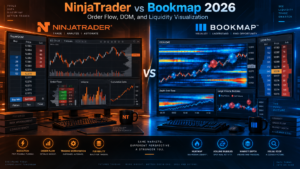
Order flow is the strongest reason to research NinjaTrader vs Bookmap 2026. Bookmap’s heatmap makes displayed liquidity the center of the chart instead of an optional secondary panel. Brighter heatmap areas represent greater resting liquidity, while executed trades and volume can be layered directly over the order book. For traders studying absorption, liquidity pulls, large resting orders, and short-term changes in market depth, this visual model is unusually direct.
NinjaTrader approaches the same market from a broader trading-workstation perspective. SuperDOM provides ladder-style execution and depth-of-market context, while current platform benefits include Order Flow+ tools for funded accounts under the provider’s current plan structure. The desktop ecosystem can also combine volumetric analysis, chart trading, replay, custom indicators, and third-party tools. Our NinjaTrader SuperDOM review covers that execution-focused ladder separately.
For pure liquidity visualization, NinjaTrader vs Bookmap 2026 generally leans toward Bookmap. Its product is designed around seeing the order book evolve over time rather than simply viewing current bid/ask depth. For a trader who wants order flow to sit inside a wider brokerage, automation, and charting environment, NinjaTrader can be more efficient because fewer separate tools are required.
Execution and brokerage workflow
Execution changes the practical meaning of NinjaTrader vs Bookmap 2026. NinjaTrader is directly tied to its futures brokerage structure. Its current U.S. offering publishes Free, Monthly, and Lifetime plans with commissions, margin information, platform access, and account-related charges under one provider relationship.
Bookmap is different. Bookmap describes itself as a stand-alone platform, and data plus brokerage services are not automatically included with the software subscription. Live futures trading therefore requires a supported connection. Current Bookmap materials list futures connectivity options that can include Rithmic, dxFeed for data, Interactive Brokers, Tradovate, CQG-related workflows, and other supported services depending on the exact configuration.
This means NinjaTrader vs Bookmap 2026 can become a stack-design decision. NinjaTrader minimizes the number of moving parts when the trader is comfortable with the NinjaTrader brokerage ecosystem. Bookmap can provide more specialized visualization, but the trader has to verify the data feed, broker, exchange entitlement, order-routing compatibility, and any additional monthly charges.
For discretionary traders, that extra complexity may be worth it if Bookmap’s heatmap materially improves how they read liquidity. For users who primarily need fast manual order entry, charting, simulation, and automation under one provider, the simpler NinjaTrader stack can be more practical.
NinjaTrader vs Bookmap 2026 for market data and connectivity
Market data is one of the easiest places to misread the cost of NinjaTrader vs Bookmap 2026. NinjaTrader currently publishes separate exchange data charges. For non-professional CME users, its account-fee schedule lists top-of-book and full-depth options, with costs varying by individual exchange or the four-exchange CME bundle.
Bookmap’s software subscription does not automatically include real-time futures and stock data. Its current package pages state that real-time futures and equities data can be purchased after selecting a Bookmap plan. Available options include BookmapData, dxFeed, and Rithmic, with pricing depending on exchange coverage and feed.
For NinjaTrader vs Bookmap 2026, full-depth data matters because the value of a liquidity heatmap depends on the depth and quality of the data supplied to it. Delayed data can be useful for learning the interface, but it is not equivalent to a live full-depth futures feed. Bookmap’s free Digital tier is therefore best treated as a platform-familiarization route rather than an assumption that professional real-time futures depth is free.
Automation, NinjaScript, APIs, and add-ons
Automation is where NinjaTrader vs Bookmap 2026 moves beyond visual order flow. NinjaTrader Desktop has a mature native development path through NinjaScript/C#. Strategy Builder provides a visual route for supported rules, while Strategy Analyzer supports historical testing and optimization. Our NinjaTrader Strategy Builder 2026 guide explains the no-code entry point.
Bookmap also supports developer APIs, custom indicators, automated strategies, and a marketplace of add-ons. Current Bookmap materials show both free and paid add-ons, including liquidity tools and specialized Market-by-Order products. The platform therefore is not limited to discretionary heatmap reading; developers can extend it and build automated or semi-automated tools around its data environment.
Even so, NinjaTrader vs Bookmap 2026 usually favors NinjaTrader for traders whose primary objective is to create a complete automated futures strategy inside one native desktop ecosystem. Bookmap is more compelling when custom logic is meant to complement detailed order-flow visualization, liquidity analytics, or a broader multi-connection setup.
Neither platform should be judged by a backtest screenshot alone. Automated systems can behave differently with real-time data, changing spreads, queue position, rejected orders, connection loss, partial fills, and market volatility. A robust deployment process requires simulation, position reconciliation, monitoring, and a documented interruption plan.
Replay, simulation, and research
NinjaTrader vs Bookmap 2026 gives researchers useful replay options on both sides. NinjaTrader provides Market Replay and simulated trading as part of its platform ecosystem, allowing traders to practice and evaluate workflows without committing live capital. Strategy Analyzer adds a separate historical-testing environment for coded or builder-generated strategies.
Bookmap provides Record & Replay functionality designed to revisit tick-by-tick market-depth and volume behavior. That is particularly relevant to order-flow traders because the sequence of liquidity changes can matter as much as the final price bar. Bookmap also offers built-in simulation modes and supports replay-oriented study of market events.
For discretionary microstructure review, NinjaTrader vs Bookmap 2026 may favor Bookmap because its replay is naturally centered on the heatmap and full-depth visual context. For systematic strategy testing and a broader automated research workflow, NinjaTrader’s Strategy Analyzer plus Market Replay combination is more complete.
NinjaTrader vs Bookmap 2026 pricing and total cost
Pricing is one of the biggest sources of confusion in NinjaTrader vs Bookmap 2026 because the products charge for different layers of the trading stack.
NinjaTrader pricing
NinjaTrader currently lists a Free plan with no monthly plan fee and commissions of $0.39 per Micro or e-Nano and $1.29 per Standard contract per side. The Monthly plan costs $99 per month with $0.29 Micro/e-Nano and $0.99 Standard commissions. The Lifetime plan costs $1,499 one time with $0.09 Micro/e-Nano and $0.59 Standard commissions. Exchange, clearing, and NFA fees apply in addition.
The NinjaTrader account-fee schedule separately lists market-data costs, a $0.15 clearing fee per contract, Rithmic routing at $0.25 per contract where applicable, and a qualifying Free-plan inactivity charge under the stated conditions. These are reasons to compare all-in cost rather than only base commission.
Bookmap pricing
Bookmap currently lists Digital at $0, Digital Plus at $19 per month, Global at $49 per month, and Global Plus at $99 per month. The current subscription page also lists annual options, plus Global Lifetime at $990 and Global Plus Lifetime at $1,990. Real-time futures and stock market data are not included automatically with the software subscription.
Bookmap’s current package comparison shows market-data price ranges that vary by provider and exchange coverage. BookmapData is listed in a $34–$79 monthly range, dxFeed futures at $37 per month per exchange, and Rithmic in a $40–$101 monthly range. Specialized add-ons can add further recurring cost.
| Cost layer | NinjaTrader | Bookmap |
|---|---|---|
| Free entry | $0 monthly Free brokerage plan | Digital plan at $0 |
| Mid-tier subscription | $99 Monthly brokerage plan | Digital Plus $19; Global $49 monthly |
| Top monthly software tier | Not directly comparable | Global Plus $99 monthly |
| Lifetime option | $1,499 Lifetime brokerage plan | Global $990; Global Plus $1,990 lifetime |
| Live futures data | Separate exchange/data charges can apply | Separate compatible futures feed required |
| Broker commissions | Published NinjaTrader commission tiers | Depends on connected brokerage arrangement |
| Premium add-ons | Third-party tools may cost extra | Marketplace and MBO tools may cost extra |
The correct NinjaTrader vs Bookmap 2026 cost comparison is therefore a complete monthly stack. Include the software plan, futures data depth, exchange entitlements, broker commissions, clearing/routing fees, add-ons, and expected activity. A $0 software tier does not mean a $0 real-time futures setup.
Check NinjaTrader Current Plans
Affiliate link. Verify current commissions, market-data fees, account charges, margin requirements, and eligibility before funding or trading.
Windows, Mac, web, and mobile access
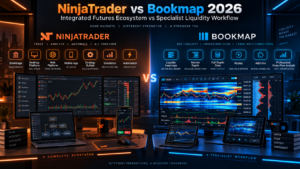
Device access creates a less obvious split in NinjaTrader vs Bookmap 2026. NinjaTrader’s deepest desktop environment is Windows-based, but current plans also include NinjaTrader Web and Mobile. This makes it possible to use the full Windows workstation when needed while retaining browser and phone access for other tasks.
Bookmap’s current installation documentation provides downloads for Windows and Mac, and its connectivity materials state that it also works on Linux although Linux is not officially supported. That gives Bookmap an advantage for traders who specifically want a Mac desktop order-flow application.
However, Bookmap remains primarily a desktop product. Traders who value first-party web and mobile continuity may prefer NinjaTrader. For a fixed multi-monitor workstation, that advantage matters less. In NinjaTrader vs Bookmap 2026, operating-system support should be evaluated alongside the features you actually use rather than as an isolated checklist item.
Who should choose NinjaTrader and who should choose Bookmap?
Choose NinjaTrader if you:
- Want futures brokerage and platform access under one ecosystem.
- Need Desktop, Web, and Mobile access.
- Use SuperDOM, Strategy Analyzer, Strategy Builder, Market Replay, or NinjaScript.
- Want a large third-party add-on ecosystem.
- Prefer to reduce the number of separate data, broker, and execution relationships.
- Plan to build or automate strategies with C#-based NinjaScript.
For these users, NinjaTrader vs Bookmap 2026 usually favors NinjaTrader because the integrated workflow is the main advantage. You can add specialist visualization later if your trading process proves that you need it.
Choose Bookmap if you:
- Make liquidity heatmaps and order-book behavior central to your decision process.
- Want to see resting liquidity evolve over time instead of only viewing a current DOM snapshot.
- Need Windows or Mac desktop support.
- Already have a compatible broker or data-feed relationship.
- Want advanced add-ons such as specialized liquidity or MBO tools.
- Prefer a specialist visualization layer rather than an all-in-one brokerage platform.
For these users, NinjaTrader vs Bookmap 2026 can favor Bookmap because the heatmap is not an accessory—it is the primary analytical interface.
Use both if you:
- Want NinjaTrader for brokerage, execution, strategy development, or simulation.
- Want Bookmap for specialist heatmap and liquidity analysis.
- Can support the required data and connection architecture without paying for unnecessary duplicate services.
A hybrid setup can be powerful, but NinjaTrader vs Bookmap 2026 should not become an excuse to collect tools without a defined use case. Every extra platform adds cost, configuration, data dependencies, and operational complexity.

NinjaTrader vs Bookmap 2026 pros and cons
NinjaTrader pros
- Integrated futures brokerage and platform ecosystem.
- Desktop, Web, and Mobile access.
- NinjaScript, Strategy Builder, and Strategy Analyzer.
- SuperDOM, Market Replay, and current Order Flow+ tools.
- Free plan with no monthly plan fee.
NinjaTrader cons
- Deepest customization remains Windows-desktop oriented.
- Specialist heatmap visualization is not as central as Bookmap’s.
- Exchange, clearing, routing, data, and account fees can add to base commissions.
- Third-party add-ons can increase total cost and complexity.
Bookmap pros
- Outstanding liquidity-heatmap visualization.
- Full-depth, volume, DOM, replay, and order-flow emphasis.
- Windows and Mac desktop downloads.
- Compatible with multiple data and brokerage connections.
- Developer APIs and a large add-on marketplace.
Bookmap cons
- Real-time futures data is an additional cost layer.
- Live trading depends on compatible broker/data connectivity.
- Premium MBO and specialist add-ons can become expensive.
- Less convenient than NinjaTrader for first-party web/mobile continuity.
Frequently asked questions
Is Bookmap better than NinjaTrader for order flow?
For liquidity heatmaps and visualized order-book behavior, NinjaTrader vs Bookmap 2026 generally favors Bookmap because those features define the product. NinjaTrader remains strong for DOM execution, Order Flow+, charting, replay, and a broader futures-platform workflow.
Which is cheaper, NinjaTrader or Bookmap?
There is no fair one-number answer. NinjaTrader vs Bookmap 2026 compares a brokerage-plan model with a software-plus-data model. NinjaTrader has a $0 monthly Free plan but live trading still has commissions and applicable fees. Bookmap has a free Digital tier, but real-time futures depth requires a compatible paid data feed and higher-level features may require paid plans or add-ons.
Can Bookmap connect to NinjaTrader?
Bookmap’s current learning center includes a NinjaTrader connectivity tutorial among its stocks-and-futures connection options. The exact configuration and available depth depend on the connection, credentials, data entitlement, and Bookmap version. Advanced MBO indicators may have stricter feed requirements, so do not assume every NinjaTrader-linked data path provides identical order-book information.
Does Bookmap work on Mac?
Yes. Bookmap’s current download guidance provides Windows and Mac installation options. That gives it an advantage over the full NinjaTrader Desktop application for users who want a dedicated installed Mac order-flow environment, although NinjaTrader Web can be accessed from a Mac browser.
Which platform is better for automation?
For native strategy development, NinjaTrader vs Bookmap 2026 usually favors NinjaTrader because NinjaScript, Strategy Builder, Strategy Analyzer, brokerage execution, and simulation are tightly integrated. Bookmap supports APIs, custom indicators, automated strategies, and add-ons, making it strong for developers who want to extend its order-flow environment.
Does Bookmap include real-time futures data?
Not automatically with the software subscription. Bookmap’s current pricing material states that real-time futures and stock data is purchased separately through compatible data services such as BookmapData, dxFeed, or Rithmic. The free Digital tier includes limited access and delayed futures/stocks data for familiarization.
Can I trade directly from Bookmap?
Bookmap supports trading from its interface when a compatible broker or execution connection is configured. The software itself is not the same thing as a brokerage account. Confirm that your broker, data feed, instrument, and order type are supported before building a live workflow.
Which platform is better for beginners?
NinjaTrader vs Bookmap 2026 generally favors NinjaTrader for a beginner who wants one clear futures ecosystem and simulation before live trading. Bookmap can be excellent for a beginner specifically learning order flow, but its modular data and connectivity structure adds another layer to understand.
Final verdict: NinjaTrader vs Bookmap 2026
NinjaTrader vs Bookmap 2026 does not have a universal winner because the platforms solve different problems. NinjaTrader is the stronger all-around choice for a futures trader who wants brokerage, execution, automation, simulation, charting, SuperDOM, Strategy Analyzer, Market Replay, and multi-device access inside one ecosystem.
Bookmap is the stronger specialist when the trading process revolves around liquidity. Its heatmap, volume visualization, full-depth data connections, replay, DOM tools, and advanced add-ons make it one of the most distinctive environments for studying how visible orders and executed volume change around price.
For many serious traders, the most useful interpretation of NinjaTrader vs Bookmap 2026 is therefore not “replace one with the other.” It is “which layer do I actually need?” Start with the platform that covers your essential workflow, then add the specialist layer only if it produces a repeatable analytical benefit worth the extra cost and complexity.
Test both in simulation before risking capital. Verify real-time data entitlements, exchange fees, broker compatibility, routing, commissions, and add-on costs. Order-flow visualization can improve context, but it cannot guarantee future price movement, fill quality, or profitability.
Affiliate link for eligible users. Review current eligibility, pricing, data fees, commissions, margin requirements, and risk disclosures before funding or trading.
Official sources checked
NinjaTrader pricing
NinjaTrader account and exchange fees
Bookmap features
Bookmap packages and market-data pricing
Bookmap installation and platform access
Editorial scope: This comparison is based on publicly available provider documentation checked September 9, 2026. We did not independently benchmark latency, live fills, slippage, data-feed quality, stability, or strategy profitability. Platform versions, subscriptions, data entitlements, broker compatibility, and fees can change.
Affiliate disclosure: TradeboticsAI may receive compensation from qualifying NinjaTrader referrals through marked affiliate links. Readers are not paid or incentivized to register or trade.
Risk disclosure: Futures are leveraged products and involve substantial risk, including losses that can exceed the initial investment. Historical and simulated results are hypothetical and do not predict live performance. This material is educational and is not personalized financial advice or a recommendation to trade.