NinjaTrader Position Limits 2026: Contract Limits, Exposure & Risk Guide
NinjaTrader Position Limits define how many futures contracts a trader may hold long or short at one time in a given market. In 2026, NinjaTrader explains that position limits are used to control trader exposure and that the limit for each futures contract is influenced primarily by the liquidity and volatility of that market. These limits are separate from margin requirements, buying power, and the optional Max Number of Open Positions risk setting available inside NinjaTrader.
Quick Answer: NinjaTrader Position Limits are preset contract limits that restrict how many contracts a trader can hold long or short in a particular futures market. The exact limit is not universal across all contracts. NinjaTrader says limits vary by market and are based mainly on liquidity and volatility. A trader can therefore have enough margin and buying power for additional contracts but still be prevented from increasing exposure because a position limit or account-level risk setting has been reached.
Affiliate Disclosure: TradeboticsAI may receive compensation if you register or complete an eligible action through links on this page, at no additional cost to you. This does not affect our editorial analysis.
What Are NinjaTrader Position Limits?
NinjaTrader Position Limits are preset maximums on the number of futures contracts a trader may hold long or short at one time. NinjaTrader states that these limits are designed to control the exposure of an individual trader.
The limit is contract-specific rather than a single number that applies to every futures market. NinjaTrader explains that the main factors are the liquidity and volatility of the underlying market. A highly liquid contract can therefore have different exposure limits from a thinner or more volatile product.
This is important because contract limits are not calculated only from your account cash. A trader with substantial account equity can still face a product-specific limit. Conversely, having a high contract limit does not mean an account has enough margin or risk capacity to use it.
For the current policy, review the official NinjaTrader Margin Policy and Position Management page.
How NinjaTrader Position Limits Work
NinjaTrader Position Limits operate as an exposure control. If the applicable limit for a futures contract has been reached, the trader should not assume that additional buying power automatically permits a larger position.
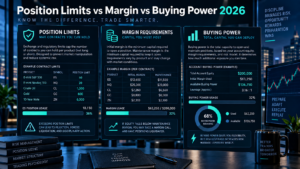
The most useful way to think about the rule is to separate three different constraints:
| Constraint | What It Controls | Can It Block More Exposure? |
|---|---|---|
| Position Limit | Maximum contract exposure permitted for a market | Yes |
| Margin Requirement | Minimum account equity required to support contracts | Yes |
| Max Open Positions Setting | User-selected number of simultaneous open positions | Yes, when configured |
A trade must fit within all relevant constraints. Passing one test does not guarantee the order will pass every other account or product control.

NinjaTrader Position Limits vs Margin Requirements
NinjaTrader Position Limits and margin requirements solve different risk problems. Position limits restrict market exposure by contract count, while margin determines how much account equity must support the position.
NinjaTrader currently offers reduced intraday margins starting at $50 for selected Micro contracts and $500 for several popular E-mini contracts. Those low margin figures can create significant leverage, but they do not override a position limit.
The reverse is also true. A market may permit a larger contract position, but your account may not have enough intraday, maintenance, or initial margin to support that exposure.
For current Day, Maintenance, and Initial requirements, see our NinjaTrader Maintenance Margin 2026 guide.
NinjaTrader Position Limits vs Buying Power
Buying power describes how much trading capacity remains after margin is considered. NinjaTrader Position Limits describe how much contract exposure is permitted. These concepts overlap operationally but they are not the same.
Imagine an account appears to have enough intraday margin to open ten more contracts. That arithmetic does not guarantee ten additional contracts can actually be held. A contract-specific position limit, current open exposure, risk setting, or changing margin requirement can reduce the amount that can be added.
This is why maximum theoretical buying power should never be interpreted as an automatic contract quantity. See our NinjaTrader Buying Power 2026 guide for the full distinction between leverage and risk-based position sizing.
Max Number of Open Positions Is a Different Risk Control
NinjaTrader also provides an account-level risk setting called Max Number of Open Positions. This should not be confused with contract-specific position limits.
The risk setting lets you choose the maximum number of positions you want open at the same time. NinjaTrader states that once the selected number has been reached, additional orders that would open another position are rejected until an existing position is closed.
This setting can be useful for traders who want to limit simultaneous market exposure even when sufficient margin remains. For example, a trader may choose to hold no more than three open positions across different markets to reduce complexity and account-level risk.
NinjaTrader states that its risk settings can be used in both simulated and live trading, allowing users to practice the same controls before committing real capital.

Why a NinjaTrader Order Can Be Rejected
A rejected opening order does not automatically mean there is a platform problem. Several risk controls can prevent additional exposure.
Possible causes can include insufficient current margin, a position or exposure limit, a configured Max Number of Open Positions setting, or other brokerage and exchange controls. The exact rejection message should be reviewed before attempting the order again.
If a risk setting is responsible, repeatedly resubmitting the same opening order will not solve the underlying limit. The trader should first identify which threshold has been reached and whether changing the position is consistent with the original risk plan.
NinjaTrader Position Limits and Overnight Exposure
Contract-specific position limits remain only one part of overnight position management. NinjaTrader states that reduced intraday margin generally ends 15 minutes before a product’s session close, when the higher exchange-set Initial margin is required for positions that remain open.
A trader may therefore be within the contract position limit but still lack sufficient Initial margin to hold the full position overnight. The account can be subject to liquidation and applicable fees if required margin is not maintained.
Before carrying a large position between sessions, check both the contract exposure limit and Excess Initial Margin. Our NinjaTrader Excess Margin 2026 guide explains how to monitor unused intraday and initial margin.
Position Limits and Futures Contract Rollover
Futures contracts expire, so position management also requires attention to rollover. NinjaTrader explains that before expiration, traders generally either exit the active contract or roll the position into a later contract month of the same underlying market.
The rollover process can temporarily create operational complexity if orders or positions exist in both contract months. Traders should confirm the active contract, quantity, margin, and relevant contract limits before building exposure in the new contract month.
Do not assume that the platform automatically converts every open position into the next contract. A rollover is a trading decision that requires closing or offsetting the expiring contract and establishing the desired exposure in a later one.
Using NinjaTrader Position Limits for Risk Management
The existence of a high market position limit does not mean a trader should use it. NinjaTrader Position Limits are maximum exposure controls, not recommended trade sizes.
Risk-based position sizing should start with the amount of capital you are prepared to lose if the trade fails. Contract tick value, stop distance, volatility, available margin, and total account exposure should then determine quantity.
NinjaTrader’s current risk tools can add another layer of discipline. In addition to Max Number of Open Positions, the platform provides account-level controls such as profit targets, loss limits, and trailing maximum drawdown. The company also provides per-trade alerts for maximum loss, maximum profit, and maximum time in trade.
Using multiple controls can help prevent one market, one trade, or too many simultaneous positions from dominating the account.
NinjaTrader Position Limits Checklist
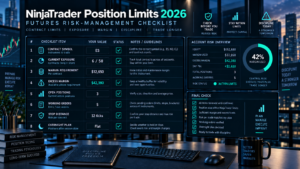
Before increasing contract quantity, check:
- the exact futures symbol and contract month;
- the current contract-specific position limit;
- current long or short exposure already held;
- Day, Maintenance, and Initial margin requirements;
- Excess Intraday Margin and Excess Initial Margin;
- current unrealized profit or loss;
- whether Max Number of Open Positions is enabled;
- working orders that could increase exposure if filled;
- the planned stop distance and dollar risk;
- whether the position may remain open beyond the intraday cutoff.
This checklist helps separate what the account can technically attempt from what the trader can reasonably support.

NinjaTrader Position Limits: Pros and Cons
Pros
- Limits help control excessive exposure in individual futures markets.
- Contract-specific treatment reflects differences in liquidity and volatility.
- Account-level Max Number of Open Positions can add a personalized limit.
- Risk controls can reject additional exposure before it is opened.
- Simulation can be used to practice account-level risk settings.
Cons
- There is no single universal contract limit across all futures markets.
- Having margin available does not guarantee additional exposure is allowed.
- Contract limits and account risk settings can be confused with each other.
- Limits can change as market and brokerage conditions change.
- A permitted position size can still be financially inappropriate for the trader.
NinjaTrader Position Limits FAQ
What are NinjaTrader Position Limits?
They are preset limits on the number of futures contracts a trader may hold long or short at one time. NinjaTrader says these limits are used to control trader exposure.
Are NinjaTrader Position Limits the same for every futures contract?
No. NinjaTrader states that limits are contract-specific and determined primarily by the liquidity and volatility of the relevant market.
Can I exceed a position limit if I have enough margin?
Having enough margin does not automatically override a contract exposure limit. Margin and position limits are separate controls.
What is Max Number of Open Positions?
It is an account-level NinjaTrader risk setting that allows you to choose how many positions can be open simultaneously. Once the configured number is reached, orders that would open another position are rejected until an existing position is closed.
Can I use NinjaTrader risk settings in simulation?
Yes. NinjaTrader states that the risk settings are available for simulated and live trading, allowing traders to practice the controls before using real capital.
Why was my NinjaTrader order rejected even though I have buying power?
Possible reasons include a position or exposure limit, Max Number of Open Positions, insufficient current margin, or another account or brokerage control. Review the exact rejection message before resubmitting.
Do NinjaTrader Position Limits affect overnight trading?
Yes, position exposure still matters overnight, but the account must also satisfy the higher Initial margin required after the reduced intraday-margin period ends.
Are position limits a recommended trade size?
No. A position limit is a maximum exposure control. Appropriate trade size should be based on risk capital, stop distance, tick value, volatility, margin buffer, and total account exposure.
Final Verdict: NinjaTrader Position Limits in 2026
NinjaTrader Position Limits provide an important boundary between available leverage and maximum permitted market exposure. They are contract-specific, are influenced by liquidity and volatility, and operate separately from margin requirements and buying power.
Traders should also distinguish these market limits from NinjaTrader’s Max Number of Open Positions risk setting. The account-level setting is customizable and can reject new opening orders once the trader’s selected number of simultaneous positions has been reached.
The practical rule is simple: never treat a position limit as a target. Check the contract limit, margin requirement, excess margin, current P&L, and risk-based position size before increasing exposure. Maximum permitted size and financially sensible size are rarely the same thing.
Affiliate Disclosure: TradeboticsAI may earn compensation when eligible users take an action through certain links on this page. Our content remains editorially independent and is provided for educational and comparison purposes.
Risk Disclosure: Futures trading involves substantial risk of loss and is not suitable for every investor. Position limits, risk settings, margin requirements, and buying power do not guarantee that a trade is appropriate or that losses will be limited. Futures are leveraged products, and market conditions can change quickly. Verify current contract limits, margin requirements, and account rules directly with NinjaTrader before trading.